Introducció
This manual provides comprehensive instructions for the Soundcore by Anker Space Q45 Adaptive Active Noise Cancelling Headphones. It covers product features, setup, operation, maintenance, and troubleshooting to ensure optimal performance and user experience.
The Soundcore Space Q45 headphones are designed to deliver superior audio quality with advanced noise cancellation, extended battery life, and comfortable wear, making them ideal for various environments.
Què hi ha a la caixa
- Soundcore Space Q45 Headphone x1
- Cable USB-C x1
- Cable AUX x1
- Funda protectora x1
Producte acabatview & Característiques clau
Cancel·lació de soroll activa adaptativa
The fully-upgraded noise cancelling system targets and blocks out a wider range of noises, reducing up to 98% of ambient sound. Adaptive noise cancelling automatically selects a suitable level based on your location (indoors, outdoors, commuting, or flight). Users can also choose from 5 noise cancelling levels via the Soundcore app.

Imatge: Diagrama que il·lustra les 3-stage noise cancellation system, showing how different frequencies of noise are filtered.
Àudio d'alta resolució
Equipped with 40mm drivers featuring a pioneering double-layer diaphragm made from silk and ceramic materials, these headphones produce sound with intense bass and crisp treble. Space Q45 supports LDAC for Hi-Res Audio Wireless sound, providing 3 times more detail than standard Bluetooth audio.

Image: Diagram showing the internal structure of the 40mm double-layer diaphragm, highlighting its role in producing crisp mids and treble, and thumping bass.
Temps de reproducció ampliat i càrrega ràpida
Enjoy up to 50 hours of playtime with noise cancelling mode enabled, or up to 65 hours in normal mode. A quick 5-minute charge provides 4 hours of playback, ensuring your music is always ready for your journey.

Image: A woman wearing the Soundcore Space Q45 headphones while seated on an airplane, emphasizing the 50-hour playtime feature for travel.
Disseny còmode i ergonòmic
The headphones balance a refined design with an ergonomic build, featuring aluminum alloy hinges that flex for a comfortable fit, a cushioned headband with a sliding design, and generously sized ear cups with soft ear cushioning for extended wear.

Image: A woman smiling while wearing the Soundcore Space Q45 headphones, showcasing the comfortable and ergonomic design.
Connectivitat perfecta
Equipped with Bluetooth 5.3 technology, the Space Q45 offers stable and efficient wireless connections. It also supports multipoint connection, allowing you to link two devices simultaneously for seamless switching between audio sources.
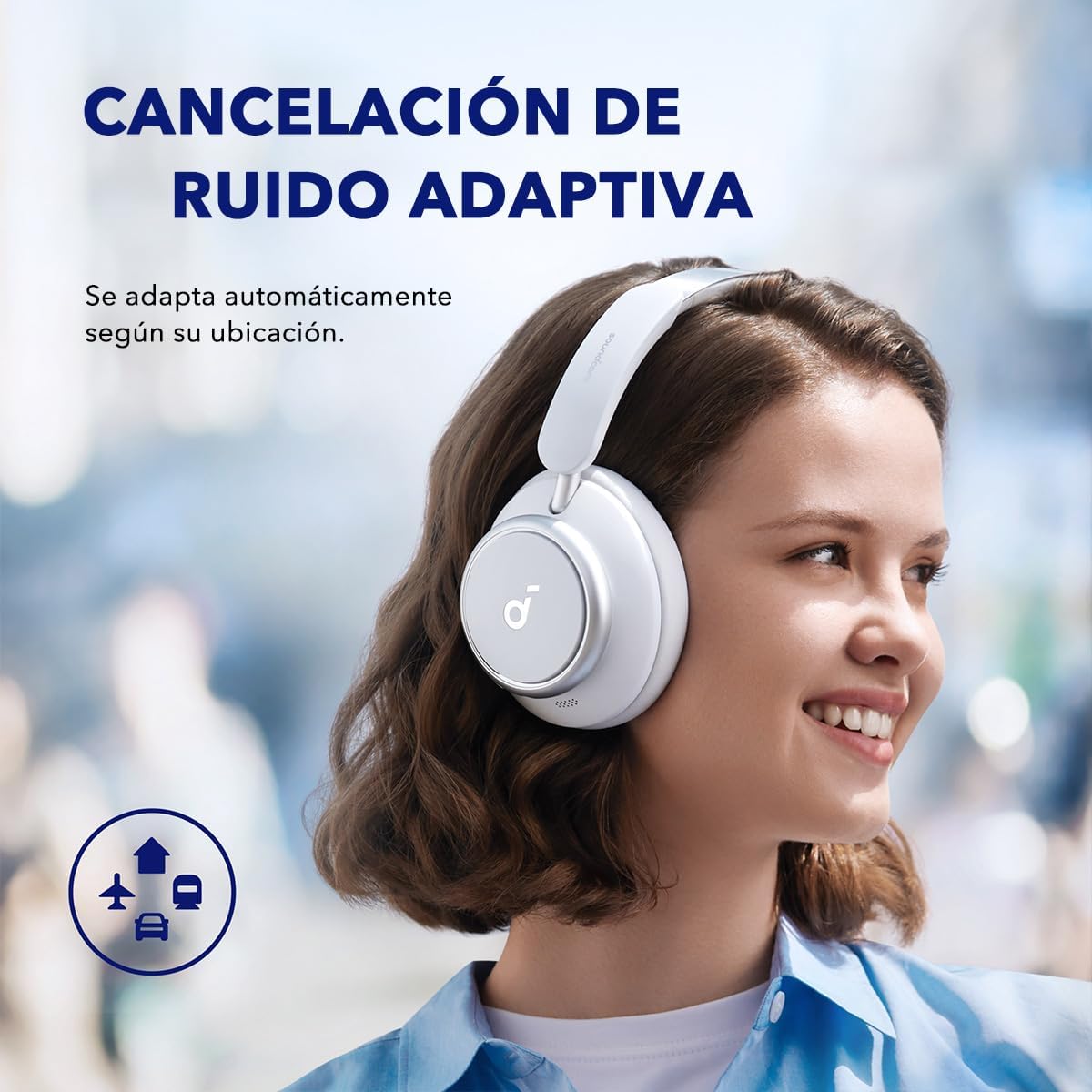
Image: A woman wearing the Soundcore Space Q45 headphones in an outdoor urban environment, demonstrating the adaptive noise cancelling feature that adjusts to surroundings.
Configuració
Carregant els auriculars
- Connect the provided USB-C cable to the charging port on the headphones.
- Connecteu l'altre extrem del cable USB-C a una font d'alimentació USB compatible (per exemple, un adaptador de paret, un port USB de l'ordinador).
- The LED indicator on the headphones will show the charging status. A full charge typically takes 2 hours.
Encès/Apagat
- Per engegar, premeu i manteniu premut el botó d'engegada durant 3 segons.
- Per apagar-lo, premeu i manteniu premut el botó d'engegada durant 3 segons.
Emparellament Bluetooth
- Amb els auriculars apagats, premeu i manteniu premut el botó d'engegada durant 5 segons fins que l'indicador LED parpellegi en blau, cosa que indica el mode d'emparellament.
- Al dispositiu (telèfon intel·ligent, tauleta, ordinador), activeu el Bluetooth i cerqueu els dispositius disponibles.
- Select "Soundcore Space Q45" from the list of devices.
- Un cop connectat, l'indicador LED es tornarà blau continu.
Connexió multipunt
Els auriculars es poden connectar a dos dispositius Bluetooth simultàniament.
- Emparella els auriculars amb el primer dispositiu tal com s'ha descrit anteriorment.
- Desactiveu el Bluetooth al primer dispositiu.
- Vincula els auriculars amb el segon dispositiu.
- Enable Bluetooth on the first device. The headphones will now be connected to both devices.
Soundcore App Installation
Download the Soundcore app from your device's app store (Google Play Store or Apple App Store) to unlock full features, customize EQ settings, adjust noise cancelling levels, and update firmware.

Image: The Soundcore app interface displayed on a smartphone, illustrating options for ambient sound control, sound effects, and other customizable settings for the Space Q45 headphones.
Instruccions de funcionament
Controls
The headphones feature physical buttons for easy control:
- Botó d'encesa: Encendre/apagar, entrar en mode d'emparellament.
- Pujar/baixar el volum: Ajusta el volum de l'àudio.
- Botó multifunció: Reproduir/pausar música, respondre/finalitzar trucades, activar l'assistent de veu (la funcionalitat pot variar segons el dispositiu).
- Botó NC: Toggle between Noise Cancellation, Normal, and Transparency modes.
Switching Noise Control Modes
Press the NC button to cycle through the following modes:
- Cancel·lació de soroll: Blocks out ambient noise.
- Normal: Standard audio mode without noise cancellation or transparency.
- Transparència: Et permet escoltar el teu entorn mentre escoltes àudio.
Further customization of noise cancelling levels and transparency can be done through the Soundcore app.
Realització de trucades
The headphones are equipped with clear call technology for enhanced voice pickup.
- Respondre/Finalitzar la trucada: Premeu el botó multifunció una vegada.
- Rebutja la trucada: Manteniu premut el botó multifunció durant 2 segons.
Manteniment
- Netegeu els auriculars regularment amb un drap suau i sec.
- Eviteu exposar els auriculars a temperatures extremes, humitat o líquids.
- Store the headphones in their protective case when not in use to prevent damage.
- No intenteu desmuntar ni reparar els auriculars vosaltres mateixos, ja que això podria anul·lar la garantia.
Resolució de problemes
- Sense energia: Assegureu-vos que els auriculars estiguin completament carregats.
- No es pot emparellar: Make sure the headphones are in pairing mode (flashing blue LED) and within range of your device. Try restarting both devices.
- Mala qualitat d'àudio: Check the Bluetooth connection and ensure there are no obstructions. Try adjusting EQ settings in the Soundcore app.
- La cancel·lació de soroll no funciona: Ensure the NC mode is activated. Adjust noise cancelling levels in the Soundcore app.
Especificacions
| Característica | Detall |
|---|---|
| Nom del model | Espai Q45 |
| Número de model de l'article | A3040 |
| Control de soroll | Adaptive Active Noise Cancellation (3-Stage, AI Voice Pickup, Hybrid ANC) |
| Tecnologia de connectivitat | Sense fil (Bluetooth 5.3) |
| Mida del controlador d'àudio | 40 Millimeters (Double-layer diaphragm) |
| Còdecs d'àudio | LDAC, AAC, SBC |
| Durada de la bateria | Up to 65 Hours (Normal Mode), Up to 50 Hours (ANC Mode) |
| Temps de càrrega | 2 hores (5 minuts de càrrega per a 4 hores de reproducció) |
| Tipus de control | Control d'aplicacions, botons físics |
| Pes de l'article | 10.4 unces |
| Dimensions del producte | 6.34 x 3.46 x 7.44 polzades |
| Material | Ceràmica |
| Nivell de resistència a l'aigua | Impermeable |
Vídeo oficial del producte
Vídeo: Producte oficial acabatview of the Soundcore Space Q45 Noise Cancelling Headphones, highlighting key features and design.
Garantia i Suport
Els productes Soundcore solen incloure una garantia limitada. Consulteu la targeta de garantia inclosa a l'embalatge del producte o visiteu el lloc web oficial de Soundcore. weblloc per obtenir informació detallada sobre la garantia i els termes.
For technical support, troubleshooting assistance, or any product-related inquiries, please contact Soundcore customer service through their official website or the Soundcore app.


