1. Introducció
This manual provides comprehensive instructions for the installation, operation, and maintenance of your EVGA CLCx 360mm All-in-One (AIO) LCD CPU Liquid Cooler. The CLCx Series features a 7th Generation Asetek water pump, a 360mm radiator, three 120mm PWM ARGB fans, and an integrated 480x480 LCD display for monitoring system vitals or displaying custom content.
The cooler is designed to provide efficient CPU cooling and quiet operation for compatible Intel and AMD platforms.

Image 1.1: The EVGA CLCx 360mm All-in-One LCD CPU Liquid Cooler, showcasing the radiator, three ARGB fans, and the pump with its integrated LCD display.
2. Contingut del paquet
Verify that all components listed below are present in your package before proceeding with installation.
- EVGA CLCx 360mm AIO Liquid Cooler (Radiator, Pump/Waterblock, Tubing, Pre-installed Fans)
- Mounting Hardware for Intel (LGA1700/1200/115X)
- Mounting Hardware for AMD (AM5/AM4)
- Fan and RGB Cables
- Guia d'instal·lació

Imatge 2.1: acabatview of the EVGA CLCx 360mm AIO Liquid Cooler package contents, including the cooler unit, various mounting brackets, screws, and connection cables.
3. Guia d'instal·lació
Before beginning installation, ensure your system is powered off and disconnected from the power source. Refer to the included physical installation guide for detailed, step-by-step instructions specific to your CPU socket type.

Image 3.1: The cover of the EVGA CLCx Series Installation Guide, which contains detailed instructions for mounting the cooler.
3.1. Preparing the Waterblock
The waterblock comes with pre-applied thermal paste. Ensure the protective plastic cover is removed before mounting. Select the appropriate mounting bracket for your CPU socket (Intel or AMD) and attach it to the waterblock.
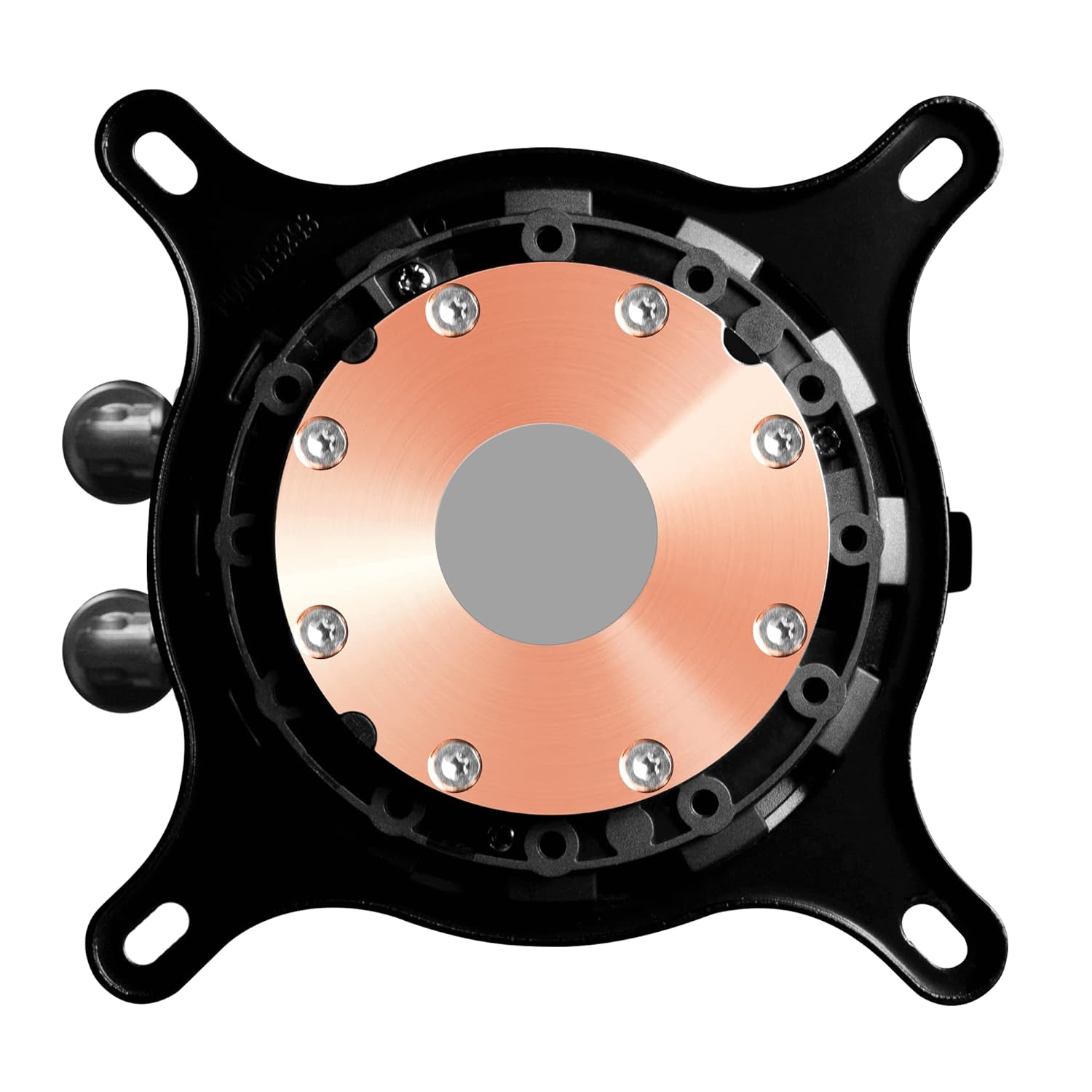
Image 3.2: The underside of the waterblock, featuring the copper cold plate and pre-applied thermal compound for efficient heat transfer.
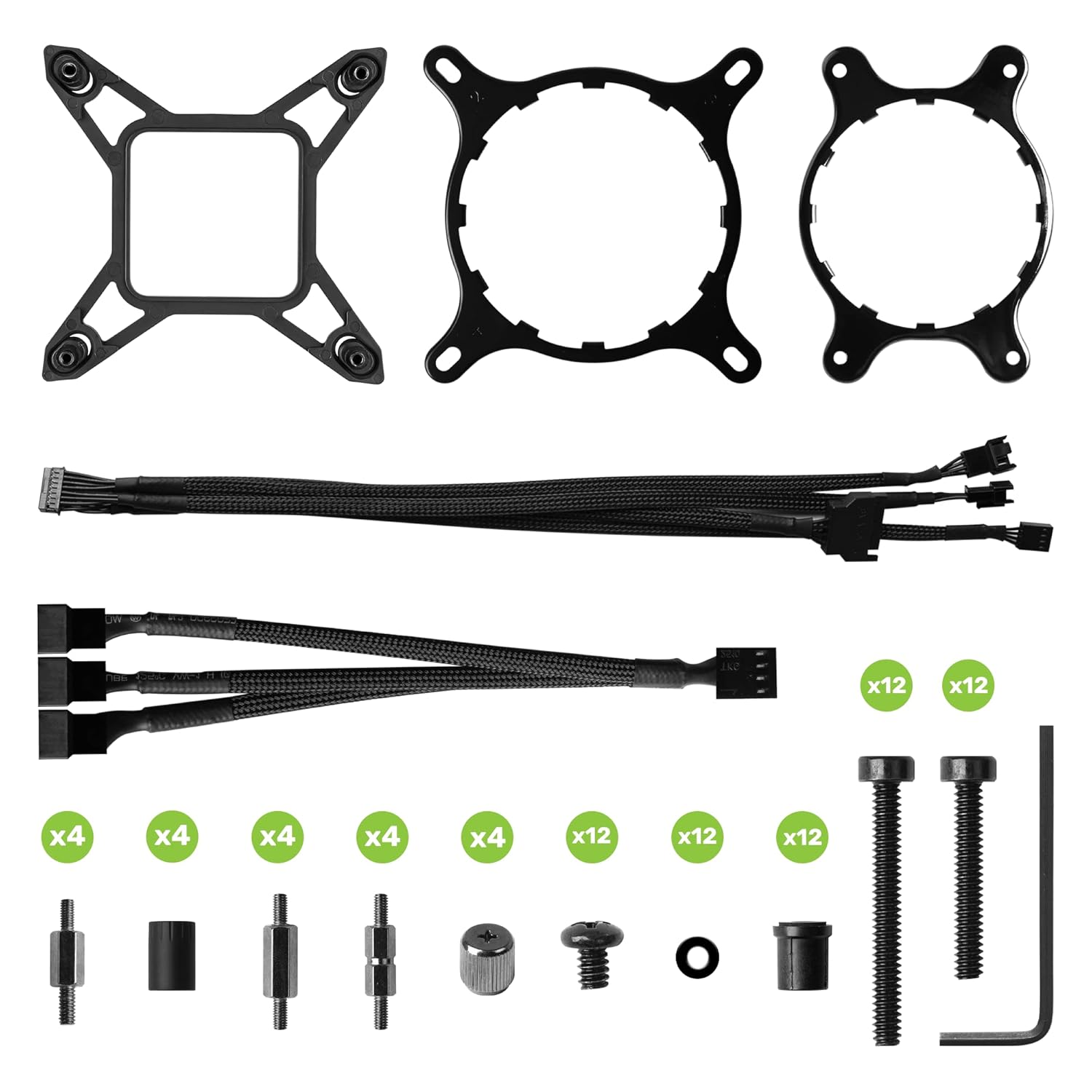
Image 3.3: A selection of mounting brackets and hardware provided for compatibility with different Intel and AMD CPU sockets.
3.2. Radiator and Fan Mounting
Mount the 360mm radiator and its three 120mm ARGB fans to an available fan mounting location in your PC case. Common locations include the top or front of the case. Ensure proper airflow direction for optimal cooling performance.
3.3. Connexions de cable
Connect the pump power cable to the CPU_FAN header on your motherboard. Connect the fan cables to available fan headers, and the ARGB cables to compatible ARGB headers or the included controller if applicable. A USB cable from the pump to a motherboard USB 2.0 header is required for LCD display and software control.
4. Funcionament
4.1. Pantalla LCD
The integrated 2.1-inch 480x480 LCD screen on the pump allows you to monitor system temperatures (CPU, coolant), pump speed, and fan speed. It can also display custom images or animations.

Imatge 4.1: Una imatge detallada view of the pump's LCD display, illustrating real-time system metrics such as CPU temperature, coolant temperature, pump speed, and fan speed.
4.2. EVGA CLCx Software
The EVGA CLCx Software suite provides comprehensive control over your cooler. This software allows you to:
- Monitor system vitals.
- Ajustar la velocitat de la bomba i del ventilador.
- Customize ARGB lighting effects for the fans.
- Configure the LCD display to show system information, custom images, or animations.
Download the latest version of the EVGA CLCx Software from the official EVGA weblloc.

Image 4.2: The EVGA CLCx Software interface, demonstrating control over fan and pump curves, and customization options for the LCD display and ARGB lighting.
5. Manteniment
The EVGA CLCx is an All-in-One liquid cooler, meaning it is a closed-loop system that requires no refilling or custom tubing maintenance. However, regular cleaning is recommended to ensure optimal performance.
- Eliminació de pols: Netegeu periòdicament la pols de les aletes del radiador i de les pales del ventilador amb aire comprimit. Assegureu-vos que els ventiladors no girin durant la neteja.
- Gestió de cables: Ensure all cables are securely connected and not obstructing airflow within the case.
- Inspecció visual: Occasionally inspect the tubing for any signs of damage or leaks.
6. Solució De Problemes
If you encounter issues with your EVGA CLCx cooler, consider the following common troubleshooting steps:
- Sense alimentació/pantalla: Verify all power and USB cables are securely connected to the motherboard and the cooler. Check motherboard BIOS settings for fan headers.
- Temperatures altes: Ensure the waterblock is properly seated on the CPU and the mounting screws are tightened evenly. Confirm fans are spinning and radiator fins are clear of dust. Check thermal paste application.
- Fan/Pump Noise: Adjust fan and pump curves in the EVGA CLCx Software. Ensure no cables are interfering with fan blades.
- El programari no detecta el refrigerador: Ensure the USB cable from the pump to the motherboard is correctly connected. Try reinstalling the EVGA CLCx Software.
For further assistance, refer to the EVGA support website or contact EVGA customer service.
7. Especificacions
| Component | Especificació |
|---|---|
| Número de model | 400-HY-CX36-V1 |
| Dimensions del radiador | 16.6" de llargada x 5.7" d'amplada x 7.8" d'alçada (aprox. 421.6 mm x 144.8 mm x 198.1 mm) |
| Material | Aluminum (Radiator), Copper (Cold Plate) |
| Mètode de refrigeració | Líquid (Tot en un) |
| Sòcols de CPU compatibles | Intel LGA1700/1200/115X, AMD AM5/AM4 |
| Tipus de bomba | 7th Generation Asetek |
| Mida del ventilador | 3x 120mm ARGB Fans |
| Tipus de coixinet de ventilador | Coixinet Hidrodinàmic |
| Velocitat de rotació màxima | 2580 RPM |
| Nivell de soroll | 35 decibels (màxim) |
| Pantalla LCD | 2.1" 480x480 Resolution |
| Connector d'alimentació | 5-pins |
| Voltage | 12 Volts |
| Wattage | 360W (Cooling Capacity) |
8. Garantia i Suport
The EVGA CLCx 360mm All-in-One LCD CPU Liquid Cooler comes with a 5-year limited warranty. For detailed warranty terms and conditions, please visit the official EVGA weblloc.
For technical support, driver downloads, or further assistance, please visit the EVGA support portal or contact their customer service department. Ensure you have your product model number (400-HY-CX36-V1) and proof of purchase available when seeking support.
Oficial d'EVGA Weblloc: www.evga.com


