1. Introducció
This manual provides detailed instructions for the proper use and maintenance of your CREATIVE Sensemore Air True Wireless In-Ear Headphones. Please read this manual thoroughly before using the product to ensure optimal performance and longevity.
The CREATIVE Sensemore Air headphones offer a superior audio experience with advanced features such as Sensemore Technology, Ambient Mode, Active Noise Cancellation (ANC), and clear call quality through quad microphones. Designed for comfort and durability, they are also IPX5 sweatproof.
2. Què hi ha a la caixa
- CREATIVE Sensemore Air True Wireless Earbuds (Left and Right)
- Estoig de càrrega
- Cable de càrrega USB-C
- Puntes d'orella de silicona (talles S, M, L)
- Guia d'inici ràpid (aquest manual)

Image: CREATIVE Sensemore Air earbuds and charging case, illustrating the main components.
3. Configuració
3.1 Càrrega del dispositiu
Before first use, fully charge the CREATIVE Sensemore Air earbuds and charging case.
- Càrrega dels auriculars: Place the earbuds into the charging case. Ensure they are correctly seated. The LED indicators on the case will show charging status.
- Càrrega de la caixa: Connect the USB-C charging cable to the charging port on the case and to a power source. Alternatively, place the charging case on a Qi-certified wireless charging pad.
- Càrrega ràpida: Una càrrega de 10 minuts proporciona fins a 2 hores de reproducció.
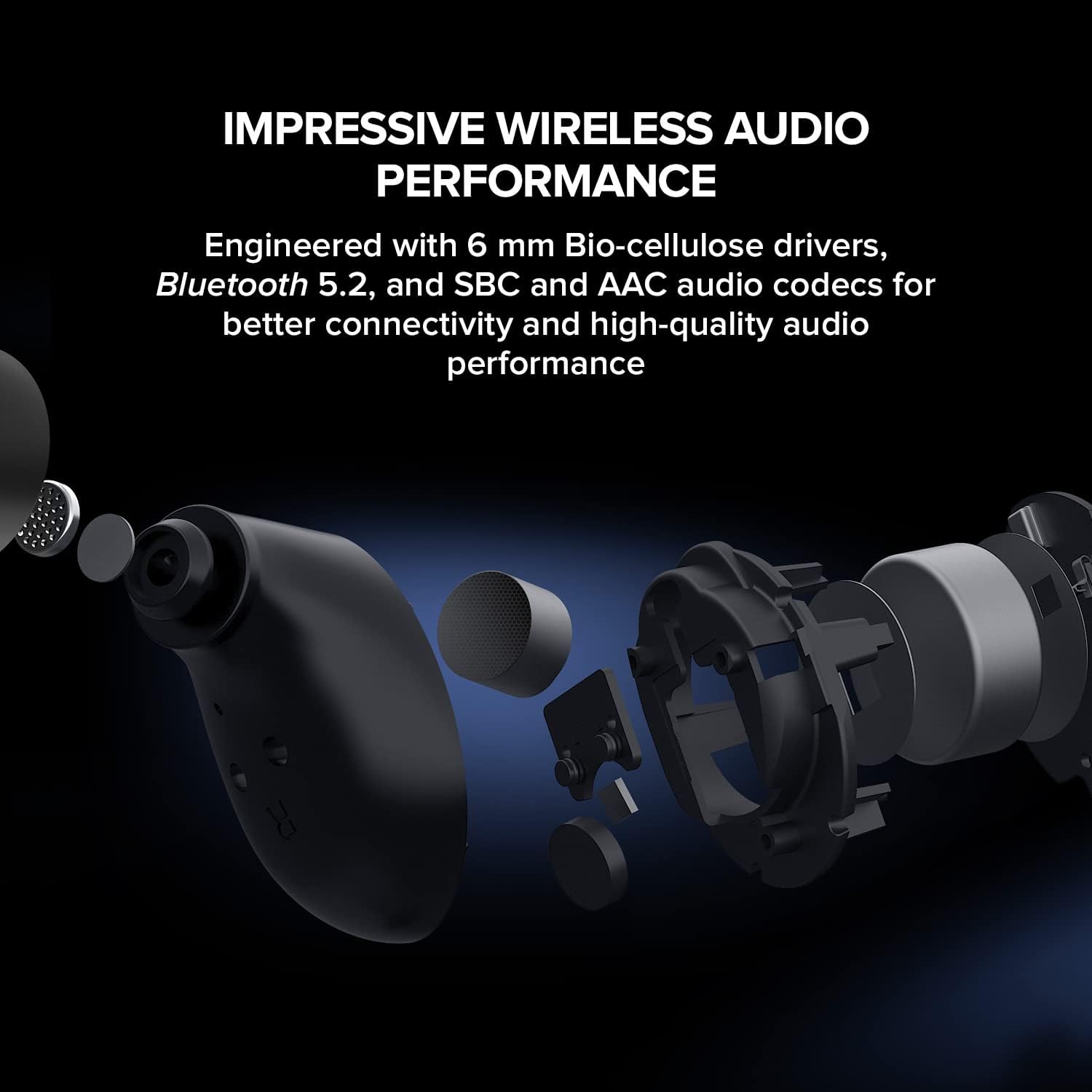
Image: The CREATIVE Sensemore Air charging case resting on a wireless charging pad, indicating wireless charging capability.
3.2 Vinculació Bluetooth
- Assegura't que els auriculars estiguin a l'estoig de càrrega i que l'estoig tingui prou bateria.
- Open the charging case. The earbuds will automatically enter pairing mode, indicated by flashing LED lights.
- Al dispositiu (telèfon intel·ligent, tauleta, ordinador), activeu el Bluetooth i cerqueu dispositius nous.
- Select "CREATIVE Sensemore Air" from the list of available devices.
- Once connected, the earbuds' LEDs will stop flashing, and you will hear an audio confirmation.
3.3 Col·locació dels auriculars
Proper fit is crucial for sound quality and noise cancellation effectiveness.
- Choose the silicone ear tips that provide the best seal and comfort for your ears. Three sizes (S, M, L) are included.
- Introduïu suaument els auriculars als canals auditius i gireu-los lleugerament per fixar-los.
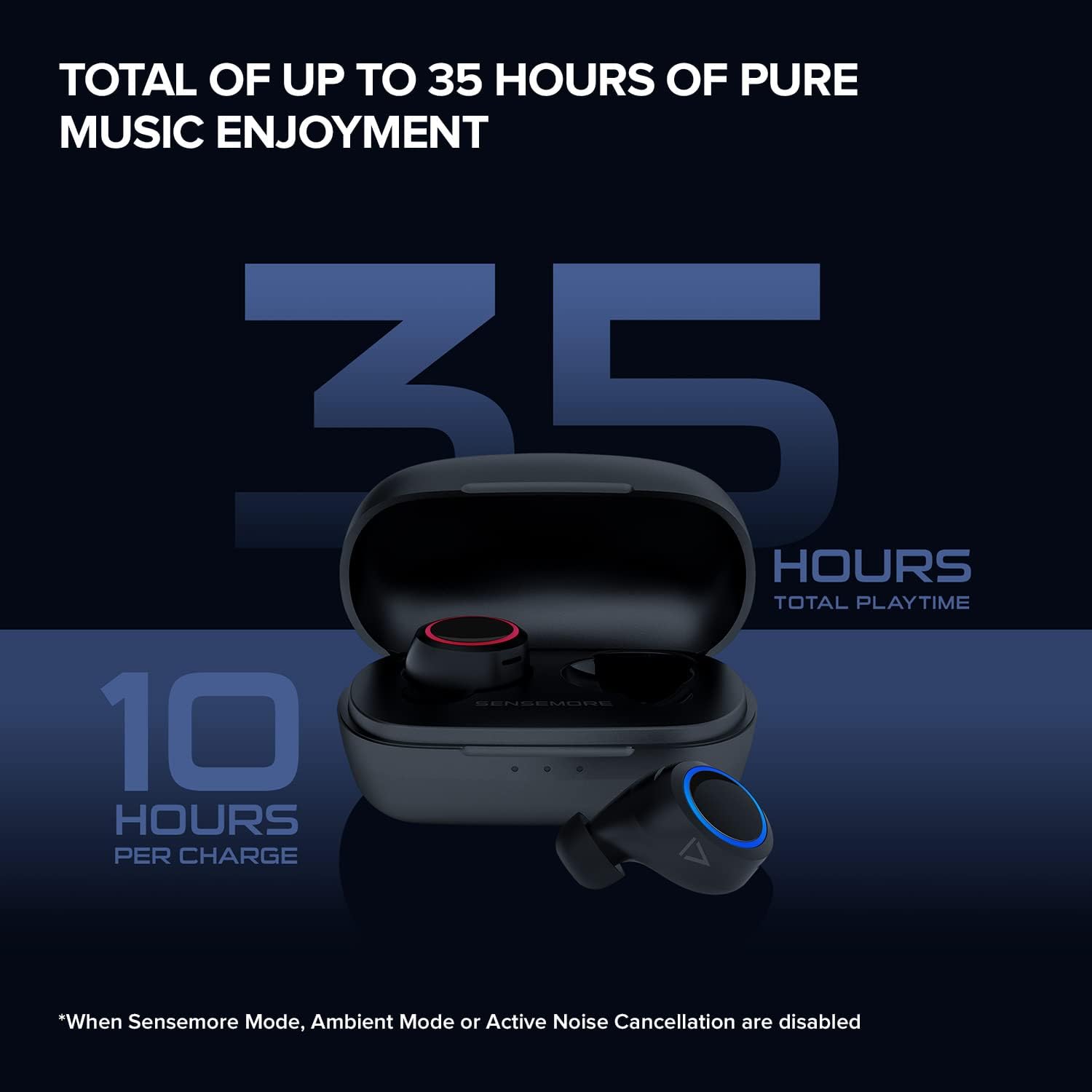
Image: The CREATIVE Sensemore Air earbuds displayed alongside small, medium, and large silicone ear tips, highlighting the options for a customized fit.
4. Instruccions de funcionament
4.1 Encès/Apagat
- Encès: Els auriculars s'encenen automàticament quan es treuen de l'estoig de càrrega.
- Apagar: Torneu a col·locar els auriculars a l'estoig de càrrega perquè s'apaguin automàticament i comencin a carregar-se.
4.2 Controls tàctils
The CREATIVE Sensemore Air earbuds feature customizable touch controls. Functions can be reassigned via the Creative app.
- Default Controls (Example):
- Single Tap: Play/Pause, Answer/End Call
- Double Tap: Noise Control Mode Cycle (Left earbud), Next Track (Right earbud)
- Triple Tap: Voice Assistant (Left earbud), Previous Track (Right earbud)
- Long Press: Volume Down (Left earbud), Volume Up (Right earbud)
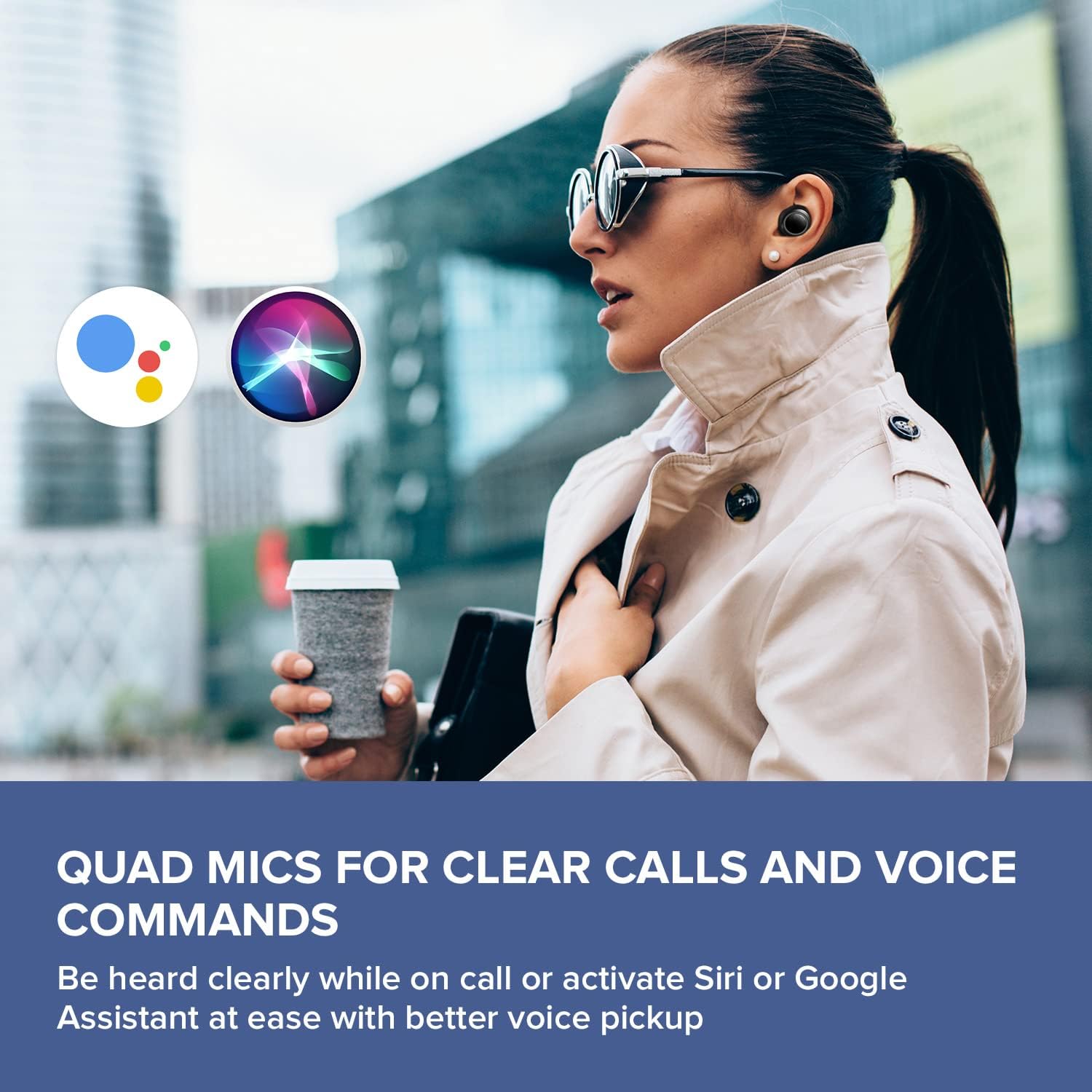
Image: A smartphone screen displaying the Creative app's custom button settings interface, allowing users to personalize touch controls for their earbuds.
4.3 Modes de control de soroll
Els auriculars ofereixen tres modes diferents de control de soroll:
- Cancel·lació activa del soroll (ANC): Blocks out external noise, allowing for immersive audio listening.
- Mode ambient: Et permet escoltar el teu entorn mentre gaudeixes de l'àudio, millorant la consciència situacional.
- Sensemore Mode: Amplifies surrounding sounds, making it easier to hear conversations or important announcements in high definition.
Cycle through these modes using the designated touch control (default: double tap on the left earbud) or through the Creative app.

Image: A person on a bus wearing Creative Sensemore Air headphones, with text overlay explaining the Sensemore, Ambient, and Active Noise Cancellation modes and their functions.
4.4 Fer trucades
The integrated quad microphones ensure clear voice pickup during calls.
- Respondre/Finalitzar la trucada: Un sol toc a qualsevol dels auriculars.
- Rebutja la trucada: Premeu llargament qualsevol dels auriculars.
4.5 Assistent de veu
Activate your device's voice assistant (Siri or Google Assistant) with a simple touch command (default: triple tap on the left earbud).

Image: A person walking outdoors, wearing Creative Sensemore Air headphones, with the logos for Siri and Google Assistant floating nearby, indicating voice assistant compatibility.
5. Manteniment
5.1 Neteja
- Netegeu regularment els auriculars i l'estoig de càrrega amb un drap suau, sec i sense borrissol.
- Traieu les puntes de les orelles i netegeu-les amb aigua i sabó suau, i després eixugueu-les bé abans de tornar-les a col·locar.
- Assegureu-vos que els contactes de càrrega dels auriculars i de la funda estiguin nets i lliures de residus.
5.2 Emmagatzematge
Quan no els utilitzeu, guardeu sempre els auriculars a la seva funda de càrrega per protegir-los i mantenir-los carregats.
5.3 Resistència a l'aigua (IPX5)
The CREATIVE Sensemore Air earbuds are IPX5-rated, meaning they are resistant to sweat and light splashes of water. They are not designed for submersion in water. Avoid exposing them to heavy rain or direct water jets.
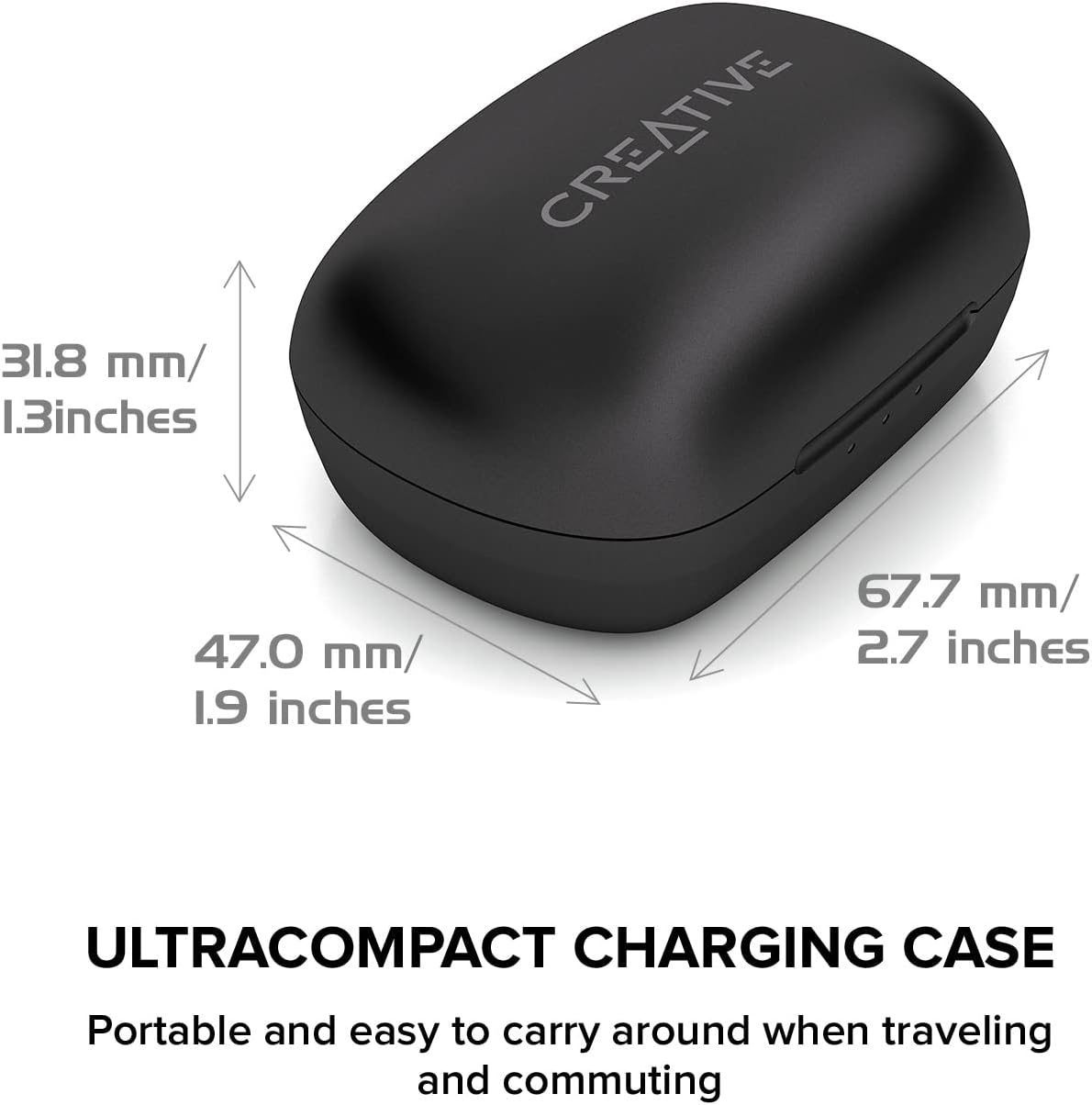
Image: A person running outdoors in the rain, wearing Creative Sensemore Air headphones, demonstrating their IPX5 sweatproof and water-resistant capabilities.
6. Solució De Problemes
- Auriculars que no s'emparellan: Ensure both earbuds are in the case, close and reopen the case. Check your device's Bluetooth settings.
- Només funciona un auricular: Place both earbuds back in the case, close it, wait a few seconds, then reopen. Re-pair if necessary.
- Mala qualitat del so: Ensure ear tips provide a good seal. Clean earbuds and check for debris.
- Problemes de càrrega: Verify the USB-C cable and power source are working. Ensure charging contacts are clean. For wireless charging, confirm the case is correctly placed on the Qi pad.
- Els controls tàctils no responen: Ensure earbuds are clean. Try resetting the earbuds (refer to the Creative app or manufacturer's weblloc web per obtenir instruccions específiques de restabliment).
For further assistance, refer to the Creative app or the official Creative support weblloc.
7. Especificacions
| Característica | Especificació |
|---|---|
| Nom del model | Sensemore Air |
| Número de model | EF1020 |
| Tecnologia de connectivitat | Sense fil (Bluetooth 5.2) |
| Còdecs d'àudio | AAC, SBC |
| Mida del controlador | 6 mm Bio-cellulose drivers |
| Micròfons | Quad Microphones |
| Control de soroll | Active Noise Cancellation (ANC), Ambient Mode, Sensemore Mode |
| Classificació de resistència a l'aigua | IPX5 (Sweatproof, splash-resistant) |
| Durada de la bateria (auriculars) | Fins a 10 hores per recàrrega |
| Durada total de la bateria (amb funda) | Fins a 35 hores |
| Càrrega ràpida | Càrrega de 10 minuts per a 2 hores de reproducció |
| Interfície de càrrega | USB-C, càrrega sense fil Qi |
| Pes (cas de càrrega) | 48.4 grams |
| Dimensions (producte) | 11.5 x 6.83 x 4.04 cm |
| Dispositius compatibles | Phone, Tablet, Computer, Laptop, Gaming Console |
8. Garantia i Suport
Your CREATIVE Sensemore Air True Wireless In-Ear Headphones are covered by a limited warranty. For detailed warranty information, including terms and conditions, please refer to the warranty card included with your product or visit the official CREATIVE weblloc.
For technical support, product registration, FAQs, and software updates, please visit the official CREATIVE support portal:
You can also download the Creative app from your device's app store for additional features and customization options.