Introducció
Thank you for choosing the Gembird Powerbank 10,000 mAh. This portable power bank is designed to provide reliable and convenient charging for your mobile devices on the go. With its high capacity and dual USB outputs, you can charge multiple devices or recharge a single device multiple times. Please read this manual carefully before using the product to ensure safe and optimal performance.
Informació de seguretat
- Do not expose the power bank to extreme temperatures (above 45°C or below -10°C), direct sunlight, or fire.
- No submergiu el banc d'energia en aigua ni l'exposeu a la pluja o a la humitat.
- Do not disassemble, modify, or attempt to repair the power bank yourself. This will void the warranty and may cause damage or injury.
- Mantingueu el banc d'energia lluny dels nens.
- Feu servir només cables i adaptadors de càrrega certificats.
- Eviteu deixar caure o sotmetre el banc d'energia a forts impactes.
- Desfeu-vos del banc d'energia de manera responsable d'acord amb la normativa local. No el llenceu amb les escombraries domèstiques.
Contingut del paquet
Si us plau, comproveu el paquet per veure si hi ha els elements següents:
- Gembird Powerbank 10,000 mAh
- Manual d'usuari (aquest document)
- Note: Charging cable may or may not be included depending on the specific retail package.

Image: The Gembird Powerbank 10,000 mAh shown in its retail packaging, highlighting its features and design.
Producte acabatview
Familiarize yourself with the components of your Gembird Powerbank.
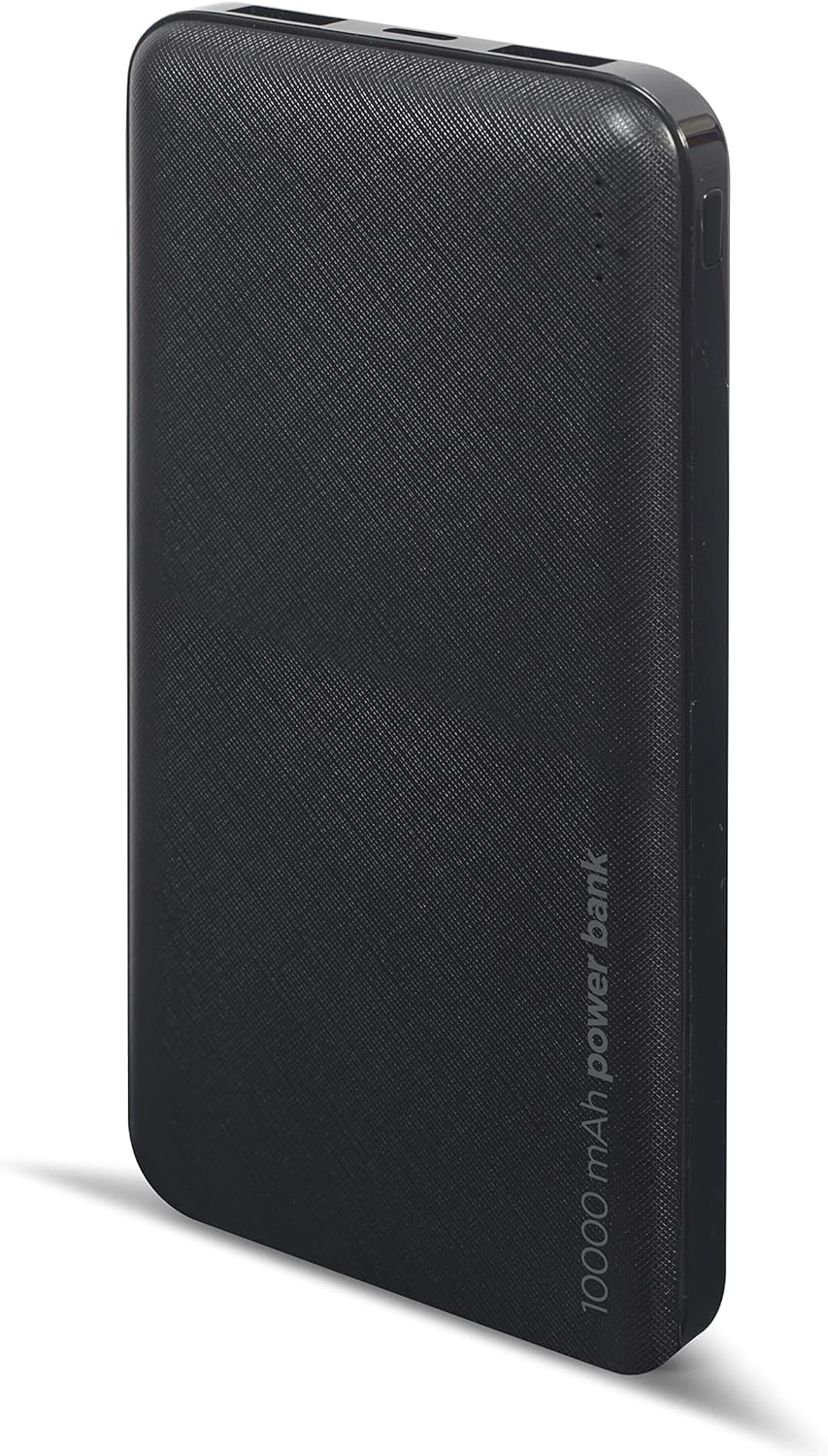
Imatge: Frontal view of the Gembird Powerbank, showcasing its sleek black design and textured surface.

Imatge: Anglesa view of the Gembird Powerbank, highlighting the two USB-A output ports on one end.

Imatge: Lateral view of the Gembird Powerbank, showing the Micro USB and USB Type-C input ports for charging the power bank itself.
Components clau:
- Ports de sortida USB-A (x2): Used to charge external devices.
- Port d'entrada micro USB: Used to charge the power bank.
- USB Type-C Input Port: Used to charge the power bank.
- Indicadors LED: Show the remaining battery level of the power bank.
- Botó d'encesa: Activa el banc d'energia i comprova el nivell de la bateria.
Configuració
Before first use, it is recommended to fully charge your Gembird Powerbank.
- Càrrega del Power Bank:
- Connect a compatible USB charging cable (Micro USB or USB Type-C) to one of the input ports on the power bank.
- Connect the other end of the cable to a USB wall adapter (not included), computer USB port, or other compatible USB power source.
- Els indicadors LED s'il·luminaran per mostrar el progrés de la càrrega. Tots els LED estaran fixos quan estigui completament carregat.
- Comprovació del nivell de bateria:
- Press the power button once. The LED indicators will light up to show the current battery level.
En funcionament
Càrrega dels teus dispositius:
- Assegureu-vos que el banc d'energia estigui prou carregat.
- Connecta el cable de càrrega del dispositiu a un dels ports de sortida USB-A del banc d'alimentació.
- Connecteu l’altre extrem del cable al dispositiu.
- The power bank should automatically begin charging your device. If not, press the power button once to initiate charging.
- The LED indicators on the power bank will show its remaining battery level during charging.
- Desconnecta el dispositiu un cop estigui completament carregat o quan ja no el necessitis carregar.
Note: The power bank can charge two devices simultaneously using both USB-A output ports.
Manteniment
- Neteja: Use a soft, dry cloth to wipe the surface of the power bank. Do not use harsh chemicals or abrasive cleaners.
- Emmagatzematge: Store the power bank in a cool, dry place away from direct sunlight and extreme temperatures. If storing for a long period, charge the power bank to about 50-70% capacity every 3-6 months to maintain battery health.
- Avoid Over-Discharging: Do not allow the power bank to completely drain its battery frequently, as this can reduce its lifespan.
Resolució de problemes
| Problema | Causa possible | Solució |
|---|---|---|
| El banc d'energia no es carrega. | Cable is faulty or not properly connected. Power source is insufficient. | Try a different charging cable. Ensure the cable is securely connected. Use a reliable USB wall adapter. |
| El dispositiu no es carrega des del banc d'energia. | Power bank battery is low. Device cable is faulty. Power bank is not activated. | Recharge the power bank. Try a different device charging cable. Press the power button on the power bank. |
| Càrrega lenta. | Cable is not suitable. Device requires higher input. | Use a high-quality charging cable. Ensure your device is compatible with the power bank's output. |
| Els indicadors LED no funcionen. | Power bank is completely discharged. Faulty unit. | Charge the power bank for an extended period. If problem persists, contact customer support. |
Especificacions
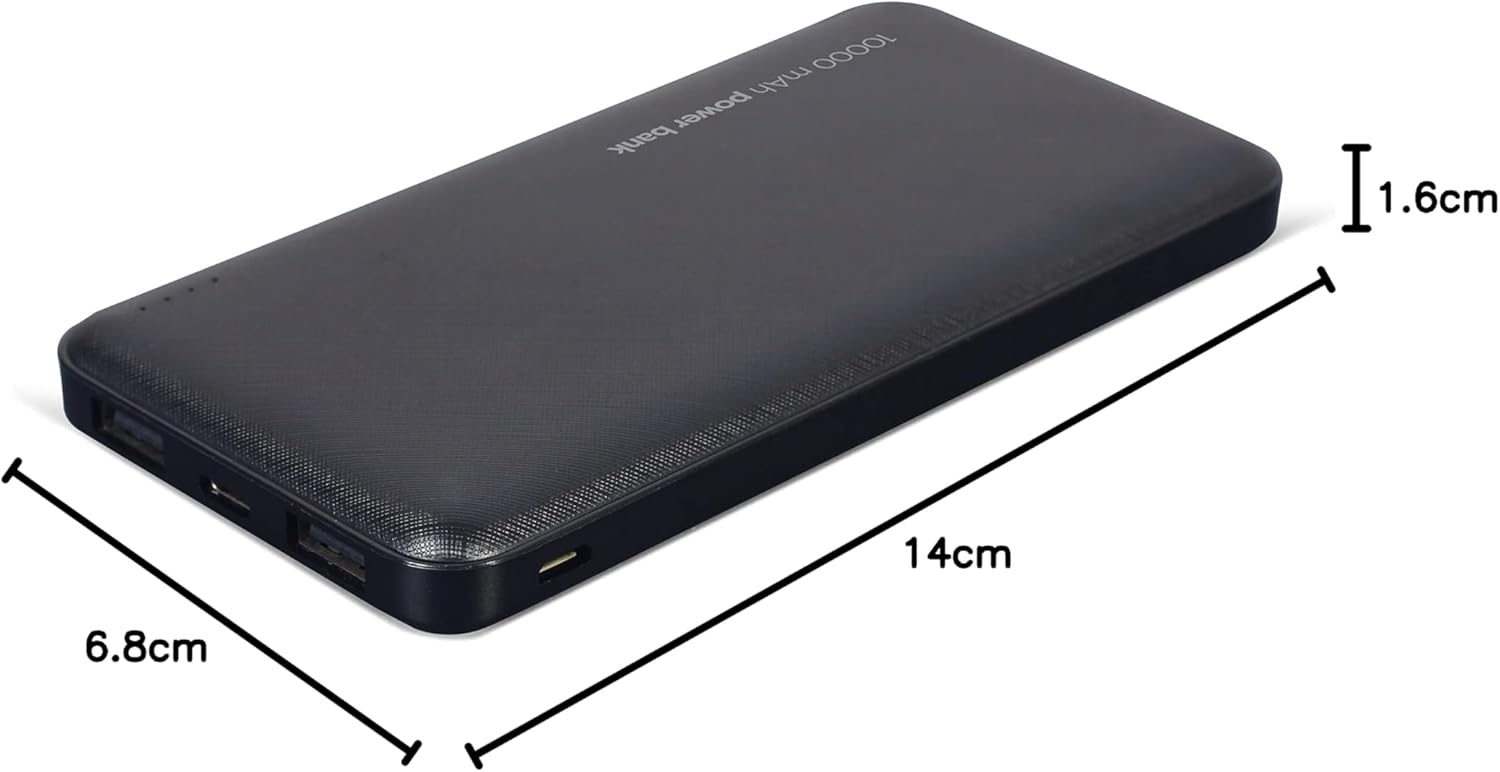
Image: The Gembird Powerbank with its approximate dimensions: 14cm length, 6.8cm width, and 1.6cm thickness.
| Model | PB10-02 |
| Tipus de bateria | Li-polímer |
| Capacitat | 10,000 mAh |
| Entrada (Micro USB) | 5V DC, 2A (Max) |
| Entrada (USB tipus C) | 5V DC, 2A (Max) |
| Sortida (USB-A x2) | 5V DC, 2.1A (Max total) |
| Dimensions | Aproximadament 14 cm x 6.8 cm x 1.6 cm |
| Pes | Aproximadament 200 g |
| Color | Negre |
Garantia i Suport
Gembird products are manufactured to the highest quality standards. For information regarding warranty terms and conditions, please refer to the warranty card included with your product or visit the official Gembird website. If you encounter any issues or have questions not covered in this manual, please contact Gembird customer support through their official channels.
Per obtenir la informació d'assistència més actualitzada, visiteu: www.gembird.com


