1. Introducció
Welcome to the user manual for your new Xiaomi TV Max 86 Inch. This guide provides essential information to help you set up, operate, maintain, and troubleshoot your television. Please read this manual thoroughly before using the product to ensure safe and optimal performance.
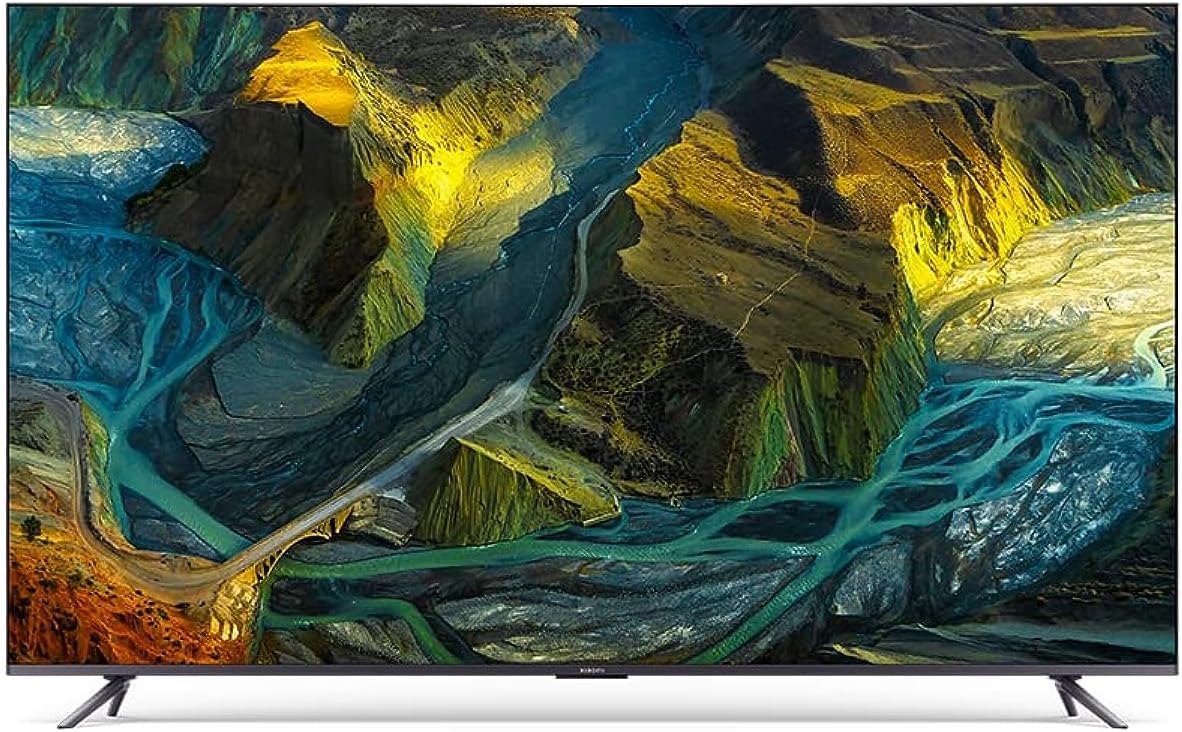
Figura 1.1: Frontal view of the Xiaomi TV Max 86 Inch. This image showcases the large 86-inch display with minimal bezels, presenting a vivid, high-resolution image of a colorful, mountainous landscape with rivers.
2. Informació important de seguretat
Seguiu sempre les precaucions de seguretat bàsiques quan utilitzeu aquest producte per reduir el risc d'incendi, descàrrega elèctrica i lesions.
- Font d'alimentació: Ensure the TV is connected to a power supply that matches the voltage especificat a l'etiqueta del producte.
- Ventilació: No bloquegeu les obertures de ventilació. Deixeu prou espai al voltant del televisor per a un flux d'aire adequat.
- Neteja: Desendolleu el televisor abans de netejar-lo. Feu servir un drap suau i sec. No utilitzeu netejadors líquids ni aerosols.
- Aigua i humitat: No exposeu el televisor a la pluja ni a la humitat. No col·loqueu objectes plens de líquids, com ara gerros, a sobre del televisor.
- Col·locació: Col·loqueu el televisor sobre una superfície estable i plana. Eviteu exposar-lo a la llum solar directa o a prop de fonts de calor.
- Nens: Superviseu els nens per assegurar-vos que no s'enfilin al televisor ni hi juguin.
3. Contingut del paquet
Verifiqueu que tots els elements que s'enumeren a continuació s'inclouen al vostre paquet:
- Manual d'usuari x 1
- Bossa de cargols x 1
- Comandament a distància Bluetooth de 360° x 1
- Stands x 2
- Cable d'alimentació x 1
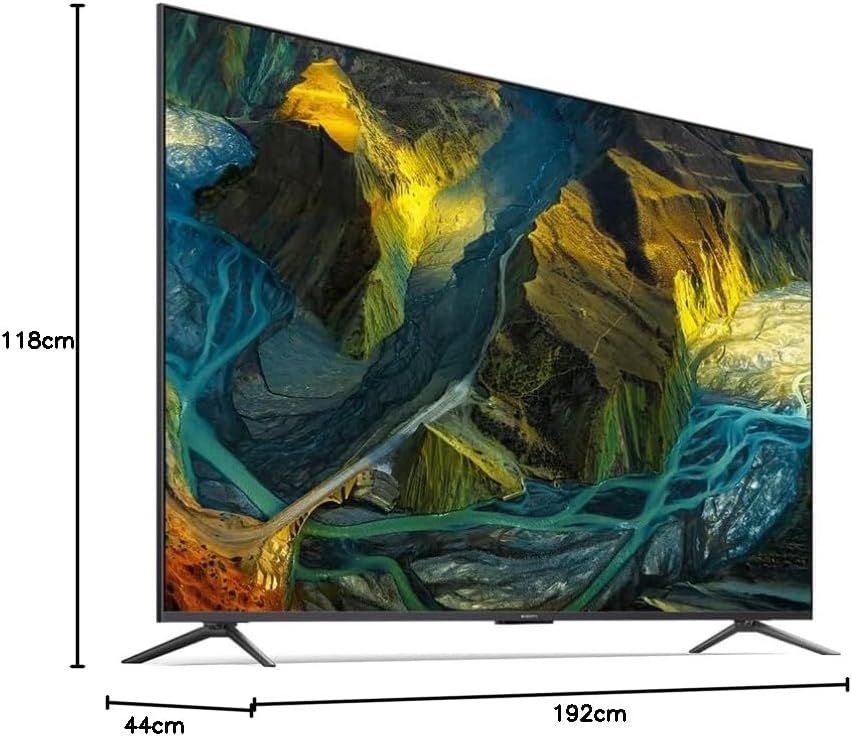
Figure 3.1: Product dimensions of the Xiaomi TV Max 86 Inch. This diagram illustrates the TV's height (118cm), depth (44cm), and width (192cm), providing a clear visual reference for installation planning.
4. Configuració
4.1 Assembling the Stands
To attach the included stands:
- Col·loqueu amb cura el televisor cara avall sobre una superfície suau i plana per evitar que es facin malbé la pantalla.
- Alineeu cada suport amb els forats de cargol corresponents a la part inferior del televisor.
- Fixeu els suports amb els cargols que s'inclouen a la bossa de cargols. Assegureu-vos que estiguin ben ajustats.

Figura 4.1: lateral view of the Xiaomi TV Max 86 Inch with its two stands. This image shows the television from an angle, highlighting the slim profile and the design of the attached support stands.
4.2 Muntatge a la paret (opcional)
If you choose to wall mount your TV, ensure you use a VESA-compatible wall mount kit (not included) that supports the TV's weight and size. Consult a professional for installation to ensure safety and proper mounting.
4.3 Connexió de perifèrics
Your Xiaomi TV Max 86 Inch offers various connectivity options:
- HDMI: Connect gaming consoles, Blu-ray players, or set-top boxes using HDMI cables. The TV features HDMI 2.1 ports for 4K 120Hz ultra-high quality transmission, ideal for gaming.
- USB: Connecteu unitats USB per a la reproducció de contingut multimèdia.
- Ethernet: Per a una connexió a Internet per cable estable.
- Wi-Fi: Connect to your wireless network for smart features and streaming.
- Bluetooth: Pair with compatible audio devices or the 360° Bluetooth remote control.
5. Funcionament del televisor
5.1 Engegada/apagada
Press the power button on the remote control or on the TV itself to turn the TV on or off.
5.2 Control remot
The included 360° Bluetooth remote control allows for flexible operation without needing to point directly at the TV. Ensure it is paired with the TV for full functionality.
5.3 Initial Software Setup (Android TV)
Upon first power-on, the TV will guide you through the initial setup process. This includes selecting your language, connecting to a network (Wi-Fi or Ethernet), signing in with your Google account, and installing essential applications. The Android TV 11 operating system provides access to a wide range of apps and services.
5.4 Configuració d'imatge i so
Optimitzeu el vostre viewexperiència de visualització a través del menú de configuració del televisor:
- Visualització: Adjust brightness, contrast, color, and sharpness. The TV supports 4K Ultra HD resolution and a 120Hz refresh rate with MEMC technology for smooth motion.
- HDR: Benefit from Dolby Vision IQ, which leverages the TV's intelligence to deliver a perfect picture in your room at every moment, adapting to ambient light.
- Àudio: Customize sound modes. The TV supports Dolby Atmos for immersive 3D sound effects.

Figure 5.1: Dolby Vision IQ Smart dynamic HDR. This image shows the TV displaying a vibrant scene with a sailboat on water, emphasizing the enhanced picture quality and dynamic range provided by Dolby Vision IQ and HDR technologies.

Figure 5.2: 1.07 billion colors DCI-P3. This image features a colorful chameleon on a branch, demonstrating the TV's ability to restore true film colors with 1.07 billion color depth and 90% DCI-P3 wide color gamut, resulting in smoother color transitions.
5.5 Funcions intel·ligents
Leverage the smart capabilities of your TV:
- Chromecast integrat: Emet contingut des del teu telèfon intel·ligent, tauleta o ordinador directament al televisor.
- Assistent de Google: Feu servir ordres de veu a través del comandament a distància per cercar contingut, controlar dispositius domèstics intel·ligents i obtenir informació.
6. Manteniment
6.1 Neteja de la pantalla
Per netejar la pantalla, netegeu-la suaument amb un drap suau i sense borrissol. Per a marques difícils, netegeu-la lleugerament.ampNetegeu el drap amb aigua o amb un netejador de pantalles especialitzat. No ruixeu mai líquid directament sobre la pantalla.
6.2 Atenció general
Keep the TV free from dust by regularly wiping the cabinet with a soft, dry cloth. Avoid placing heavy objects on top of the TV or blocking its ventilation slots.
7. Solució De Problemes
Consulteu la taula següent per veure els problemes habituals i les seves solucions:
| Problema | Causa possible | Solució |
|---|---|---|
| La televisió no s'encén. | Sense font d'alimentació. | Comproveu si el cable d'alimentació està ben connectat al televisor i a la presa de corrent. Assegureu-vos que la presa de corrent tingui corrent. |
| Sense imatge ni so. | Font d'entrada incorrecta; connexió del cable fluixa. | Press the 'Input' or 'Source' button on the remote to select the correct input. Check all cable connections (HDMI, AV, etc.). |
| El comandament a distància no funciona. | Low batteries; not paired. | Replace batteries. If it's a Bluetooth remote, ensure it's paired with the TV according to the initial setup instructions. |
| No es pot connectar a la Wi-Fi. | Incorrect password; router issue; signal interference. | Double-check the Wi-Fi password. Restart your router. Move the TV closer to the router or reduce interference. |
8. Especificacions tècniques
| Característica | Especificació |
|---|---|
| Número de model | Xiaomi TV Max 86" |
| Mida de la pantalla | 86 polzades (219 cm diagonal visible) |
| Tecnologia de visualització | QLED |
| Resolució | 4K Ultra HD |
| Freqüència d'actualització | 120 Hz (with MEMC) |
| Dimensions del producte (P x A x A) | 192 D x 44 W x 118 H centímetres |
| Pes | 44.5 kg |
| Connectivitat | Bluetooth, Wi-Fi, USB, Ethernet, HDMI (HDMI 2.1) |
| Sistema operatiu | Android TV 11 |
| Característiques especials | Built-in speaker, Chromecast, Flat display, Parental Controls, Browser, Dolby Vision IQ, Dolby Atmos |
9. Garantia i Suport
9.1 Informació de la garantia
Your Xiaomi TV Max 86 Inch is covered by a manufacturer's warranty. Please refer to the warranty card included in your package or visit the official Xiaomi weblloc web per obtenir informació detallada sobre els termes i condicions de la cobertura i la durada de la garantia.
9.2 Atenció al client
For technical assistance, service requests, or further inquiries, please visit the official Xiaomi support website or contact their customer service hotline. Contact information can typically be found on the Xiaomi official weblloc web o a la documentació del producte.
Xiaomi Oficial Weblloc: https://www.mi.com/global/support