Introducció
This manual provides essential information for the setup, operation, maintenance, and troubleshooting of your Aiwa 43-inch Android Full HD Smart TV (Model: AWS-TV-43-BL-02-A). Please read this manual thoroughly before using your television and retain it for future reference.
Informació important de seguretat
Always follow basic safety precautions when using this television to reduce the risk of fire, electric shock, and injury. Keep the television away from water and moisture. Do not block ventilation openings. Use only attachments/accessories specified by the manufacturer. Unplug the television during lightning storms or when unused for long periods.
Blue Protect Technology
Your Aiwa Smart TV features Blue Protect technology, designed to filter harmful blue light emissions from the screen. This helps reduce eye strain and fatigue, providing a more comfortable viewing experience for you and your family.

Image: Diagram illustrating the Blue Protect technology, showing how harmful blue light is filtered to protect vision.
Guia de configuració
1. Desembalatge i components inclosos
Traieu amb cura el televisor del seu embalatge. Assegureu-vos que hi hagi tots els components:
- 1x Aiwa 43-inch LCD Television
- 2x Pedestals (TV Stands)
- 1x cable d'alimentació
- 1x A/V Cable
- 1x comandament a distància
- 2x AAA Batteries (for remote)
- 6x Screws (for stand assembly)
- 1x Manual d'instruccions (aquest document)
Inspect the TV for any damage before proceeding with installation.
2. Instal·lació de l'estand
Your television is designed for table-top mounting using the included pedestals. Place the TV screen-down on a soft, flat surface to prevent scratches. Attach the two pedestals to the designated slots on the bottom of the TV using the provided screws. Ensure they are securely fastened.

Image: Diagram showing the dimensions of the Aiwa 43-inch Smart TV, including height, width, and depth with the stand, useful for placement planning.
3. Connexió de perifèrics
All connection ports are conveniently located on one side of the television for easy access.
- Ports HDMI (2x): Connecteu reproductors de Blu-ray, consoles de jocs, descodificadors de cable, etc.
- Ports USB (2x): Connect USB drives for media playback or external devices.
- Entrada RF: Connecteu una antena per a emissions per aire.
- Entrada AV: Connect older devices using the provided A/V cable.
- Sortida òptica: Per a la sortida d'àudio digital a sistemes de so.
- Ethernet (REDE): Per a connexió a Internet per cable.
- Wi-Fi: Per a la connexió a Internet sense fil.
- Bluetooth: For wireless audio devices like soundbars or headphones.

Imatge: Una imatge detallada view of the side panel of the Aiwa Smart TV, highlighting the various input and output ports including HDMI, USB, Optical, AV In/Out, and TV Antenna, along with Wi-Fi and Bluetooth indicators.
4. Connexió d'alimentació
Connect the power cable to the TV and then to a suitable electrical outlet. Your TV supports 110V and 220V power sources.
5. Engegada inicial i configuració inicial
Press the power button on the remote control or the TV. Follow the on-screen instructions to complete the initial setup, including language selection, network connection (Wi-Fi or Ethernet), and Google account login for Android TV features.
Instruccions de funcionament
Funcions de control remot
The included remote control allows you to navigate the TV's interface and access various features. Insert the two AAA batteries into the remote control, ensuring correct polarity.

Image: The Aiwa Smart TV remote control, featuring dedicated buttons for streaming services and a microphone button for voice commands, compatible with Google Assistant.
Interfície d'Android TV
Your Aiwa Smart TV runs on the Android TV operating system, providing access to a wide range of streaming services and applications. Navigate using the directional pad on your remote. The home screen displays recommended content, installed apps, and settings.

Image: The Android TV interface on the Aiwa Smart TV, showcasing popular streaming applications such as Netflix, Prime Video, YouTube, Disney+, HBO Max, Star+, and Globoplay, indicating access to over 10,000 apps.
Control de veu
Utilize the voice control feature by pressing the microphone button on your remote control. Speak clearly into the remote to search for movies, TV shows, news, weather forecasts, and more, hands-free.
Chromecast integrat
The integrated Chromecast allows you to cast content directly from your smartphone, tablet, or computer to your TV screen. Open a compatible app on your device and tap the Cast icon to begin streaming. You can continue using your device for other tasks during casting.

Image: A user's smartphone screen mirroring content to the Aiwa Smart TV via Chromecast Built-in, demonstrating seamless content transmission.
Connectivitat Bluetooth
Pair your Bluetooth-enabled audio devices, such as headphones, soundbars, or home theater systems, with your TV for an enhanced audio experience. Access the Bluetooth settings in the TV's menu to pair new devices.
Configuració d'imatge i so
Access the TV's settings menu to adjust picture modes (e.g., Standard, Vivid, Movie), brightness, contrast, color, and sound modes (e.g., Standard, Music, Movie). Your TV features HDR10 for enhanced color and contrast, and Dolby Audio for immersive surround sound.
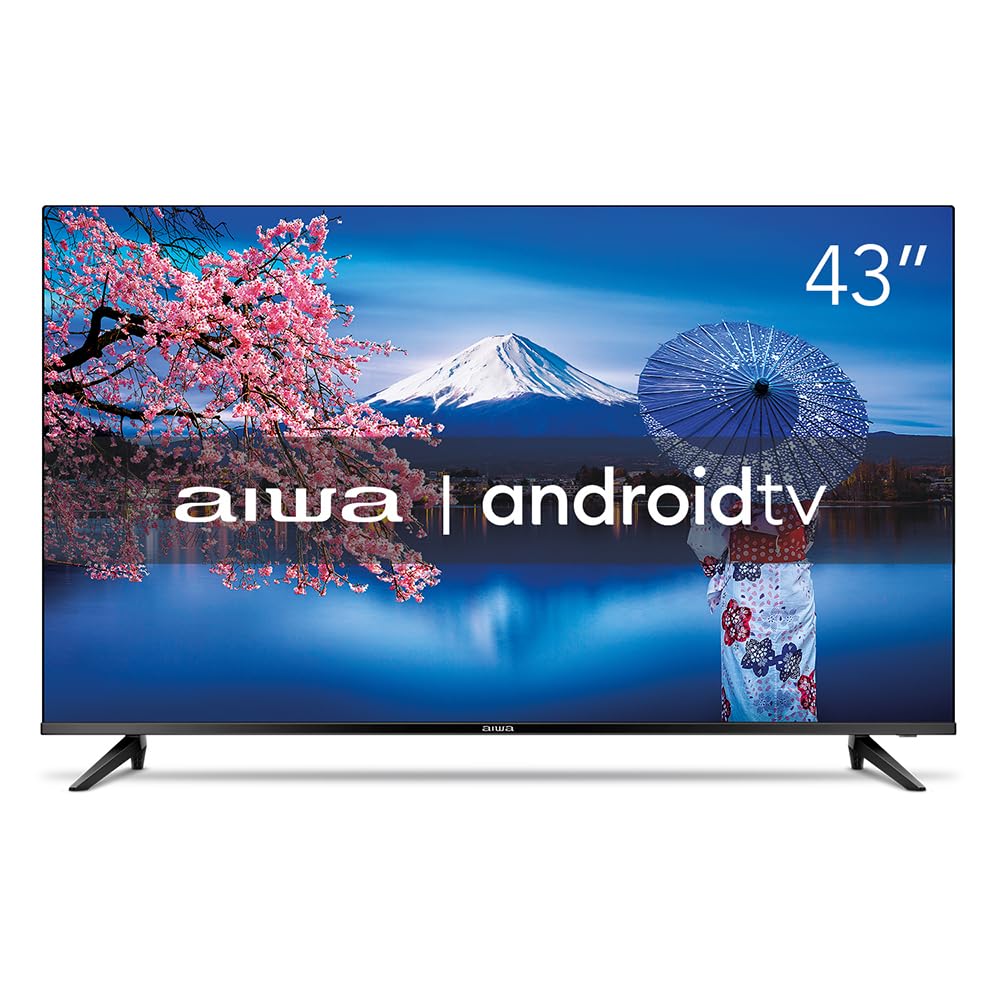
Image: The Aiwa 43-inch Smart TV showcasing a high-dynamic-range image, illustrating the enhanced colors and contrast provided by HDR10 technology.

Image: A family enjoying content on the Aiwa Smart TV, with a visual representation of sound waves emanating from the screen, symbolizing the immersive surround sound experience delivered by Dolby Audio.
Manteniment
Neteja de la pantalla
Netegeu suaument la pantalla amb un drap suau i sense borrissol. Per a marques difícils, netegeu suaument.ampNetegeu el drap amb aigua o amb un netejador de pantalles especialitzat. No ruixeu mai líquid directament sobre la pantalla.
Neteja de l'armari
Use a soft, dry cloth to wipe the TV cabinet. Avoid using abrasive cleaners or solvents that could damage the finish.
Ventilació
Ensure the ventilation openings on the back of the TV are not blocked. Proper airflow is crucial to prevent overheating and ensure the longevity of your television.
Resolució de problemes
Si teniu problemes amb el televisor, consulteu les solucions habituals següents:
- Sense energia: Comproveu si el cable d'alimentació està connectat correctament tant al televisor com a la presa de corrent. Assegureu-vos que la presa de corrent funciona.
- Sense imatge/so: Verify that the correct input source is selected. Check all cable connections (HDMI, AV, etc.).
- El control remot no funciona: Substituïu les piles del comandament a distància. Assegureu-vos que no hi hagi cap obstacle entre el comandament a distància i el sensor d'infrarojos del televisor.
- Mala qualitat d'imatge: Adjust picture settings (brightness, contrast, sharpness). For antenna connections, check antenna positioning.
- Problemes de connexió a Internet: For Wi-Fi, ensure the router is on and within range. For Ethernet, check the cable connection. Try restarting your router and TV.
- Aplicacions que no responen: Close and reopen the app. If the issue persists, try clearing the app's cache or reinstalling it from the Google Play Store.
For more complex issues, please refer to the support section or contact Aiwa customer service.
Especificacions
| Marca | No |
| Model | AWS-TV-43-BL-02-A |
| Mida de la pantalla | 43 polzades |
| Tecnologia de visualització | LED, IPS |
| Resolució | 1920 x 1080 píxels (Full HD) |
| Freqüència d'actualització | 60 Hz |
| Sistema operatiu | Android |
| Processador | Quad Core |
| Suport HDR | HDR10 |
| Tecnologia d'àudio | Dolby Audio, 2.0 + surround channels |
| Formats d'àudio compatibles | AC3/EAC3/AC4/DTS/DOLBY DIGITAL/DOLBY DIGITAL PLUS |
| Connectivitat | Bluetooth, HDMI (2), USB (2), RF, Wi-Fi |
| Característiques especials | Chromecast Built-in, Voice Control Remote, Blue Protect, Ultra-thin Bezel (1.4mm) |
| Voltage | 110, 220 Volts |
| Font d'alimentació | Elèctric |
| Eficiència energètica | Alt |
| Dimensions (amb suport) | 20.2 x 95.9 x 60.8 cm (profunditat x amplada x alçada) |
| Pes del producte | 8.96 quilos |
| Components inclosos | TV, 2 Pedestals, Power Cable, A/V Cable, Remote Control, 2 Batteries, 6 Screws, Instruction Manual |

Image: A visual representation of the Aiwa Smart TV's ultra-thin bezel (1.4mm) and an illustration of the Quad Core processor, emphasizing its design and performance features.
Informació de la garantia
Your Aiwa Smart TV comes with a Garantia del fabricant de 12 mesos from the date of purchase. This warranty covers manufacturing defects and malfunctions under normal use. Please retain your proof of purchase for warranty claims. The warranty does not cover damage caused by misuse, accidents, unauthorized repairs, or normal wear and tear.
Atenció al client
If you require further assistance, have questions not covered in this manual, or need to make a warranty claim, please contact Aiwa customer support. Refer to the official Aiwa weblloc web o la documentació de la compra per obtenir les dades de contacte.
When contacting support, please have your TV model number (AWS-TV-43-BL-02-A) and serial number ready.


