1. Informació important de seguretat
Please read all instructions carefully before using this monitor. Keep this manual for future reference.
- Potència: Use only the power adapter supplied with the monitor. Ensure the power outlet is properly grounded.
- Ventilació: No bloquegeu les obertures de ventilació. Deixeu prou espai al voltant del monitor per a un flux d'aire adequat.
- Humitat: Do not expose the monitor to rain, moisture, or excessive humidity. Do not place objects filled with liquids on the monitor.
- Calor: Keep the monitor away from heat sources such as radiators, heat registers, stoves, or other heat-producing appliances.
- Neteja: Unplug the monitor from the power outlet before cleaning. Use a soft, dry cloth. Do not use liquid or aerosol cleaners.
- Manteniment: No intenteu atendre aquest producte vosaltres mateixos. Consulteu tots els serveis a personal de servei qualificat.
2. Contingut del paquet
Verifiqueu que tots els articles siguin presents al vostre paquet. Si falta algun article o hi ha algun malmès, poseu-vos en contacte amb l'atenció al client.
- KOORUI 24-inch PC Monitor (Model P01)
- Suport de monitor (base i coll)
- Adaptador d'alimentació
- Cable HDMI
- Manual d'usuari

Image: KOORUI 24-inch PC Monitor P01 and its included accessories, including the monitor, stand, power adapter, HDMI cable, and user manual.
3. Instruccions de configuració
3.1 Muntatge del suport del monitor
- Traieu amb cura els components del monitor i del suport de l'embalatge.
- Fixeu el coll del suport al panell del monitor. Assegureu-vos que encaixi correctament al seu lloc o que estigui fixat amb cargols si n'hi ha.
- Fixeu la base del suport al coll del suport. Estrenyeu el cargol de polze a la part inferior de la base per fixar-lo.

Image: The KOORUI 24-inch PC Monitor P01 fully assembled with its stand, ready for connection.
3.2 Connexió del monitor
The monitor supports HDMI and VGA connections.
- Connexió d'alimentació: Connect the power adapter to the monitor's DC input port, then plug the other end into a power outlet.
- Connexió de vídeo:
- For HDMI: Connect one end of the HDMI cable to the HDMI port on your computer and the other end to the HDMI port on the monitor.
- For VGA: Connect one end of the VGA cable to the VGA port on your computer and the other end to the VGA port on the monitor.
- Àudio (opcional): If your computer supports audio output via HDMI, the monitor's built-in speakers will play audio.

Imatge: Un primer pla view of the monitor's rear panel, highlighting the HDMI, VGA, and DC power input ports for easy identification during connection.

Image: The KOORUI 24-inch PC Monitor P01 connected to a laptop, demonstrating a typical setup for extended display use.
4. Instruccions de funcionament
4.1 Engegada/apagada
Premeu el botó d'engegada situat a la part inferior dreta del monitor per engegar-lo o apagar-lo. L'indicador lluminós d'engegada s'il·luminarà quan el monitor estigui encès.
4.2 Menú de visualització en pantalla (OSD)
Use the control buttons on the bottom right of the monitor to navigate the OSD menu. These buttons typically include Menu, Up, Down, Select, and Exit.
- Menú: Obre el menú OSD.
- Amunt avall: Navega per les opcions del menú.
- Seleccioneu: Confirma una selecció o entra en un submenú.
- Sortida: Surt del menú o de l'OSD actual.
4.3 Ajust de la configuració de la pantalla
Within the OSD menu, you can adjust various settings:
- Brillantor/Contrast: Ajusta la luminància general i la relació de contrast de la pantalla.
- Configuració de color: Modifica la temperatura de color, el to i la saturació.
- Font d'entrada: Manually select between HDMI and VGA input.
- Mode de llum blava baixa: Activates a filter to reduce blue light emissions, minimizing eye strain during prolonged use.
- Adaptive FreeSync: Enables dynamic refresh rate adjustment for smoother visuals, especially in gaming.
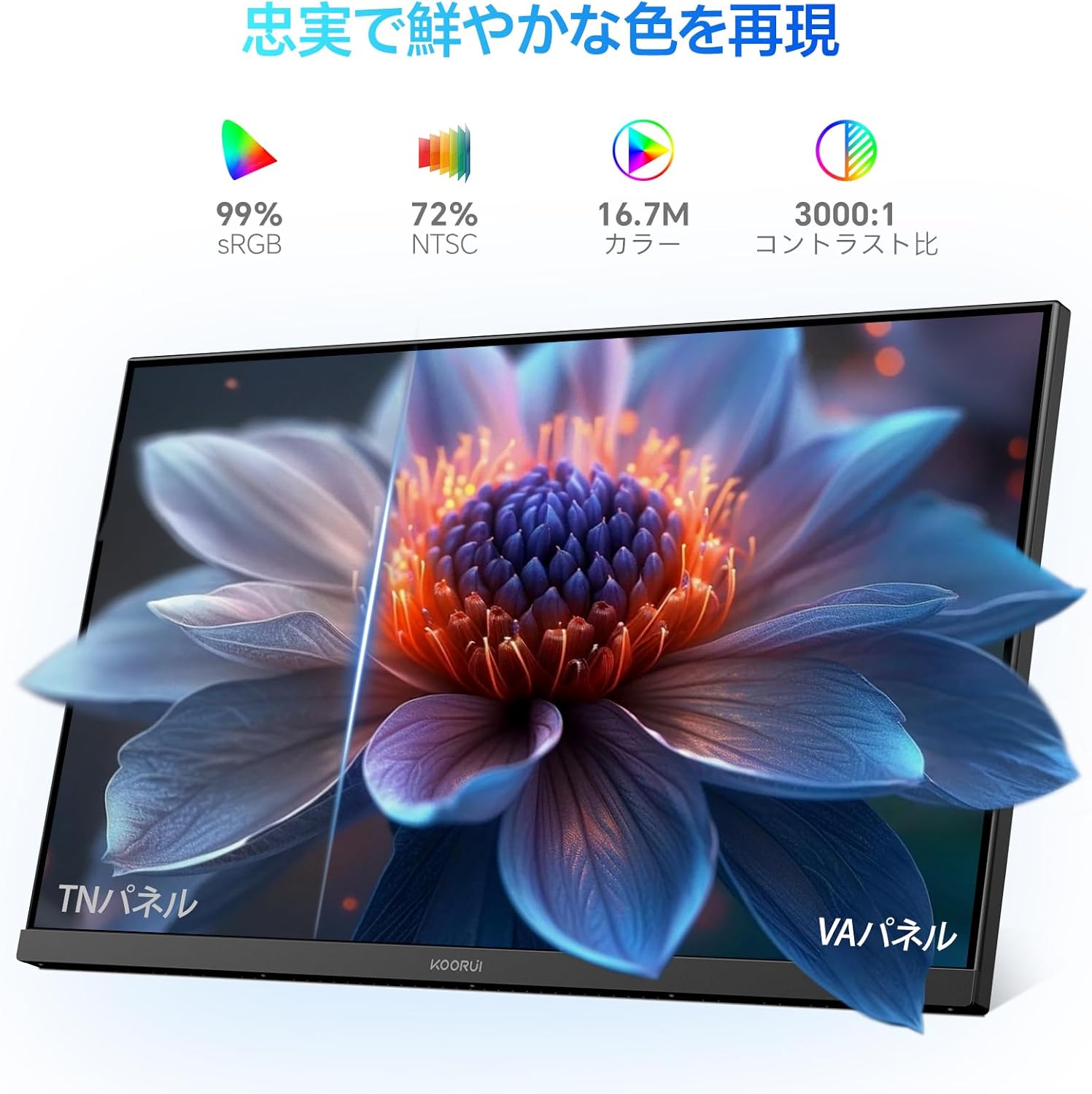
Image: A user working at a desk with the KOORUI 24-inch PC Monitor P01, illustrating the visual comfort provided by the Low Blue Light mode.

Image: A visual comparison demonstrating the benefits of Flicker-free and Low Blue Light technologies in reducing eye strain compared to a conventional display.
4.4 Ajustaments físics
El monitor permet ajustar la inclinació per optimitzar viewangle de ing.
- Inclinació: Gently tilt the monitor panel forward (up to 5 degrees) or backward (up to 15 degrees) to find your preferred viewposició d'ingrés.

Imatge: Un professional lateralfile of the monitor illustrating its adjustable tilt feature, allowing users to angle the screen for optimal comfort.
5. Manteniment
5.1 Neteja del monitor
To ensure the longevity and optimal performance of your monitor, follow these cleaning guidelines:
- Desendolleu sempre el monitor de la presa de corrent abans de netejar-lo.
- Utilitzeu un drap suau i sense pelusa lleugerament dampened with water to clean the screen. Avoid applying excessive pressure.
- Per al monitor casing, feu servir un drap suau i sec.
- Do not use alcohol, ammonia-based cleaners, or abrasive cleaning agents, as these can damage the screen or casing.
5.2 Atenció general
- Eviteu col·locar objectes pesats sobre el monitor o els seus cables.
- No exposeu el monitor a la llum solar directa ni a temperatures extremes.
- Si no heu d'utilitzar el monitor durant un període prolongat, desendolleu-lo de la presa de corrent.
6. Solució De Problemes
Si teniu problemes amb el monitor, consulteu els problemes i solucions més comuns següents:
| Problema | Causa possible | Solució |
|---|---|---|
| No hi ha imatge a la pantalla | El monitor no està encès; el cable de vídeo està fluix o desconnectat; la font d'entrada seleccionada és incorrecta. | Ensure power cable is connected and monitor is on; Check video cable connections; Select correct input source via OSD menu. |
| La imatge és borrosa o distorsionada | Incorrect resolution; Video cable issue. | Estableix la resolució de la pantalla a 1920 x 1080; prova un altre cable de vídeo. |
| Els colors són incorrectes | Color settings in OSD; Video cable issue. | Adjust color settings in OSD menu; Check video cable for damage. |
| Parpelleig del monitor | Discrepància de freqüència d'actualització; Problema de cable. | Ensure refresh rate is set to 100Hz (or compatible); Try a different video cable. |
| Sense so | Volume too low; Incorrect audio output selected on computer; HDMI cable not transmitting audio. | Increase monitor volume; Check computer's audio output settings; Ensure HDMI cable supports audio. |
If the problem persists after trying these solutions, please contact KOORUI customer support.
7. Especificacions
Technical specifications for the KOORUI 24-inch PC Monitor P01:
| Característica | Especificació |
|---|---|
| Marca | KOORUI |
| Número de model | P01 |
| Mida de la pantalla | 24 polzades |
| Resolució | FHD 1920 x 1080 píxels |
| Relació d'aspecte | 16:9 |
| Tipus de panell | Panell VA |
| Freqüència d'actualització | 100 Hz |
| Temps de resposta | 5 mil·lisegons |
| Relació de contrast | 3000:1 |
| Viewangle ing | 178° (Horitzontal/Vertical) |
| Surface Description | Mat |
| Característiques especials | Low Blue Light Filter, Tilt Adjustment, Frameless Design, Flicker-Free, Adaptive FreeSync |
| Connectivitat | HDMI, VGA |
| Color | Negre |

Image: Detailed diagram showing the dimensions and weight of the KOORUI 24-inch PC Monitor P01.
8. Garantia i Suport
8.1 Informació de la garantia
This KOORUI monitor comes with a Garantia del fabricant de 3 anysAquesta garantia cobreix els defectes de materials i de fabricació en condicions d'ús normal. Si us plau, conserveu el comprovant de compra per a reclamacions de garantia.
8.2 Atenció al client
KOORUI is committed to providing premium service. If you encounter any damage, malfunctions, or missing accessories, please do not hesitate to contact us. We offer 24-hour assistance and a 12-month replacement service for eligible issues.
For support, please visit the official KOORUI weblloc o poseu-vos en contacte amb el vostre distribuïdor.