1. Introducció
The TP-Link Deco X50-PoE is a versatile mesh WiFi system designed to provide extensive coverage and high-performance wireless connectivity throughout your home or office. Utilizing WiFi 6 technology, it delivers speeds up to 3 Gbps, ensuring smooth streaming, gaming, and downloading across multiple devices. This system supports Power over Ethernet (PoE+), offering flexible installation options for optimal placement. This manual provides essential information for setting up, operating, and maintaining your Deco X50-PoE system.
2. Què hi ha a la caixa
Verifiqueu que tots els components siguin presents al vostre paquet:
- 3 x Deco X50-PoE Units
- 3 x adaptadors de potència
- 1 cable Ethernet RJ45
- Kits de muntatge al sostre/paret
- Guia d'instal·lació ràpida
3. Producte acabatview
3.1 Característiques clau
- AX3000 Dual-Band Ultra-Fast WiFi 6: Delivers wireless speeds up to 2402 Mbps on 5 GHz and 574 Mbps on 2.4 GHz for uninterrupted streaming and gaming.
- PoE+ Versatility: Power Deco units via PoE+ or standard power adapters, enabling flexible installation in various locations.
- Ports 2.5G: Each Deco X50-PoE unit features two 2.5 Gigabit Ethernet ports for high-speed wired connections.
- Àmplia cobertura: A 3-pack system covers up to 6,500 sq. ft. and supports connections for up to 150 devices, eliminating WiFi dead zones.
- Seamless AI-Driven Mesh: Intelligently adjusts the network to provide optimal connections as devices move throughout your home.
- Configuració i gestió fàcils: Configure and manage your network effortlessly using the Deco app.
- TP-Link HomeShield: Provides advanced security features, parental controls, and QoS.
3.2 Physical Components and Dimensions
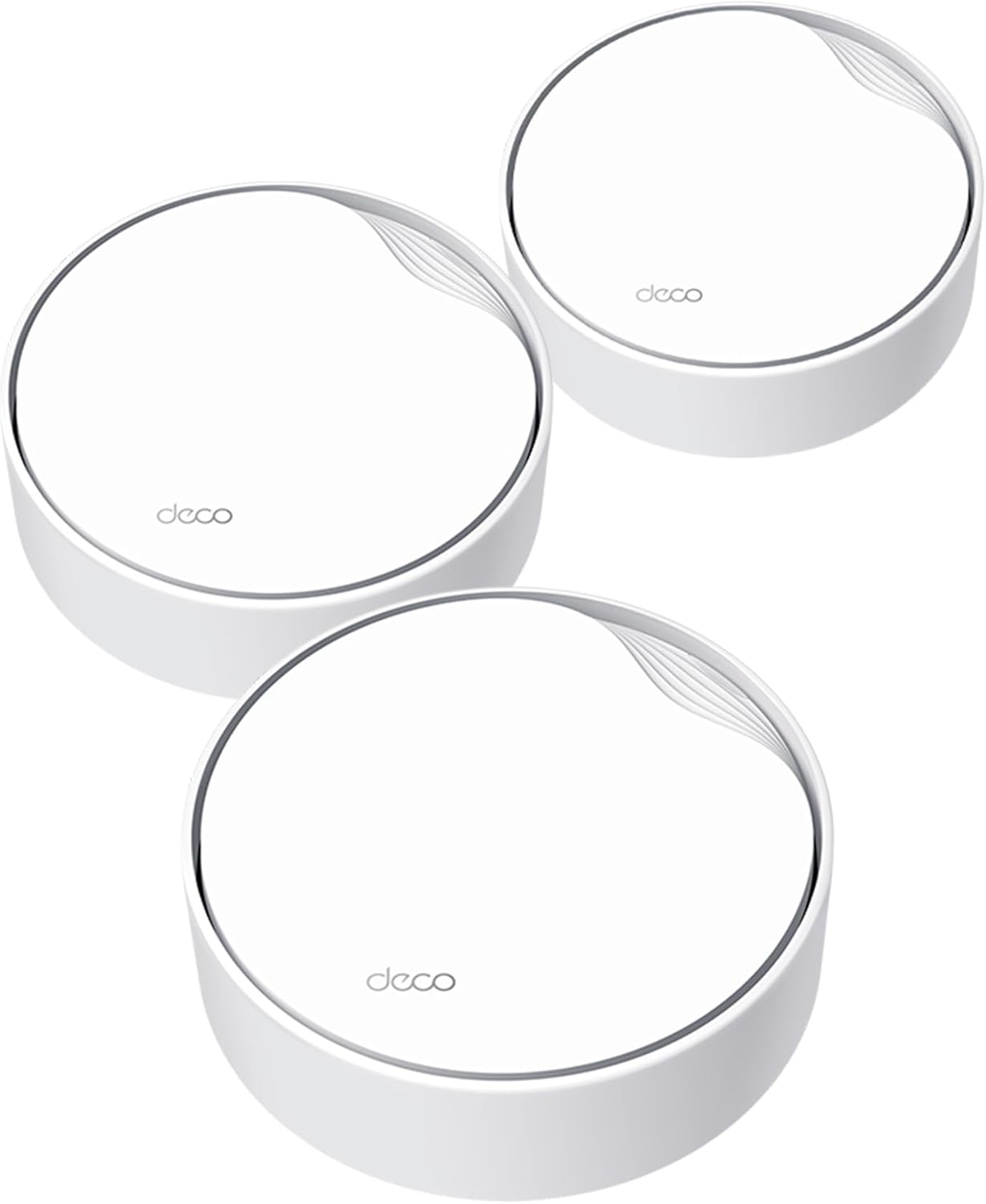
Image: Three Deco X50-PoE units, showcasing their compact, circular design.
Each Deco X50-PoE unit features a minimalist design, suitable for various environments. The units are equipped with essential ports for connectivity.

Imatge: Part inferior view of a Deco X50-PoE unit, highlighting two 2.5 Gbps WAN/LAN ports, a reset button, and a power input. Dimensions are shown as 6.1 inches in diameter and 2.7 inches in height.
Each unit measures approximately 6.1 x 6.1 x 2.7 inches and includes two 2.5 Gigabit Ethernet ports for flexible WAN/LAN connections, a reset button, and a power input.
3.3 Installation Options and Coverage
The Deco X50-PoE offers multiple installation methods to best suit your environment:

Image: Visual representation of the Deco X50-PoE units installed on a ceiling, mounted on a wall, and placed on a tabletop, demonstrating versatile placement options.
- Muntatge al sostre: Ideal for discreet placement and optimal signal distribution.
- Muntatge en paret: Saves space and can improve line-of-sight for better signal.
- Taula: Simple and convenient for placement on desks or shelves.

Image: An architectural diagram of a house showing multiple Deco units providing comprehensive WiFi coverage, including wired and wireless connections.
A 3-pack system can cover up to 6,500 square feet, ensuring strong and reliable WiFi in every corner of your home.
4. Guia de configuració
4.1 Abans de començar
Ensure you have an active internet service provider (ISP) connection and a modem (if required by your ISP). Download the TP-Link Deco app from the App Store (iOS) or Google Play Store (Android) before starting the installation.
4.2 Passos d'instal·lació
The Deco app provides clear, step-by-step instructions for setting up your mesh WiFi system:

Image: A visual guide demonstrating the initial connection of a Deco unit to a modem, either through a PoE switch or a power adapter, followed by the setup process using the Deco mobile app.
- Connecteu la primera unitat Deco: Connecteu una unitat Deco al vostre mòdem mitjançant el cable Ethernet proporcionat.
- Encès: Power on the Deco unit. You can use either a standard power adapter or a PoE+ switch (sold separately) for power.
- Inicia l'aplicació Deco: Obre l'aplicació Deco al teu telèfon intel·ligent o tauleta.
- Seguiu les instruccions a la pantalla: The app will guide you through creating a TP-Link ID, setting up your network name (SSID) and password, and adding additional Deco units to expand your mesh network.
4.3 Powering the Deco Units
The Deco X50-PoE units offer flexible power options:

Image: A diagram illustrating two methods to power the Deco X50-PoE: via a PoE switch, which delivers both data and power through a single Ethernet cable, or via a traditional DC power adapter.
- Alimentació per Ethernet (PoE+): Connect the Deco unit to a PoE+ compatible switch using an Ethernet cable. This provides both data and power, simplifying installation, especially for ceiling or wall mounts.
- Font d'alimentació de CC: Use the included power adapters to power the Deco units from a standard electrical outlet.
5. Instruccions de funcionament
5.1 Using the Deco App
The Deco app is your central control panel for managing your mesh WiFi network. It allows you to:
- View dispositius connectats i el seu estat.
- Set up a guest Wi-Fi network.
- Configure parental controls and time limits.
- Prioritize devices for specific activities (QoS).
- Run network diagnostics and speed tests.
- Gestioneu les actualitzacions de firmware.
5.2 Tecnologia de malla impulsada per IA
The integrated AI-Driven Mesh technology continuously analyzes network loads and environmental factors to optimize your WiFi performance. Devices will automatically switch to the Deco unit providing the strongest signal, ensuring a seamless and stable connection as you move around your home.
5.3 Control de veu
The Deco X50-PoE is compatible with Amazon Alexa. You can use simple voice commands to control certain network functions, such as turning on or off the guest Wi-Fi.
6. Manteniment
6.1 actualitzacions de microprogramari
Regularly check for and install firmware updates via the Deco app. Firmware updates provide security enhancements, bug fixes, and new features, ensuring your network remains secure and performs optimally.
6.2 Atenció física
- Keep Deco units in a well-ventilated area to prevent overheating.
- Clean the units periodically with a soft, dry cloth. Avoid using liquid cleaners.
- Ensure units are placed away from large metal objects or appliances that may cause interference.
7. Solució De Problemes
If you encounter issues with your Deco X50-PoE system, consider the following common troubleshooting steps:
- Sense connexió a Internet: Check your modem and ISP connection. Ensure the main Deco unit is properly connected to the modem.
- Senyal feble/Zones mortes: Relocate Deco units to optimize coverage. Ensure they are not obstructed by thick walls or large appliances.
- El dispositiu no es connecta: Restart the device and try connecting again. Verify the Wi-Fi password.
- Velocitats lentes: Check for network congestion using the Deco app. Ensure your ISP plan supports the speeds you expect.
- Deco Unit Not Powering On: Verify power connections and try a different power outlet or adapter.
For more detailed troubleshooting or persistent issues, refer to the TP-Link support weblloc o contacteu amb el servei d'atenció al client.
8. Especificacions
| Característica | Detall |
|---|---|
| Nom del model | Deco X50-PoE |
| Estàndard sense fils | IEEE 802.11ax/ac/n/a 5 GHz, IEEE 802.11ax/n/b/g 2.4 GHz |
| Velocitats de Wi-Fi | AX3000 (2402 Mbps a 5 GHz, 574 Mbps a 2.4 GHz) |
| Ports Ethernet | 2 ports WAN/LAN de 2.5 Gigabit per unitat |
| Opcions d'energia | 802.3at PoE+ or DC Power Supply |
| Dimensions (per unitat) | 6.1 x 6.1 x 2.7 polzades |
| Pes de l'article (per unitat) | Approx. 2.13 lbs (6.38 lbs for 3-pack) |
| Cobertura (paquet de 3) | Fins a 6,500 peus quadrats |
| Màxim dispositius connectats | Fins a 150 dispositius |
| Característiques especials | Access Point Mode, QoS, Seamless AI-Driven Mesh, WPA3 |
9. Security and Compliance
9.1 TP-Link HomeShield
Your Deco X50-PoE system includes TP-Link HomeShield, a comprehensive security suite designed to protect your home network and connected devices. Free features include:

Imatge: Un cop mésview of TP-Link HomeShield's included features: Home Network Scanner, Parental Controls, and Quality of Service. It also mentions optional upgrades to HomeShield Pro for advanced features.
- Basic Network Security
- Controls parentals
- Qualitat de servei (QoS)
- Informes setmanals/mensuals
An optional HomeShield Pro subscription offers advanced features like DDoS Attack Prevention, IoT Device Protection, and advanced parental controls.
9.2 Cybersecurity Commitment
TP-Link is a signatory of the U.S. Cybersecurity and Infrastructure Security Agency’s (CISA) Secure-by-Design pledge. This commitment ensures that the Deco X50-PoE is designed, built, and maintained with advanced security as a core requirement.

Image: A graphic detailing TP-Link's commitment to cybersecurity, featuring the CISA Secure-by-Design pledge and a summary of HomeShield's security and privacy features.
10. Garantia i Suport
TP-Link provides a limited warranty for its products. For specific warranty terms and conditions, please refer to the warranty card included with your product or visit the official TP-Link website. For technical support, troubleshooting assistance, or to access the latest drivers and firmware, please visit tp-link.com/support.


