1. Introducció
Thank you for choosing the RORRY D2 Portable Charger. This compact and versatile power bank is designed to keep your devices charged on the go. It features a 5000mAh battery, built-in Lightning and Type-C cables, and a dedicated wireless charging pad for Apple Watch. This manual provides essential information for safe and efficient use of your device.

Image 1.1: RORRY D2 Portable Charger with Apple Watch charging.
2. Producte acabatview
The RORRY D2 portable charger integrates multiple charging solutions into a single, compact unit.
Components:
- Apple Watch Wireless Charging Pad: For convenient wireless charging of your Apple Watch.
- Cable Lightning integrat: For Apple iPhone, iPad, and AirPods.
- Cable tipus C integrat: For Android devices, Nintendo Switch, and other Type-C compatible devices.
- Port d'entrada/sortida USB-C: Used for recharging the power bank and can also serve as an additional output for charging other devices.
- Llums indicadores LED: Four lights indicate the remaining battery capacity.
- Botó d'encesa: Activa el banc d'energia i comprova l'estat de la bateria.
- Mosquetó: For easy attachment to bags or keys, enhancing portability.

Image 2.1: Internal components and features of the RORRY D2.

Imatge 2.2: Detallada view of the built-in cables and ports.
3. Càrrega del Power Bank
To ensure your RORRY D2 is ready for use, recharge it via the USB-C input port.
- Connect a compatible USB-C charging cable (not included) to the USB-C input/output port on the side of the power bank.
- Connect the other end of the cable to a USB power adapter (e.g., wall charger, computer USB port).
- Els indicadors LED s'il·luminaran per mostrar el progrés de la càrrega. Els quatre indicadors estaran fixos quan estigui completament carregat.
Càrrega directa:
The RORRY D2 supports pass-through charging, allowing you to charge the power bank itself while simultaneously charging your devices. Simply connect the power bank to a power source and then connect your devices to the power bank.

Image 3.1: Pass-through charging in action.
4. Càrrega dels vostres dispositius
The RORRY D2 offers multiple ways to charge your electronic devices.
4.1. Apple Watch Wireless Charging
- Press the power button on the RORRY D2 to activate it.
- Place your Apple Watch directly onto the wireless charging pad on the top surface of the power bank.
- Ensure the Apple Watch is centered on the pad for optimal charging. The watch display will indicate charging status.

Image 4.1: Apple Watch charging wirelessly.
4.2. Using Built-in Cables
- Gently pull out the desired built-in cable (Lightning or Type-C) from its storage slot.
- Connect the cable to your compatible device.
- The power bank will automatically begin charging your device. If not, press the power button.
4.3. Càrrega simultània
The RORRY D2 can charge up to four devices simultaneously:
- One Apple Watch via the wireless charging pad.
- One device via the built-in Lightning cable.
- One device via the built-in Type-C cable.
- One additional device via the USB-C input/output port (used as an output).

Image 4.2: Charging multiple devices simultaneously.
5. Llums indicadors LED
The RORRY D2 features four LED lights that indicate the remaining battery capacity:
- 4 llums: 75% - 100% de capacitat
- 3 llums: 50% - 75% de capacitat
- 2 llums: 25% - 50% de capacitat
- 1 Llum: 0% - 25% de capacitat
When charging the power bank, the lights will blink to indicate charging status and become solid when fully charged.
6. Característiques de seguretat
The RORRY D2 is equipped with multiple safety protections to ensure safe charging for both the power bank and your devices. It is PSE certified, meeting Japanese domestic safety standards.
- Protecció de sobrecàrrega: Prevents the battery from being overcharged.
- Protecció de sobredescàrrega: Protegeix la bateria perquè no s'esgoti completament.
- Protecció d'alta temperatura: Monitors and regulates the device's temperature during operation.
- Sobrevoltage Protecció: Mesures de salvaguarda contra el volum excessiutage entrada.
- Protecció contra curtcircuits: Automatically shuts off power in case of a short circuit.

Image 6.1: Safety protection icons.
7. Portability and Design
Designed for convenience, the RORRY D2 is lightweight and compact, making it an ideal travel companion.
- Mida compacta: Measuring approximately 9.8 x 7.2 x 1.7 cm, it fits easily in a pouch or pocket.
- Pes lleuger: Weighing approximately 126g, it is lighter than many smartphones.
- Integrated Carabiner: Allows you to attach the power bank to your bag, backpack, or keys for easy access and to prevent loss.

Image 7.1: RORRY D2 attached to a bag.
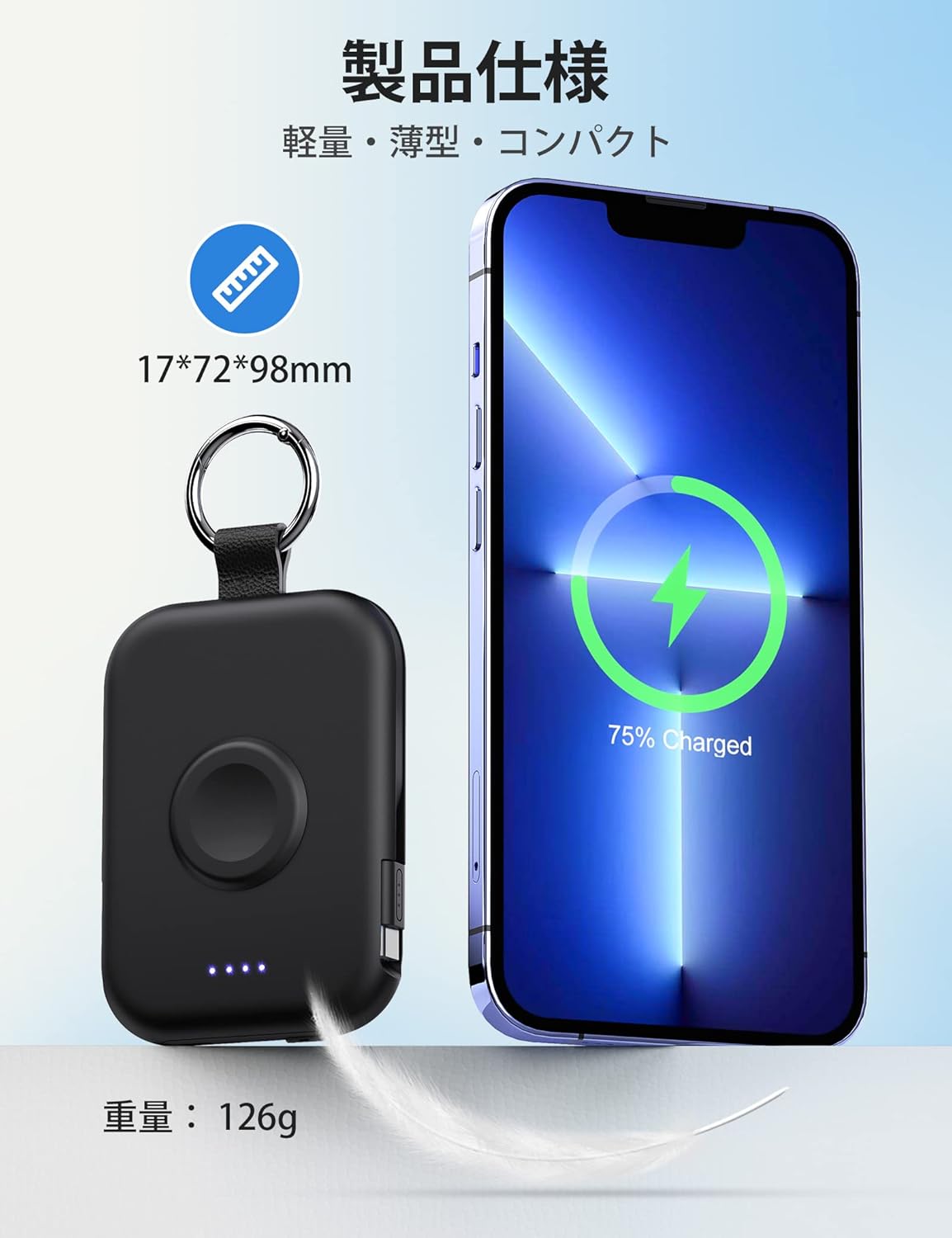
Image 7.2: Size and weight comparison.
8. Especificacions
| Característica | Descripció |
|---|---|
| Número de model | D2 |
| Capacitat de la bateria | 5000 mAh |
| Dimensions | 9.8 x 7.2 x 1.7 cm |
| Pes | Aproximadament 126 g |
| Cables integrats | Llamp, tipus C |
| Càrrega sense fils | For Apple Watch (up to 3.5W Max) |
| Port d'entrada/sortida | USB-C |
| Compatibilitat | Apple Watch Ultra3/2/Ultra/11/10/9/8/7/6/SE/5/4/3 (all series), iPhone/iPad/AirPods (all series), Android, Nintendo Switch |
| Certificacions de seguretat | Certificat PSE |
| Característiques | Charging indicator lights, Carabiner, Pass-through charging |
9. Manteniment
- Mantingueu el banc d'energia sec i allunyat de la humitat.
- Eviteu temperatures extremes.
- Do not drop, puncture, or disassemble the device.
- Clean the surface with a soft, dry cloth. Do not use harsh chemicals.
- Emmagatzemar en un lloc fresc i sec quan no s'utilitzi durant períodes prolongats.
10. Solució De Problemes
10.1. Device Not Charging
- Assegureu-vos que el banc d'energia estigui prou carregat (comproveu els indicadors LED).
- Premeu el botó d'engegada per activar el banc d'energia.
- Check that cables are securely connected to both the power bank and your device.
- For wireless charging, ensure your Apple Watch is correctly positioned on the charging pad.
- Try using a different cable or port if available.
10.2. Power Bank Not Recharging
- Ensure the USB-C charging cable is properly connected to the power bank's input port and the power adapter.
- Verifiqueu que l'adaptador de corrent funciona correctament i que està connectat a una presa de corrent amb corrent.
- Proveu un cable USB-C o un adaptador d'alimentació diferent.
11. Garantia i Suport
The RORRY D2 Portable Charger comes with a one-year warranty from the date of purchase. If you have any questions, concerns, or require assistance, please contact our customer support team. We prioritize your safety and satisfaction.
Informació de contacte: Please refer to the contact details provided with your product packaging or visit the official RORRY weblloc de suport.


