Introducció
Gràcies per la compraasing the OLIGHT Swivel Pro Work Light. This manual provides detailed instructions on how to set up, operate, and maintain your device to ensure optimal performance and longevity. Please read this manual thoroughly before use and keep it for future reference.
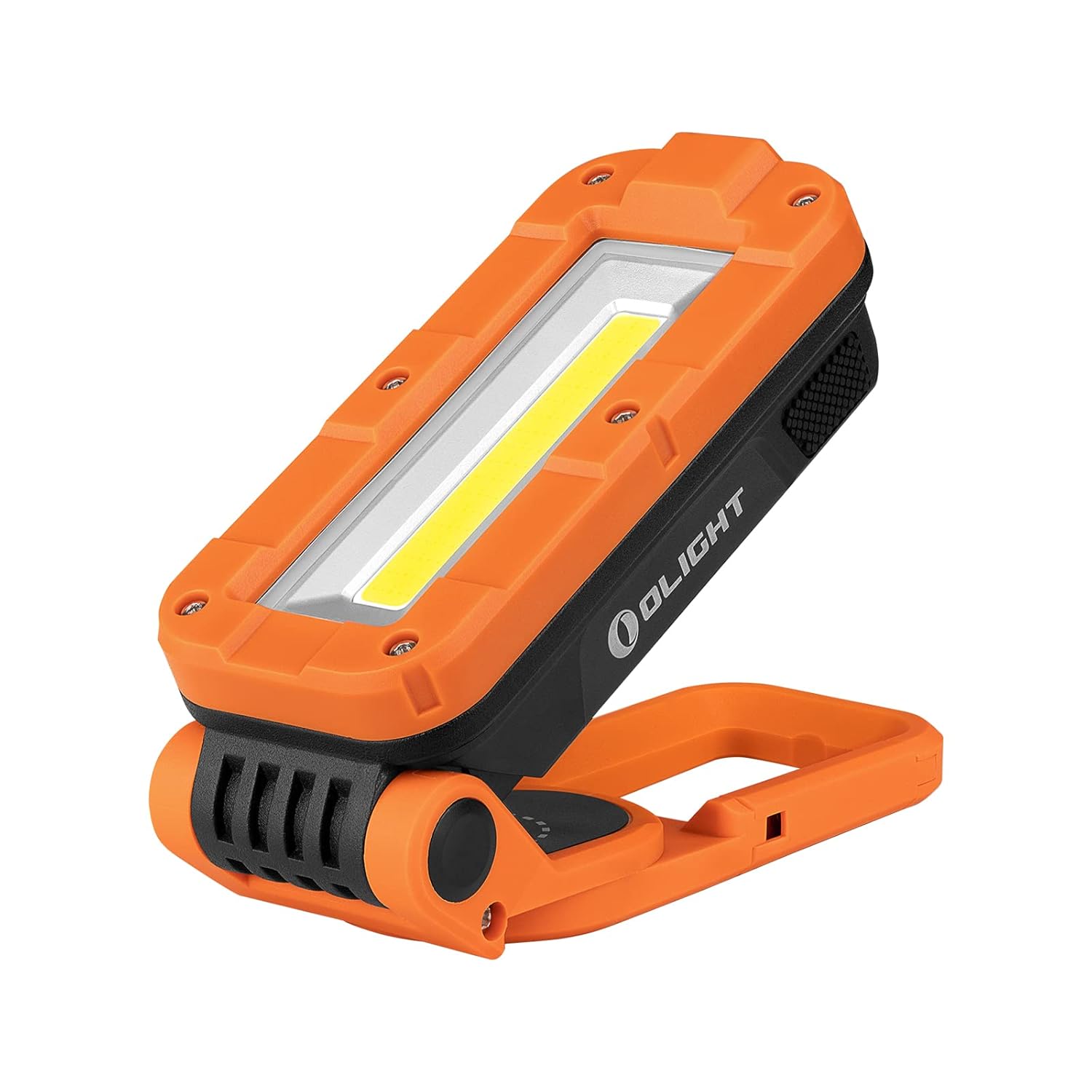
Image: The OLIGHT Swivel Pro Work Light, showcasing its compact and versatile design.
Característiques clau
- COB & LED Dual Light Source: Equipped with both COB and LED light sources. The COB light provides up to 1100 lumens of soft, uniform light for close-range floodlighting, ideal for repairs and construction. The LED light offers a concentrated beam for long-distance illumination, suitable as an EDC (Everyday Carry) light.
- Adjustable Clip Stand: Features a clip-on stand that allows 180° vertical and 150° horizontal adjustment of the work light. This flexibility enables precise beam angle adjustment to suit various usage scenarios and needs.
- Disseny recarregable: Designed for hands-free operation, making tasks like bicycle repair and outdoor construction smoother and more efficient.
- Large Capacity Battery & Long Runtime: Includes two built-in large capacity lithium polymer batteries, providing up to 84 hours of continuous use on a full charge. Charges via a Type-C port, with a full charge taking approximately 3.5 hours.
- IPX4 Water Resistance & ABS Structure: The body is constructed from durable ABS material, offering 0.8-meter impact resistance and IPX4 water resistance. It is also resistant to corrosion and high temperatures, ensuring long-lasting performance.

Image: The Swivel Pro highlighting its COB and LED dual light sources, offering versatile illumination options.
Configuració
Càrrega inicial
Before first use, fully charge the Swivel Pro. Connect the included USB-C cable to the charging port on the device and to a compatible USB power source. The charging indicator lights will show the charging status.
Adjusting the Stand and Placement
The Swivel Pro features a multi-functional stand for various placement options:
- Angle ajustable: The stand allows for 180° vertical and 150° horizontal rotation. Adjust the light head to direct the beam precisely where needed.
- Base magnètica: The base contains strong magnets, allowing the light to be securely attached to metal surfaces for hands-free operation.
- Ganxo integrat: A retractable hook is built into the stand, enabling the light to be hung from backpacks, tents, or other suitable fixtures.
- Compatibilitat amb trípode: The bracket includes a 1/4-20 standard tripod nut, allowing it to be mounted on a tripod for adjustable lighting angle and height. (Note: Tripod is not included.)

Image: The Swivel Pro's adjustable stand, demonstrating its 180-degree rotation capability.

Image: The Swivel Pro attached to a metal surface using its powerful magnetic base, ideal for hands-free work.

Image: The Swivel Pro mounted on a tripod, illustrating its compatibility for adjustable lighting setups.
Instruccions de funcionament
Encès/apagat i selecció de mode
The Swivel Pro features a single button for operation. Press the button to cycle through different modes and turn the light on/off.
- COB Floodlight Modes: The COB light offers multiple brightness levels, including low, medium, high, red light, and red flashing. Press the button repeatedly to cycle through these modes.
- LED Spotlight Mode: The LED light provides a focused beam. This mode is typically accessed by a specific button press sequence or a separate switch, depending on the model. Refer to the quick start guide for exact activation.

Image: Visual representation of the five COB floodlight brightness modes: Middle, High, Low, Red Light, and Red Flashing.
Càrrega del dispositiu
To charge the Swivel Pro, use the provided USB-C cable. Plug one end into the light's USB-C port and the other into a USB power adapter (not included) or a computer's USB port. The battery indicator lights will show the charging progress. A full charge takes approximately 3.5 hours.

Image: The Swivel Pro connected via USB-C for charging, with battery indicator lights showing charge level.
Manteniment
Proper maintenance ensures the longevity and optimal performance of your OLIGHT Swivel Pro.
- Neteja: Netegeu la llum amb un suau, damp cloth to remove dirt or debris. Avoid using abrasive cleaners or solvents that may damage the ABS material.
- Emmagatzematge: Store the light in a cool, dry place when not in use. If storing for extended periods, charge the battery every 3-6 months to maintain battery health.
- Resistència a l'aigua: The Swivel Pro is IPX4 water resistant, meaning it is protected against splashing water from any direction. Do not submerge the light in water. Ensure the USB-C port cover is securely closed when not charging to maintain water resistance.
- Resistència a l'impacte: The light is designed to withstand impacts from up to 0.8 meters. While durable, avoid dropping the light from greater heights to prevent damage.

Image: The Swivel Pro demonstrating its water resistance, suitable for use in various weather conditions.
Resolució de problemes
If you encounter issues with your OLIGHT Swivel Pro, refer to the table below for common problems and solutions.
| Problema | Causa possible | Solució |
|---|---|---|
| La llum no s’encén. | La bateria està esgotada. | Carregueu el dispositiu completament amb el cable USB-C. |
| La sortida de llum és tènue. | Nivell de bateria baix. | Recarregueu la bateria. |
| La llum parpelleja o s'apaga inesperadament. | Battery is low or connection issue. | Ensure the device is fully charged. If problem persists, contact customer support. |
| La càrrega és lenta o no funciona. | Faulty cable, power adapter, or port. | Prova un cable USB-C i un adaptador de corrent diferents. Assegura't que el port de càrrega estigui net i lliure de residus. |
Especificacions
| Especificació | Valor |
|---|---|
| Fabricant | LLUM |
| Número de part | O-SwivelPro-OG#OL-JP |
| Pes del producte | 420 g |
| Dimensions del paquet | 15.7 x 8.6 x 5.7 cm |
| Tipus de bateria | Polímer de liti (incorporat) |
| Color | Taronja, Negre |
| Material | Acrilonitril butadiè estirè (ABS) |
| Tipus de font d'alimentació | Recarregable |
| Tipus de bombeta | LED |
| Brillantor (lúmens) | 1100 lm (COB Max) |
| Característiques | Waterproof Function (IPX4), Magnetic Base, Adjustable Stand, Hook, Tripod Compatible |
| Temps d'execució màxim | 84 hores |
| Temps de càrrega | Aprox. 3.5 hores (via tipus C) |
| Resistència a l'impacte | 0.8 metres |
Garantia i Suport
OLIGHT provides a comprehensive warranty for its products. For specific warranty terms and conditions, please refer to the official OLIGHT weblloc web o la targeta de garantia inclosa amb el producte.
If you require technical assistance, have questions about your product, or need to initiate a warranty claim, please contact OLIGHT customer support through the following channels:
- Oficial Weblloc: www.olightworld.com
- Correu electrònic d'atenció al client: Consulteu la secció de contacte del lloc web oficial weblloc.
- Botiga de marca: OLIGHT Amazon Store
Please have your product model and purchase date ready when contacting support to expedite the process.


