1. Introducció
This manual provides essential information for setting up, operating, maintaining, and troubleshooting your HP OMEN 16 Ultra Slim Gaming Laptop. This high-performance laptop features an Intel Core Ultra 7 255H processor, NVIDIA GeForce RTX 5060 graphics, a 16-inch FHD+ 144Hz display, 128GB DDR5 RAM, and an 8TB PCIe NVMe M.2 SSD, running on Windows 11 Home.
2. Configuració
2.1 Desembalatge i inspecció inicial
Carefully remove the laptop and all accessories from the packaging. Inspect for any visible damage. The package should include the HP OMEN 16 laptop, power adapter, and documentation.
2.2 Connexió de l'adaptador de corrent
Connect the power adapter to the laptop's AC smart pin port and then plug it into a power outlet. It is recommended to fully charge the battery before initial use.
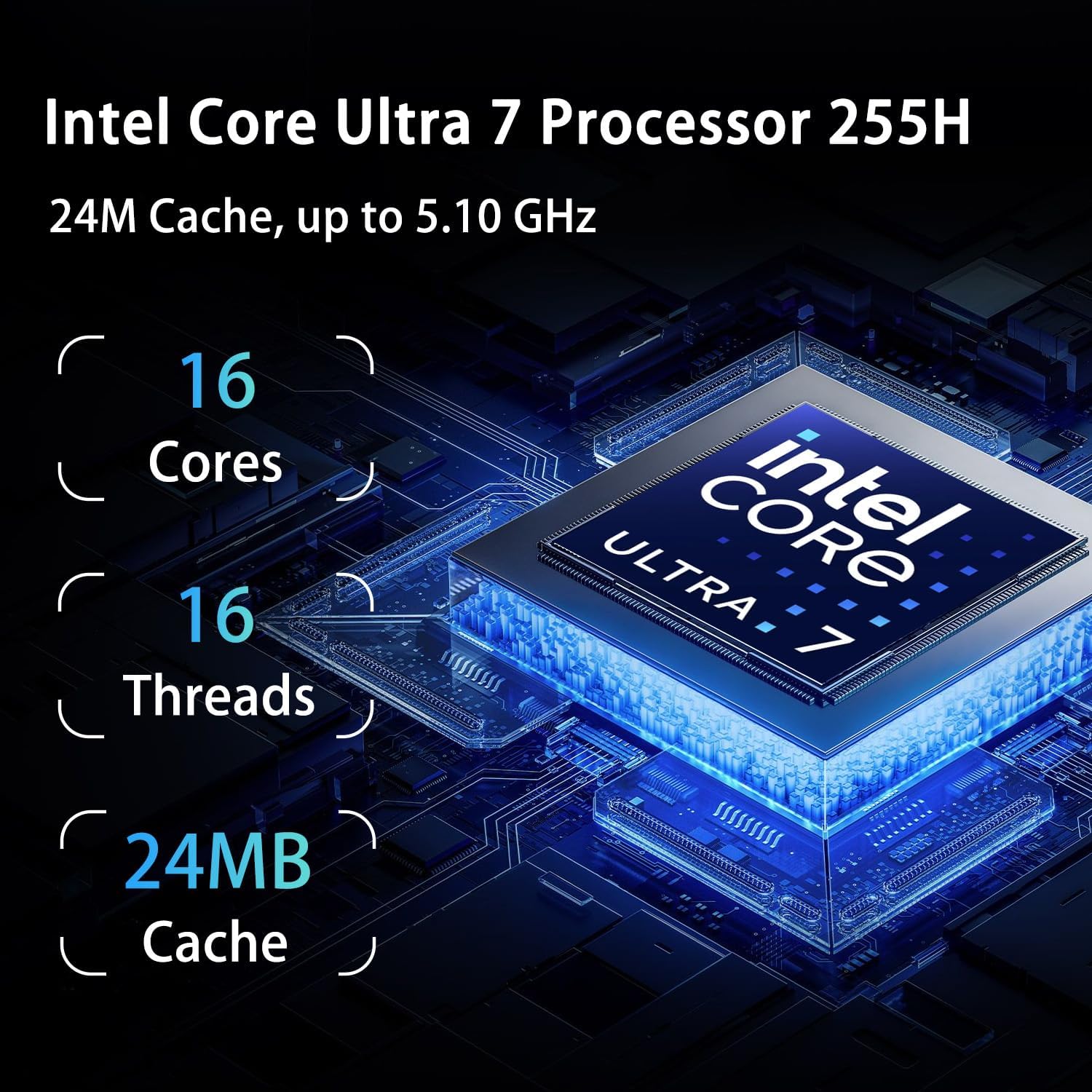
Image: The HP OMEN 16 laptop showing the power input and various ports on the sides.
2.3 Arrencada inicial i configuració del Windows 11
Premeu el botó d'engegada per engegar el portàtil. Seguiu les instruccions que apareixen a la pantalla per completar la configuració del Windows 11 Home, inclosa la selecció d'idioma, la connexió de xarxa i la creació d'un compte d'usuari.
2.4 Connexió de perifèrics
Connect your mouse, keyboard, or external display to the available USB or HDMI ports. Refer to the 'Specifications' section for port details.
3. Instruccions de funcionament
3.1 Gestió de l'energia
- Encès: Premeu el botó d'engegada que es troba al portàtil.
- Mode de repòs: Tanqueu la tapa o seleccioneu "Repos" al menú Inici.
- Apagar: Seleccioneu "Apagar" al menú Inici.
3.2 Teclat i touchpad
The laptop features an RGB backlit keyboard and a precision touchpad. Use the Fn + F4 key combination to cycle through RGB backlight modes or turn it off. The touchpad supports multi-touch gestures for navigation.

Image: The HP OMEN 16 laptop with its RGB backlit keyboard and touchpad visible.
3.3 Configuració de la pantalla
The 16-inch FHD+ (1920 x 1200) display operates at a 144Hz refresh rate. You can adjust display settings, including resolution and refresh rate, via Windows Display Settings (Right-click on desktop > Display settings).

Image: The HP OMEN 16 laptop's 16-inch FHD+ display, highlighting its 144Hz refresh rate during gameplay.
3.4 Connexió a una xarxa
- Wi-Fi: Click the network icon in the taskbar, select your Wi-Fi network, and enter the password. The laptop supports Wi-Fi 6.
- Ethernet: Connecteu un cable Ethernet al port RJ-45 per a una connexió de xarxa amb cable.
3.5 Audio and External Devices
Connect headphones or external speakers to the headphone/microphone combo jack. Use the USB Type-A, USB Type-C, and HDMI ports for various external devices such as storage, monitors, or other peripherals.

Imatge: Una imatge detallada view of the HP OMEN 16 laptop's side ports, including USB Type-A, USB Type-C, HDMI, RJ-45, and the headphone/microphone combo jack.
4. Manteniment
4.1 Neteja del portàtil
- Utilitzeu un drap suau i sense pelusa lleugerament dampesbandiu amb aigua o un netejador de pantalles per netejar la pantalla.
- Use compressed air to clear dust from the keyboard and ventilation grilles.
- Wipe the chassis with a soft, dry cloth. Avoid harsh chemicals.
4.2 Cura de la bateria
To prolong battery life, avoid extreme temperatures and allow the battery to discharge partially before recharging. For long-term storage, charge the battery to about 50%.
4.3 Software and Driver Updates
Regularly check for and install Windows updates through 'Settings > Windows Update'. Keep your graphics drivers (NVIDIA) and other system drivers updated for optimal performance and security. You can typically find driver updates on the official HP support weblloc web o a través de l'aplicació NVIDIA GeForce Experience.
4.4 Sistema de refrigeració
Ensure proper airflow by keeping the laptop's vents unobstructed. Using the bundled PCO Notebook Fold Radiator/Cooler can help maintain optimal operating temperatures during intensive tasks like gaming.
5. Solució De Problemes
5.1 Sense poder
- Verifiqueu que l'adaptador de corrent estigui connectat correctament tant al portàtil com a una presa de corrent que funcioni.
- Comproveu si la presa de corrent funciona connectant-hi un altre dispositiu.
- Si la bateria està completament esgotada, deixeu-la carregar durant uns minuts abans d'intentar encendre-la.
5.2 Problemes de visualització
- Pantalla negra: Try connecting an external monitor to the HDMI port to check if the issue is with the laptop's internal display.
- Imatge parpellejant/distorsionada: Actualitza els controladors gràfics. Ajusta la configuració de la pantalla a Windows.
5.3 Problemes de rendiment
- Tanca les aplicacions innecessàries que s'executen en segon pla.
- Ensure the laptop has adequate ventilation and is not overheating. Use the bundled cooler.
- Comproveu si hi ha programari maliciós o virus.
- Assegureu-vos que Windows i els controladors estiguin actualitzats.
5.4 Problemes de connectivitat de xarxa
- Wi-Fi: Restart your router and modem. Ensure Wi-Fi is enabled on the laptop. Reconnect to the network.
- Ethernet: Check the Ethernet cable connection. Verify your network adapter settings in Windows.
5.5 Problemes d'àudio
- Check volume levels in Windows and on any connected external audio devices.
- Ensure the correct audio output device is selected in Windows Sound settings.
- Actualitza els controladors d'àudio.
6. Especificacions
| Característica | Detall |
|---|---|
| Nom del model | TPN-Q304 |
| Processador | Intel Core Ultra 7 255H (16 Cores, 16 Threads, up to 5.1GHz) |
| Gràfics | NVIDIA GeForce RTX 5060 (8 GB GDDR7) |
| RAM | 128 GB DDR5 |
| Emmagatzematge | SSD M.8 PCIe NVMe de 2 TB |
| Mostra | 16-inch FHD+ (1920 x 1200), 144 Hz, IPS, micro-edge, anti-glare |
| Sistema operatiu | Windows 11 Home |
| Ports | 3x SuperSpeed USB Type-A, 1x SuperSpeed USB Type-C, 1x HDMI, 1x RJ-45, 1x Headphone/Microphone Combo |
| Connectivitat sense fil | Wi-Fi 6 (802.11ax), Bluetooth |
| Teclat | RGB Backlit Keyboard, Numeric Keypad |
| Pes | 5.1 lliures (aprox. 2.31 kg) |
| Dimensions (L x A x A) | 14.07" x 10.59" x 0.78" (approx. 35.74 x 26.90 x 1.98 cm) |
| Bateria | Lithium Ion, 95 Watt Hours |
| UPC | 196548671946 |

Image: A visual summary of the HP OMEN 16 laptop's core specifications, including Intel Core Ultra 7 255H, NVIDIA GeForce RTX 5060, RAM, SSD, Wi-Fi 6, Windows 11, and display details.
7. Garantia i Suport
7.1 Garantia del producte
Your HP OMEN 16 laptop is covered by a manufacturer's warranty. For specific terms, conditions, and duration of your warranty, please refer to the official warranty documentation included with your product or visit the official HP support website. Warranty details may vary by region.
7.2 Suport tècnic
Per a assistència tècnica, descàrregues de controladors o consultes de servei, visiteu el lloc web oficial de suport d'HP. website. You will need your product's serial number (located on the bottom of the laptop) when contacting support.
Suport d'HP Weblloc: www.hp.com/support