Introducció
The Logitech K585 Multi-Device Slim Wireless Keyboard is designed for versatile use across multiple devices, including laptops, tablets, desktops, and smartphones. Its compact and modern design aims to enhance productivity and comfort in various work environments. This manual provides essential information for setting up, operating, maintaining, and troubleshooting your keyboard.

Figure 1: Logitech K585 Multi-Device Slim Wireless Keyboard in Graphite.
Configuració
1. Unboxing i Inspecció Inicial
Traieu amb cura tots els components de l'embalatge. Assegureu-vos que hi hagi els elements següents:
- Teclat Logitech K585
- 2 piles AAA (preinstal·lades)
- Receptor USB unificant
- Documentació d'usuari

Figure 2: Contents included in the Logitech K585 package.
2. Battery Installation (if not pre-installed or for replacement)
The keyboard comes with two AAA batteries pre-installed. If you need to replace them:
- Locate the battery compartment cover on the top edge of the keyboard, usually integrated with the device cradle.
- Feu lliscar o aixequeu suaument la tapa per obrir el compartiment.
- Introduïu dues piles AAA, assegurant-vos de la polaritat correcta (+/-).
- Tanqueu bé la tapa del compartiment de la bateria.
3. Connecting via USB Receiver (Logitech Unifying Receiver)
For devices without Bluetooth or for a stable 2.4 GHz wireless connection:
- Locate the Unifying USB receiver, typically stored inside the battery compartment or within the product packaging.
- Plug the Unifying USB receiver into an available USB-A port on your computer (laptop or desktop).
- El teclat s'hauria de connectar automàticament.
4. Connecting via Bluetooth Wireless Technology
For devices with Bluetooth capability (laptops, tablets, smartphones):
- Turn on the keyboard using the power switch, usually located on the side.
- Press and hold one of the Easy-Switch keys (1, 2, or 3) for three seconds until the LED light above the key starts blinking rapidly. This indicates the keyboard is in pairing mode.
- Al dispositiu, vés a la configuració de Bluetooth i cerca dispositius nous.
- Seleccioneu "Logitech K585" de la llista de dispositius disponibles.
- Follow any on-screen prompts to complete the pairing process. The LED light will turn solid for a few seconds and then turn off once connected.
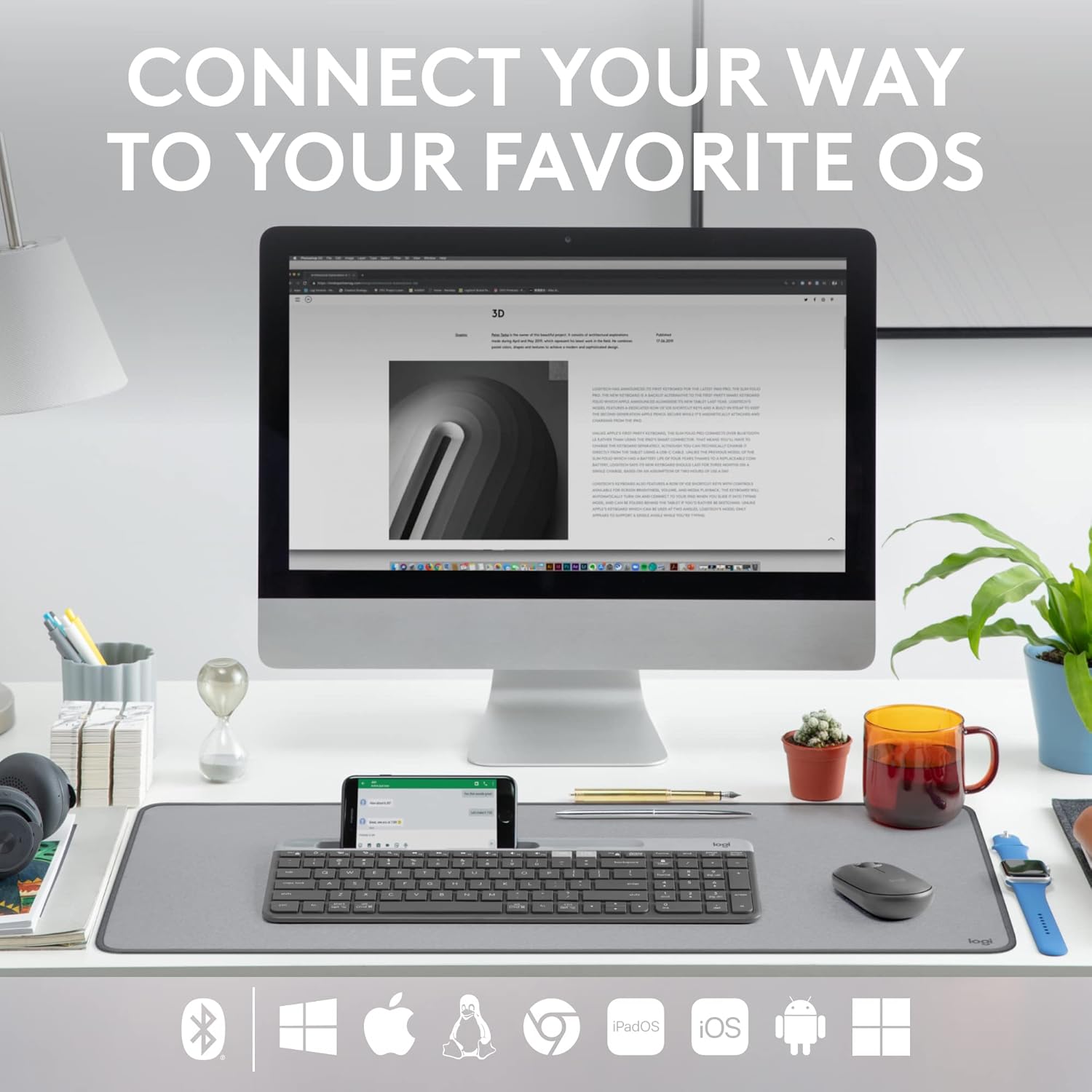
Figure 3: The Logitech K585 supports various operating systems including Windows, macOS, iOS, iPadOS, Android, and ChromeOS.
Funcionament del teclat
1. Funcionalitat Easy-Switch
The K585 keyboard allows you to seamlessly switch between up to three connected devices:
- Press the Easy-Switch key (1, 2, or 3) corresponding to the device you wish to use. The LED light above the selected key will briefly illuminate to confirm the switch.
- This feature enables quick transitions between typing on your computer, tablet, or smartphone.
2. Built-in Phone Cradle
The integrated cradle at the top of the keyboard is designed to hold your smartphone or tablet, providing an optimal viewing angle for multitasking.

Figure 4: The K585 keyboard with a smartphone positioned in the integrated cradle for enhanced multitasking.
3. FN Keys and Shortcuts
The keyboard features 12 FN keys that provide easy access to media controls and other shortcuts. These keys can be customized using Logi Options+ Software for enhanced productivity.
- Controls de mitjans: Play/pause, volume up/down, mute.
- Tecles de funció: F1-F12, often used for specific software functions.
- Personalització: Download and install Logi Options+ Software from the official Logitech website to personalize FN key assignments.
4. Compatibilitat amb diversos sistemes operatius
The keyboard layout is optimized for both Windows and Mac OS commands, ensuring a familiar typing experience regardless of your operating system. It also supports iOS, iPadOS, Android, and ChromeOS devices.

Figure 5: Universal compatibility of the Logitech K585 keyboard across different platforms.
Manteniment
1. Battery Life and Management
The Logitech K585 keyboard offers an extended battery life of up to 24 months, thanks to its efficient design and an auto-sleep feature that activates when the keyboard is not in use. Battery life may vary based on user and computing conditions.

Figure 6: The K585 keyboard boasts a long-lasting 24-month battery life.
To maximize battery life, ensure the keyboard is switched off when not in use for extended periods.
2. Neteja del teclat
Per mantenir l'aspecte i la funcionalitat del teclat:
- Use a soft, lint-free cloth to wipe down the surface.
- Per a la brutícia persistent, lleugerament dampal drap amb aigua o un netejador suau i no abrasiu.
- Eviteu ruixar líquids directament sobre el teclat.
- Do not use harsh chemicals or abrasive materials, as these can damage the finish.
Resolució de problemes
If you encounter issues with your Logitech K585 keyboard, consider the following common solutions:
- Sense conexió:
- Assegureu-vos que el teclat estigui encès.
- Comproveu els nivells de la bateria i substituïu-la si cal.
- For USB receiver connection, try plugging the receiver into a different USB port.
- Per a la connexió Bluetooth, assegureu-vos que el Bluetooth estigui habilitat al dispositiu i proveu de tornar a emparellar el teclat.
- Lag or Disconnections:
- Move the keyboard closer to the receiver or Bluetooth-enabled device.
- Eviteu col·locar el teclat a prop d'altres dispositius sense fil que puguin causar interferències (per exemple, encaminadors Wi-Fi, telèfons sense fil).
- Assegureu-vos que el sistema operatiu i els controladors Bluetooth del dispositiu estiguin actualitzats.
- Les tecles no responen:
- Netegeu els voltants de les tecles afectades per eliminar qualsevol residu.
- Reinicieu l'ordinador o el dispositiu.
- If using Logi Options+ Software, ensure it is running correctly and not causing conflicts.
For more detailed troubleshooting or persistent issues, refer to the official Logitech support website or the comprehensive user guide available for download.
Especificacions
| Característica | Detall |
|---|---|
| Marca | Logitech |
| Número de model | 920-011479 |
| Tecnologia de connectivitat | Bluetooth, USB (2.4 GHz Unifying Receiver) |
| Dispositius compatibles | Ordinador portàtil, PC, telèfon intel·ligent, tauleta |
| Compatibilitat de sistemes operatius | Windows, macOS, iOS, iPadOS, Android, ChromeOS |
| Color | Grafit |
| Pes de l'article | 1.24 lliures (aprox. 562 g) |
| Dimensions del producte (LxWxH) | 14.7 x 5.6 x 0.76 polzades (aprox. 37.3 x 14.2 x 1.9 cm) |
| Durada de la bateria | Fins a 24 mesos (pot variar segons l'ús) |
| abast sense fils | Fins a 10 m (33 peus) |

Figure 7: Detailed dimensions of the Logitech K585 keyboard.
Garantia i Suport
Per obtenir informació sobre la garantia, assistència tècnica i recursos addicionals, visiteu el lloc web d'assistència oficial de Logitech. website. You can also find a comprehensive User Guide in PDF format for this product:
Documents relacionats - 920-011479
 |
Guia de configuració del teclat multidispositiu Logitech K585 Guia de configuració completa per al teclat sense fil Logitech K585 Multi-Device Slim. Apreneu a instal·lar piles, connectar-lo mitjançant un receptor USB o Bluetooth, emparellar-lo amb diversos dispositius i seleccionar dissenys de sistemes operatius. |
 |
Teclat multidispositiu Logitech K780: característiques, connectivitat i guia de configuració Descobreix el teclat multidispositiu Logitech K780, un teclat versàtil dissenyat per canviar sense problemes entre ordinadors, telèfons intel·ligents i tauletes. Aquesta guia detalla les seves característiques, les opcions de connectivitat dual (Bluetooth Smart i Unifying Receiver), les funcions millorades i les instruccions de configuració per a diversos sistemes operatius. |
 |
Tastiera Logitech K780 Multi-Device: Funcionalitat, Connexió i Disseny Guia completa de la tecla Logitech K780 Multi-Device, que cobreix les seves funcions, connecteu-vos a més dispositius mitjançant Bluetooth Smart i Unifying, milloren les funcions i dos dissenys per a diversos sistemes operatius. |
 |
Manuals d'usuari del teclat Logitech K380 i del ratolí Pebble Guies d'usuari completes per al teclat Bluetooth multidispositiu Logitech K380 i el ratolí sense fil Logitech Pebble, que cobreixen la configuració, les funcions, les dreceres i la gestió de l'energia. Inclou instruccions detallades per a l'emparellament, la instal·lació del programari i les funcions clau. |
 |
Teclat multidispositiu Logitech K780: connectivitat perfecta per a tots els vostres dispositius Exploreu el teclat multidispositiu Logitech K780. Apreneu a connectar i utilitzar aquest teclat versàtil amb l'ordinador, la tauleta i el telèfon intel·ligent mitjançant Unifying o Bluetooth Smart per millorar la productivitat. Descobriu les seves funcions, la configuració i l'emparellament de diversos dispositius. |
 |
Teclat multidispositiu Logitech K780: guia de connectivitat sense fil, Bluetooth i unificadora Guia completa del teclat multidispositiu Logitech K780, que cobreix les seves característiques, la doble disposició, la facilitat de canvi entre PC, Mac, tauleta i telèfon, i els mètodes de connexió mitjançant Bluetooth Smart i el receptor Unifying. |