1. Introducció
Thank you for choosing the Xtreme Wireless Super Slim Keyboard. This manual provides essential information for setting up, operating, maintaining, and troubleshooting your new keyboard. Designed for universal use with Windows and Mac desktop computers, this keyboard offers a reliable wireless connection up to 33 feet away using its included USB Nano Receiver.
Què hi ha a la caixa:
- Xtreme Wireless Super Slim Keyboard
- Nano receptor USB
Note: 2 AAA batteries are required and not included with this unit.
2. Configuració
2.1 Instal·lació de la bateria
The keyboard requires two (2) AAA batteries (not included) for operation.
- Localitzeu la tapa del compartiment de la bateria a la part inferior del teclat.
- Feu lliscar la coberta oberta.
- Introduïu dues piles AAA, assegurant-vos que els terminals positiu (+) i negatiu (-) s'alineïn correctament amb els indicadors de l'interior del compartiment.
- Tanqueu bé la tapa del compartiment de la bateria.
2.2 Connecting the USB Nano Receiver
The Xtreme Wireless Super Slim Keyboard uses a plug-and-play USB Nano Receiver for wireless connectivity.
- Locate an available USB port on your desktop computer (Windows or Mac).
- Insert the USB Nano Receiver firmly into the USB port.
- L'ordinador hauria de detectar i instal·lar automàticament els controladors necessaris. Aquest procés pot trigar uns instants.
- Un cop instal·lats els controladors, el teclat ja està llest per al seu ús.
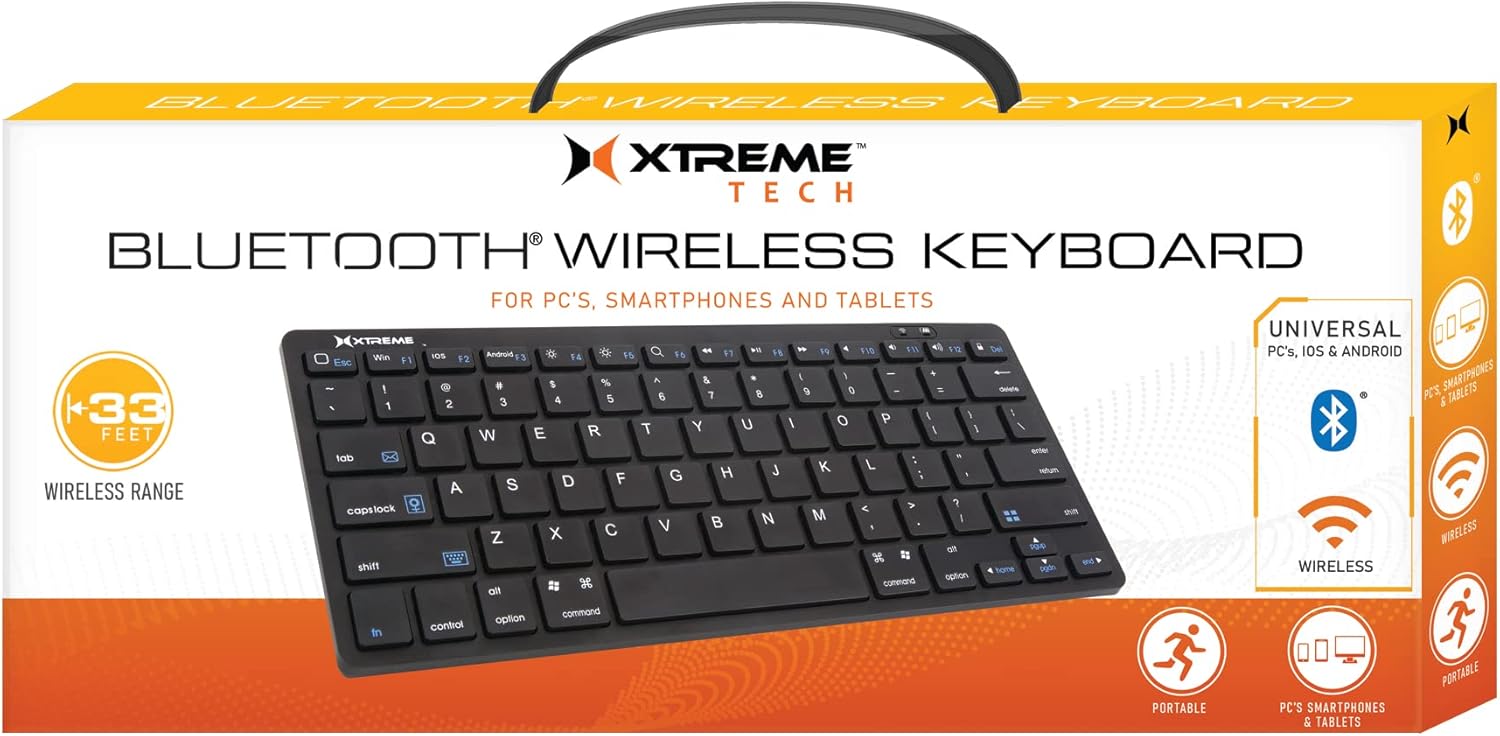
Image: The Xtreme Wireless Super Slim Keyboard shown with its compact design and the small USB Nano Receiver, ready for connection to a computer.
3. Funcionament del teclat
3.1 Funcionament bàsic
Once connected, the keyboard functions like a standard computer keyboard. Simply begin typing. The wireless connection allows you to operate the keyboard from a distance of up to 33 feet (approximately 10 meters) from your computer, providing flexibility in your workspace.
3.2 Compatibilitat
This keyboard is universally compatible with both Windows and Mac operating systems. No special software or complex setup is required beyond inserting the USB Nano Receiver.
4. Manteniment
4.1 Neteja
Per mantenir l'aspecte i la funcionalitat del teclat:
- Feu servir un drap suau, sec i sense borrissol per netejar la superfície del teclat.
- Per a la brutícia persistent, lleugerament dampNetegeu el drap amb aigua o una solució de neteja suau i no abrasiva. Eviteu la humitat excessiva.
- Do not spray cleaners directly onto the keyboard.
- Feu servir aire comprimit per eliminar la pols i les restes que hi ha entre les tecles.
4.2 Substitució de la bateria
When the keyboard's performance degrades or it stops responding, it may be time to replace the batteries. Follow the battery installation steps in Section 2.1.
4.3 Emmagatzematge
When not in use for extended periods, it is recommended to remove the batteries to prevent leakage and damage to the keyboard. Store the keyboard in a cool, dry place.
5. Solució De Problemes
5.1 El teclat no respon
- Comproveu les bateries: Assegureu-vos que les piles AAA noves estiguin instal·lades correctament.
- Check Receiver Connection: Make sure the USB Nano Receiver is securely plugged into a working USB port on your computer. Try a different USB port.
- Interval: Ensure the keyboard is within the 33-foot operating range of the receiver.
- Interferència: Allunyeu el teclat i el receptor d'altres dispositius sense fil o objectes metàl·lics grans que puguin causar interferències.
- Reinicieu l'ordinador: Sometimes, a simple computer restart can resolve connectivity issues.
5.2 Les tecles no funcionen correctament
- Claus netes: Check for any debris or obstructions under the keys. Refer to Section 4.1 for cleaning instructions.
- Nivell de bateria: Low battery power can sometimes cause erratic key behavior. Replace batteries if necessary.
6. Especificacions
| Característica | Detall |
|---|---|
| Nom del model | XCA2-1004-BLK |
| Marca | ACCESSORIS D'ESTIL DE VIDA DIGITAL XTREME |
| Tecnologia de connectivitat | USB Wireless (via Nano Receiver) |
| abast sense fils | Fins a 33 peus (10 metres) |
| Dispositius compatibles | PC (Windows), Mac |
| Font d'alimentació | 2 piles AAA (no incloses) |
| Color | Negre |
| Components inclosos | Nano receptor |
| Fabricant | Accessoris Jem |
7. Garantia i Suport
For information regarding warranty coverage and technical support for your Xtreme Wireless Super Slim Keyboard, please refer to the documentation included with your product packaging or visit the official XTREME DIGITAL LIFESTYLE ACCESSORIES website. You may also contact the seller, AllTech 365, for purchase-specific support.
Recursos en línia:


