1. Introducció i presentació del producteview
The IOXUS UltraCapacitor is a Smart Power ultracapacitor-based product designed to enhance vehicle electrical systems. This module improves starting reliability, optimizes vehicle voltage health, extends battery life, and contributes to overall sustainability. With a design life of 15 years, this ultracapacitor offers a long-term solution for power management in compatible vehicles.
This manual provides essential information for the safe and effective installation, operation, and maintenance of your IOXUS UC-31 Ultra Capacitor.

Figure 1: IOXUS UC-31 Ultra Capacitor Module (Top View)
This image displays the top surface of the IOXUS UC-31 Ultra Capacitor, highlighting its key features such as the 12V rating, UltraCAP branding, 1100 Cold Cranking Amps (CCA), 24 Watt-hours (WHr) capacity, and the LED indicators for operational status (RUN, MAINT, BT, ERROR). The positive and negative terminals are clearly visible, along with a QR code for the Ultra-CAP app and a warning label.
2. Informació i advertències de seguretat
Read all safety instructions carefully before installation and operation. Failure to follow these instructions may result in property damage, injury, or death.
- DO NOT SHORT TERMINALS: Sparks will occur if terminals are shorted or connected directly to a battery without proper precautions.
- DO NOT CONNECT IN REVERSE POLARITY: Ensure correct polarity when connecting the ultracapacitor. Connecting terminals in reverse (+ to - and/or - to +) can cause severe damage to the unit and vehicle electrical system.
- NOT A BATTERY: This device is an ultracapacitor, not a traditional battery. Refer to this user manual for specific cautions, warnings, operating, and recycling instructions.
- CONNEXION PARAL·LEL: The ultracapacitor module must be connected in parallel with a 12V battery to operate correctly. It is not designed to be a standalone power source for starting.
⚠ IMPORTANT RECALL INFORMATION ⚠
FOR OFF-ROAD/MOTORSPORT INSTALLS: This capacitor module has been recalled for use in on-road motor vehicles. Please see www.ioxus.com/recall for the latest information on this recall.
It is crucial to verify if your specific application is affected by this recall before installation or continued use.

Figure 2: Safety Warning Labels
This image shows the side of the ultracapacitor module with critical safety warnings regarding terminal shorting and reverse polarity connections. These warnings are essential for preventing damage and ensuring user safety during installation and operation.
3. Configuració i instal·lació
Proper installation is critical for the performance and longevity of your IOXUS UC-31 Ultra Capacitor. If you are unsure about any step, consult a qualified automotive technician.
3.1 Comprovacions prèvies a la instal·lació
- Assegureu-vos que el vehicle estigui apagat i que la bateria estigui desconnectada abans de començar la instal·lació.
- Inspect the ultracapacitor for any visible damage. While this is a "B Stock" item, significant damage affecting functionality should be addressed.
- Gather necessary tools: wrenches, wire cutters/strippers, appropriate gauge wiring (e.g., 1/0 OFC wiring for high-power audio systems), and terminal connectors.
3.2 Connexions de cablejat
- Muntatge: Securely mount the ultracapacitor in a dry, well-ventilated area away from excessive heat or vibration. Ensure it is easily accessible for inspection and maintenance.
- Connexió a terra: Connect the negative terminal (NEG) of the ultracapacitor to a solid chassis ground point or directly to the vehicle's battery negative terminal. Use appropriate gauge wiring and ensure a clean, secure connection.
- Positive Connection: Connect the positive terminal (POS) of the ultracapacitor to the vehicle's 12V battery positive terminal. This connection must be made in parallel with the existing battery. Use appropriate gauge wiring and ensure a clean, secure connection.
- Comproveu la polaritat: Crucially, verify that all connections are made with correct polarity. Reverse polarity will damage the unit.
- Torneu a connectar la bateria: Once all connections are secure and verified, reconnect the vehicle's main battery.
Upon initial connection, the ultracapacitor will begin charging. This process may take some time, and the LED indicators will provide status feedback.
4. Instruccions de funcionament
The IOXUS UC-31 features Smart Power technology with Bluetooth connectivity, allowing for monitoring and control via a dedicated mobile application.
4.1 Indicadors LED
The ultracapacitor module is equipped with several LED indicators to display its operational status:
| Indicador | Color | Descripció |
|---|---|---|
| CÓRRER | Verd | Indicates the uSTART system is connected and operating normally. |
| MANTENIM | groc | Indicates a maintenance alert or specific operational state (e.g., charging for the first time, asleep). |
| BT | Blau | Indicates Bluetooth connectivity status. Blinking may indicate pairing mode or searching for connection. Solid indicates connected. |
| ERROR | Vermell | Indicates a fault or error condition. Refer to the mobile app or troubleshooting section for details. |

Figure 3: LED Indicator Descriptions
Aquesta imatge ofereix un detall view of the labels next to the LED indicators, explaining their meaning. It also reiterates a warning about not shorting terminals.
4.2 Bluetooth Connectivity and Mobile App
The IOXUS UC-31 can be monitored and controlled via the "Ultra-CAP" mobile application. Download the app from your device's app store (iOS/Android) or scan the QR code located on the product label (refer to Figure 1).
- Maridatge: Ensure Bluetooth is enabled on your mobile device. Open the Ultra-CAP app and follow the on-screen instructions to pair with your UC-31 module. The BT LED on the unit will indicate connection status.
- Seguiment: The app provides real-time data on the ultracapacitor's voltage, charge status, and overall health.
- Característiques de control: Depending on the app version, you may have access to features like "run mode" to assist with starting a vehicle with a low battery, as mentioned in user feedback.
5. Manteniment
The IOXUS UC-31 Ultra Capacitor is designed for a long service life of approximately 15 years with minimal maintenance. However, periodic checks are recommended to ensure optimal performance.
- Inspecció de terminals: Periodically check the positive and negative terminals for corrosion, looseness, or damage. Clean terminals with a wire brush and battery terminal cleaner if necessary. Ensure all connections are tight and secure.
- Inspecció física: Visually inspect the ultracapacitor casing for any signs of physical damage, cracks, or swelling. While this is a "B Stock" item and may have cosmetic imperfections (as seen in Figures 4 and 5), any new or worsening damage should be investigated.
- Condicions ambientals: Ensure the ultracapacitor is not exposed to extreme temperatures, excessive moisture, or corrosive substances.
- Monitorització d'aplicacions: Regularly use the Ultra-CAP mobile app to monitor the unit's health and performance. The app can provide early warnings of potential issues.
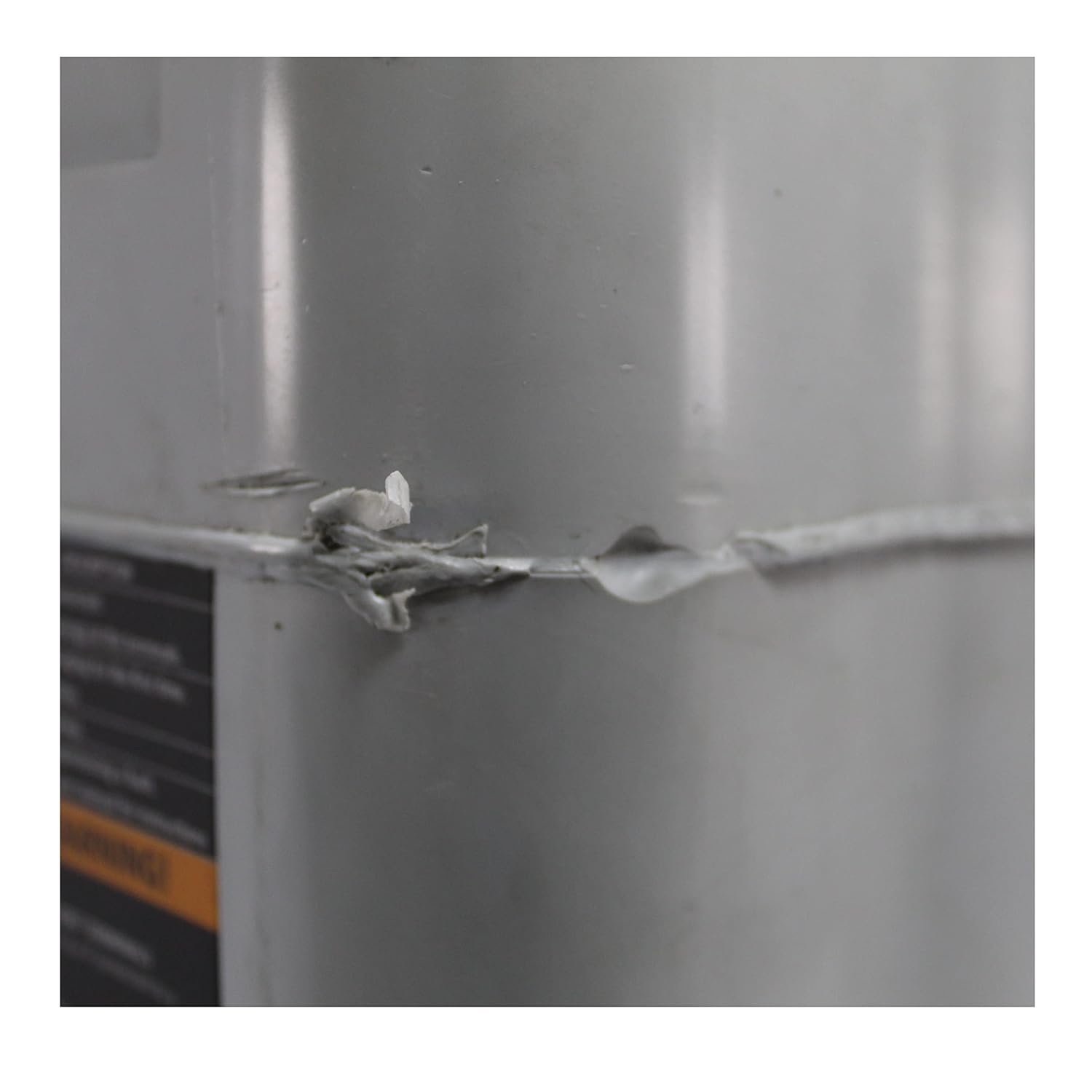
Figure 4: Cosmetic Imperfections on Casing
This image shows a close-up of a seam on the ultracapacitor casing, indicating some cosmetic imperfections or minor damage, which is typical for a "B Stock" item. These should be monitored but generally do not affect functionality unless severe.

Figura 5: Casing Scuff Mark
This image displays a scuff mark or scratch on the ultracapacitor's casing, another example of a cosmetic imperfection that may be present on "B Stock" units. Regular inspection should ensure such marks do not develop into functional issues.
6. Solució De Problemes
This section addresses common issues you might encounter with your IOXUS UC-31 Ultra Capacitor.
6.1 Error Indicators
- Red ERROR LED: If the red ERROR LED is illuminated, it indicates a fault condition.
- Comproveu totes les connexions del cablejat per garantir la seguretat i la polaritat correcta.
- Verify the vehicle's 12V battery is functioning correctly.
- Use the Ultra-CAP mobile app for more detailed diagnostic information.
- If the error persists, disconnect the unit and contact customer support.
- Yellow MAINT LED: If the yellow MAINT LED is illuminated, it may indicate a specific operational state (e.g., initial charging, sleep mode) or a maintenance alert. Consult the mobile app for clarification.
6.2 Problemes de rendiment
- No Power Improvement:
- Ensure the ultracapacitor is fully charged.
- Verify all connections are clean and tight, especially ground connections.
- Check the health of your vehicle's main battery and alternator. The ultracapacitor works in conjunction with these components.
- Problemes de connectivitat Bluetooth:
- Assegureu-vos que el Bluetooth estigui habilitat al vostre dispositiu mòbil.
- Restart the Ultra-CAP app.
- Ensure your device is within range of the ultracapacitor.
- Check if the BT LED on the unit is active.
7. Especificacions
| Característica | Detall |
|---|---|
| Número de model | UC-31 |
| Marca | IOXUS |
| Vol. Operatiutage | 12 Volts |
| Capacitat | 375 Farad |
| Arrencada en fred Amps (CCA) | 1100 CCA (approximate, from label) |
| Emmagatzematge d'energia | 24 WHr (approximate, from label) |
| Material | Alumini |
| Forma | Round (internal cells, external casing is rectangular) |
| Dimensions del producte | 13 x 13 x 9.45 polzades |
| Pes | 38.51 lliures |
| Bluetooth | Yes, for app connectivity |
| Vida de disseny | 15 anys |
| Número de sèrie (Ex.ample) | M05-191010-048 (from image) |
8. Garantia i Suport
Specific warranty details for "B Stock" items may vary. Please refer to your purchase documentation or contact the seller directly for information regarding warranty coverage.
For technical support, product inquiries, or to obtain the latest information regarding product recalls, please visit the official IOXUS weblloc:
Always provide your product model number (UC-31) and any relevant serial numbers when contacting support.


