1. Introducció
This manual provides comprehensive instructions for the setup, operation, maintenance, and troubleshooting of your Celly Stealth Keyboard. Please read this manual carefully before using the product to ensure proper functionality and longevity.
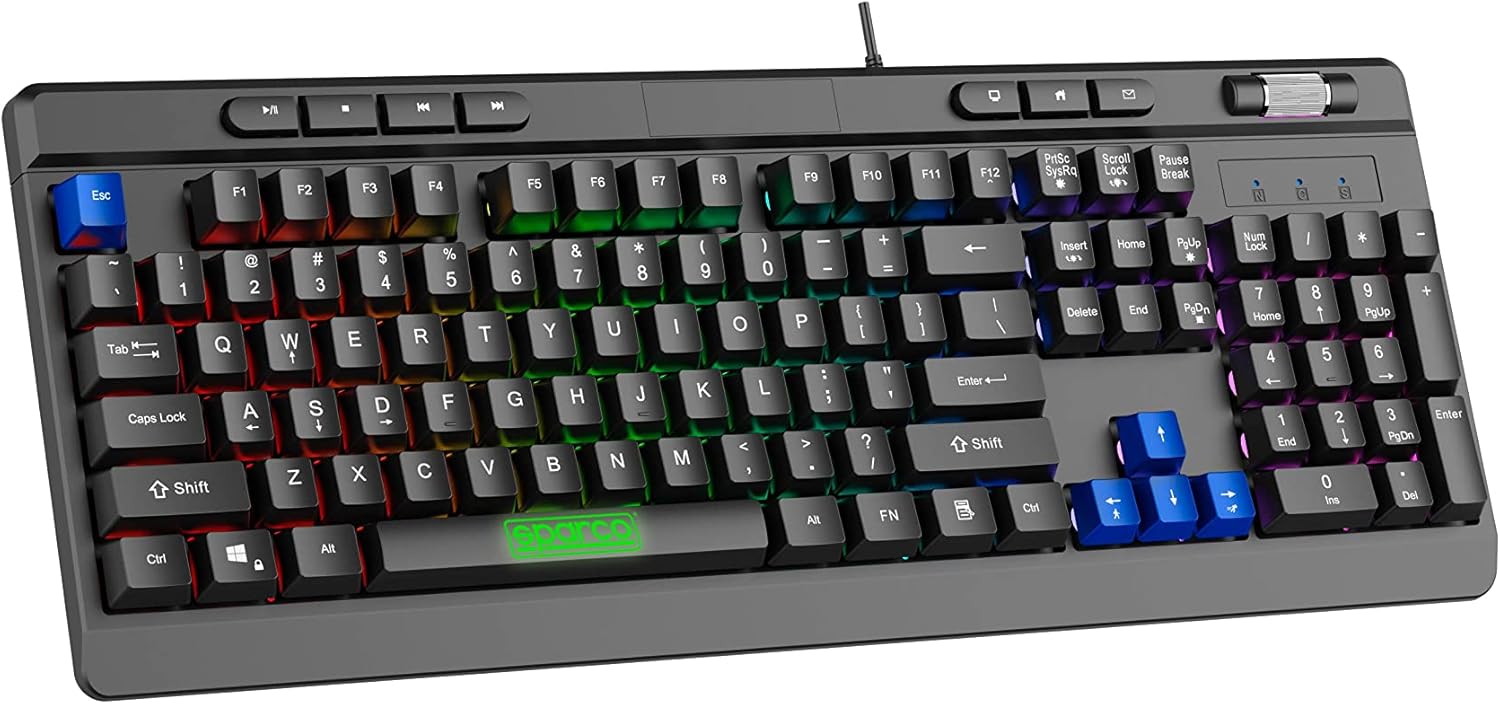
Image 1.1: The Celly Stealth Keyboard, showcasing el seu disseny complet i la vibrant retroiluminació RGB.
2. Característiques clau
- Membrane Keys: Equipped with silent and responsive membrane keys for comfortable typing and gaming.
- Retroil·luminació RGB: Features dynamic RGB lighting with 12 selectable modes and adjustable speed.
- Anti-fantasma: 19 anti-ghosting keys ensure accurate input during simultaneous key presses.
- Controls multimèdia: Dedicated multimedia keys and a volume scroll wheel for easy content management.
- Inclinació ajustable: Integrated feet allow for height and tilt adjustment for ergonomic comfort.
- Connectivitat Plug & Play: Simple USB-A wired connection (1.5m cable) requires no additional drivers or software.

Image 2.1: Detail of the keyboard's membrane keys and the Sparco branding on the spacebar.
3. Instruccions de configuració
- Desembalatge: Traieu amb cura el teclat del seu embalatge. Assegureu-vos que hi hagi tots els components.
- Connexió al PC: Locate an available USB-A port on your computer. Insert the keyboard's USB-A cable into the port.
- Reconeixement automàtic: The keyboard is Plug & Play. Your operating system (e.g., Windows 10) will automatically detect and configure the device. No additional drivers are required.
- Keyboard Layout (Important): The keyboard features a US layout. You may need to adjust your computer's keyboard settings to match the US layout for correct character input. Refer to your operating system's documentation for instructions on changing keyboard layouts.
- Ajustar la inclinació: Extend the adjustable feet located on the underside of the keyboard to set your preferred typing angle.

Image 3.1: The USB-A cable connection point on the keyboard, illustrating its wired connectivity.
4. Instruccions de funcionament
4.1 Basic Typing and Gaming
The Celly Stealth Keyboard functions as a standard QWERTY keyboard. Its membrane keys provide a comfortable and quiet typing experience suitable for extended use.
4.2 Control de retroil·luminació RGB
The keyboard features 12 dynamic RGB lighting modes. Use the dedicated keys to cycle through modes and adjust brightness/speed.
- Canvi de modes: Premeu el botó Fn key combined with specific function keys (e.g., Fn + Bloqueig de desplaçament or Fn + Print Screen) to cycle through the 12 available lighting effects. Refer to the keyboard's keycap legends for specific combinations.
- Adjusting Brightness/Speed: Ús Fn + Fletxa amunt/avall keys to adjust brightness, and Fn + Fletxa esquerra/dreta keys to adjust the speed of dynamic effects.
4.3 Multimedia and Volume Controls
The keyboard includes dedicated multimedia keys and a volume scroll wheel for convenient control:
- Roda de volum: Located in the upper right corner, rotate the wheel to increase or decrease system volume.
- Tecles multimèdia: Use the dedicated keys above the function row for quick access to media playback controls (e.g., Play/Pause, Stop, Previous/Next Track) and other functions (e.g., Home, Email, My Computer).

Image 4.1: The volume scroll wheel and multimedia control buttons, designed for quick access to audio and system functions.
5. Manteniment
- Neteja: Use a soft, dry cloth to wipe down the keyboard surface. For stubborn dirt, slightly dampNetegeu el drap amb aigua o un netejador suau i no abrasiu. No ruixeu líquids directament sobre el teclat.
- Eliminació de pols: Feu servir aire comprimit per eliminar la pols i les restes que hi ha entre les tecles.
- Eviteu líquids: Mantingueu el teclat allunyat de líquids per evitar danys als components interns.
- Emmagatzematge: When not in use for extended periods, store the keyboard in a clean, dry environment.
6. Solució De Problemes
| Problema | Causa possible | Solució |
|---|---|---|
| El teclat no respon | Loose USB connection; faulty USB port; system error. | Assegureu-vos que el cable USB estigui ben connectat. Proveu un altre port USB. Reinicieu l'ordinador. |
| Les claus no es registren correctament | Incorrect keyboard layout setting; debris under keys. | Verify your operating system's keyboard layout is set to US. Clean the keyboard as per maintenance instructions. |
| La il·luminació RGB no funciona | Lighting mode off; system conflict. | Premeu Fn + lighting control keys to activate or change modes. Ensure no conflicting software is running. |
| Volume wheel not functioning | System audio issue; driver conflict. | Check your computer's audio settings. Restart your computer. |
7. Especificacions
- Marca: Cel·la
- Model: SPMEMKEYBOARD
- Connectivitat: USB-A per cable
- Longitud del cable: 1.5 metres
- Tipus de clau: Membrana
- Anti-fantasma: 19 claus
- Il·luminació de fons: RGB amb 12 modes
- Sistemes operatius compatibles: Windows 10 (and generally compatible with other Windows versions, macOS, Linux that support standard USB keyboards)
- Color: Multicolored (referring to RGB lighting)
- Fabricant: BSC SpA
- País d'origen: Xina
8. Garantia i Suport
For warranty information and technical support, please refer to the official Celly weblloc web o poseu-vos en contacte amb el punt de compra. Conserveu el comprovant de compra per a reclamacions de garantia.
Fabricant: BSC SpA
Weblloc: www.celly.com


