1. Introducció
The AXAGON PCEM2-ND is a high-performance PCIe adapter designed to connect two M.2 NVMe SSDs to your computer's PCIe slot. This adapter allows for significant storage expansion and improved data transfer speeds, leveraging the full potential of NVMe technology. It supports various M.2 SSD sizes and offers robust thermal management for optimal performance and longevity of your drives.
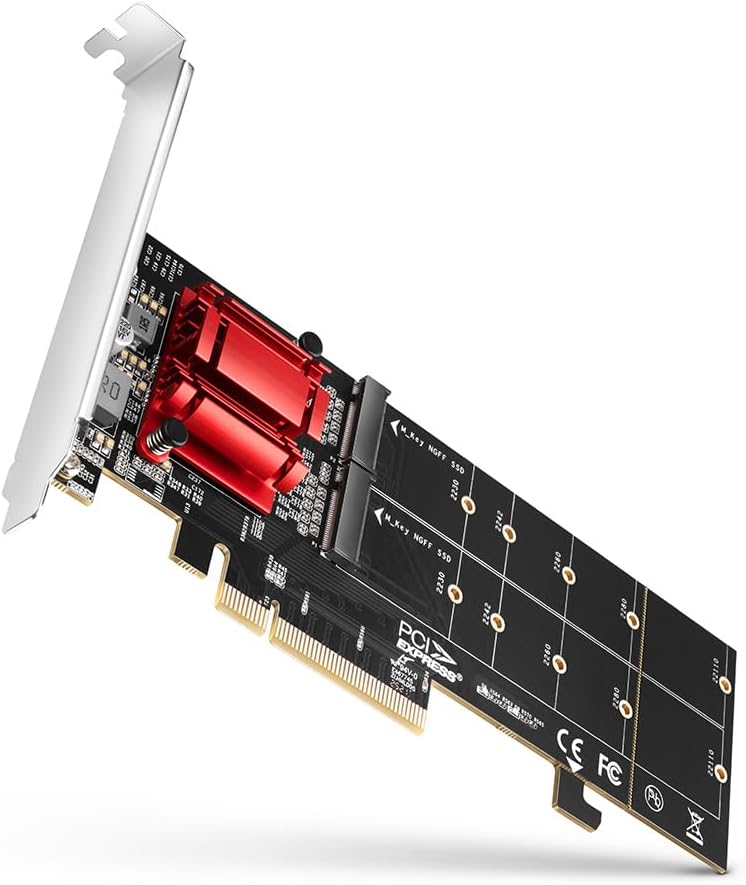
Figure 1: The AXAGON PCEM2-ND PCIe Adapter, showcasing its design and dual M.2 slots.
2. Informació de seguretat
- Desconnecteu sempre l'alimentació de l'ordinador abans d'instal·lar o treure qualsevol component intern.
- Handle the adapter and M.2 SSDs with care, avoiding static discharge. Use an anti-static wrist strap if available.
- Assegureu-vos de ventilar adequadament la carcassa de l'ordinador per evitar que s'escalfi.
- Do not attempt to modify or repair the adapter. Refer to qualified personnel for service.
- Mantenir fora de l'abast dels nens.
3. Contingut del paquet
Si us plau, verifiqueu que tots els elements siguin presents al vostre paquet:
- Adaptador AXAGON PCEM2-ND PCIe
- Pro baixfile suport (per a carcasses de format petit)
- Mounting screws for M.2 SSDs
- Manual d'usuari (aquest document)

Figure 2: The AXAGON PCEM2-ND adapter shown with both standard and low-profile mounting brackets, indicating its versatility for different PC case sizes.
4. Producte acabatview
The PCEM2-ND adapter features two M.2 slots, allowing for the installation of two NVMe M.2 SSDs. It connects to your motherboard via a PCIe x4, x8, or x16 slot. The adapter includes a heatsink solution to manage thermal output from the M.2 SSDs, ensuring stable performance.

Figure 3: An illustrative diagram highlighting the adapter's capability to support two NVMe M.2 SSDs and its compatibility with PCI-Express 3.0 for high-speed data transfer.
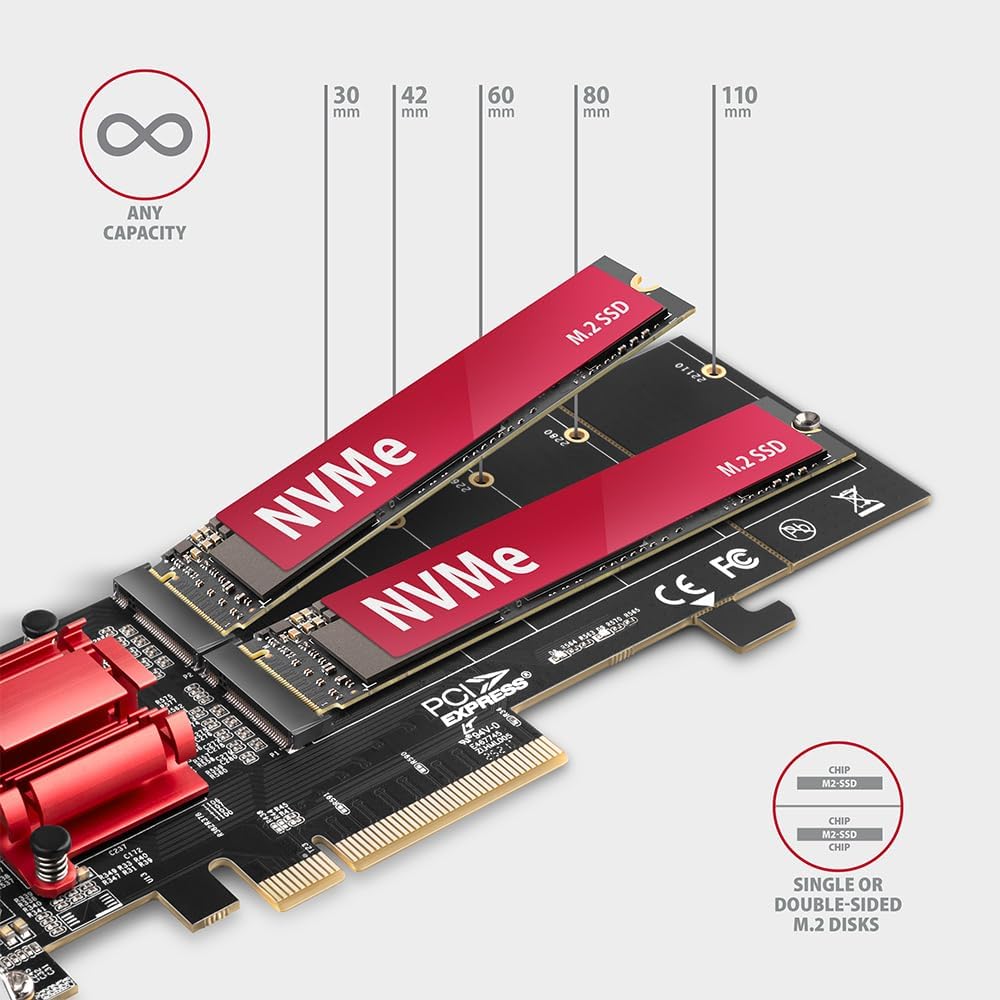
Figure 4: This diagram illustrates the various M.2 SSD lengths supported by the adapter, including 30mm, 42mm, 60mm, 80mm, and 110mm, accommodating different M.2 form factors.
5. Configuració i instal·lació
Follow these steps to install the AXAGON PCEM2-ND adapter and M.2 SSDs into your computer:
- Prepara l'ordinador: Apagueu l'ordinador i desconnecteu tots els cables. Obriu la carcassa de l'ordinador.
- Install M.2 SSDs onto the adapter:
- Carefully insert your M.2 NVMe SSDs into the M.2 slots on the adapter. Ensure they are fully seated.
- Secure each M.2 SSD with the provided mounting screws.
- Select the correct bracket: Determine if your computer case requires the standard or low-profile bracket. Attach the appropriate bracket to the adapter.
- Install the adapter into a PCIe slot: Locate an available PCIe x4, x8, or x16 slot on your motherboard. Remove the corresponding expansion slot cover from your computer case. Carefully insert the adapter into the PCIe slot until it is firmly seated.
- Secure the adapter: Secure the adapter to the computer case with the screw from the expansion slot.
- Tanqueu la carcassa i engegueu-la: Tanqueu la carcassa de l'ordinador, torneu a connectar tots els cables i engegueu l'ordinador.
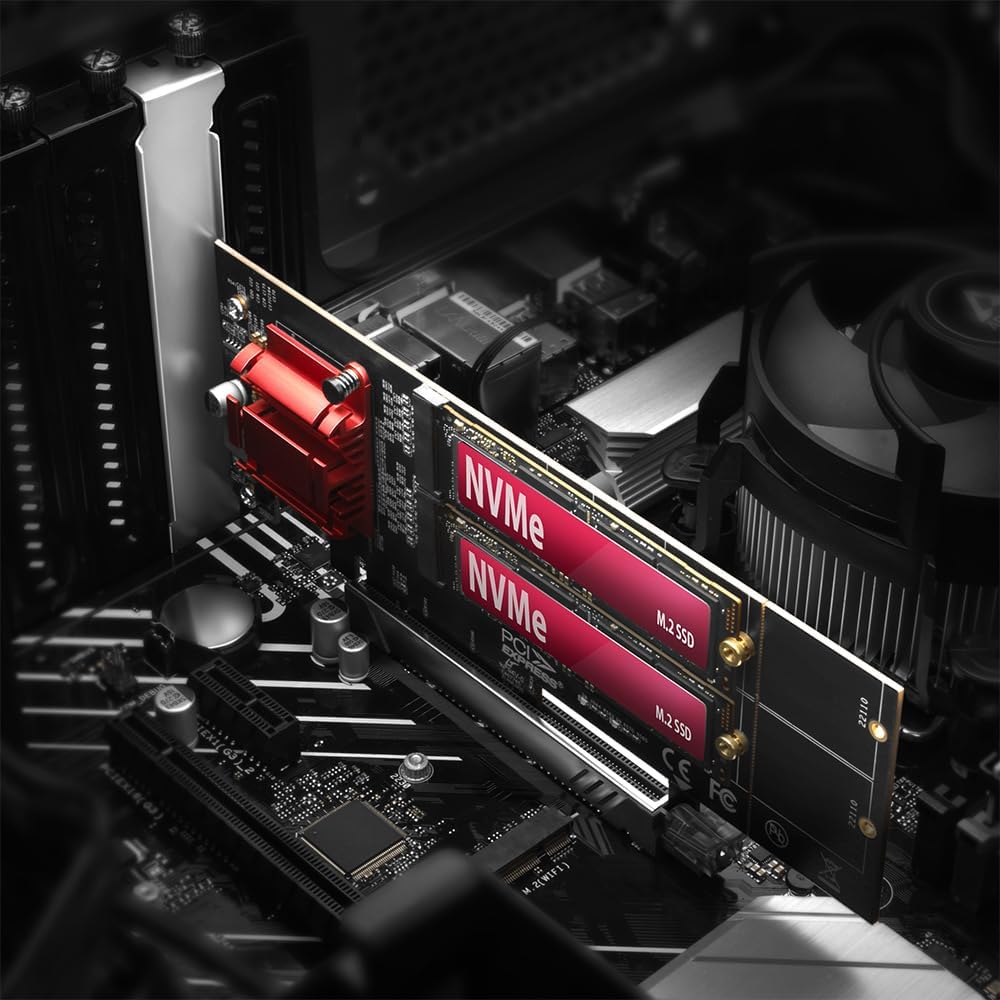
Figure 5: The AXAGON PCEM2-ND adapter shown installed within a desktop computer, demonstrating its integration into a typical system build.
6. Funcionament de l'adaptador
Once installed, the AXAGON PCEM2-ND adapter functions as a bridge for your M.2 NVMe SSDs. Your operating system should automatically detect the new hardware. You may need to initialize and format the new SSDs through your operating system's disk management utility before they can be used for storage.
Suport RAID
This adapter supports RAID configurations, allowing you to combine multiple SSDs into a single logical unit for improved performance or data redundancy. RAID functionality is typically managed through your motherboard's BIOS/UEFI settings or a dedicated RAID controller, not directly by the adapter itself. Consult your motherboard's manual for specific instructions on setting up RAID.

Figure 6: A visual representation confirming the adapter's compatibility with RAID configurations, enabling advanced storage setups.
7. Manteniment
The AXAGON PCEM2-ND adapter requires minimal maintenance. Periodically, you may want to:
- Neteja: Gently clean any dust accumulation on the adapter and heatsink using compressed air. Ensure the computer is powered off and unplugged before cleaning.
- Comproveu les connexions: Ensure all connections (PCIe slot, M.2 SSDs) remain secure.
No software updates are typically required for the adapter itself, as it is a passive component. Ensure your operating system and motherboard drivers are up to date for optimal performance.
8. Solució De Problemes
Problemes comuns i solucions:
- SSD not detected:
- Ensure the adapter is fully seated in the PCIe slot.
- Verify that the M.2 SSDs are correctly installed and secured on the adapter.
- Check your motherboard's BIOS/UEFI settings to ensure the PCIe slot is enabled and configured correctly for NVMe devices. Some motherboards may require specific PCIe lane configurations.
- Ensure the M.2 SSDs are NVMe type, as this adapter is designed for NVMe SSDs.
- Check Disk Management in your operating system to initialize and format the new SSDs.
- Rendiment lent:
- Ensure the adapter is installed in a PCIe slot that provides sufficient bandwidth (e.g., PCIe x4 or higher).
- Verify that your M.2 SSDs are operating at their rated speeds.
- Check for proper airflow within your computer case to prevent thermal throttling of the SSDs.
- Update your motherboard's chipset drivers.
- System instability:
- Assegureu-vos que la vostra font d'alimentació (PSU) tingui prou aiguatage per a tots els components.
- Check for any conflicts with other PCIe devices.
- Actualitza la BIOS/UEFI de la teva placa base a la darrera versió.
9. Especificacions
| Característica | Detall |
|---|---|
| Número de model | PCEM2-ND |
| Marca | AXÀGON |
| Interfície del maquinari | PCI Express (PCIe) |
| Supported M.2 SSDs | 2x NVMe M.2 SSDs (M-Key) |
| Supported M.2 Sizes | 2230, 2242, 2260, 2280, 22110 |
| Interfície PCIe | PCIe x4, x8, x16 slot compatible |
| Dimensions (LxWxH) | 19.69 x 19.69 x 11.02 polzades (aprox.) |
| Pes de l'article | 5.6 unces (aprox.) |
| Suports inclosos | Estàndard i Low-Profile |
10. Garantia i Suport
AXAGON products are designed for reliability and performance. For warranty information and technical support, please refer to the official AXAGON weblloc web o poseu-vos en contacte amb el vostre distribuïdor local. Conserveu el comprovant de compra per a reclamacions de garantia.
For the latest drivers, FAQs, and support resources, please visit the AXAGON support page.


