Introducció
The SIMOLIO Digital Wireless Headphones are designed to provide an enhanced audio experience for TV watching, particularly for individuals seeking boosted volume and clear voice. Utilizing 2.4GHz RF wireless technology, these headphones ensure virtually no audio delay and offer an extended range, allowing you to enjoy your favorite programs from anywhere in your home. The system is built for ease of use, featuring versatile connectivity options and convenient charging solutions.
Què hi ha a la caixa
Your SIMOLIO Digital Wireless Headphones package includes the following components:
- Auriculars sense fils 1
- Transmitter/Charging Base/Headphone Stand (3-in-1 unit)
- Manual d'usuari
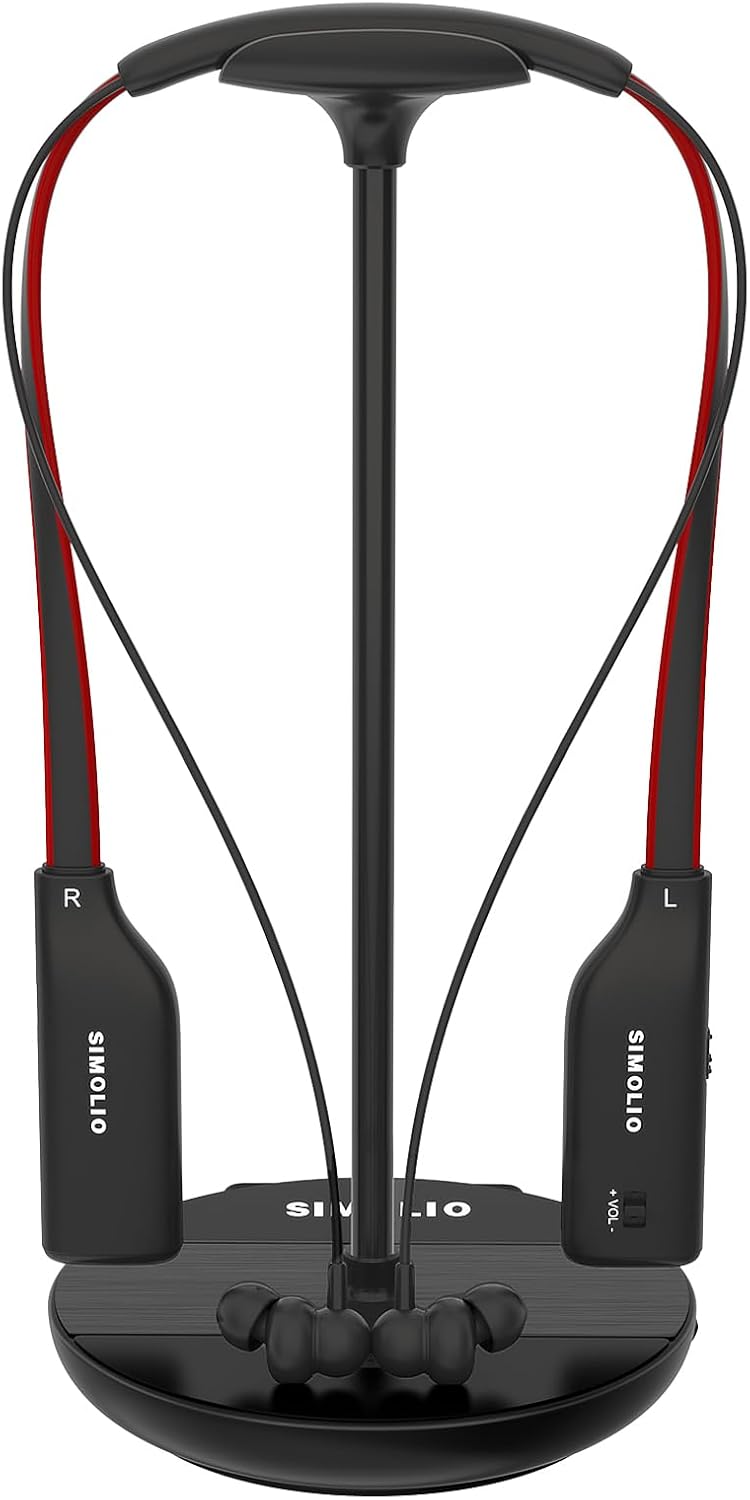
The complete SIMOLIO headphone system, including the wireless earbuds and the versatile 3-in-1 transmitter/charging base/headphone stand.
Guia de configuració
Follow these steps to set up your SIMOLIO Digital Wireless Headphones with your television or audio source.
1. Connexió del transmissor
The transmitter is compatible with various audio output ports on your TV or audio source, including Optical (Toslink/SPDIF), RCA, or 3.5mm AUX headphone jack. Choose the appropriate cable based on your device's available ports.

Visual guide for connecting the transmitter to your TV using Optical, AUX, or RCA cables. A 6.35mm to 3.5mm adapter may be needed for AV receivers.
By-pass Feature: This system supports simultaneous audio transmission to both the wireless headphones and a wired TV soundbar. This means you do not need to purchase a separate optical splitter if your optical port is already in use by a soundbar.

The innovative by-pass feature allows audio to be sent to both the SIMOLIO headphones and an external soundbar concurrently, simplifying your audio setup.
2. Engegada inicial i emparellament
Once the transmitter is connected to your TV's audio output and powered on, the headphones will automatically connect. No manual Bluetooth pairing is required, ensuring a quick and hassle-free setup.
Instruccions de funcionament
Carregant els auriculars
The transmitter base serves as a convenient charging station. Simply place the headphones back onto the headphone holder for recharging. A spare battery is also charged within the transmitter base, ready for immediate replacement, ensuring uninterrupted listening.

The 3-in-1 transmitter unit functions as a charging base and headphone stand, featuring magnetic charging slots for easy placement.

A dedicated slot in the base keeps a spare Lithium-ion battery charged and ready for extended listening sessions.
Adjusting Volume and Sound
The headphones feature independent volume controls for the right and left channels, allowing for personalized audio levels. Additionally, tone control and L/R audio balance controls are available to customize your listening experience to your preference.

The headphones feature independent volume controls for each ear, ensuring a comfortable and balanced listening experience without lip-sync delay.
abast sense fils
Unlike infrared systems, the RF wireless technology allows the audio signal to pass through walls and ceilings. This means you can move freely throughout your home while maintaining a clear connection to your TV audio, up to 100 feet (30 meters).
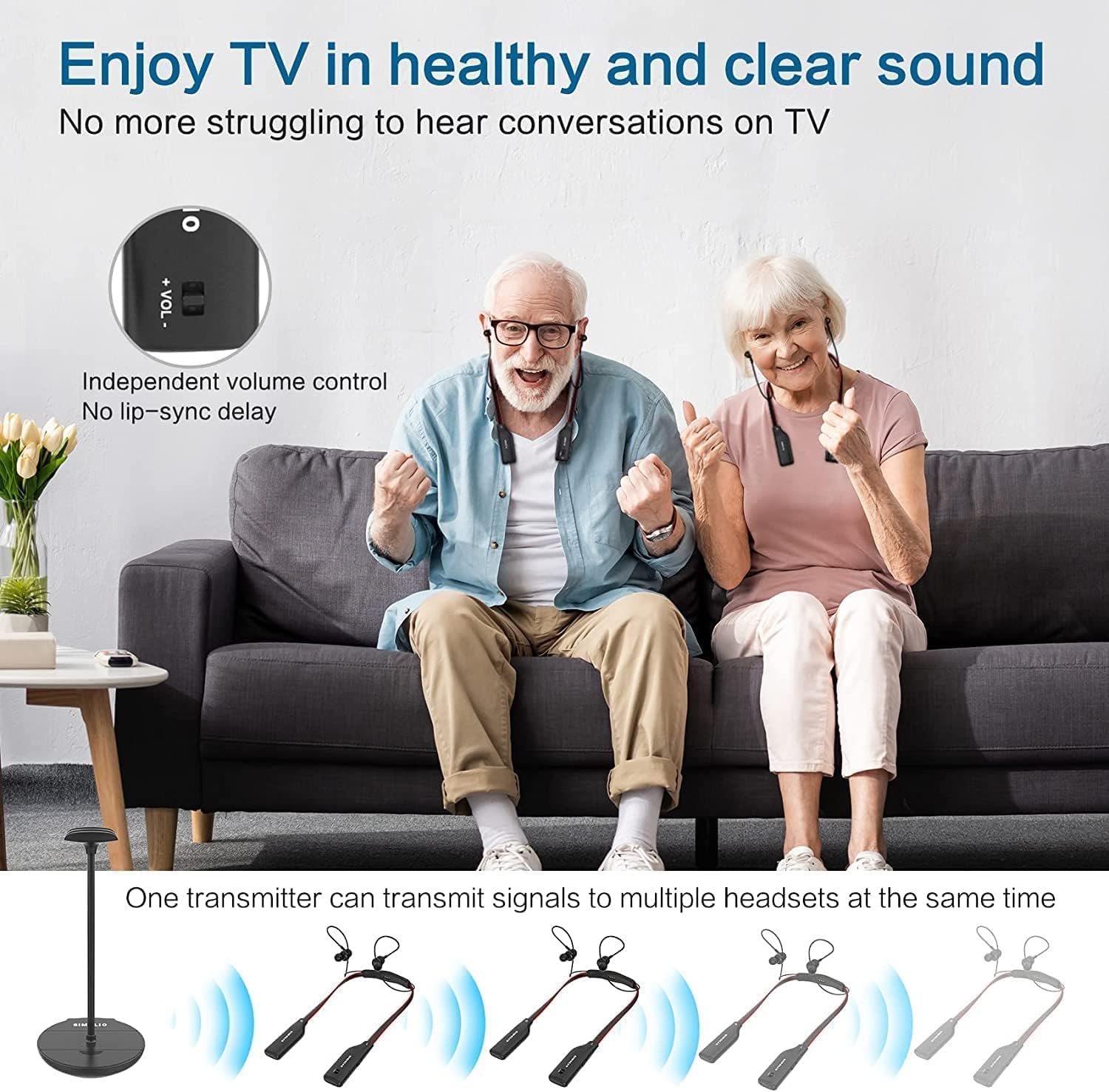
Enjoy clear TV audio from anywhere in your home thanks to the extended wireless range, providing freedom of movement.
Manteniment
To ensure the longevity and optimal performance of your SIMOLIO Digital Wireless Headphones, please follow these maintenance guidelines:
- Neteja: Gently wipe the headphones and transmitter with a soft, dry cloth. Avoid using abrasive cleaners or solvents.
- Emmagatzematge: When not in use, store the headphones on the charging base to keep them charged and organized. Avoid extreme temperatures and humidity.
- Cura de la bateria: Regularly charge the batteries. If storing for an extended period, ensure the batteries are partially charged (around 50%) to prevent deep discharge.
- Gestió de cables: Keep all cables neatly organized and avoid sharp bends or kinks that could damage the wiring.
Resolució de problemes
If you encounter any issues with your SIMOLIO Digital Wireless Headphones, please refer to the following common troubleshooting steps. For more detailed guidance, especially regarding Philips TVs, please watch the embedded video below.
No hi ha so dels auriculars
- Comproveu les connexions: Ensure all cables (Optical, AUX, RCA) are securely connected to both the transmitter and the TV/audio source.
- Potència: Verify that both the transmitter and headphones are powered on and the headphones are charged.
- TV Audio Output Settings: Many TVs require specific audio output settings when using external devices, especially optical connections.
- Set TV Audio Format to PCM: When using the optical audio output, you MUST set your TV's audio format to PCM (Pulse-Code Modulation). If your TV is set to Dolby Digital or DTS, you will not get sound.
- Speakers to Digital Audio Output: Ensure your TV's speaker settings are configured to output audio via the digital audio output, not just the TV's internal speakers.
- Disable Surround Sound: Some TVs or external devices may have a 'Surround Sound' or 'Dolby Digital Plus' setting that needs to be turned OFF for stereo audio output via optical.
- TV Box/Cable Box Settings: If using a TV Box or Cable Box, ensure its audio output format is also set to PCM first, then configure the TV.
- Reiniciar dispositius: Unplug the TV and the headphone transmitter from the power outlet for a few minutes, then plug them back in.
- Factory Reset (TV): As a last resort, consider performing a factory reset on your TV. Refer to your TV's manual for specific instructions.
Video: How to fix NO SOUND issues with your Philips TV when using an optical cable?
This official SIMOLIO video provides a step-by-step guide to resolve common 'no sound' issues when connecting your SIMOLIO headphones to a Philips TV via an optical cable, including checking TV sound settings and ensuring PCM output.
Poor Sound Quality or Intermittent Audio
- Interferència: Move the transmitter away from other wireless devices (Wi-Fi routers, cordless phones) that might cause interference.
- Interval: Ensure you are within the effective operating range of the transmitter.
- Nivell de bateria: Low battery on the headphones can affect sound quality. Recharge them fully.
- Qualitat de la font d'àudio: Assegureu-vos que la font d'àudio en si mateixa proporciona un senyal clar.
Especificacions
| Característica | Especificació |
|---|---|
| Nom del model | SM-828D1 Single TV Headphones |
| Tecnologia de comunicació sense fils | RF |
| Tecnologia de connectivitat | Sense fil |
| Factor de forma | A l'orella |
| Color | Negre |
| Dispositius compatibles | Television with Optical, RCA, headphone jack |
| Bateries | Necessites 2 piles de ions de liti (incloses) |
| Pes de l'article | 1.43 lliures |
| Dimensions del paquet | 10.35 x 5.12 x 5.12 polzades |
Garantia i Suport
For warranty information or technical support, please refer to the contact details provided in your product packaging or visit the official SIMOLIO website. Our support team is available to assist you with any questions or issues you may encounter.


