1. Introducció
The KLIM Boombox B4 is a versatile portable audio system designed to deliver powerful bass and crystal-clear sound. It supports multiple audio sources including CD, MP3, Bluetooth, AM/FM Radio, AUX, and USB, offering a comprehensive listening experience.
This manual provides detailed instructions for setting up, operating, and maintaining your KLIM Boombox B4 to ensure optimal performance and longevity.
2. Què hi ha a la caixa
- KLIM Boombox B4 Unit
- Cable d'alimentació
- Control remot
- Manual d'usuari

Image: The KLIM Boombox B4 unit, remote control, and power cable as typically found in the box.
3. Configuració
3.1 Encès
The KLIM Boombox B4 can be powered using the included power cable or its internal rechargeable battery.
- Connect the power cable to the AC input port on the back of the boombox.
- Plug the other end of the power cable into a standard wall outlet.
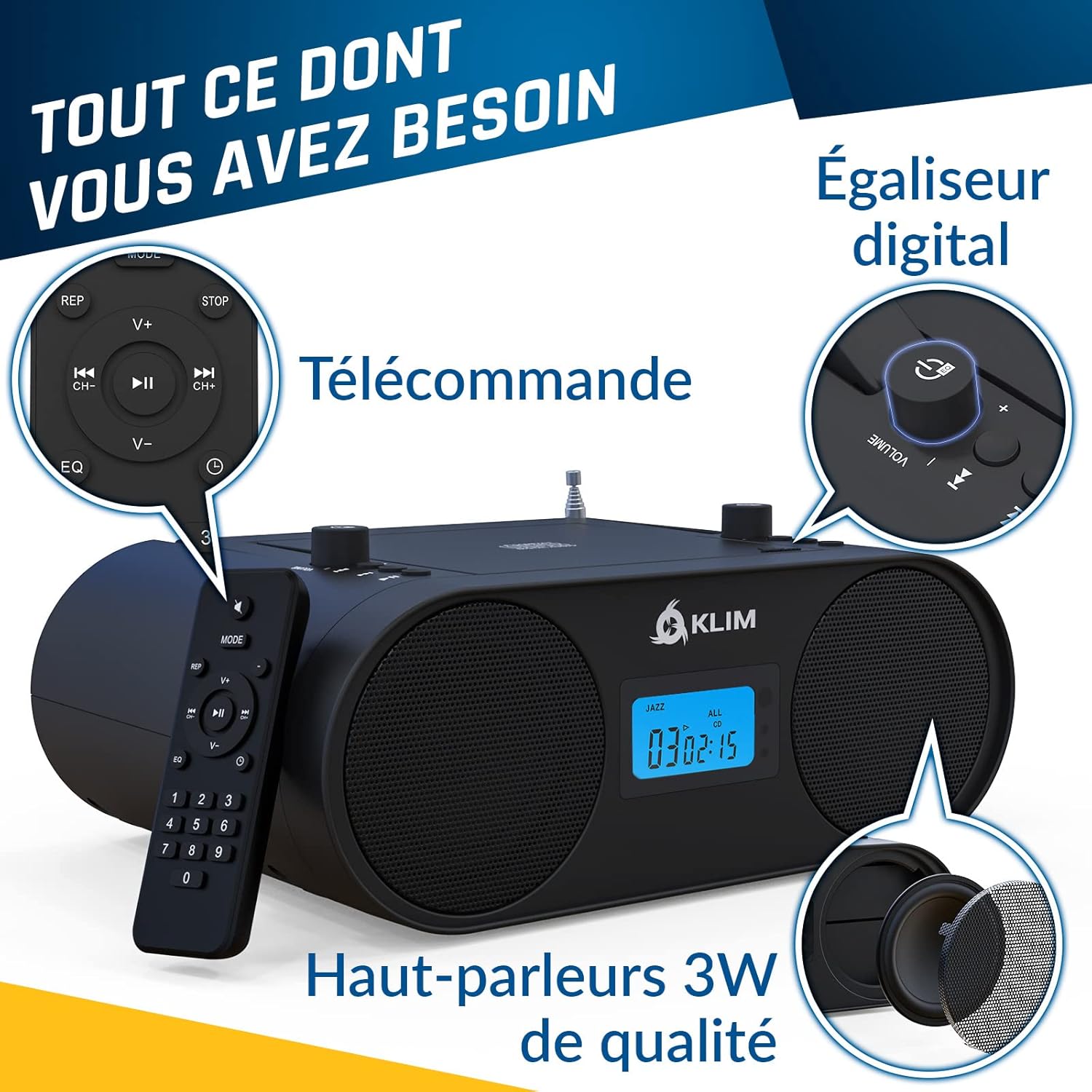
- Press the Power button on the unit or the remote control to turn on the boombox.
3.2 Càrrega inicial de la bateria
For optimal battery life, it is recommended to fully charge the boombox before its first use. The built-in rechargeable battery does not need to be removed for charging.

Image: The boombox is compact and lightweight, featuring a long-lasting rechargeable battery for portability.
4. Instruccions de funcionament
4.1 Selecció del mode
Press the 'MODE' button on the unit or remote control to cycle through available audio sources: FM/AM Radio, CD, Bluetooth, USB, and AUX.
Imatge: Més deview of the boombox controls including the convenient handle, CD player, mode selection, AUX, USB, and Digital Equalizer.
4.2 Funcionament del reproductor de CD
The KLIM Boombox B4 features a convenient top-loading CD player. It supports standard audio CDs and MP3 CDs.
- Obriu la tapa del compartiment del CD aixecant-la suaument.
- Col·loqueu un CD a l'eix amb l'etiqueta cap amunt.
- Close the CD compartment lid securely.
- Assegureu-vos que la unitat estigui en mode CD. La reproducció hauria de començar automàticament.
- Use the Play/Pause, Skip Forward/Backward buttons on the unit or remote to control playback.
Note: The digital display shows the track number and timing for CD playback.
4.3 Connectivitat Bluetooth
Reprodueix àudio en streaming sense fil des dels teus dispositius amb Bluetooth.
- Switch the boombox to Bluetooth (BT) mode. The display will show "bt".
- Al vostre telèfon intel·ligent o tauleta, activeu el Bluetooth i cerqueu els dispositius disponibles.
- Select "KLIM B4" from the list of devices to pair.
- Once paired, you can play audio from your device through the boombox.
Note: Track numbers may not be displayed on the boombox unit during Bluetooth playback; please refer to your connected device for track information.
Ràdio 4.4 AM/FM
Sintonitza les teves emissores de ràdio preferides.
- Extend the telescopic antenna for optimal FM reception.
- Switch the boombox to FM or AM mode.
- Use the tuning knob or the numerical keys on the remote control to select your desired frequency. The boombox will automatically remember the last station played.
Reproducció USB i AUX 4.5
The boombox is equipped with a USB port and an auxiliary (AUX) input for additional connectivity.
- USB: Inseriu una unitat flash USB que contingui MP3 files into the USB port. Switch to USB mode for playback.
- AUX: Connect an external audio device (e.g., smartphone, MP3 player) to the AUX IN port using a 3.5mm audio cable (not included). Switch to AUX mode for playback.
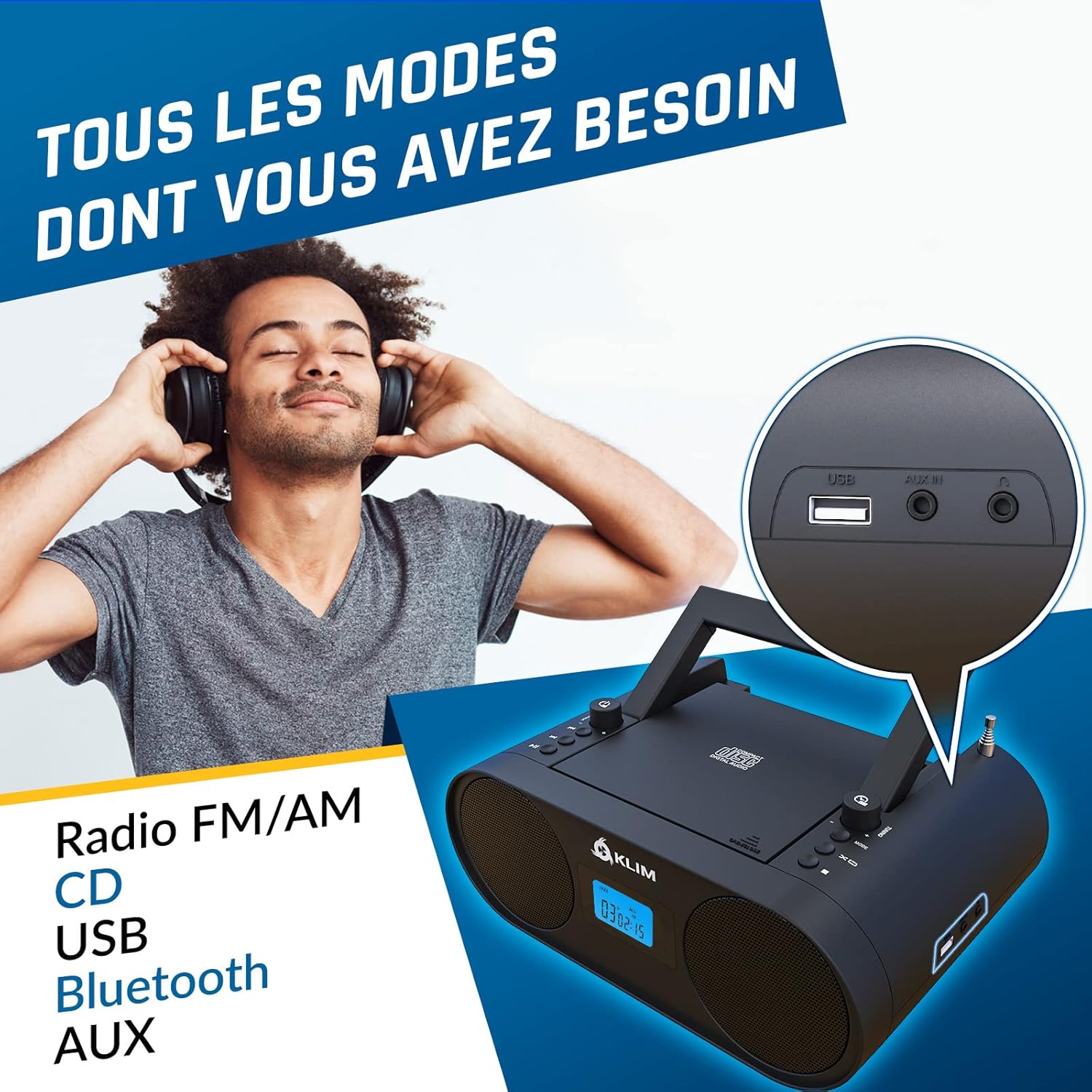
Imatge: Primer pla view of the USB and AUX IN ports on the KLIM Boombox B4.
5. Manteniment
To ensure the longevity and optimal performance of your KLIM Boombox B4, follow these maintenance guidelines:
- Mantingueu la unitat neta netejant-la amb un drap suau i sec. Eviteu utilitzar productes de neteja o dissolvents abrasius.
- Do not expose the boombox to extreme temperatures, humidity, or direct sunlight.
- Handle CDs carefully to prevent scratches and smudges, which can cause playback issues.
- When not in use for extended periods, store the boombox in a cool, dry place.
6. Solució De Problemes
| Problema | Possible causa/solució |
|---|---|
| La unitat no s'encén | Check if the power cable is securely connected to both the boombox and the wall outlet. Ensure the wall outlet is functional. If using battery, ensure it is charged. |
| Sense so | Check the volume level. Ensure the correct audio source (CD, BT, FM/AM, USB, AUX) is selected. Check connections for AUX/USB. |
| CD skipping during playback | Ensure the CD is clean and free of scratches or damage. Try a different CD. Ensure the boombox is on a stable, flat surface to minimize vibrations. |
| Problemes de vinculació de Bluetooth | Ensure the boombox is in Bluetooth mode and discoverable. Turn off and on Bluetooth on your device. Move your device closer to the boombox. |
| Mala recepció de ràdio | Fully extend and adjust the telescopic antenna. Try repositioning the boombox to find a stronger signal. |
7. Especificacions
| Característica | Detall |
|---|---|
| Dimensions del producte | 11.81 x 8.9 x 4.92 polzades |
| Pes de l'article | 4.51 lliures |
| Número de model de l'article | KBB43 |
| Bateries | Necessites 1 piles de ions de liti (incloses) |
| Tecnologia de connectivitat | Bluetooth |
| Color | B4 Negre |
| Tipus d'altaveu | estèreo |
| Fabricant | KLIM |

Image: Detailed specifications and contact information for KLIM.
8. Garantia i assistència
KLIM is committed to producing quality electronics. The KLIM Boombox B4 comes with a 5-year warranty, ensuring peace of mind for your purchase.
For any support inquiries, technical assistance, or warranty claims, please visit the official KLIM Store or contact their customer service directly.
Official KLIM Store: KLIM Technologies Store
KLIM customer service is ready to assist 24/7.


