Introducció
The mophie powerstation Go is a versatile portable device designed to provide power in various emergency situations. It functions as a car jump starter, a portable power bank for mobile devices, and a bright LED work light. This manual provides essential instructions for safe and effective use, maintenance, and troubleshooting of your powerstation Go.
Informació de seguretat
Read all safety warnings and instructions before using this product. Failure to follow these instructions may result in electric shock, fire, or serious injury.
- Do not expose the powerstation Go to moisture or extreme temperatures.
- No intenteu desmuntar o modificar el dispositiu.
- Mantenir fora de l'abast dels nens.
- Ensure proper polarity when connecting jumper cables to a vehicle battery. Incorrect connection can cause damage or injury.
- Use only the provided jumper cables and charging accessories.
- Eviteu l'exposició prolongada a la llum solar directa.
- Si el dispositiu s'escalfa excessivament, deixeu d'utilitzar-lo immediatament.
Contingut del paquet
- mophie powerstation Go
- Mini Jumper Cables
- Cable de càrrega (USB-C a USB-A)
- Manual d'usuari
Producte acabatview
Familiarize yourself with the components of your mophie powerstation Go.


- Llanterna LED: Located at one end, provides bright illumination.
- Llum de treball: Integrated into the body, offers broad area lighting.
- Botó d'encesa: Activates the device and checks battery status.
- Indicador LED de bateria: Mostra el nivell de càrrega restant.
- Port de sortida USB-A: Per carregar dispositius mòbils.
- Jumper Cable Port: Dedicated port for connecting the mini jumper cables.
- Port d'entrada USB-C: For recharging the powerstation Go.
Configuració: Càrrega inicial
Before first use, fully charge your mophie powerstation Go.
- Connect the provided USB-C charging cable to the USB-C input port on the powerstation Go.
- Connect the other end of the charging cable to a compatible USB wall adapter (not included) or a powered USB port.
- The LED battery indicator lights will illuminate and flash, indicating the charging status. All four lights will be solid when fully charged.
- El temps de càrrega pot variar segons la font d'alimentació.
Instruccions de funcionament
1. Arrencada d'un vehicle amb ajuda d'un cable
Ensure the powerstation Go is at least 50% charged before attempting to jump start a vehicle.
- Connect the mini jumper cables to the jumper cable port on the powerstation Go. Ensure a secure connection.
- Connecteu el vermell clamp to the positive (+) terminal of the vehicle's dead battery.
- Connecteu el negre clamp to a metal part of the vehicle's chassis (unpainted, non-moving part) or the negative (-) terminal of the battery, if accessible and safe.
- Once connected, the powerstation Go will automatically perform safety checks. Wait for the indicator light on the jumper cable connector to turn solid green.
- Start your vehicle. If it doesn't start immediately, wait 30 seconds and try again. Do not attempt more than three consecutive jump starts.
- Un cop arrencat el vehicle, desconnecteu immediatament el claviller negre.amp, aleshores el cl vermellamp, and finally disconnect the jumper cables from the powerstation Go.
2. Charging Mobile Devices
Use the USB-A output port to charge your smartphone, tablet, or other USB-powered devices.

- Connect your device's USB charging cable to the USB-A output port on the powerstation Go.
- The powerstation Go will automatically begin charging your device. The LED battery indicator lights will show the remaining charge.
- Desconnecta el dispositiu un cop finalitzada la càrrega.
3. Using the LED Flashlight and Work Light
The powerstation Go features both a focused LED flashlight and a broad work light.
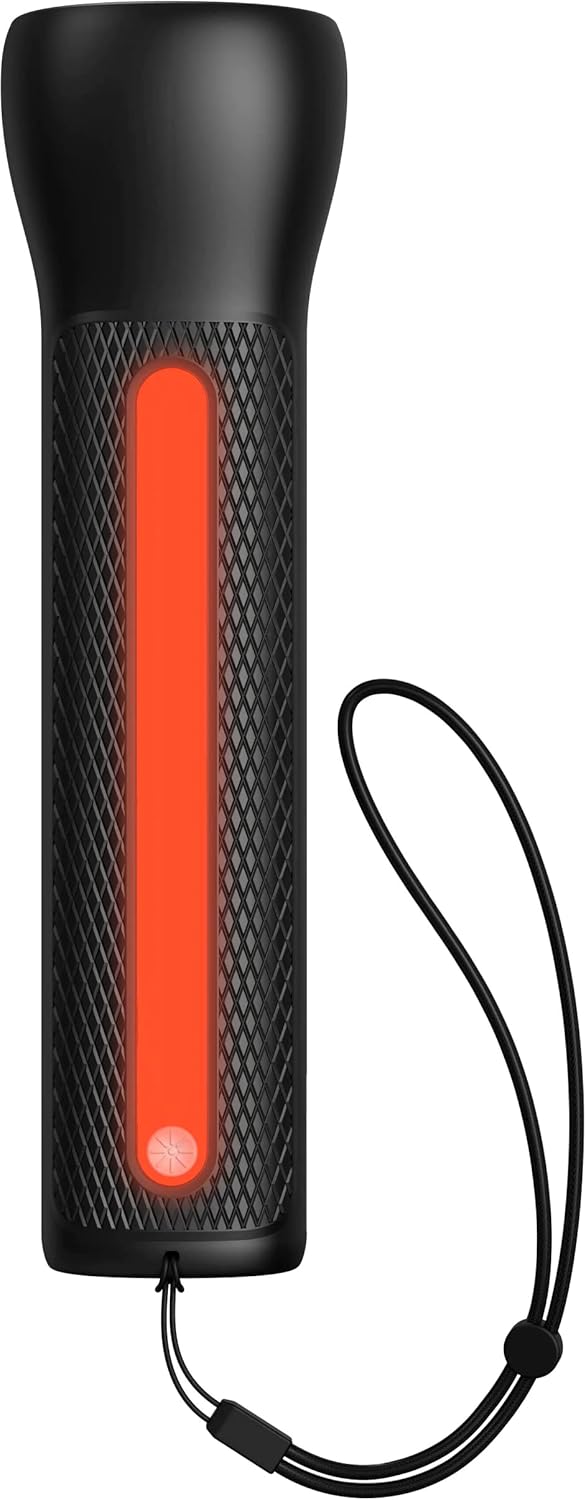

- To activate the LED Flashlight: Press and hold the power button for 2 seconds. Press again to cycle through modes (high, low, strobe, off).
- To activate the Work Light: Double-press the power button. Double-press again to cycle through modes (white, red, flashing red, off).
Manteniment
- Neteja: Netegeu el dispositiu amb un drap suau i sec. No utilitzeu productes químics agressius ni materials abrasius.
- Emmagatzematge: Store the powerstation Go in a cool, dry place away from direct sunlight. For optimal battery life, recharge the device every 3 months if not in regular use.
- Cura de la bateria: The internal battery is not user-replaceable. Do not attempt to open the device.
Resolució de problemes
| Problema | Causa possible | Solució |
|---|---|---|
| El dispositiu no es carrega | Charging cable or adapter faulty; port obstruction. | Try a different USB-C cable and wall adapter. Ensure ports are clean and free of debris. |
| El vehicle no arrenca amb ajuda d'ajudes | Low powerstation Go charge; incorrect cable connection; severely dead battery. | Ensure powerstation Go is fully charged. Verify correct clamp polarity. Check vehicle battery for severe damage. Consult vehicle manual. |
| Mobile device not charging | Powerstation Go battery low; faulty USB cable; device incompatibility. | Recharge powerstation Go. Try a different USB cable. Ensure your device is compatible with standard USB charging. |
| Els llums no funcionen | Powerstation Go battery low; incorrect button press. | Recharge powerstation Go. Refer to "Using the LED Flashlight and Work Light" section for correct operation. |
Especificacions
- Marca: mophie
- Número de model: mpsgrgd-FL36630
- Número de peça del fabricant: 401107454
- Capacitat de la bateria: 9900 mAh (36.6 Wh)
- Voltage: 12 Volts (for jump starting)
- Pes del producte: 1.07 quilos
- Dimensions: 30.3 x 24.69 x 10.79 cm (Paquet)
- Característiques especials: LED Indicator Lights, 450-lumen LED Flashlight, Spark-proof Jumper Cables
- Automotive Service Type: Truck, Car
Garantia i Suport
For warranty information and customer support, please visit the official mophie weblloc web o poseu-vos en contacte amb el seu departament d'atenció al client. Conserveu el comprovant de compra per a reclamacions de garantia.
Assistència en línia: www.mophie.com/support


