Introducció
Gràcies per la compraasing the ION Audio Power Glow 300. This powerful, portable, and versatile Bluetooth speaker system is designed to deliver high-quality audio with dynamic LED lighting, perfect for any event. With its built-in handles and wheels, it offers exceptional portability. Please read this manual carefully to ensure proper use and to maximize your experience with the Power Glow 300.
Característiques
- Bluetooth 5.0 Compatible: Stream your favorite music wirelessly from any Bluetooth-enabled device up to 100 feet.
- ION Sound XP APP: Control audio settings and lighting effects directly from your smartphone or tablet.
- Bi-Amplified 300-Watt Sound System: Features a 10-inch (254mm) woofer and a 1-inch (25.4mm) tweeter for lifelike sound reproduction.
- One-Touch User Interface: A simple control knob for all sound adjustments.
- Bateria recarregable: Proporciona una potència de llarga durada per a un ús prolongat.
- Wireless Stereo-Link: Connects wirelessly with additional compatible ION speakers for a wider soundstage.
- Built-in Handles and Wheels: Designed for easy transportation.
- Multi-Colored Lights: The woofer glows in multiple colors, synchronizing with the music.
- Multi-Channel Mixer: Includes a mixer with main volume control and XLR inputs.
- Aux Inputs: Easily connect non-Bluetooth devices.
- Echo Effect on Microphone: Enhance your karaoke performances.
- Reproducció de targetes USB/SD: Conveniently play audio material recorded on other devices.
- Entrades de micròfon: Connect your microphone for endless fun.
Què hi ha a la caixa
- Power Glow 300 Speaker
- Cable d'alimentació
- Manual d'usuari
Configuració
1. Carregant la bateria
Before first use, fully charge the Power Glow 300's internal rechargeable battery. Connect the included power cable to the speaker's power input on the rear panel and plug it into a standard electrical outlet. The charging indicator light will show the charging status.
2. Encès / apagat
Locate the power switch on the rear control panel. Flip the switch to the 'ON' position to power on the speaker. Flip it to 'OFF' to power down.
3. Emparellament Bluetooth
- Ensure the Power Glow 300 is powered on.
- Al dispositiu Bluetooth (telèfon intel·ligent, tauleta, etc.), activeu Bluetooth i cerqueu els dispositius disponibles.
- Select 'ION Audio Power Glow 300' from the list of devices.
- Once paired, the speaker will indicate a successful connection (e.g., a chime or a steady Bluetooth indicator light).
For advanced control and settings, download the ION Sound XP APP des de la botiga d'aplicacions del teu dispositiu.
4. Physical Setup and Portability
The Power Glow 300 features built-in handles and wheels for easy transport. Simply extend the retractable handle located on the top of the unit and tilt the speaker to roll it to your desired location. The robust design ensures durability for outdoor and indoor use.

Imatge: Lateral view demonstrating the retractable handle and wheels for easy transport.
Instruccions de funcionament
1. Tauler de control acabatview
The main control panel is located on the rear of the speaker. It includes controls for playback, volume, inputs, and lighting.

Imatge: Detallada view of the rear control panel.
2. Reproducció d'àudio
- Bluetooth: Once paired, play audio from your connected Bluetooth device. Use the speaker's play/pause, next, and previous track buttons, or control directly from your device.
- Targeta USB/SD: Insert a USB drive or SD card into the respective slots on the control panel. The speaker will automatically detect and play compatible audio files. Use the playback controls to navigate tracks.
- Entrada auxiliar: Connect non-Bluetooth devices using a standard 3.5mm audio cable or RCA cables to the Aux Inputs on the rear panel.
- Entrada de micròfon: Plug a microphone into the XLR or 1/4-inch input. Adjust the microphone volume using the dedicated knob. The echo effect can be applied for vocal enhancement.

Image: USB/SD Card Playback Interface.
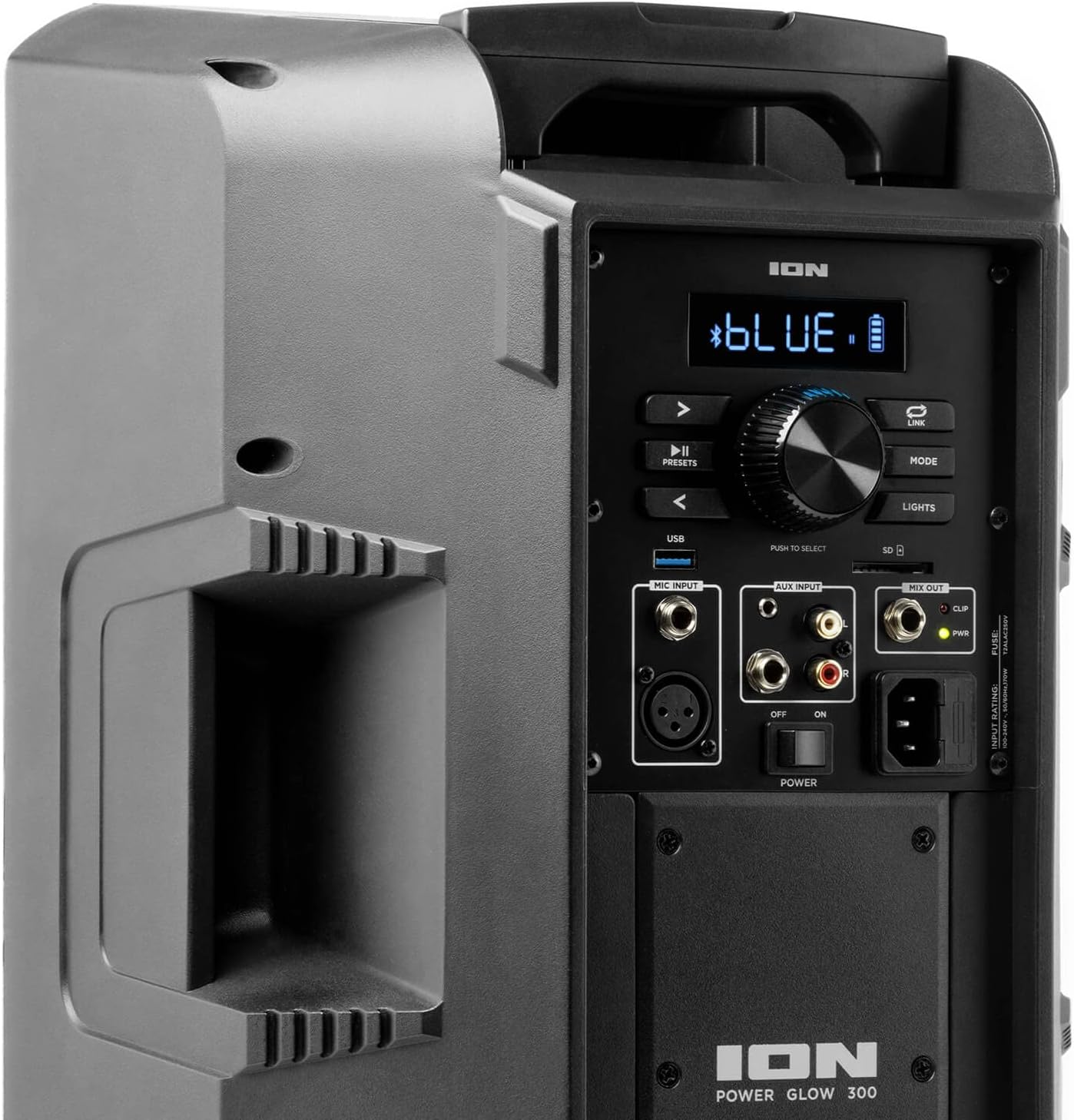
Image: Aux Inputs for external devices.
3. Efectes d'il·luminació LED
The Power Glow 300 features dynamic multi-colored LED lights on the woofer that can pulse and change with the beat of the music. Use the 'LIGHTS' button on the control panel or the ION Sound XP APP to cycle through different lighting modes or turn them off.

Image: Speaker with green LED lighting.
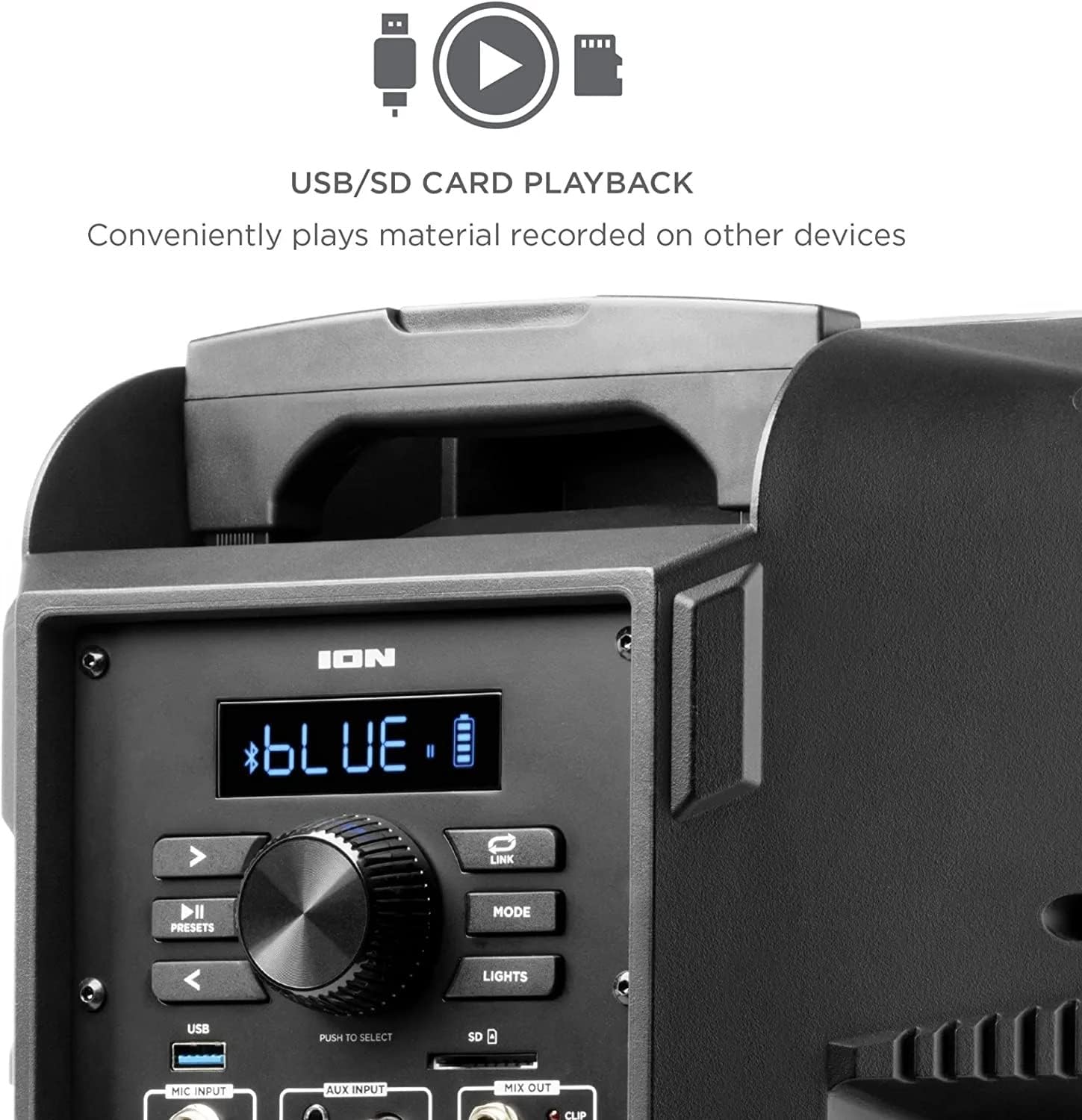
Image: Speaker with blue LED lighting.
4. Wireless Stereo-Link
To connect two Power Glow 300 speakers wirelessly for stereo sound, follow the instructions provided in the ION Sound XP APP or refer to the full product manual for detailed pairing steps.
Manteniment
- Neteja: Use a soft, dry cloth to clean the exterior of the speaker. Do not use harsh chemicals or abrasive cleaners.
- Cura de la bateria: For optimal battery life, avoid fully discharging the battery frequently. Recharge the speaker regularly, especially if it will be stored for an extended period.
- Emmagatzematge: Guardeu l'altaveu en un lloc fresc i sec, allunyat de la llum solar directa i de temperatures extremes.
Resolució de problemes
- Sense energia: Ensure the power cable is securely connected and the power switch is in the 'ON' position. Check the power outlet.
- Sense so: Verify that the volume is turned up on both the speaker and your audio source. Check all cable connections for auxiliary inputs. Ensure Bluetooth is properly paired.
- Desconnexió Bluetooth: Move your Bluetooth device closer to the speaker. Ensure no other devices are interfering with the Bluetooth signal. Try unpairing and re-pairing the device.
- So distorsionat: Reduce the volume on both the speaker and your audio source. Check for proper input levels.
- Els llums no funcionen: Check the 'LIGHTS' button on the control panel or within the ION Sound XP APP to ensure they are enabled.
If issues persist, please refer to the comprehensive troubleshooting guide on the ION Audio weblloc o contacteu amb el servei d'atenció al client.
Especificacions
| Nom del model | Power Glow 300 |
| Tipus d'altaveu | Woofer |
| Potència de sortida màxima dels altaveus | 300 watts |
| Diàmetre del woofer | 10 polzades |
| Diàmetre del Tweeter | 25.4 mil·límetres |
| Tecnologia de connectivitat | Bluetooth |
| Tecnologia de comunicació sense fils | Bluetooth |
| Interval Bluetooth | 100 peus (30.48 metres) |
| Font d'alimentació | Funciona amb bateria |
| Tipus de bateria | 1 ió de liti (inclòs) |
| Pes de l'article | 26.3 lliures |
| Dimensions del paquet | 22 x 14.8 x 14.8 polzades |
| Components inclosos | Speaker, Power cable, User manual |
| UPC | 657768184574 |
| Tipus de garantia | Limitat |
Garantia i Suport
The ION Audio Power Glow 300 comes with a Limited Warranty. For detailed warranty information, product registration, and technical support, please visit the official ION Audio weblloc web o poseu-vos en contacte amb el seu departament d'atenció al client. Conserveu el rebut de compra com a comprovant de compra per a reclamacions de garantia.


