1. Introducció
The Logitech Signature K855 Wireless Mechanical TKL Keyboard is designed for efficient and comfortable typing. Featuring TTC Red linear mechanical switches, a compact tenkeyless design, and an aluminum top case, it offers a durable and responsive typing experience. This keyboard supports multi-device connectivity via Bluetooth and the Logi Bolt USB receiver, allowing seamless switching between up to three devices.

Image: Banner highlighting the mechanical typing and wireless freedom of the Logitech Signature K855 keyboard.
2. Contingut del paquet
En obrir el paquet, assegureu-vos que hi hagi tots els elements següents:
- Logitech Signature K855 Wireless Mechanical TKL Keyboard
- Logi Bolt USB Receiver (typically stored in the keyboard's battery compartment or included separately)
- Pila AA (preinstal·lada o inclosa)
- User Documentation (Quick Start Guide, Safety and Warranty Information)
3. Configuració
3.1. Engegar el teclat
- Localitzeu el compartiment de la bateria a la part inferior del teclat.
- If a battery is not pre-installed, insert the provided AA battery, ensuring correct polarity.
- Locate the power switch on the keyboard (usually on the top right edge or underside) and slide it to the "ON" position. The status indicator light should illuminate briefly.
3.2. Connexió al vostre dispositiu
The K855 keyboard offers two primary connection methods: Bluetooth and Logi Bolt USB Receiver.
3.2.1. Connexió mitjançant Bluetooth
- Assegureu-vos que el teclat estigui encès.
- Press and hold one of the Easy-Switch keys (F1, F2, or F3) for three seconds until the LED above the key starts blinking rapidly. This indicates the keyboard is in pairing mode.
- On your computer or mobile device, open Bluetooth settings.
- Seleccioneu "Logitech K855" de la llista de dispositius disponibles.
- Follow any on-screen prompts to complete the pairing process. The LED on the keyboard will turn solid for 5 seconds when connected.
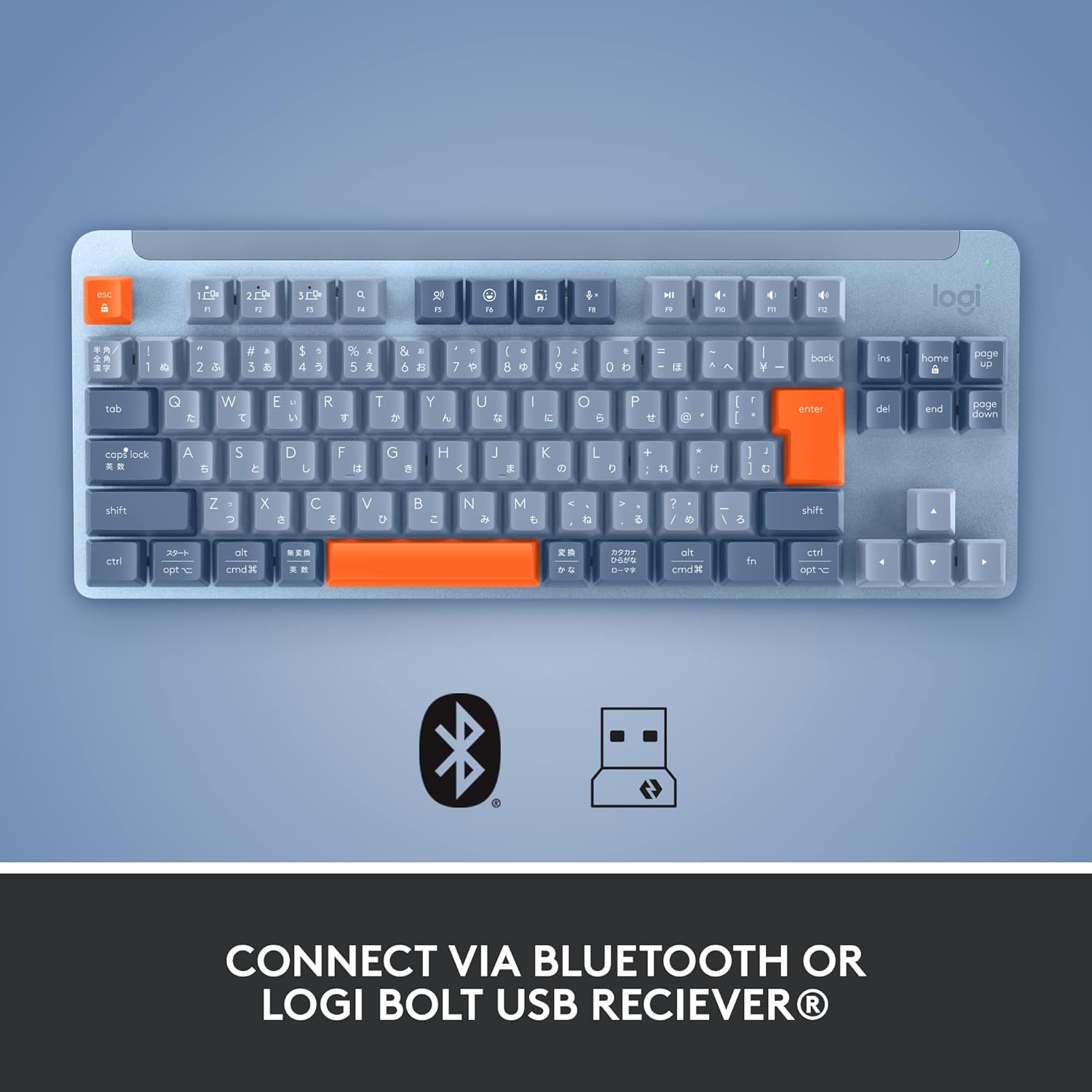
Imatge: De dalt a baix view of the keyboard, illustrating the connectivity options including Bluetooth and Logi Bolt USB receiver.
3.2.2. Connecting via Logi Bolt USB Receiver
- Assegureu-vos que el teclat estigui encès.
- Connecteu el receptor USB Logi Bolt a un port USB disponible de l'ordinador.
- The keyboard should automatically connect to the receiver. If not, press and hold one of the Easy-Switch keys (F1, F2, or F3) for three seconds until the LED above the key starts blinking rapidly, then ensure the Logi Bolt software (Logi Options+) is installed and follow its instructions to pair.
4. Funcionament del teclat
4.1. Basic Typing and Key Layout
The K855 is a tenkeyless (TKL) keyboard, meaning it lacks a dedicated numeric keypad, offering a more compact footprint. It features standard QWERTY layout keys with TTC Red linear mechanical switches for a smooth and consistent keystroke.

Imatge: Completa view of the Logitech Signature K855 Wireless Mechanical TKL Keyboard in blue-grey.

Imatge: Side profile of the keyboard, illustrating the mechanical switch design for tactile feedback.
4.2. Multi-Device Switching (Easy-Switch Keys)
The K855 keyboard allows you to connect and switch between up to three different devices (e.g., computer, tablet, smartphone).
- Pair your keyboard with each desired device using the F1, F2, and F3 Easy-Switch keys as described in the "Connecting to Your Device" section.
- Once paired, simply press the F1, F2, or F3 key corresponding to the device you wish to use. The keyboard will instantly switch its connection to that device.

Image: The keyboard positioned on a desk, showcasing its compact size and suitability for multi-device setups.
4.3. Function Keys and Media Controls
The top row of keys (F1-F12) serves dual purposes. By default, they often control media playback, volume, and other system functions. To access the standard F-key functions (e.g., F5 for refresh), you may need to press the Fn tecla simultàniament.
- F1, F2, F3: Easy-Switch keys for device switching.
- F4-F12: Typically control media, volume, screen brightness, etc. (functions may vary by operating system).
- Tecla Fn: Toggles between standard F-key functions and special media/system functions.
5. Manteniment
5.1. Neteja del teclat
To maintain optimal performance and appearance, regular cleaning is recommended.
- Apagueu el teclat abans de netejar-lo.
- Utilitzeu un drap suau i sense pelusa lleugerament dampened with water or a mild cleaning solution (e.g., isopropyl alcohol) to wipe down the keycaps and aluminum top case.
- Eviteu ruixar líquids directament sobre el teclat.
- For debris between keys, use compressed air or a small brush.
5.2. Substitució de la bateria
The K855 keyboard uses one AA battery. When the battery indicator light (usually near the power switch) turns red or blinks, it's time to replace the battery.
- Apagueu el teclat.
- Localitzeu el compartiment de la bateria a la part inferior del teclat.
- Open the compartment cover and remove the old AA battery.
- Introduïu una pila AA nova, assegurant-vos de la polaritat correcta (+/-).
- Close the battery compartment cover and turn the keyboard back on.
6. Solució De Problemes
If you encounter issues with your Logitech Signature K855 keyboard, try the following troubleshooting steps:
| Problema | Possible solució |
|---|---|
| El teclat no s'encén |
|
| El teclat no es connecta per Bluetooth |
|
| Keyboard not connecting via Logi Bolt receiver |
|
| Keys are unresponsive or typing incorrectly |
|
7. Especificacions
| Característica | Detall |
|---|---|
| Nom del model | Logitech Signature K855 Wireless Mechanical TKL Keyboard |
| Número de model | 920-011221 |
| Connectivitat | Bluetooth, receptor USB Logi Bolt |
| Tipus de canvi | TTC Red Linear Mechanical Switches |
| Durabilitat clau | Fins a 50 milions de pulsacions de tecles |
| Disseny | Tenkeyless (TKL), Aluminum Top Case |
| Suport multidispositiu | Connects up to 3 devices (Easy-Switch) |
| Font d'alimentació | 1 x bateria AA |
| Dimensions (L x A x A) | 37 x 16 x 4.5 cm |
| Pes | 960 g |
| Dispositius compatibles | Laptop, PC (Mac/PC compatible) |
8. Garantia i Suport
Els productes Logitech es fabriquen amb alts estàndards de qualitat i estan dissenyats per oferir un rendiment fiable. Per obtenir informació detallada sobre la garantia, consulteu la targeta de garantia inclosa amb el producte o visiteu el servei d'assistència oficial de Logitech. weblloc.
For further assistance, technical support, or to download the latest software (Logi Options+), please visit:
Suport Logitech Weblloc


