1. Introducció
Thank you for choosing the Strex Digital Infrared Thermometer, Model SP95. This device is designed for safe, non-contact temperature measurement of various surfaces. It offers a wide measurement range, high accuracy, and quick response time, making it suitable for both professional and household use. Please read this manual thoroughly before operating the device to ensure proper use and to prevent damage.
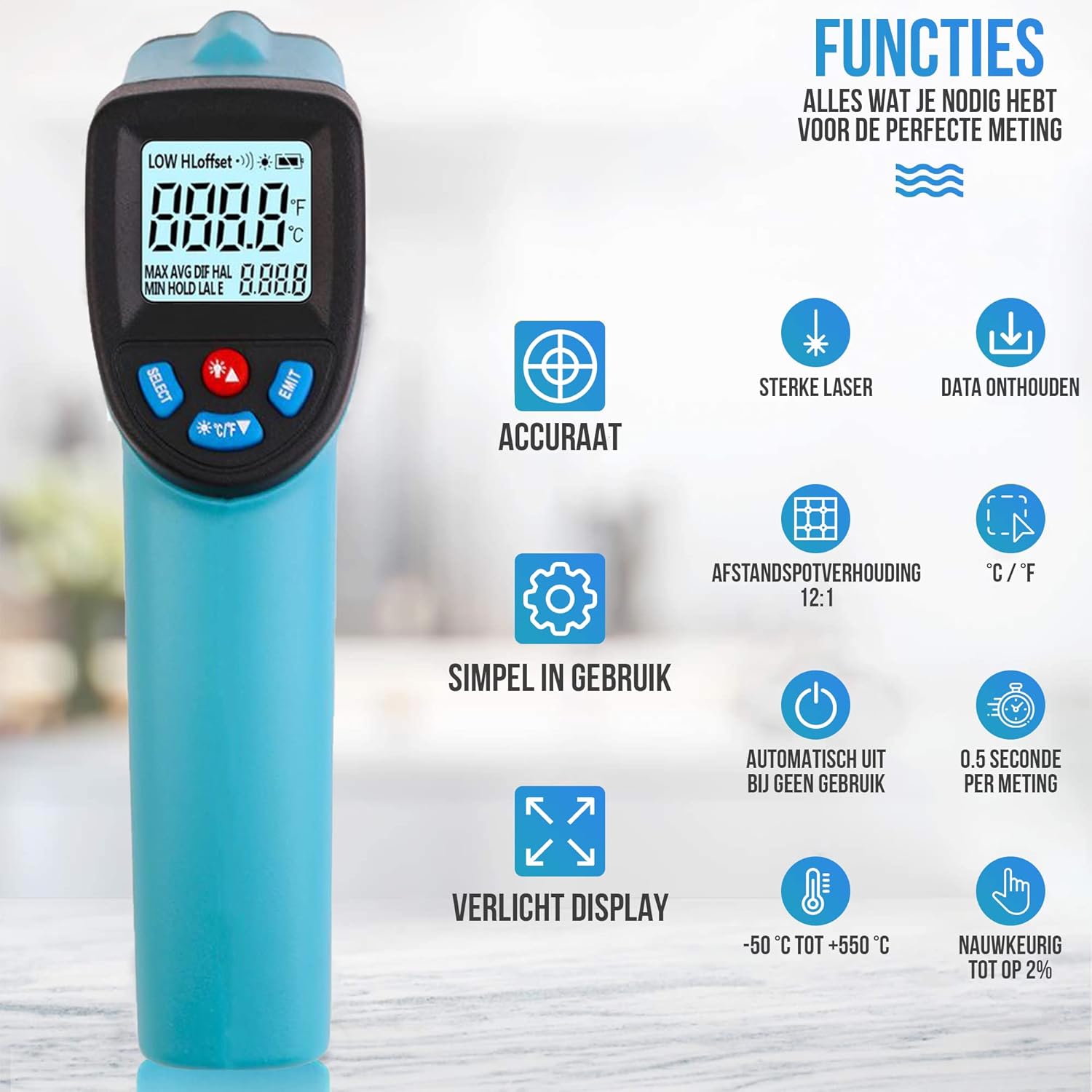
Image 1: The Strex Digital Infrared Thermometer, highlighting its ergonomic design and clear LCD display.
2. Informació de seguretat
WARNING: This device uses a laser. Do not look directly into the laser beam or point it at people or animals. Direct exposure to the laser beam can cause eye damage.
- Do not use the thermometer for measuring human body temperature. It is designed for surface temperature measurement only.
- Mantingueu el dispositiu lluny dels nens.
- Do not use the device in explosive gas, vapor, or dusty environments.
- Eviteu exposar el dispositiu a temperatures extremes, humitat o llum solar directa.
- Si el dispositiu està malmès, no intenteu reparar-lo vosaltres mateixos. Poseu-vos en contacte amb personal de servei qualificat.
3. Producte acabatview
Familiarize yourself with the components of your Strex Infrared Thermometer:

Image 2: Labeled components of the Strex Infrared Thermometer.
- Pantalla LCD: Shows temperature readings, unit, battery status, and other indicators.
- Botons d'ajust: Used for navigation and setting parameters (e.g., emissivity, unit).
- Sensor d'infrarojos: Detects infrared radiation from the target surface.
- Laser Indicator: Emits a laser dot to pinpoint the measurement area.
- Disparador de mesura: Press to initiate a temperature reading.
- Compartiment de la bateria: Conté les piles AAA.
4. Configuració
4.1 Instal·lació de la bateria
The Strex Infrared Thermometer requires 2x AAA batteries (not included) for operation.

Image 3: Illustration of battery compartment and AAA battery insertion.
- Locate the battery compartment on the handle of the thermometer (refer to Image 2, item 6).
- Obriu la tapa del compartiment de la bateria.
- Introduïu dues piles AAA, assegurant-vos de la polaritat correcta (+ i -).
- Tanqueu bé la tapa del compartiment de la bateria.
The device will power on automatically once batteries are correctly installed or when the measurement trigger is pressed.
5. Instruccions de funcionament
5.1 Prendre una mesura
- Point the thermometer at the target surface. Ensure the laser dot (if enabled) indicates the desired measurement area.
- Manteniu premut el botó Trigger de mesurament (Image 2, item 5). The display will show the current temperature reading.
- Release the trigger to hold the reading on the display. The device will automatically power off after a period of inactivity to conserve battery.
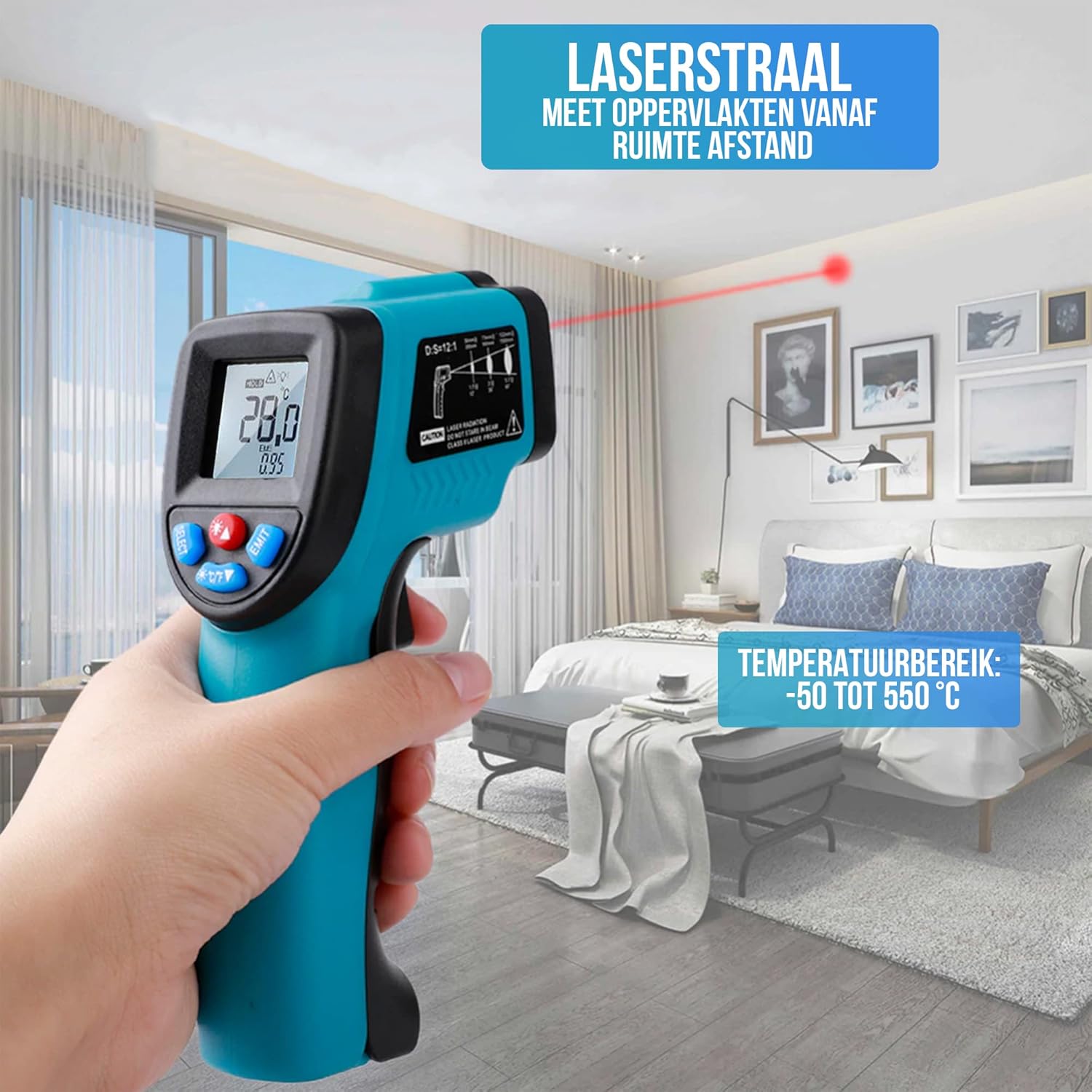
Image 4: Demonstrating the non-contact measurement capability with the laser beam.
5.2 Relació distància-punt (D:S)
The thermometer has a D:S ratio of 12:1. This means that at a distance of 12 units from the target, the measurement spot diameter will be 1 unit. For accurate readings, ensure the target area is larger than the spot size.
5.3 Changing Temperature Units (°C/°F)
Premeu el botó ° C / ° F button (part of Adjustment Buttons, Image 2, item 2) to switch between Celsius and Fahrenheit temperature units.
5.4 Ajust de l'emissivitat
Emissivity is a measure of an object's ability to emit infrared energy. Different materials have different emissivity values. For accurate measurements, adjust the emissivity setting to match the target material. The Strex thermometer features adjustable emissivity (0.10 to 0.95).

Imatge 5: Ex.ample of emissivity adjustment for different surfaces like oil (0.95) and ice (0.89).
Consult a standard emissivity table for common materials if precise measurements are required. Use the adjustment buttons to change the emissivity value on the display.
6. Manteniment
6.1 Neteja del dispositiu
- Utilitzeu un suau, damp drap per netejar el casing. No utilitzeu productes de neteja abrasius ni dissolvents.
- For the lens, use a soft cloth or cotton swab with a small amount of isopropyl alcohol. Clean gently to avoid scratching.
- Assegureu-vos que el dispositiu estigui completament sec abans de guardar-lo o utilitzar-lo el següent cop.
6.2 Substitució de la bateria
When the low battery indicator appears on the display, replace the batteries as described in Section 4.1. Remove batteries if the device will not be used for an extended period.
7. Solució De Problemes
| Problema | Causa possible | Solució |
|---|---|---|
| El dispositiu no s'encén. | Piles gastades o instal·lades incorrectament. | Comproveu la polaritat de la bateria o substituïu-la per piles AAA noves. |
| Lectures inexactes. | Incorrect emissivity setting; lens is dirty; target too small or too far. | Adjust emissivity; clean the lens; ensure target is within D:S ratio. |
| Laser not visible. | Laser function disabled or malfunction. | Check if laser is enabled via settings (if applicable); if not, contact support. |
8. Especificacions
| Característica | Especificació |
|---|---|
| Número de model | SP95 |
| Interval de mesura | -50 °C a +550 °C (-58 °F a +1022 °F) |
| Precisió | +/-1.5% or +/-1.5°C (whichever is greater) |
| Relació distància-punt (D:S) | 12:1 |
| Temps de resposta | 0.5 segons |
| Resposta espectral | 8-14 µm |
| Emissivitat | Adjustable (0.10 - 0.95) |
| Mostra | LCD digital amb llum de fons |
| Font d'alimentació | 2 piles AAA (no incloses) |
| Dimensions (L x A x A) | 15.3 x 10.1 x 4.3 cm (6.02 x 3.98 x 1.69 polzades) |
| Pes (amb piles) | Aprox. 162 grams (5.7 oz) |
9. Garantia i Suport
For warranty information or technical support, please refer to the documentation provided with your purchase or contact your retailer. Strex aims to provide reliable products and customer satisfaction.
For further assistance, please visit the official Strex weblloc o poseu-vos en contacte amb el seu departament d'atenció al client.


