1. Introducció
This manual provides essential information for the installation, operation, and maintenance of your XFX Radeon RX 7900 XT Gaming Graphics Card. Please read these instructions carefully before proceeding with installation to ensure proper functionality and to prevent damage to your system components.
2. Producte acabatview
The XFX Radeon RX 7900 XT Gaming Graphics Card is designed for high-performance computing and gaming. It features the AMD RDNA 3 architecture, 20GB GDDR6 memory, and an AMD Triple Fan Cooling Solution to deliver efficient and powerful graphics processing.

Figure 1: XFX Radeon RX 7900 XT Graphics Card and Retail Packaging.

Figura 2: Angle view de la targeta gràfica, mostraasing its triple fan design.
3. Instal·lació i configuració
3.1 Requisits del sistema
- Placa base compatible amb PCI Express amb una ranura per a gràfics x16.
- Minimum 750W power supply unit (PSU) recommended.
- Sistema operatiu: Windows 10/11 de 64 bits o Linux de 64 bits.
- At least 8GB of system memory (16GB recommended).
- Internet connection for driver download.
3.2 Instal·lació física
- Prepareu el vostre sistema: Apagueu l'ordinador i desconnecteu tots els cables. Obriu la carcassa de l'ordinador.
- Localitza la ranura PCIe: Identify an available PCI Express x16 slot on your motherboard. Remove any expansion slot covers that may be blocking the slot.
- Inseriu la targeta gràfica: Carefully align the graphics card with the PCIe slot. Press down firmly and evenly until the card is fully seated in the slot. Secure the card with the screw or latch mechanism on your case.
- Connecteu els cables d'alimentació: Connect the required PCIe power connectors from your power supply to the graphics card. The XFX Radeon RX 7900 XT typically requires two 8-pin PCIe power connectors. Ensure they are securely connected.

Figura 3: superior view of the graphics card, highlighting the power input connectors.
- Tanca el cas i torna a connectar: Close your computer case and reconnect all external cables (monitor, keyboard, mouse, power).
3.3 Instal·lació del controlador
- Encès: Enceneu l'ordinador.
- Descarrega els controladors: Navigate to the official AMD weblloc (www.amd.com/en/support) and download the latest drivers for your Radeon RX 7900 XT graphics card.
- Instal·leu els controladors: Executeu l'instal·lador del controlador descarregat i seguiu les instruccions que apareixen a la pantalla. És possible que calgui reiniciar el sistema després de la instal·lació.
4. Funcionament
4.1 Connexió de pantalles
The XFX Radeon RX 7900 XT supports multiple display outputs. Connect your monitor(s) to the available DisplayPort or HDMI ports on the graphics card. Ensure your display cables are securely connected to both the graphics card and your monitor.
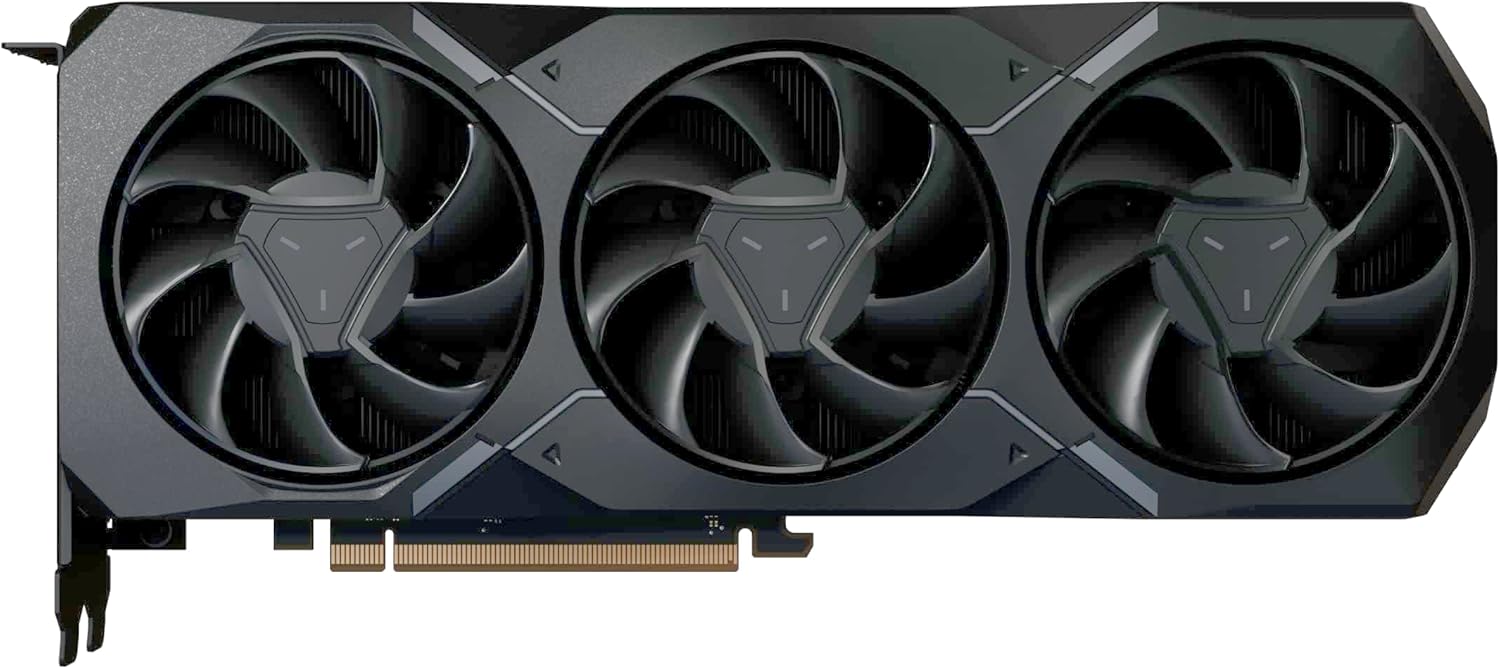
Figura 4: lateral view of the graphics card, illustrating the various display output ports.
4.2 Configuració del programari
After driver installation, you can access the AMD Software: Adrenalin Edition. This software allows you to optimize game settings, monitor performance, update drivers, and customize various graphics card features for an enhanced user experience.
5. Manteniment
Un manteniment regular ajuda a garantir la longevitat i el rendiment òptim de la targeta gràfica.
- Eliminació de pols: Periodically clean dust from the graphics card's fans and heatsink using compressed air. Ensure the system is powered off and unplugged before cleaning.
- Cura del ventilador: The AMD Triple Fan Cooling Solution is designed for efficient heat dissipation. Avoid obstructing the airflow around the card.
- Actualitzacions de controladors: Keep your graphics drivers updated by regularly checking the AMD support weblloc per a les últimes versions.
6. Solució De Problemes
Si teniu problemes amb la targeta gràfica, consulteu els passos habituals següents per a la resolució de problemes:
- Sense sortida de pantalla:
- Ensure all power cables are securely connected to the graphics card.
- Verify that the monitor cable is properly connected to both the graphics card and the monitor.
- Check if the monitor is set to the correct input source.
- Prova de connectar-te a un port de pantalla diferent o utilitzar un cable diferent.
- Performance Issues/Low Frame Rates:
- Assegureu-vos que teniu instal·lats els controladors gràfics més recents.
- Revisa la configuració gràfica del joc; redueix-la si cal.
- Controleu les temperatures de la GPU per assegurar-vos que no s'escalfi massa.
- Verify that your power supply unit meets the minimum wattage requisit.
- Inestabilitat/Avaries del sistema:
- Assegureu-vos que el vostre sistema operatiu estigui actualitzat.
- Check for any conflicting software or background applications.
- Si feu overclocking, torneu a la configuració predeterminada.
For further assistance, please refer to the XFX support weblloc o poseu-vos en contacte amb el seu servei d'atenció al client.
7. Especificacions tècniques
| Característica | Especificació |
|---|---|
| Chipset | AMD Radeon RX 7900 XT |
| Memòria | 20 GB GDDR6 |
| Velocitat de memòria | 20 GHz |
| Augmenta el rellotge | Fins a 2400 MHz |
| Game Clock | Fins a 2000 MHz |
| Unitats de càlcul | 84 |
| Processadors de flux | 5376 |
| Solució de refrigeració | AMD Triple Fan |
| Dimensions del producte (LxWxH) | 10.88 x 4.43 x 2.02 polzades |
| Pes de l'article | 4.18 lliures |
| Interfície de sortida de vídeo | DisplayPort, HDMI |
8. Garantia i Suport
XFX products are covered by a limited warranty. For detailed warranty information, product registration, and technical support, please visit the official XFX weblloc web o poseu-vos en contacte amb el seu departament d'atenció al client. Conserveu el comprovant de compra per a reclamacions de garantia.
XFX Support: www.xfxforce.com/support


