Introducció
This manual provides detailed instructions for the safe and effective use of your RovyVon A26 EDC Flashlight. Please read this manual thoroughly before operating the device and retain it for future reference.
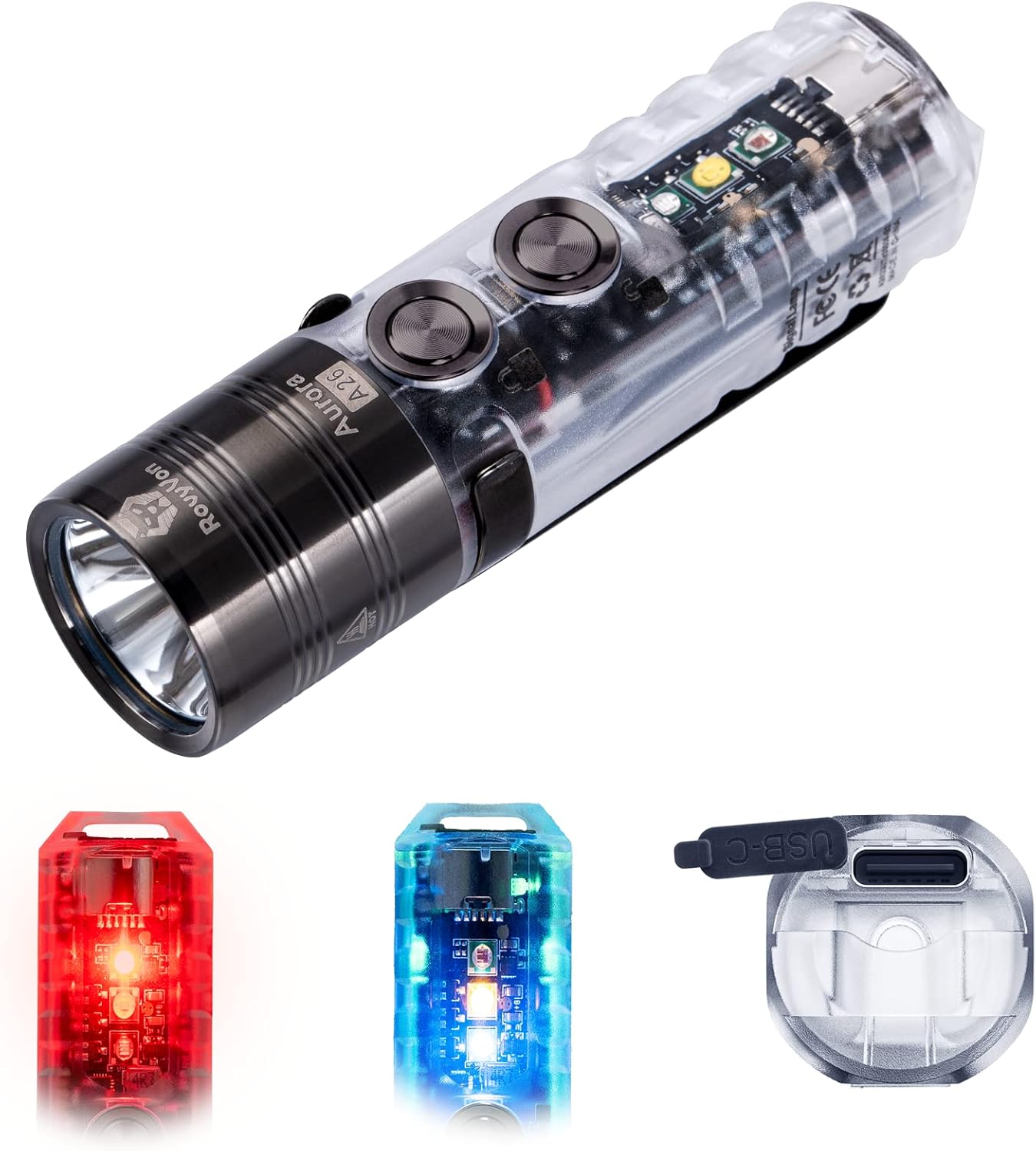
Image: The RovyVon A26 EDC Flashlight, showcasing its main body, front light, and examples of its red and blue sidelights, along with the USB-C charging port.
Contingut del paquet
- Llanterna RovyVon A26 EDC
- Cable de càrrega USB-A a USB-C
- Clip de butxaca magnètic
- Clauer
- Manual d'usuari (aquest document)
Configuració i càrrega
Càrrega inicial
The RovyVon A26 features a built-in 850mAh Lithium Polymer battery. For optimal performance, fully charge the flashlight before first use.
- Locate the USB-C charging port on the flashlight.
- Connect the provided USB-A to USB-C cable to the flashlight and a compatible USB power source (e.g., computer, wall adapter).
- The flashlight will indicate charging status:
- Blau respirant: Càrrega en curs.
- Verd sòlid: Totalment carregat.
- A full charge typically takes approximately one hour.
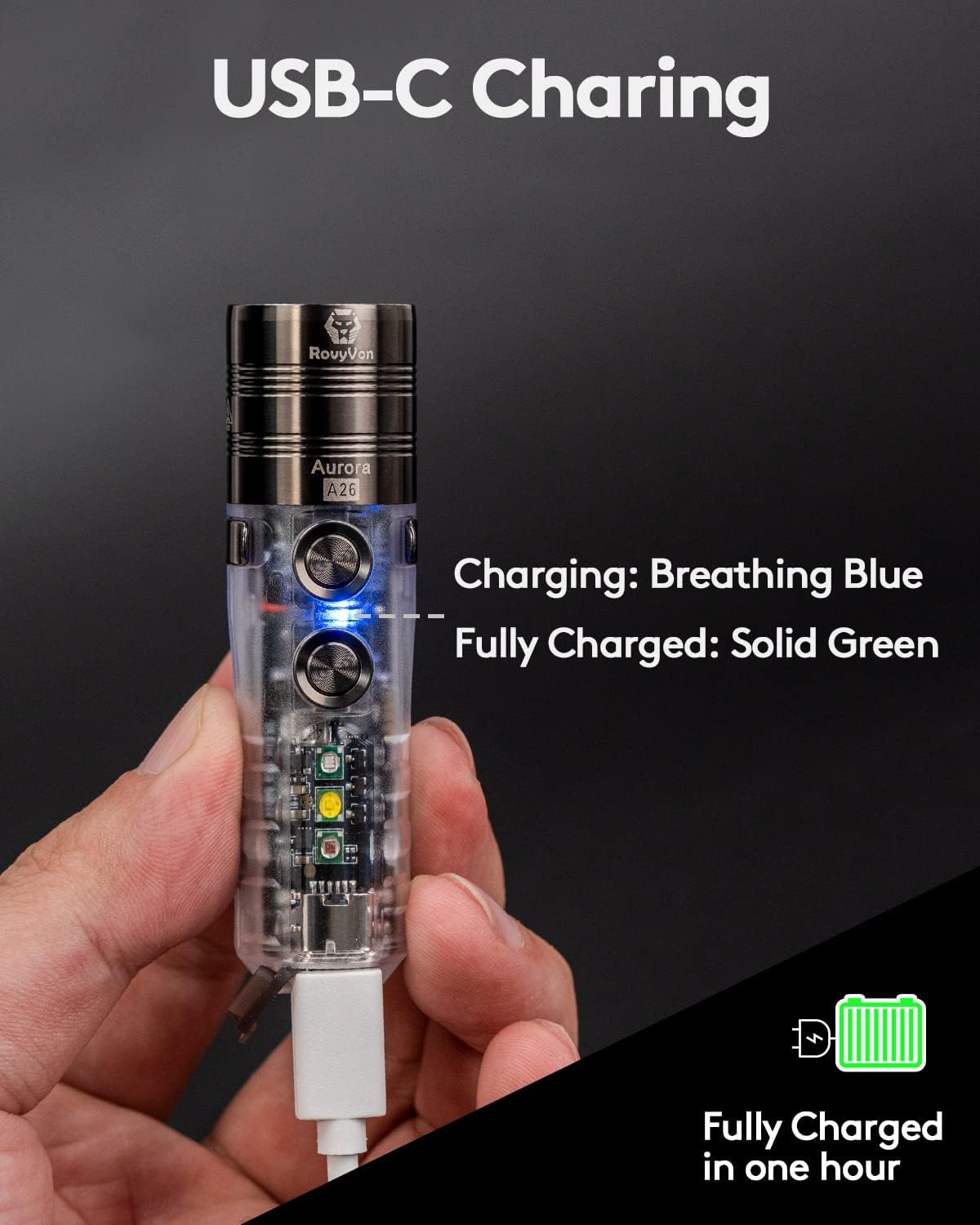
Image: The RovyVon A26 flashlight connected via USB-C cable, illustrating the breathing blue light during charging. The image also indicates that the device is fully charged in one hour.

Image: A visual guide to the USB-C charging indicators on the RovyVon A26, showing blue for charging, green for fully charged, and red for low battery.
Funcionament
Controls: Dual Switch System
The A26 flashlight features two independent metal switches for intuitive control of the main light and sidelights.

Image: An illustration detailing the functions of Button 1 (Lock, Moonlight, Constant On, Strobe-SOS) and Button 2 (Unlock, Momentary On, Side LEDs) on the RovyVon A26 flashlight.
Main Light Functions (Button 1)
- Bloqueig: Long press Button 1 for 5 seconds. The front emitter will blink twice to confirm. This prevents accidental activation.
- Moonlight Mode (0.5 lumens): From off, single click Button 1.
- Constant On (Low, Med, High, Turbo): From off, double click Button 1 to activate the last used mode. Single click to cycle through modes (Low → Med → High → Turbo).
- Strobe/SOS: From any constant on mode, triple click Button 1.
- Apagar: From any constant on mode, long press Button 1.

Image: A visual representation of the RovyVon A26's main light modes and their respective lumen outputs, demonstrated by a person illuminating an outdoor area.
Sidelight Functions (Button 2)
The A26 is equipped with three versatile sidelights: Red, 4000K Warm White, and 365nm UV.
- Desbloquejar: Long press Button 2 for 3 seconds. The front emitter will blink three times to confirm.
- Momentània activada: From off, press and hold Button 2 for temporary activation of the sidelights. Release to turn off.
- Activate Sidelights: From off, double click Button 2 to activate the last used sidelight mode. Single click to cycle through modes (Red → Warm White → UV).
- Red Light Beacon/Flash: From Red light mode, double click Button 2.
- Apagar: From any sidelight mode, long press Button 2.

Image: An illustration of the RovyVon A26's sidelight capabilities, including the Red LED for signaling, Warm White LED for reading, and 365nm UV LED for banknote verification.

Imatge: Detallada views of the 365nm UV emitter for checking traces, the Red emitter for signaling or low light, and the Warm White emitter for reading.
Funció de bloqueig
To prevent accidental activation and conserve battery, the A26 includes a lockout feature:
- Bloqueig: Long press Button 1 for 5 seconds. The front emitter will blink twice.
- Desbloquejar: Long press Button 2 for 3 seconds. The front emitter will blink three times.

Image: A visual guide to activating and deactivating the lockout feature using Button 1 and Button 2, respectively.
Clip de butxaca magnètic
The included magnetic pocket clip offers versatile attachment options:
- Attach the flashlight to metal surfaces for hands-free operation.
- Clip it to your pocket, belt, or hat brim.
- The clip is reversible for flexible carrying positions.

Image: The RovyVon A26 flashlight demonstrating its magnetic attachment capability, adhering to a metal surface and providing illumination.

Image: A depiction of the RovyVon A26's compact size and the functionality of its magnetic two-way pocket clip for hands-free use.
Manteniment
- Neteja: Netegeu la llanterna amb un suau, damp tela. No utilitzeu netejadors abrasius ni dissolvents.
- Emmagatzematge: Guardeu la llanterna en un lloc fresc i sec, lluny de la llum solar directa i de temperatures extremes.
- Cura de la bateria: Per a l'emmagatzematge a llarg termini, carregueu la bateria aproximadament al 50% cada 3-6 mesos per mantenir-la en bon estat.
- Resistència a l'aigua: The A26 is water-resistant. Avoid submerging it in water for extended periods. Ensure the USB-C port cover is securely closed to maintain water resistance.
Resolució de problemes
- La llanterna no s'encén:
- Assegureu-vos que la bateria estigui carregada.
- Check if the lockout feature is activated (unlock using Button 2).
- Problemes de càrrega:
- Verifiqueu que el cable USB-C estigui connectat correctament tant a la llanterna com a la font d'alimentació.
- Proveu un cable USB-C o un adaptador d'alimentació diferent.
- Brillantor o temps d'execució reduïts:
- Pot ser que la bateria estigui baixa; recarregueu la llanterna.
- In Turbo mode, the flashlight will step down to 300 lumens after 90 seconds to prevent overheating and protect the battery.
Especificacions
| Característica | Detall |
|---|---|
| Model | A26 |
| Tipus de font de llum | LED (6500K Cool White main emitter) |
| Main Light Output | Moonlight (0.5lm), Low (10lm), Med (100lm), High (300lm), Turbo (600lm) |
| Distància màxima del feix | 180 metres (592 peus) |
| Llums laterals | Red, 4000K Warm White, 365nm UV |
| Font d'alimentació | Funciona amb bateria |
| Tipus de bateria | 850mAh Lithium Polymer (included, non-replaceable by user) |
| Port de càrrega | USB-C |
| Temps de càrrega | Aproximadament 1 hora |
| Material | Polyimide (body), PVD treated head/clip/buttons |
| Dimensions (L x P) | 2.99" x 0.87" (76 mm x 22 mm) |
| Pes | 0.634 unces (18 grams) |
| Resistència a l'aigua | Water Resistant (specific IP rating not provided, avoid submersion) |
| Característiques especials | Rechargeable, Magnetic Pocket Clip, Dual Switch, Lockout Function |

Image: A comprehensive table outlining the performance specifications for the RovyVon A26, including output levels, runtimes, and beam distances for both main and sidelights.

Image: A bar chart illustrating the improved efficiency and runtime of the RovyVon A26's 850mAh battery across various brightness modes, from Moonlight to Turbo.
Garantia i Suport
For warranty information, technical support, or service inquiries, please contact RovyVon customer service through their official weblloc web o el venedor on es va comprar el producte.
Conserveu el vostre comprovant de compra per a reclamacions de garantia.


