1. Producte acabatview
The AUKEY LS02 Smart Watch is designed to help you monitor your daily activities and stay connected. It features a large 1.4-inch TFT screen with a 320 x 320 pixel resolution, providing clear display of information.
Les funcionalitats clau inclouen:
- Display of daily activity information and phone notifications.
- Synchronization with the AUKEY Fit App for call, text, and chat message alerts.
- Control of your phone's music playlist directly from your wrist.
- Accurate fitness tracking for various activities like running, cycling, and walking.
- Monitoring of performance data such as steps, activity minutes, distance, and calories burned.
- Compatibility with both iPhone and Android smartphones.

Figura 1.1: Frontal view of the AUKEY LS02 Smart Watch, showing the display with time, date, and various health metrics.
2. Guia de configuració
2.1. Què hi ha a la caixa
En desembalar, comproveu que hi hagi tots els components:
- AUKEY LS02 Smart Watch (with strap attached)
- Cable de càrrega
- Manual d'instruccions (aquest document)
2.2. Càrrega inicial
Before first use, fully charge your AUKEY LS02 Smart Watch.
- Connecteu el cable de càrrega magnètic als contactes de càrrega de la part posterior del rellotge.
- Connecteu l'extrem USB del cable de càrrega a un adaptador de corrent USB estàndard (es recomana 5 V/1 A) o al port USB d'un ordinador.
- The watch display will indicate charging status. Allow approximately 2 hours for a full charge.
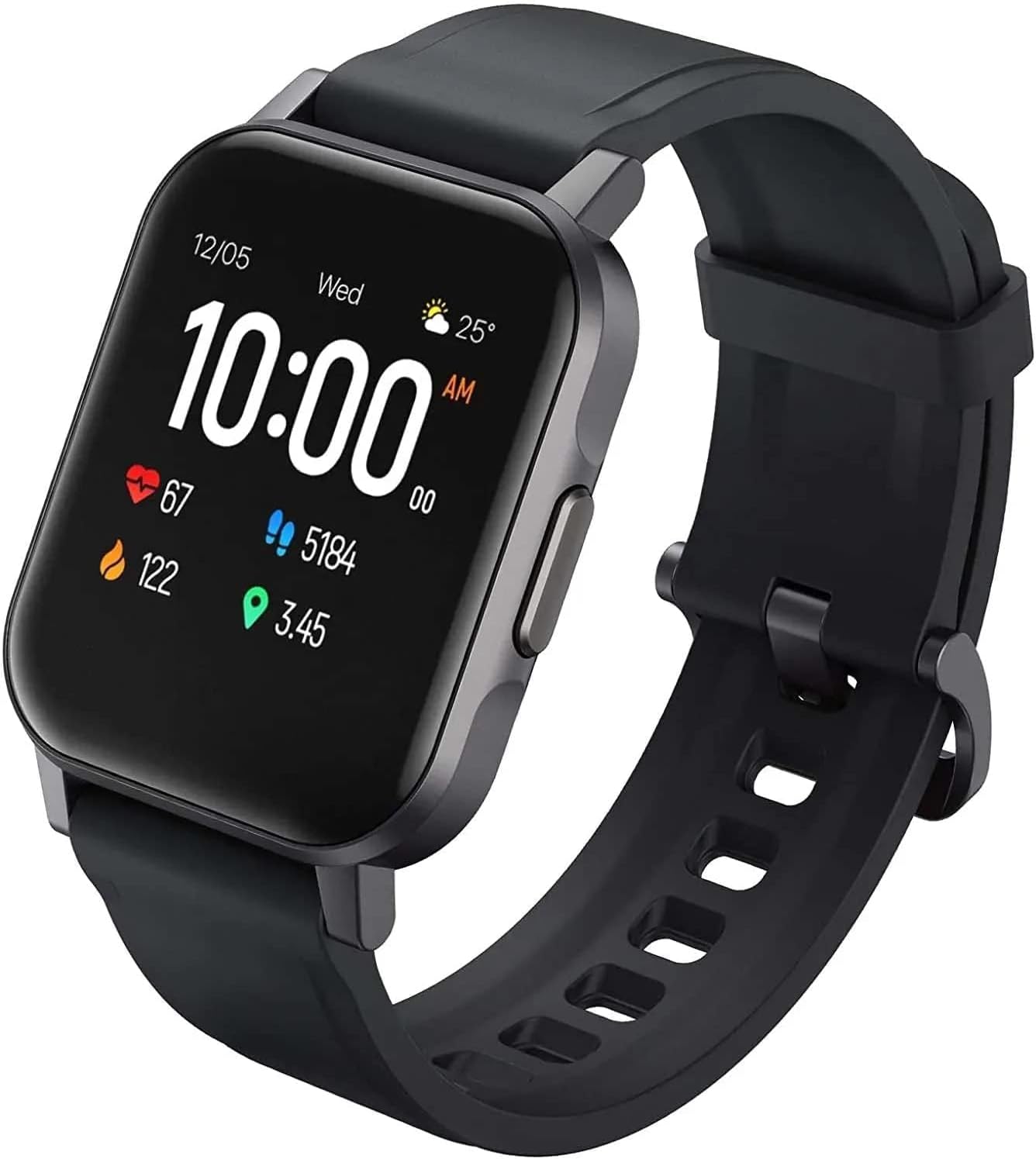
Figura 2.1: Angle view of the AUKEY LS02 Smart Watch, highlighting the watch body and strap connection.
2.3. Emparellament amb el telèfon intel·ligent
To unlock the full features of your smartwatch, pair it with the AUKEY Fit App.
- Download the AUKEY Fit App: Cerca "AUKEY Fit" in your smartphone's app store (Google Play Store for Android or Apple App Store for iOS) and install it.
- Activa el Bluetooth: Assegureu-vos que el Bluetooth estigui habilitat al vostre telèfon intel·ligent.
- Obriu l'aplicació: Launch the AUKEY Fit App and follow the on-screen instructions to create an account or log in.
- Afegeix un dispositiu: In the app, navigate to the "Device" or "Add Device" section. The app will search for nearby AUKEY smartwatches.
- Selecciona el teu rellotge: From the list of found devices, select "AUKEY LS02" or a similar identifier.
- Confirmeu l'aparellament: És possible que aparegui una sol·licitud d'emparellament tant al telèfon com al rellotge. Confirma l'emparellament en tots dos dispositius.
- Sincronització: Once paired, the watch will synchronize data with the app, including time, date, and personal settings.
Nota: Keep your watch close to your smartphone during the pairing process to ensure a stable connection.
3. Com utilitzar el rellotge intel·ligent
3.1. Navegació bàsica
- Pantalla tàctil: Llisca esquerra/dreta, amunt/avall per navegar pels menús i les pantalles. Toca per seleccionar una opció.
- Botó lateral: Press the side button to wake the screen, return to the home screen, or access the main menu (functionality may vary based on context).
3.2. Mostra informació
The main watch face typically displays:
- Hora i data
- Nivell de bateria
- Estat de la connexió Bluetooth
- Daily Steps Count
- Freqüència cardíaca
- Calories cremades
- Distància recorreguda
Swipe through different screens to access more detailed information or specific functions.
3.3. Notificacions
Once paired with the AUKEY Fit App, your watch can receive notifications from your smartphone.
- Ensure notification permissions are enabled for the AUKEY Fit App in your phone's settings.
- Within the AUKEY Fit App, select which applications you wish to receive notifications from (e.g., calls, SMS, WhatsApp, Facebook).
- Quan arribi una notificació, el rellotge vibrarà i mostrarà el contingut del missatge.
- Swipe up or down on the watch face to view notificacions recents.
3.4. Seguiment de l'activitat física
The watch automatically tracks your daily activity and offers modes for specific exercises.
- Activitat diària: Monitors steps, distance, calories, and active minutes throughout the day.
- Modes d'entrenament: Select from various activities such as running, cycling, mountain climbing, and walking. The watch will record specific metrics for the chosen activity.
- Monitorització de la freqüència cardíaca: El rellotge controla contínuament la teva freqüència cardíaca. View your current heart rate on the watch or detailed historical data in the AUKEY Fit App.
3.5. Control de la música
Controla la reproducció de música del teu telèfon intel·ligent directament des del rellotge.
- Ensure your watch is connected to your smartphone via Bluetooth.
- Navigate to the music control interface on your watch (usually by swiping or through the main menu).
- You can play/pause, skip tracks (next/previous), and adjust volume (if supported by the watch model).
4. Cura i Manteniment
4.1. Neteja del rellotge intel·ligent
Una neteja regular ajuda a mantenir l'aspecte i la funcionalitat del rellotge.
- Netegeu la pantalla i la carcassa del rellotge amb un drap suau i sense borrissol. Si cal, fregueu-ho lleugerament.ampen el drap amb aigua.
- For the strap, use a mild soap solution and rinse thoroughly. Ensure the strap is completely dry before reattaching to the watch or wearing.
- Eviteu utilitzar productes químics agressius, netejadors abrasius o dissolvents, ja que poden danyar l'acabat o els components interns del rellotge.
4.2. Resistència a l'aigua
The AUKEY LS02 Smart Watch is designed to be splash-proof and resistant to sweat and light rain. It is no suitable for swimming, showering, or diving. Avoid prolonged exposure to water.
Important: Water damage is not covered under warranty if the watch is used beyond its specified water resistance capabilities.
4.3. Emmagatzematge
When not in use for extended periods, store your watch in a cool, dry place away from direct sunlight and extreme temperatures. Ensure the watch is partially charged (around 50%) before long-term storage to preserve battery health.
7. Garantia i Suport
AUKEY products are designed with quality and reliability in mind. For specific warranty terms and conditions applicable to your AUKEY LS02 Smart Watch, please refer to the warranty card included with your purchase or visit the official AUKEY weblloc.
If you require technical assistance, have questions about product functionality, or need to report a defect, please contact AUKEY customer support through their official channels. Details for contacting support can typically be found on the AUKEY website or within the AUKEY Fit App.
Please have your product model number (AUKEY-LS02BLK) and purchase details ready when contacting support.


