1. Introducció
The Sharper Image Smartphone TV Screen Magnifier enhances your mobile viewing experience by transforming your smartphone screen into a larger, 12-inch curved display. This device is cordless and rechargeable, featuring dual 5W wireless speakers for an immersive audio experience. It is designed for convenient viewing of movies, videos, and games, and is suitable for travel or presentations.
2. Producte acabatview
Familiarize yourself with the components of your Smartphone TV Screen Magnifier.

Figura 2.1: The Smartphone TV Screen Magnifier with a phone mounted, showing the magnified display.
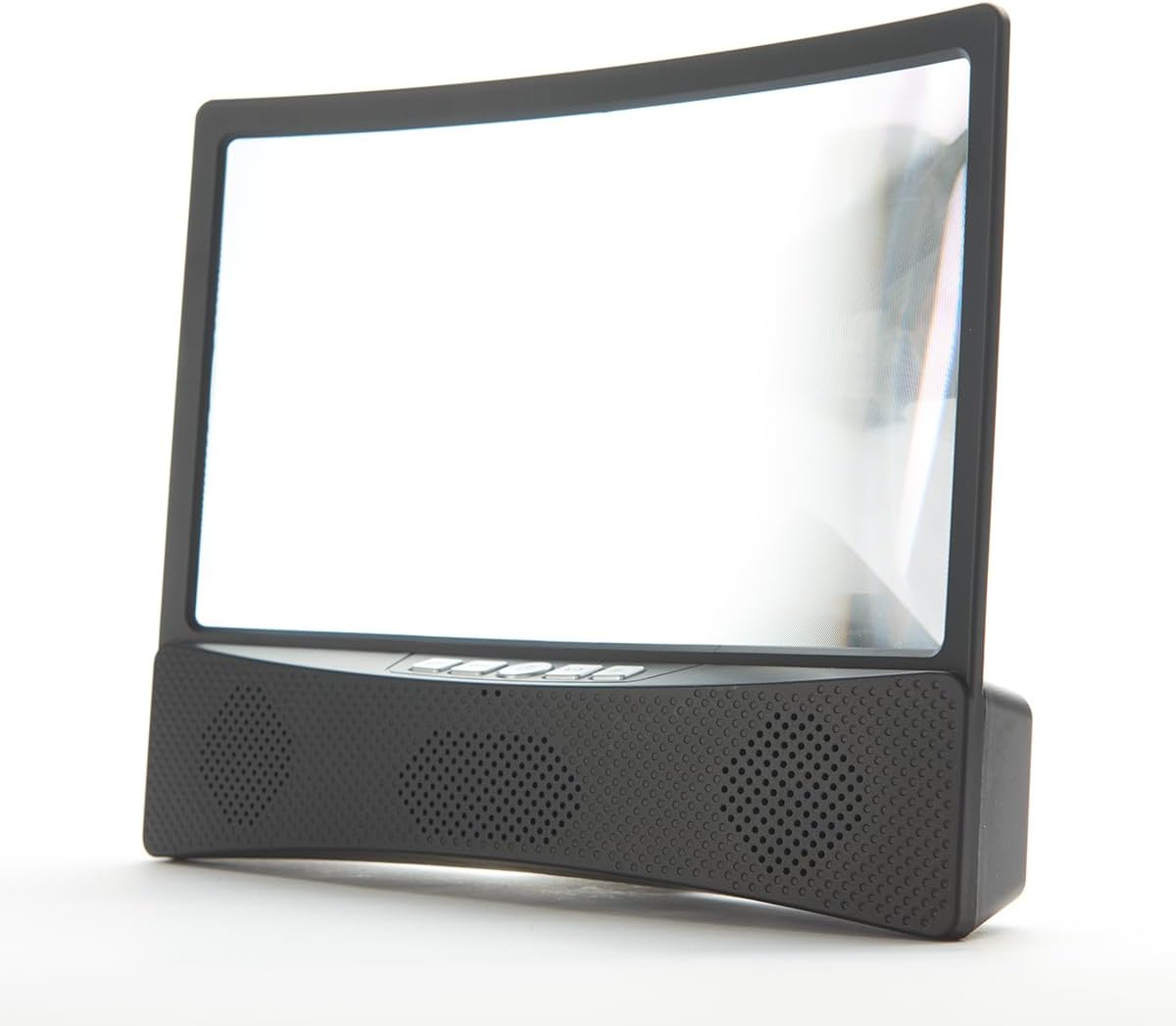
Figura 2.2: Davant view of the device, highlighting the curved screen and integrated speaker grilles.

Figura 2.3: lateral view illustrating the device's profile and the adjustable phone stand.
Components:
- Curved Magnifier Screen: 12-inch display for enlarged viewing.
- Suport per a telèfon intel·ligent: Securely holds your smartphone above the magnifier.
- Integrated Speaker Base: Houses dual 5W wireless speakers and control buttons.
- Botons de control: Power, volume, and playback controls (refer to device for specific button layout).
- Port de càrrega: Per recarregar la bateria interna.
3. Configuració
3.1 Càrrega del dispositiu
Before first use, fully charge the Smartphone TV Screen Magnifier. Connect the provided charging cable to the device's charging port and to a suitable USB power source. The charging indicator light will show the charging status.
3.2 Placing Your Smartphone
- Gently pull up the smartphone holder located at the top of the magnifier unit.
- Place your smartphone securely into the holder, ensuring it is stable.
- Adjust the angle of your phone for optimal viewing through the magnifier screen.
3.3 Engegada i emparellament Bluetooth
- Press and hold the Power button on the speaker base until the indicator light illuminates.
- On your smartphone, navigate to your Bluetooth settings.
- Cerca available devices and select "Sharper Image Magnifier" (or similar name) to pair.
- Once paired, you will hear a confirmation tone, and audio from your phone will play through the magnifier's speakers.
4. Funcionament
4.1 Using the Magnifier Screen
Once your smartphone is placed in the holder, content displayed on your phone screen will be magnified and projected onto the 12-inch curved screen. Adjust your viewing distance and the phone's angle for the clearest image.
4.2 Speaker Controls
- Botó d'encesa: Manteniu premut per encendre o apagar el dispositiu.
- Pujar/baixar el volum: Press the '+' or '-' buttons to adjust the speaker volume.
- Reproduir/pausa: Press the Play/Pause button to control media playback on your connected smartphone.
- Omet la pista: Use the appropriate buttons (refer to device markings) to skip forward or backward through tracks.
5. Manteniment
5.1 Neteja
- Pantalla: Feu servir un drap suau i sense borrissol, lleugerament humitampened with water or a screen-safe cleaner, to gently wipe the magnifier screen. Avoid abrasive materials or harsh chemicals.
- Cos: Netegeu les superfícies exteriors amb un drap suau i sec.
5.2 Cura de la bateria
- To prolong battery life, avoid fully discharging the device frequently.
- Recharge the device regularly, even if not in constant use.
- Guardeu el dispositiu en un lloc fresc i sec quan no l'utilitzeu.
5.3 Emmagatzematge
When not in use, fold down the smartphone holder and store the device in a clean, dry environment away from direct sunlight and extreme temperatures.
6. Solució De Problemes
6.1 Sense poder
- Assegureu-vos que el dispositiu estigui completament carregat. Connecteu-lo a una font d'alimentació i deixeu-lo carregar durant almenys 30 minuts abans d'intentar tornar-lo a encendre.
- Verify the charging cable and adapter are working correctly.
6.2 No Sound from Speakers / Bluetooth Connection Issues
- Assegureu-vos que el dispositiu estigui encès i completament carregat.
- Comproveu que el Bluetooth estigui habilitat al vostre telèfon intel·ligent.
- Make sure the device is within the Bluetooth range (typically 10 meters or 33 feet).
- Unpair and re-pair the device from your smartphone's Bluetooth settings.
- Increase the volume on both the magnifier and your smartphone.
6.3 Screen Clarity Issues
- Ensure the magnifier screen is clean and free of dust or smudges.
- Adjust the position and angle of your smartphone in the holder.
- Ajusta el teu viewing distance from the magnifier screen.
7. Especificacions
- Mida de la pantalla: Pantalla corba de 12 polzades
- Sortida de l'altaveu: Altaveus sense fil duals de 5 W
- Font d'alimentació: Bateria interna recarregable
- Connectivitat: Sense fil (Bluetooth)
- Número de model: B0BP6YDWHM
- Fabricant: Imatge més nítida
8. Video Demonstrations
Watch these official videos for visual guidance on using your Sharper Image Smartphone TV Screen Magnifier.
8.1 Producte acabatview and Features (1:10)
Aquest vídeo ofereix una visió generalview of the Smartphone TV Screen Magnifier and its key features, including the magnified display and wireless speakers.
8.2 Setup and Basic Operation (1:28)
Learn how to set up your device, place your smartphone, and perform initial Bluetooth pairing for audio playback.
8.3 Advanced Usage Tips (1:50)
This video demonstrates additional tips for optimizing your viewing and audio experience with the magnifier.
8.4 Full Demonstration (3:10)
A comprehensive demonstration covering all aspects of the product, from unboxing to advanced features.
9. Informació de seguretat
- No exposeu el dispositiu a temperatures extremes, llum solar directa ni humitat elevada.
- Mantingueu el dispositiu allunyat de l'aigua o altres líquids.
- Do not attempt to disassemble or modify the device. This will void any potential warranty.
- Feu servir només el cable de càrrega proporcionat o un equivalent certificat.
- Mantenir fora de l'abast dels nens.
10. Garantia i Suport
For warranty information or technical support, please contact Sharper Image customer service. Refer to the product packaging or the official Sharper Image weblloc per obtenir dades de contacte.


