1. Introducció
This manual provides comprehensive instructions for setting up, operating, maintaining, and troubleshooting your Logitech M170 Wireless Mouse. Designed for reliability and comfort, this mouse offers seamless connectivity across various operating systems.
2. Què hi ha a la caixa
- Ratolí sense fils Logitech M170
- Receptor USB
- 1 x AA Battery (pre-installed or included)
- Documentació d'usuari (aquest manual)
3. Instruccions de configuració
3.1. Instal·lació de la bateria
The Logitech M170 mouse operates on a single AA battery. The battery is typically pre-installed with a pull tab to prevent discharge during shipping. If not, or for replacement, follow these steps:
- Flip the mouse over.
- Localitzeu la tapa del compartiment de la bateria a la part inferior del ratolí.
- Feu lliscar la tapa per treure-la per descobrir la ranura de la bateria.
- Inseriu una pila AA, assegurant-vos de la polaritat correcta (+/-).
- Substituïu la tapa del compartiment de la bateria.

Figure 1: Underside of the mouse with battery compartment and receiver storage.
3.2. Connexió del receptor USB
The Logitech M170 uses a plug-and-play USB receiver for wireless connectivity. No software installation is typically required.
- Locate the USB receiver. It is often stored inside the battery compartment of the mouse for convenience during travel.
- Carefully remove the USB receiver from its storage slot.
- Plug the USB receiver into an available USB port on your computer (PC, Mac, Laptop).
- The mouse should automatically connect to your computer within a few seconds.

Figure 2: Logitech M170 mouse in use with its USB receiver.
Video 1: This video demonstrates how to locate and connect the USB receiver for Logitech M170, M185, and M317 mice.
4. Instruccions de funcionament
4.1. Funcionalitat bàsica
The M170 mouse features standard left and right-click buttons and a scroll wheel for navigation.
- Clic esquerre: Selecció i activació primàries.
- Clic amb el botó dret: Accedeix als menús contextuals.
- Roda de desplaçament: Desplaça verticalment pels documents i web pàgines. La roda de desplaçament també funciona com a botó de clic central.
4.2. Optical Tracking and Movement
The mouse utilizes optical tracking for smooth and accurate cursor control on most surfaces. Its ambidextrous design ensures comfortable use for both left and right-handed users.
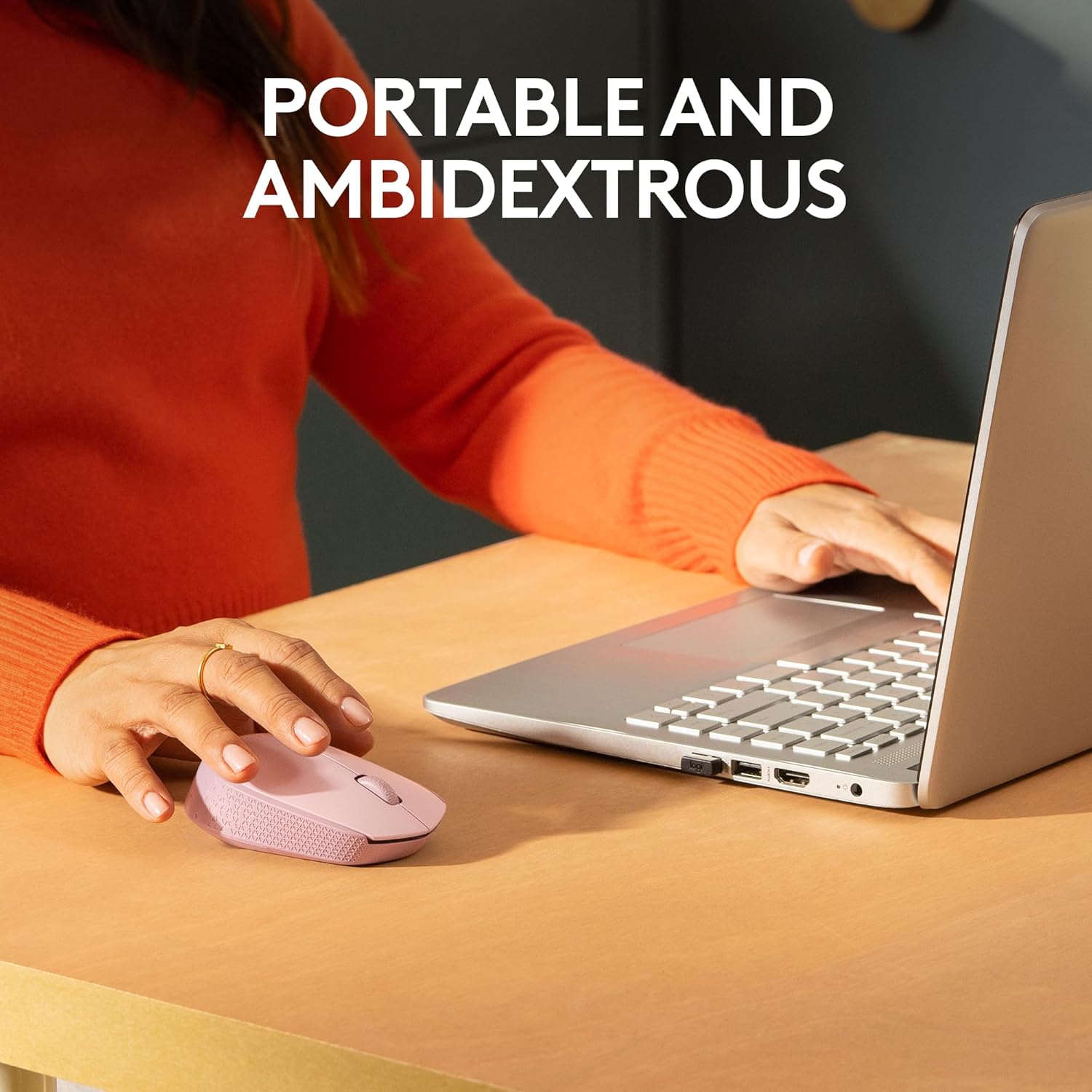
Figure 3: Portable and ambidextrous design for comfortable use.
4.3. Compatibilitat
The M170 Wireless Mouse is compatible with a wide range of operating systems:
- Windows
- macOS
- Linux
- Chrome OS
- iPadOS
- Android

Figure 4: Multi-platform compatibility of the M170 mouse.
4.4. Abast sense fil
The mouse maintains a reliable 2.4 GHz wireless connection up to 10 meters (33 feet) from your computer. Actual wireless range may vary based on use, settings, and environmental conditions.
5. Manteniment
5.1. Substitució de la bateria
The M170 mouse boasts a 12-month battery life, which may vary based on user and computing conditions. When the mouse stops responding or the cursor becomes erratic, it's likely time to replace the AA battery. Refer to Section 3.1 for battery installation steps.
5.2. Neteja
To clean your mouse, gently wipe it with a soft, damp cloth. Avoid using harsh chemicals or abrasive materials that could damage the surface or internal components.
6. Solució De Problemes
6.1. No Cursor Movement or Response
- Comproveu la bateria: Assegureu-vos que la pila AA estigui correctament instal·lada i que tingui prou càrrega. Substituïu-la si cal.
- Comprovació del receptor USB: Make sure the USB receiver is securely plugged into a working USB port on your computer. Try a different USB port if available.
- Interruptor d'alimentació: Verify that the mouse's power switch (located on the underside) is in the "ON" position.
- Superfície: Ensure you are using the mouse on a suitable surface. Optical mice may not track well on highly reflective or transparent surfaces.
6.2. Intermittent Connectivity
- Distància: Reduce the distance between the mouse and the USB receiver. The optimal range is within 10 meters.
- Interferència: Move the mouse and receiver away from other wireless devices or large metal objects that might cause interference.
7. Especificacions
| Característica | Detall |
|---|---|
| Marca | Logitech |
| Sèrie Model | M170 |
| Número de model de l'article | 910-006862 |
| Tecnologia de connectivitat | Wireless (2.4 GHz with USB Mini Receiver) |
| Tecnologia de detecció de moviment | Òptic |
| Nombre de botons | 2 (plus scroll wheel) |
| Tipus de desplaçador | Roda de desplaçament |
| Ergonomic Mouse Fit | Symmetrical (Ambidextrous) |
| abast sense fils | Fins a 10 metres (33 peus) |
| Font d'alimentació | Alimentat per piles (1 pila AA) |
| Durada mitjana de la bateria | 12 mesos (pot variar) |
| Dimensions (LxWxH) | 3.8 x 2.4 x 1.4 polzades (97.7 x 61.5 x 35.2 mm) |
| Pes de l'article | 2.49 ounces (79.5 g with battery) |
| Plataforma de maquinari | Mac, PC |
| Compatibilitat de sistemes operatius | Chrome OS, Linux, Windows, macOS, iPadOS, Android |
| Color | Rose (for this specific variant) |
| Contingut de plàstic reciclat | 38% for Rose and Blue Gray variants |
| Petjada de carboni del producte | 4.05 kg CO2e |
8. Garantia i Suport
For detailed warranty information, product support, and additional assistance, please visit the official Logitech support page:
Logitech is committed to providing reliable products and customer service. Please refer to the website for the most up-to-date information regarding your M170 Wireless Mouse.


