1. Introducció
This manual provides essential information for the setup, operation, and maintenance of your HYTE Y40 Modern Aesthetic Panoramic Tempered Glass Mid-Tower ATX Computer Gaming Case. Please read this manual thoroughly before installation and use to ensure proper functionality and safety.

Figura 1: Frontal view of the HYTE Y40 White Gaming Case, showcasing its panoramic tempered glass panels.
2. Característiques clau
- Vidre temperat panoràmic: Features precisely beveled edges and 2-piece panoramic tempered glass for an unobstructed view de components interns.
- PCIE 4.0 Riser Cable: Includes a color-matched PCIE 4.0 Luxury Riser Cable for vertical GPU mounting, supporting the latest graphics cards.
- Flux d'aire millorat: Designed with 4 full slots for GPU support and additional airflow space for high-intensity processing.
- Ventiladors preinstal·lats: Comes with 2x120mm fans pre-installed (one beneath the power supply shroud and one at the rear) for immediate cooling.
- Gestió avançada de cables: Robust cable management strategy with dedicated spaces and tie-downs behind the motherboard shelf and within the power supply shroud.
- Suport del radiador: Side mount accommodates up to a 280mm radiator with a combined thickness of up to 120mm, suitable for custom liquid cooling loops.
3. Especificacions tècniques
| Especificació | Detall |
|---|---|
| Nom del model | Y40 |
| Número de model de l'article | CS-HYTE-Y40-BW |
| Tipus de cas | Torre mitja |
| Compatibilitat amb la placa base | ATX |
| Material | Vidre temperat |
| Color | Blanc |
| Dimensions del producte (LxWxH) | 17.2 x 9.4 x 18.4 polzades |
| Pes de l'article | 19 lliures |
| Tipus de muntatge de la font d'alimentació | Muntatge inferior |
| Mètode de refrigeració | Aire |
| Fan Size (Pre-installed) | 120 Millimeters (2x) |
| Nombre de ports USB 3.0 | 1 |
4. Configuració i instal·lació
This section outlines the general steps for assembling your PC components within the HYTE Y40 case. For detailed instructions on specific component installation, please refer to the respective component manuals.
4.1 Preparació del cas
Before installing any components, ensure the case is placed on a stable, flat surface. Remove the tempered glass side and front panels by loosening the captive thumb screws and carefully lifting them away. This provides full access to the interior.
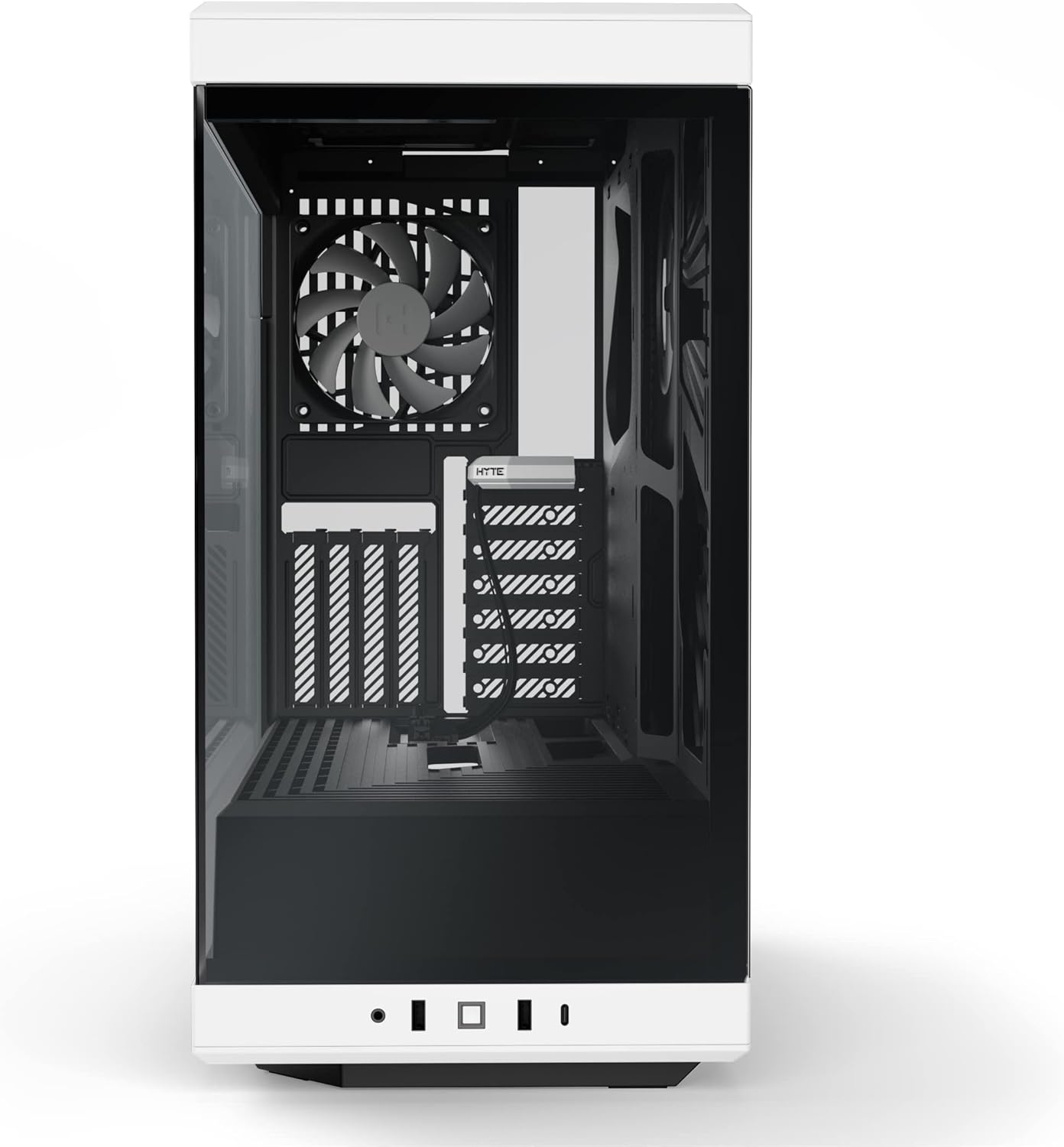
Figure 2: HYTE Y40 case with the side panel removed, showing the interior layout.
4.2 Instal·lació de la placa base
Align your ATX motherboard with the standoffs inside the case. Secure the motherboard using the provided screws. Ensure all necessary cables (e.g., 24-pin ATX, 8-pin CPU) are routed through the designated cutouts for clean cable management.

Figure 3: Motherboard installed within the HYTE Y40 case, illustrating cable routing options.
4.3 Instal·lació de la unitat d'alimentació (PSU).
The HYTE Y40 supports bottom-mounted ATX PSUs. Slide your PSU into the dedicated compartment at the bottom rear of the case. Secure it with screws from the rear of the case. Utilize the cable management channels to route PSU cables to their respective components.
Video 1: Demonstration of PSU installation and cable management within a PC case. This video illustrates the process of securing the PSU and routing its cables effectively.
4.4 Instal·lació de la targeta gràfica (GPU)
The HYTE Y40 features a vertical GPU mounting system with an included PCIE 4.0 Luxury Riser Cable. Install your GPU onto the riser cable and secure it within the case. Ensure proper connection of the riser cable to the motherboard's PCIE slot and connect the necessary power cables from the PSU to the GPU.
Vídeo 2: Acabatview of the HYTE Y40 case, highlighting its vertical GPU mounting and PCIE 4.0 riser cable. This video demonstrates the aesthetic and functional aspects of the GPU installation.
4.5 Configuració del sistema de refrigeració
The case comes with 2x120mm fans pre-installed. Additional fans or radiators can be installed on the side mount (up to 280mm radiator) or other designated areas. Ensure correct fan orientation for optimal airflow (intake/exhaust).
Video 3: Installation guide for an AIO cooler and fans in a PC case, demonstrating how to manage tubes and cables for a clean build.
5. Instruccions de funcionament
After all components are securely installed and cables are connected, replace the tempered glass panels. Connect your peripherals (monitor, keyboard, mouse) and power cable. Press the power button located on the front I/O panel to start your system.

Figure 4: Fully assembled HYTE Y40 case with internal components illuminated by RGB lighting.
6. Manteniment
Regular maintenance ensures optimal performance and longevity of your PC. Keep the case clean and free of dust.
- Filtres de pols: Periodically clean the dust filters to maintain optimal airflow and prevent dust buildup inside the case.
- Neteja de panells: Use a soft, lint-free cloth to clean the tempered glass panels. Avoid abrasive cleaners that may scratch the surface.
- Gestió de cables: Periodically check cable routing to ensure no cables are obstructing airflow or fan operation.
7. Solució De Problemes
If you encounter issues with your HYTE Y40 case, consider the following common troubleshooting steps:
- Sense energia: Ensure the PSU is properly connected to the wall outlet and the power switch on the PSU is in the 'ON' position. Check all internal power connections (24-pin, CPU, GPU).
- Sobreescalfament: Verify that all fans are spinning correctly and are oriented for optimal airflow. Clean any dust filters that may be clogged. Ensure CPU and GPU coolers are properly seated.
- Component no detectat: Re-seat the component (e.g., GPU, RAM) in its slot. Check all power and data connections.
8. Garantia i Suport
For warranty information and technical support, please visit the official HYTE weblloc web o poseu-vos en contacte amb el servei d'atenció al client. Conserveu el comprovant de compra per a reclamacions de garantia.
Visit the HYTE Store: HYTE Store
Documents relacionats - Y40
 |
Caixa de PC ATX HYTE Y40: Instruccions de muntatge i informació del producteview Guia completa de la caixa d'ordinador ATX HYTE Y40, que inclou contingut, especificacions, informació sobre la garantia i instruccions de muntatge detallades. Apreneu a muntar el vostre sistema amb aquesta caixa d'ordinador amb alt flux d'aire i moltes funcions. |
 |
Instruccions de muntatge de la caixa de PC HYTE Y60 ATX i mésview Instruccions de muntatge detallades, especificacions i informació de garantia per a la caixa de PC ATX HYTE Y60. Apreneu a muntar el vostre PC amb aquesta caixa de torre mitjana premium. |
 |
Caixa d'ordinador HYTE X50 i X50 Air: guia d'instal·lació i especificacions Guia completa per a les carcasses d'ordinador HYTE X50 i X50 Air, que inclou informació sobre la instal·lació, les peces i la garantia. |
 |
HYTE Y70 E-ATX Case Assembly Instructions and Product Overview This document provides comprehensive assembly instructions and product overview for the HYTE Y70 E-ATX computer case, detailing component compatibility, front I/O ports, and warranty information. It guides users through the installation of motherboards, GPUs, storage drives, cooling solutions, and power supplies. |
 |
Kit de bricolatge LCD HYTE Y60: especificacions i guia de connectivitat Aprèn sobre el kit DIY de pantalla LCD HYTE Y60, incloent-hi les seves especificacions, opcions de connectivitat i informació bàsica de configuració. Essencial per a constructors i entusiastes de PC. |
 |
Guia de compatibilitat de la caixa refrigeradora HYTE THICC Q60 AIO Taula completa de compatibilitat per al refrigerador líquid HYTE THICC Q60 de 280 mm All-In-One (AIO), que detalla la compatibilitat amb diverses carcasses de PC en configuracions de muntatge frontal, lateral i superior. |