1. Introducció
Thank you for choosing the realme Buds T100 wireless earbuds. This manual provides detailed instructions on how to set up, operate, and maintain your earbuds to ensure optimal performance and longevity. The realme Buds T100 feature Bluetooth 5.3 connectivity, IPX5 water resistance, AI Environmental Noise Cancellation for calls, and up to 28 hours of total playback.
2. Contingut del paquet
Si us plau, comproveu el paquet per veure si hi ha els elements següents:
- realme Buds T100 Earbuds (L/R)
- Estoig de càrrega
- Cable de càrrega USB tipus C
- Puntes d'orella de silicona (talles S, M, L)
- Manual d'usuari
3. Configuració
3.1. Càrrega dels auriculars i l'estoig
Abans del primer ús, carregueu completament els auriculars i l'estoig de càrrega.
- Col·loqueu els auriculars a la caixa de càrrega.
- Connecteu el cable de càrrega USB tipus C al port de càrrega de la carcassa i a una font d'alimentació.
- The indicator light on the case will show charging status. A full charge is indicated when the light turns solid green or off, depending on the model.
A fully charged case can provide multiple charges for the earbuds, extending total playback time up to 28 hours.

Image: realme Buds T100 earbuds and charging case, highlighting the 28 hours of total playback capacity.
3.2. Emparellament amb el dispositiu
Follow these steps to pair your realme Buds T100 with a new device:
- Assegureu-vos que els auriculars estiguin a l'estoig de càrrega i que la tapa de l'estoig estigui oberta.
- The earbuds will automatically enter pairing mode. The indicator light on the case may flash.
- Al dispositiu (telèfon intel·ligent, tauleta, etc.), aneu a la configuració de Bluetooth i activeu el Bluetooth.
- Cerca dispositius disponibles i seleccioneu "realme Buds T100" de la llista.
- Once connected, you will hear a confirmation tone, and the indicator light on the case will turn off.
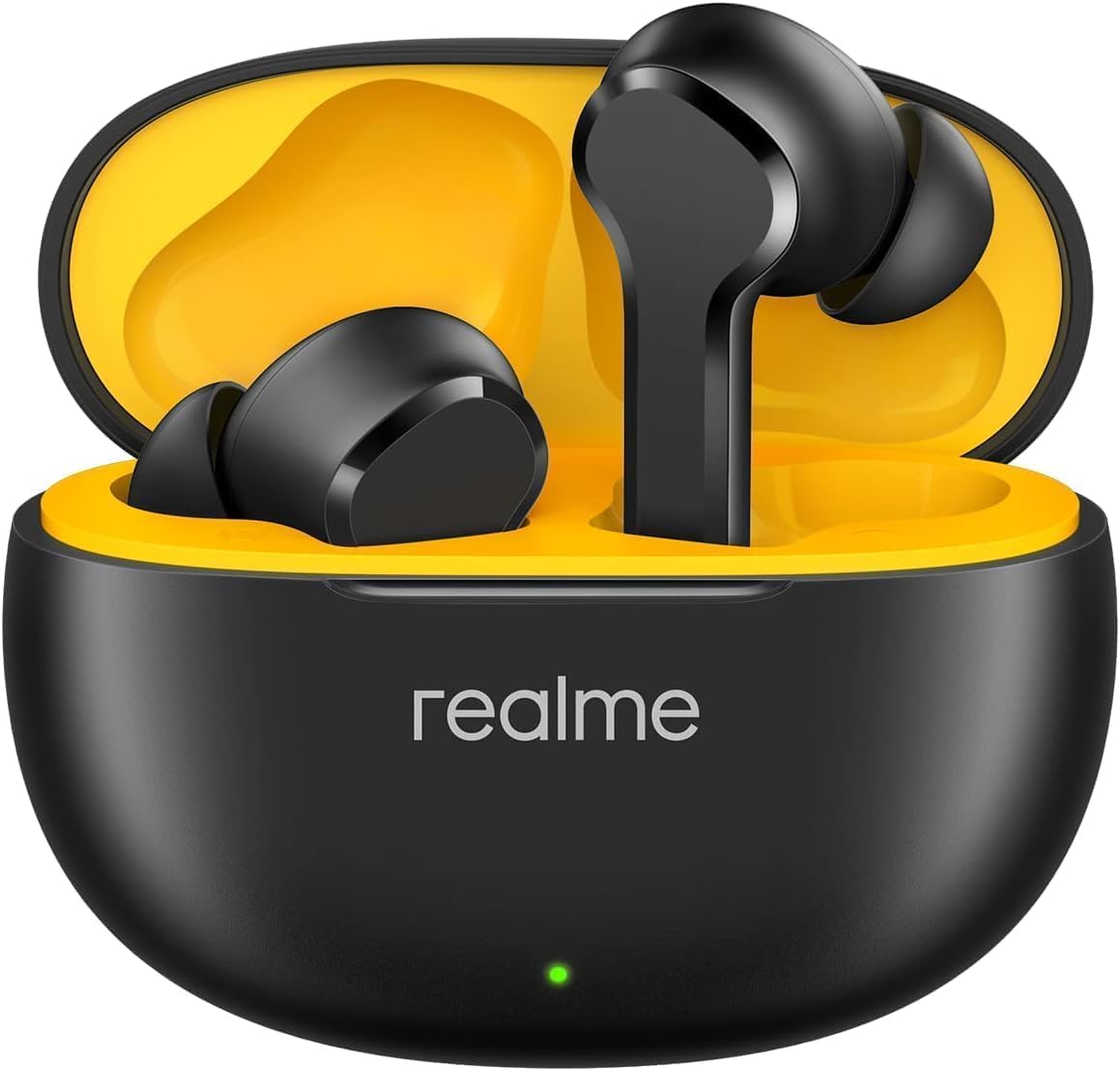
Image: The realme Buds T100 earbuds and charging case, alongside a smartphone displaying the pairing interface for the earbuds.
4. Instruccions de funcionament
4.1. Posar-se els auriculars
For optimal sound quality and comfort, choose the correct size of ear tips and insert the earbuds gently into your ear canal. Rotate slightly to secure them in place.
4.2. Toqueu Controls
The realme Buds T100 feature intuitive touch controls on each earbud:
| Acció | Funció |
|---|---|
| Double Tap (L/R) | Reproduir / Pausar música, Respondre / Finalitzar trucada |
| Triple Toc (E/D) | Pista següent |
| Press and Hold (1 earbud) | Rebutja la trucada |
| Press and Hold (both earbuds) | Switch between EQ Modes / Enter Game Mode |
4.3. Modes d'equalització
The realme Buds T100 offer three distinct EQ modes to customize your audio experience:
- brillant: Enhances treble for clearer vocals and instruments.
- Equilibrat: Ofereix un so professional neutre i ben arrodonitfile.
- Bass Boost+: Amplifies bass frequencies for a richer, more powerful sound.
You can switch between these modes by pressing and holding both earbuds simultaneously, or through the realme Link app.

Image: realme Buds T100 earbuds displayed with a smartphone screen illustrating the selection of '3 EQ Modes: Bright, Balanced, Bass boost+'.
4.4. Mode de joc
Activate Game Mode for an ultra-low latency experience of 88ms, ideal for gaming and video playback where audio-visual synchronization is critical. This mode can typically be toggled via the realme Link app or a specific touch control gesture (refer to the app for precise controls).
4.5. AI Environmental Noise Cancellation (ENC) for Calls
The earbuds feature AI ENC technology to reduce ambient noise during phone calls, ensuring your voice is clear and audible to the person on the other end, even in noisy environments.

Image: realme Buds T100 earbuds in their open charging case, accompanied by a visual representation of AI ENC technology for clear calls.
5. Manteniment
5.1. Neteja
- Regularly clean the earbuds, ear tips, and charging case with a soft, dry, lint-free cloth.
- No utilitzeu productes químics aggressivs, dissolvents de neteja o detergents forts.
- Traieu les puntes de les orelles i netegeu-les per separat amb aigua i sabó suau si cal, assegurant-vos que estiguin completament seques abans de tornar-les a col·locar.
- Clean the charging contacts on both the earbuds and the case with a dry cotton swab to ensure proper charging.
5.2. Emmagatzematge
- Quan no els utilitzeu, guardeu sempre els auriculars a la seva funda de càrrega per protegir-los i mantenir-los carregats.
- Emmagatzemar en un lloc fresc i sec, allunyat de temperatures extremes i de la llum solar directa.
6. Solució De Problemes
If you encounter issues with your realme Buds T100, try the following solutions:
| Problema | Possible solució |
|---|---|
| Els auriculars no s'aparellen | Ensure earbuds are charged. Place them in the case, close the lid, then open it again to re-enter pairing mode. Turn Bluetooth off and on on your device. |
| No hi ha so d'un auricular | Check battery level of both earbuds. Try resetting the earbuds (refer to realme Link app for specific instructions). |
| Volum baix | Adjust volume on your device. Ensure ear tips are properly sealed in your ear canal. Clean any debris from the earbud speakers. |
| Els auriculars no es carreguen | Assegura't que el cable de càrrega estigui ben connectat. Neteja els contactes de càrrega dels auriculars i de la funda. Prova un altre cable de càrrega o adaptador de corrent. |
| Poca qualitat de trucada | Ensure earbuds are properly worn. Move to an area with less environmental noise. Check your device's network signal. |
7. Especificacions
| Característica | Detall |
|---|---|
| Marca | realme |
| Nom del model | Brots T100 |
| Tecnologia de connectivitat | Bluetooth 5.3 |
| Resistència a l'aigua | IPX5 (només auriculars) |
| Temps total de reproducció | Fins a 28 hores (amb estoig de càrrega) |
| Latència baixa | 88 ms (mode de joc) |
| Control de soroll | AI Environmental Noise Cancellation for calls |
| Modes EQ | Bright, Balanced, Bass Boost+ |
| Impedància | 33 ohms |
| Sensibilitat | 102 dB |
| Col·locació de l'orella | A l'orella |
8. Informació de seguretat
- No desmunteu, repareu o modifiqueu el producte.
- Mantenir el producte allunyat de líquids i humitat.
- Eviteu exposar el producte a temperatures extremes.
- No utilitzeu el producte a un volum alt durant períodes prolongats per evitar danys auditius.
- Desfeu-vos del producte i de la bateria de manera responsable d'acord amb la normativa local.
9. Garantia i Suport
For warranty information and customer support, please refer to the warranty card included in your package or visit the official realme weblloc web. Conserveu el comprovant de compra per a reclamacions de garantia.


