1. Introducció
Gràcies per la compraasing the AINAVI 13.1 Inch Universal Single DIN Rotatable Android Car Stereo. This manual provides detailed instructions for the installation, operation, and maintenance of your new car stereo system. Please read this manual thoroughly before use to ensure proper functionality and to maximize your user experience.
This advanced head unit features a 13.1-inch QLED 1920x1200 display, Android 12 operating system, 3GB RAM, 32GB ROM, GPS navigation, Apple CarPlay, Android Auto, Bluetooth 5.0, and 4G LTE connectivity. Its rotatable design offers flexible viewing angles for optimal comfort and visibility.
2. Què hi ha a la caixa
Carefully unpack your AINAVI car stereo and verify that all items listed below are present and in good condition:
- Head Unit (1900*1200) x 1
- Manual d'usuari x 1
- Cable d'alimentació x 1
- AHD 1080P posterior View Càmera x 1
- Micròfon x 1
- Blue Tool x 1
- GPS Antenna x 1
- USB Cables (4Pin & 6Pin) x 2
- Pre and After Sale 24 Hours Engineer Services (Contact Information)
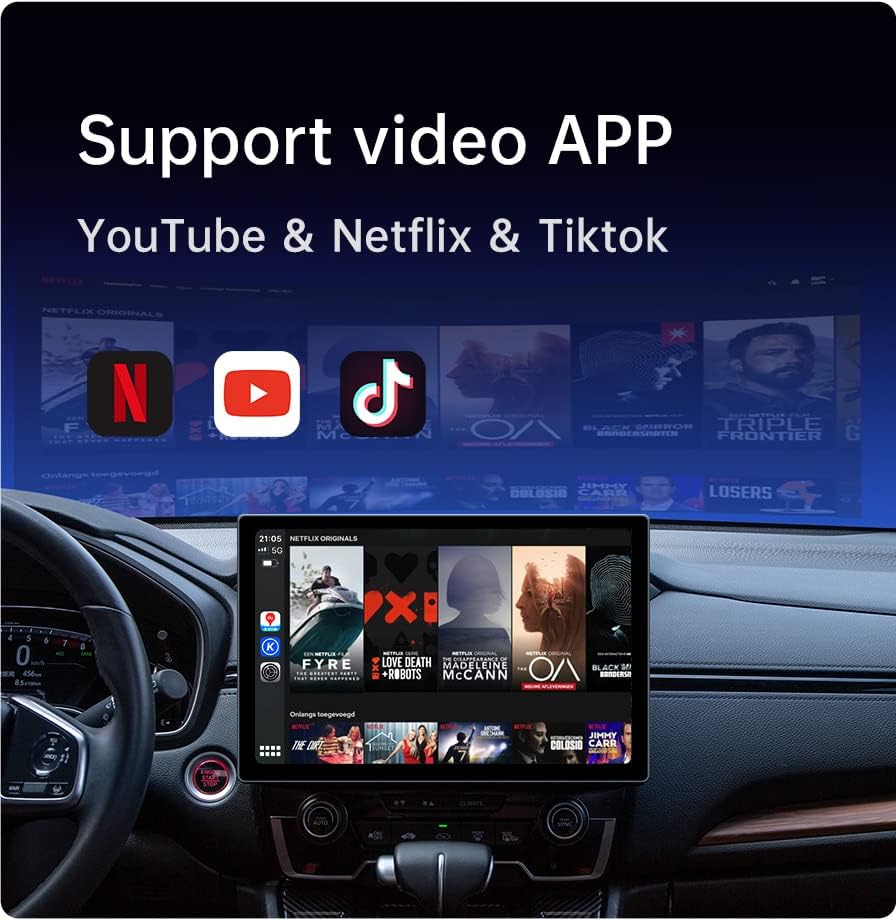
Figura 2.1: Components inclosos
3. Especificacions
Key technical specifications of the AINAVI 13.1 Inch Car Stereo:
| Característica | Descripció |
|---|---|
| Mida de la pantalla | 13.1 polzades |
| Resolució | 1920x1200 (QLED) |
| Sistema operatiu | Android 12 |
| Processador | 8-Nucli |
| Memòria (RAM) | 3 GB |
| Emmagatzematge (ROM) | 32 GB |
| Connectivitat | 5G WiFi, Bluetooth 5.0, 4G LTE (SIM card not included), USB |
| Sortida d'àudio | 4-channel, Surround Sound, 48-EQ DSP |
| Dispositius compatibles | Telèfon intel·ligent (Android, iOS) |
| Característiques especials | Rotatable Screen, Apple CarPlay, Android Auto, GPS Navigation, Split Screen Function, Rear View Suport de càmera |
| Pes de l'article | 6.04 lliures |
| Dimensions del paquet | 13.4 x 11.4 x 6 polzades |
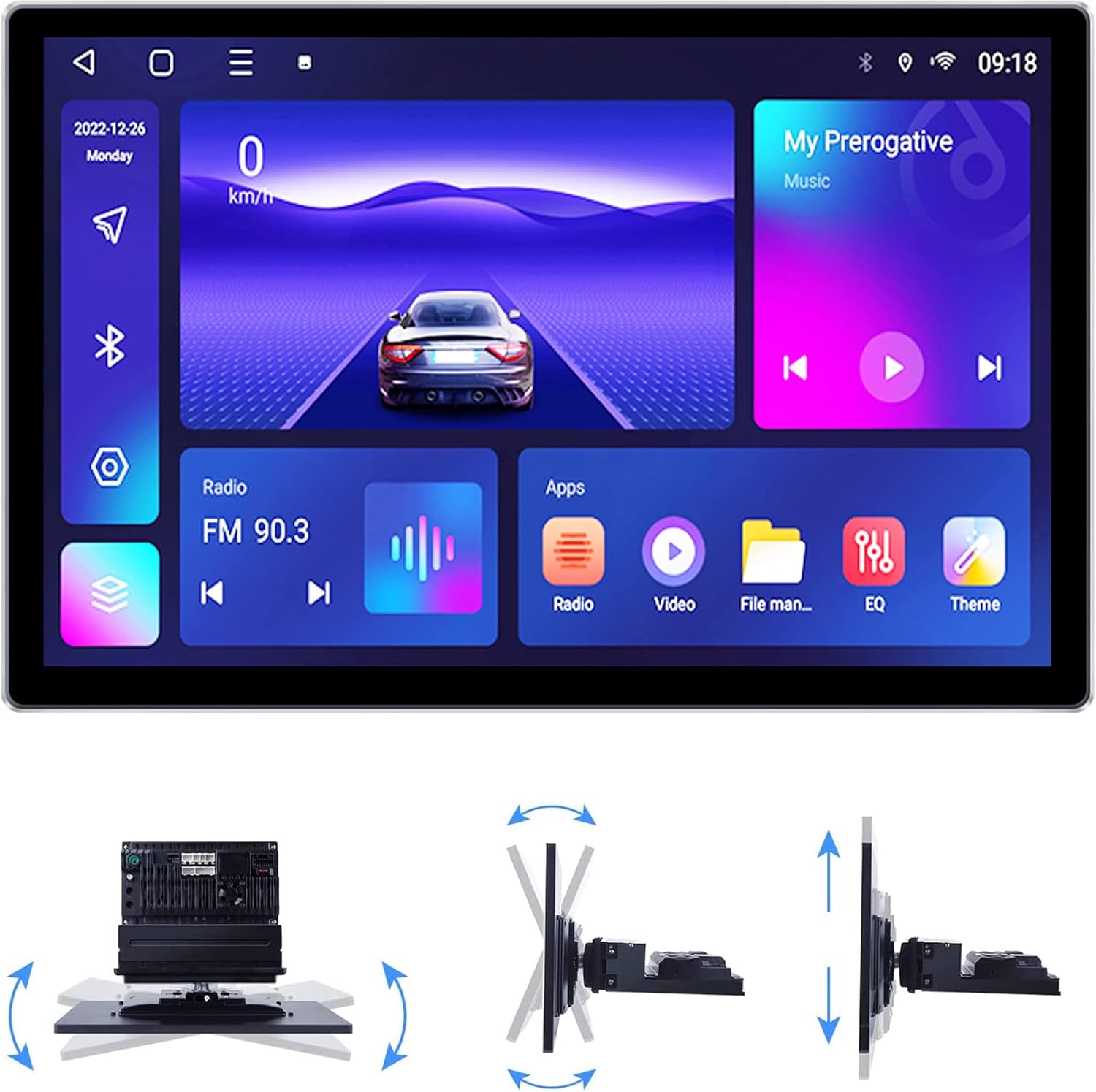
Figure 3.1: Rotatable Display Mechanism
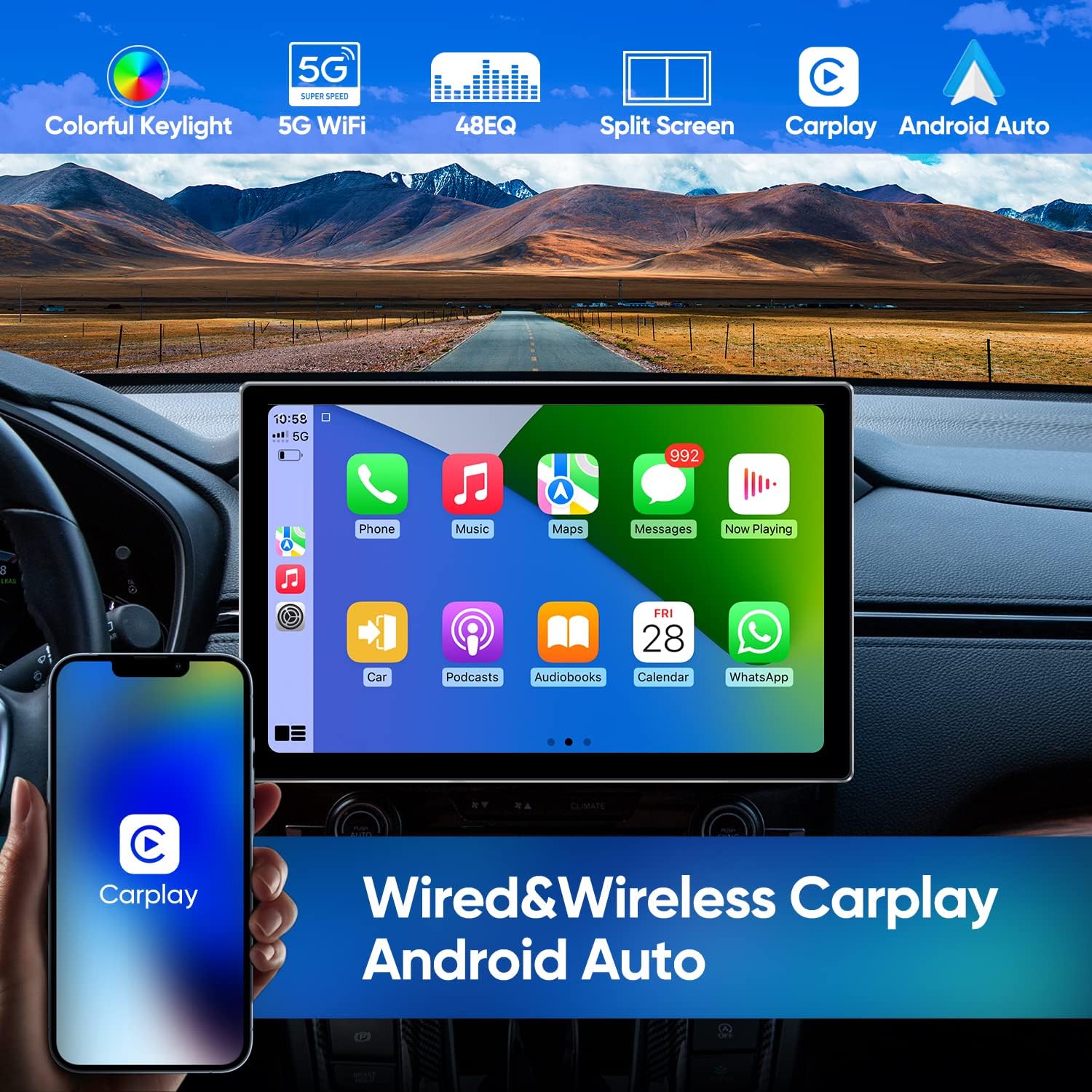
Figure 3.2: 2K Full HD Screen Resolution
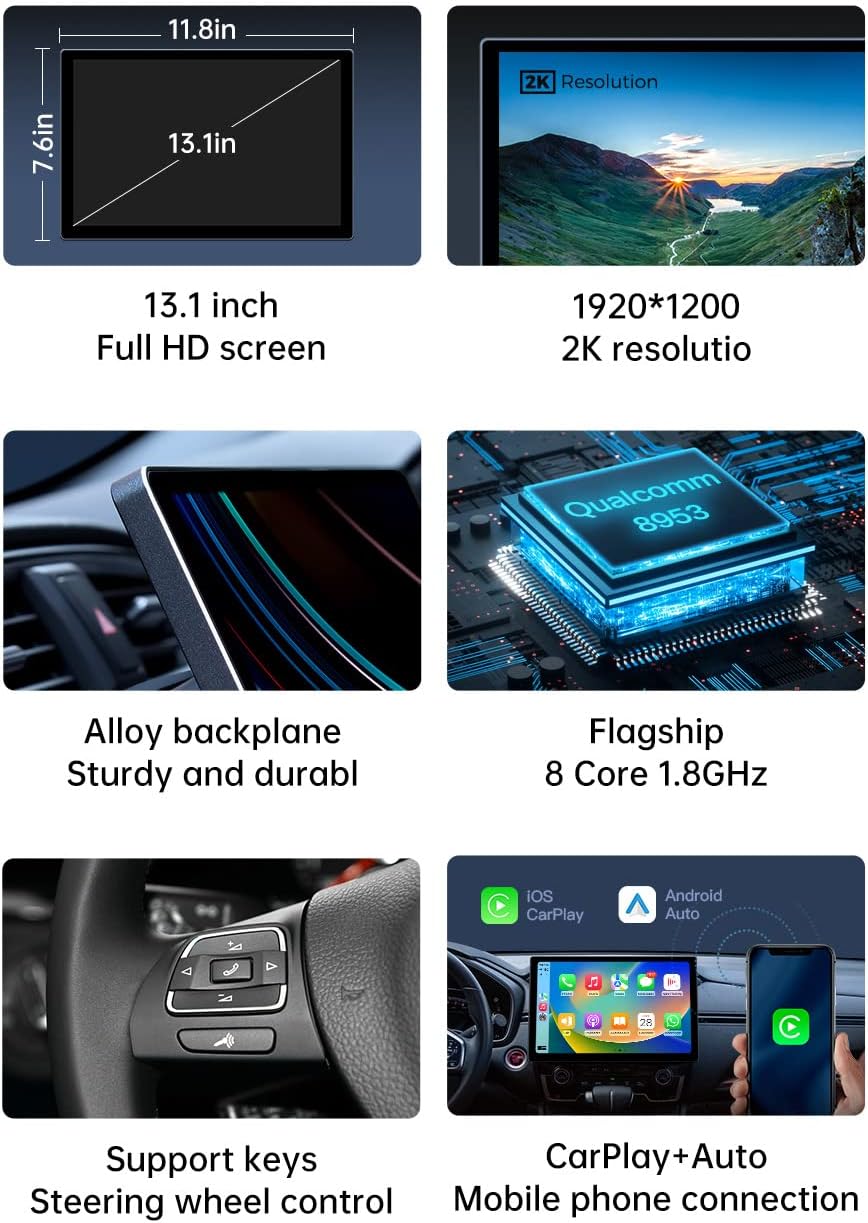
Figura 3.3: Dimensions del producte i característiques principals
4. Configuració i instal·lació
Installation of the AINAVI car stereo requires basic knowledge of car audio wiring. If you are unsure, it is recommended to seek professional installation.
4.1 Llista de comprovació prèvia a la instal·lació
- Ensure your vehicle supports a single DIN head unit.
- Desconnecteu la bateria del vehicle abans de començar qualsevol treball elèctric.
- Gather necessary tools (wire strippers, crimpers, screwdrivers, electrical tape).
4.2 Connexions de cablejat
Refer to the included wiring diagram for specific connections. General connections include:
- Potència (Groc): Alimentació constant de 12V.
- Accessori (vermell): Switched 12V supply (turns on/off with ignition).
- Terra (negre): Connect to a solid metal point on the vehicle chassis.
- Cables de l’altaveu: Connect to your vehicle's speakers (ensure correct polarity).
- posterior View Entrada de la càmera: Connect the AHD camera's video output to the designated input.
- Antena GPS: Munteu l'antena GPS en un lloc amb llum clara view del cel.
- Cables USB: Connecteu els cables USB proporcionats per a dispositius externs o transferència de dades.
- Micròfon: Connect the external microphone for hands-free calling and voice commands.
4.3 Muntatge de la unitat principal
Secure the single DIN chassis into your vehicle's dashboard opening. The rotatable screen can then be adjusted to your preferred viewangle d'inclinació després de la instal·lació.
5. Instruccions de funcionament
5.1 Engegada/Apagada i Configuració Inicial
- Encès: Gireu el contacte del vehicle a la posició ACC o ON. La unitat s'hauria d'encendre automàticament.
- Arrencada inicial: On first use, the system may guide you through initial setup steps, including language selection, time zone, and Wi-Fi connection.
5.2 Apple CarPlay i Android Auto
La unitat admet Apple CarPlay i Android Auto amb cable i sense fil per a una integració perfecta amb els telèfons intel·ligents.
- Connexió sense fil: Enable Bluetooth and Wi-Fi on your smartphone. On the car stereo, navigate to the CarPlay/Android Auto app, then follow the on-screen prompts to pair your device.
- Connexió per cable: Connect your smartphone to one of the USB ports using a high-quality USB cable. The system should automatically detect and launch CarPlay or Android Auto.

Figura 5.1: Interfície de CarPlay/Android Auto

Figure 5.2: Wired & Wireless CarPlay/Android Auto
5.3 Navegació GPS
The unit supports various satellite navigation systems (GPS+BDS+GNSS) for accurate positioning. You can install your preferred navigation applications from the Google Play Store.
- Assegureu-vos que l'antena GPS estigui instal·lada correctament i que tingui una vista clara view del cel.
- Connect to Wi-Fi or insert a 4G SIM card for real-time traffic updates and online map services.
- Use pre-installed or downloaded map apps like Google Maps for turn-by-turn directions.
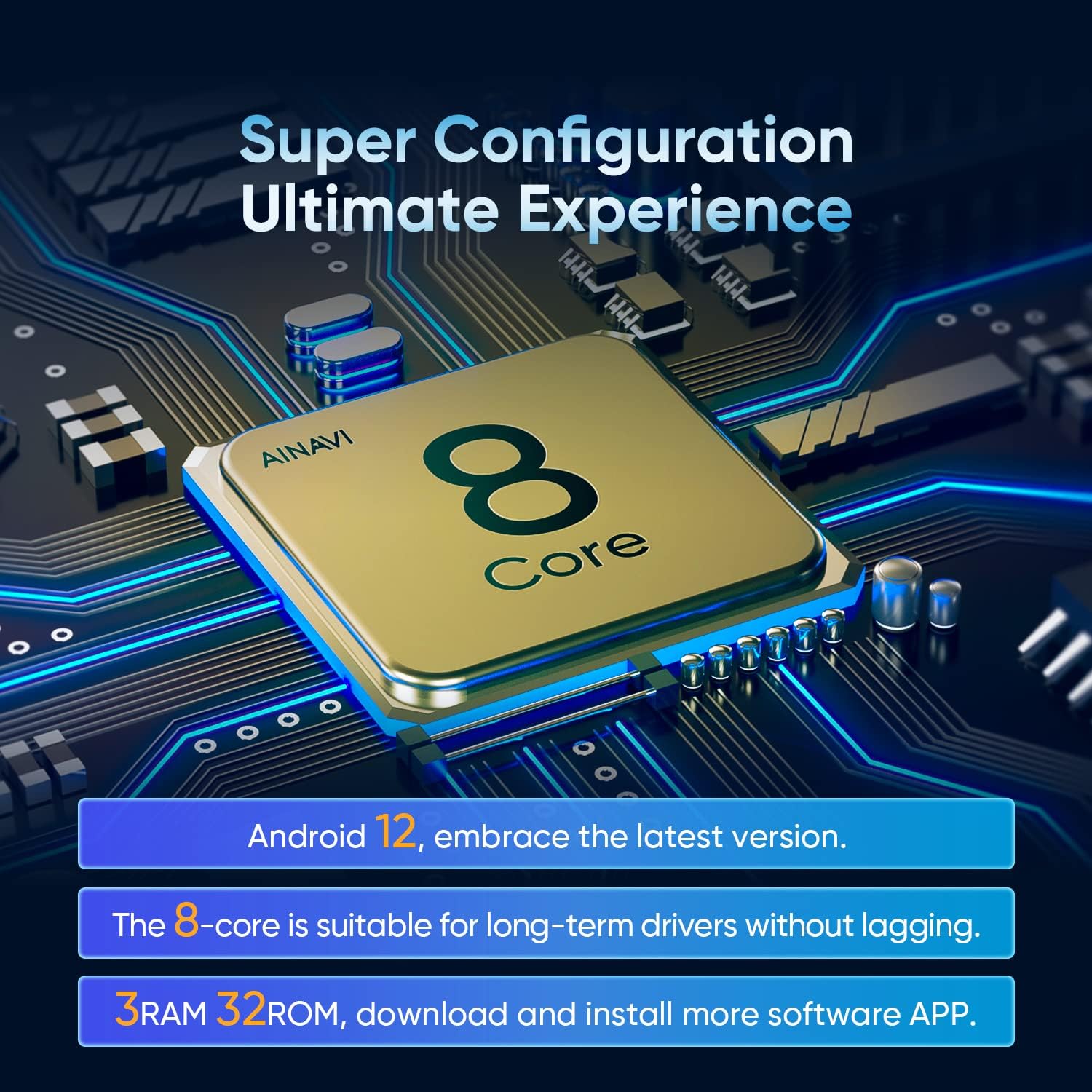
Figure 5.3: Multiple Map Application Support
Funcions d'àudio 5.4 (DSP i equalitzador)
The built-in 48-band Equalizer (EQ) and Digital Sound Processor (DSP) allow for extensive audio customization.
- Configuració d'EQ: Access the EQ menu to select from preset sound modes (Normal, Jazz, Pop, Classical, Heavy Metal, Vocal, Soft) or create custom profiles.
- So envoltant: Adjust sound delay and balance for different seating positions (Full Car, Driver, Co-pilot, Passenger modes).
- Intensificació dels sons més greus: Enhance low frequencies for a more impactful audio experience.
- Individual Speaker Control: Fine-tune the volume and frequency for each speaker in your vehicle.

Figure 5.4: Intelligent Tone Adjustment System

Sound Bass

Envoltant

Boost Bass Filter
5.5 Reproducció multimèdia
Enjoy various multimedia content directly on your car stereo.
- Video Apps: Download and stream content from popular apps like YouTube, Netflix, and TikTok via Wi-Fi or 4G LTE.
- Local Media: Reprodueix àudio i vídeo files from connected USB drives.

Figure 5.5: Video Application Support
5.6 Funció de pantalla dividida
The split-screen feature allows you to run two applications simultaneously on the display, enhancing multitasking capabilities.
- To activate, open an app, then swipe from the side or use the designated split-screen button (if available) to select a second app.
- Adjust the size of each app window as needed.

Figura 5.6: Funcionalitat de pantalla dividida
5.7 Darrera View Càmera
The included 1080P AHD rear view camera provides a clear image when reversing.
- When the vehicle is shifted into reverse gear, the display will automatically switch to the camera view.
- Dynamic guidelines may be displayed to assist with parking, depending on vehicle compatibility.
6. Manteniment
6.1 Neteja de la pantalla
To clean the QLED display, use a soft, lint-free cloth. For stubborn smudges, lightly dampNetegeu el drap amb aigua o una solució de neteja segura per a pantalles. Eviteu productes químics agressius o materials abrasius.
6.2 Actualitzacions de programari
Periodically check for software updates to ensure optimal performance and access to new features. Updates can typically be found in the system settings under 'About Device' or 'System Updates'. Ensure a stable internet connection during updates.
7. Solució De Problemes
If you encounter issues with your AINAVI car stereo, refer to the following common problems and solutions:
- Sense energia: Check all power connections (constant 12V, accessory 12V, ground). Verify vehicle fuses.
- Sense so: Check speaker wiring connections. Ensure volume is not muted or set too low. Verify audio output settings in the DSP/EQ menu.
- El GPS no funciona/és inexacte: Ensure the GPS antenna is properly connected and mounted with a clear view of the sky. Check location services settings in Android.
- La pantalla tàctil no respon: Try restarting the unit. If the issue persists, a factory reset may be necessary (note: this will erase all user data).
- Problemes de connectivitat Bluetooth/Wi-Fi: Ensure Bluetooth/Wi-Fi is enabled on both the stereo and your device. Try unpairing and re-pairing devices. Check for interference.
- La càmera posterior no mostra: Verify the camera's power and video connections. Ensure the reverse trigger wire is correctly connected to the vehicle's reverse light circuit.
Per a problemes que no es cobreixin aquí, poseu-vos en contacte amb l'atenció al client.
8. Garantia i Suport
AINAVI products are designed for reliability and performance. This product comes with a standard manufacturer's warranty. Please refer to the warranty card included in your package for specific terms and conditions.
For technical assistance, troubleshooting, or warranty claims, please contact AINAVI customer support. You can typically find contact information on the manufacturer's weblloc web o a través de la vostra plataforma de compra.

Figura 8.1: Atenció al client

