1. Introducció
This manual provides detailed instructions for the Waveshare 64x64 RGB LED Matrix Panel. This panel features 4096 individual RGB LEDs with a 2.5mm pitch, enabling a full-color display for text, colorful images, and animations. It is designed for compatibility with various microcontrollers, including Arduino, Raspberry Pi, Raspberry Pi Pico, and ESP32.
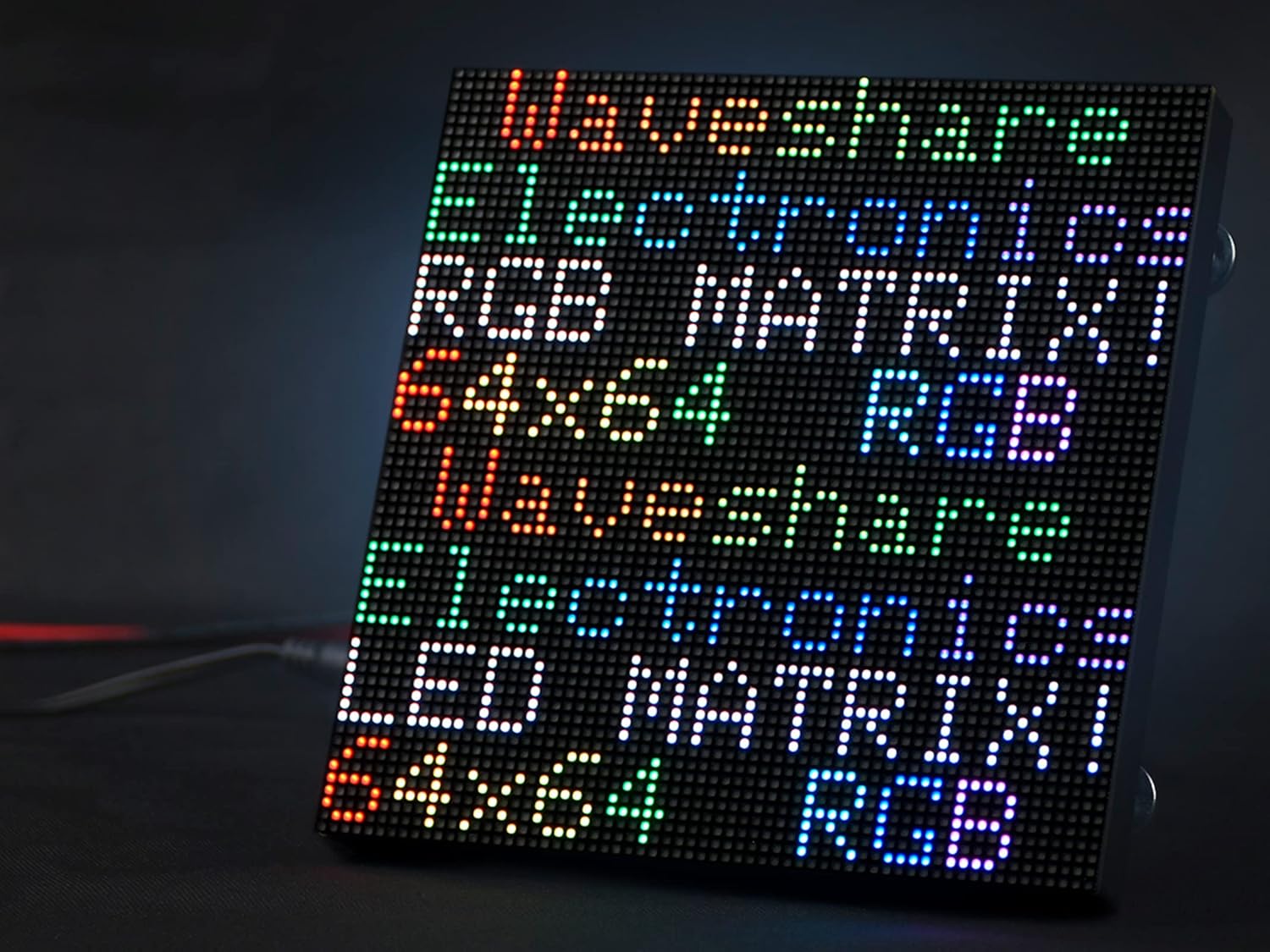
Image 1.1: The Waveshare 64x64 RGB LED Matrix Panel in operation, displaying text.
2. Característiques
- Pantalla d'alta resolució: Features 4096 individual RGB LEDs (64x64 pixels) with a 2.5mm pitch for vibrant full-color output.
- Brillantor ajustable: Allows for customization of display intensity.
- Compatibilitat versàtil: Fully compatible with Arduino, Raspberry Pi, Raspberry Pi Pico, and ESP32 development boards.
- Chainable Design: Equipped with two HUB75 headers (one input, one output) to allow multiple panels to be chained together for larger display configurations.
- Dimensions compactes: Measures 160mm × 160mm, suitable for desktop displays, wall mounts, signboards, and environmental monitors.
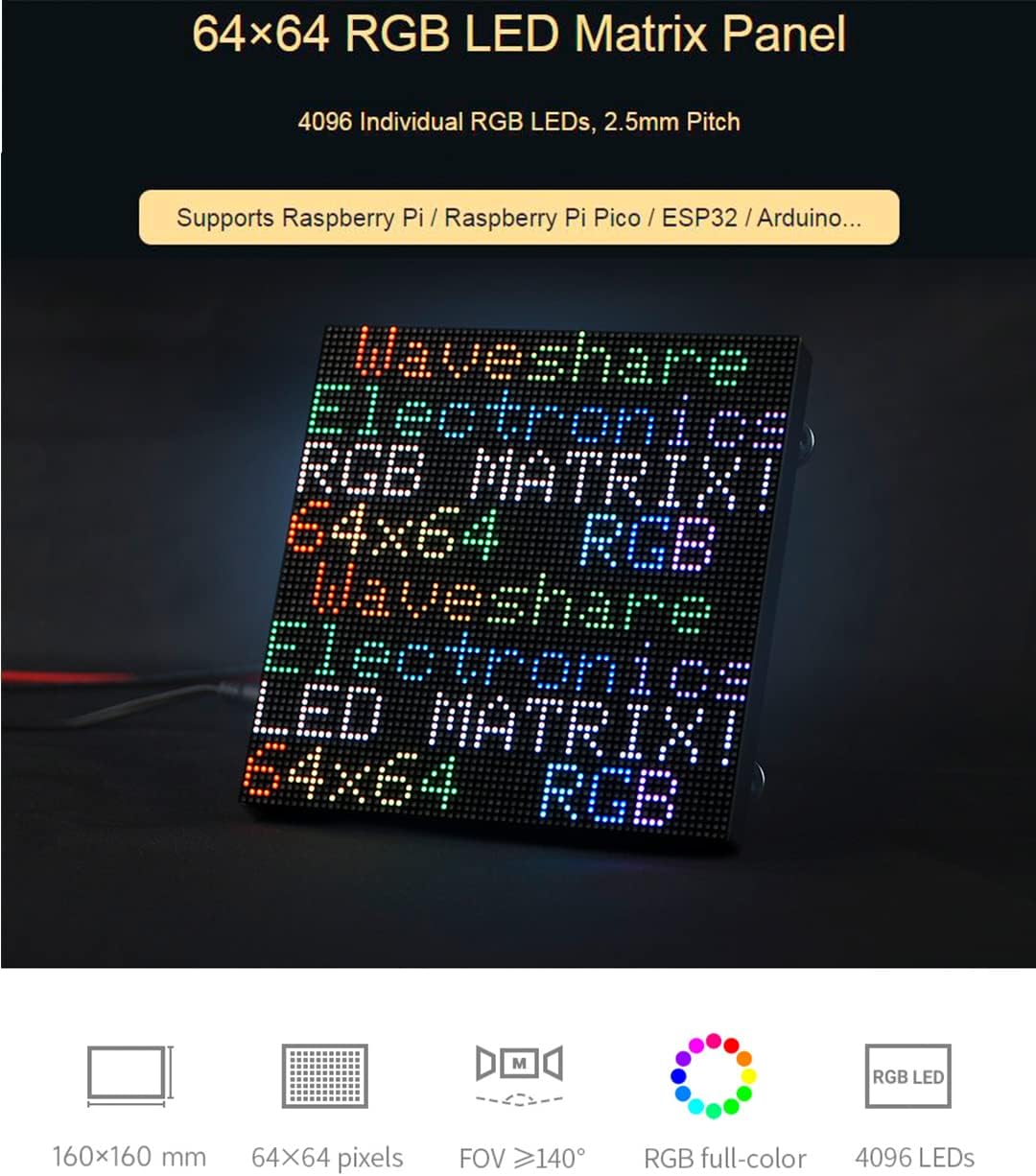
Imatge 2.1: acabatview of the 64x64 RGB LED Matrix Panel highlighting its pixel count and pitch.

Image 2.2: Various usage scenarios demonstrating the panel's versatility, from a desktop clock to large-scale displays.
3. Especificacions
| Especificació | Valor |
|---|---|
| Dimensions | 160mm × 160mm |
| Píxels | 64 × 64 = 4096 DOTS |
| Pitch | 2.5 mm |
| Pixel Form | 1R1G1B |
| Viewangle ing | ≥140° |
| Tipus de control | Sincronització |
| Conducció | 1/32 Scan |
| Capçalera | HUB75 |
| Font d'alimentació | 5V / 4A (VH4 header input) |
| Consum d'energia | ≤20 W |
| Pes de l'article | 3.53 unces |
| Dimensions del paquet | 11.93 x 8.54 x 2.13 polzades |

Image 3.1: Detailed dimensions of the LED matrix panel.
4. Contingut del paquet
Els articles següents s’inclouen al paquet:
- RGB-Matrix-P2.5-64x64 LED matrix panel (x1)
- Power supply terminal adapter (x1)
- 16P wire (~30cm) (x1)
- Ribbon cable (x1)
- Magnetic feet (x4)
- Cable d'alimentació (x1)

Image 4.1: All components included in the Waveshare 64x64 RGB LED Matrix Panel package.
5. Configuració
5.1 Connexió d'alimentació
The LED matrix panel requires a stable 5 V / 4 A power supply connected via the VH4 header input. Ensure your power supply meets these specifications to prevent damage and ensure optimal performance. When chaining multiple panels, each panel requires its own dedicated 5V/4A or above power supply.
5.2 Connexió de dades
The panel features two HUB75 headers: one for data input (JIN) and one for data output (JOUT). Connect your microcontroller (e.g., Raspberry Pi, ESP32) to the JIN header using the provided 16P wire. The JOUT header is used for chaining multiple panels.

Image 5.1: Header definition and data flow for the HUB75 connectors.
5.3 Chainable Design
To create a larger display, multiple LED matrix panels can be connected in series. Connect the data output (JOUT) of the first panel to the data input (JIN) of the next panel. Remember that each panel in the chain requires its own 5V/4A power supply for stable operation.

Imatge 5.2: Ex.ample of multiple LED matrix panels chained together.
6. Instruccions de funcionament
The Waveshare 64x64 RGB LED Matrix Panel is controlled by an external microcontroller. To display content, you will need to program your chosen microcontroller (Raspberry Pi, ESP32, Arduino, etc.) to send the appropriate data signals to the panel's HUB75 input.
6.1 Programming and Libraries
Specific programming instructions and compatible libraries will vary depending on your chosen microcontroller. Waveshare provides an online tutorial that can assist with getting started:
- Online Tutorial: n9.cl/3gavc
For Raspberry Pi users, the rpi-rgb-led-matrix library on GitHub is a widely used and effective solution. For ESP32, consider libraries like ESP32-HUB75-MatrixPanel-DMA.
6.2 Visualització de contingut
Once programmed, the panel can display a variety of content:
- Text: Static or scrolling text messages.
- Imatges: Colorful static images.
- Animations: Dynamic visual effects and short video clips.
7. Manteniment
To ensure the longevity and optimal performance of your LED matrix panel, follow these maintenance guidelines:
- Neteja: Gently wipe the surface of the LED panel with a soft, dry, anti-static cloth. Avoid using liquid cleaners directly on the panel.
- Emmagatzematge: Store the panel in a cool, dry environment away from direct sunlight and extreme temperatures.
- Manipulació: Handle the panel by its edges to avoid touching the LED surface or damaging components on the back.
- Font d'alimentació: Always use a stable and correctly rated 5V/4A power supply. Incorrect voltage or insufficient current can damage the panel.
8. Solució De Problemes
If you encounter issues with your LED matrix panel, consider the following troubleshooting steps:
- Panel Not Lighting Up:
- Verify the power supply is correctly connected and providing 5V/4A.
- Check all cable connections, especially the 16P data wire to the HUB75 input.
- Ensure your microcontroller is powered on and running the correct code.
- Incorrect or Garbled Display:
- Confirm the data cable is securely connected and oriented correctly. Refer to the 'Header Definition' diagram.
- Check your programming code for errors or incorrect library usage.
- Ensure the correct panel resolution (64x64) and scan rate (1/32) are configured in your software.
- Pantalla atenuada:
- Ensure your power supply is providing sufficient current (at least 4A). Insufficient current can lead to dimness or flickering.
- Adjust the brightness settings within your programming code.
- Difficulty for Beginners:
- This product requires some technical knowledge in electronics and programming. If you are new to microcontrollers or LED matrices, it is recommended to start with basic examples and consult the online tutorials and community forums for assistance.
- Double-check all wiring before applying power to avoid component damage.
9. Suport
For further assistance, technical documentation, and example code, please refer to the official Waveshare online tutorial and support resources:
- Online Tutorial: n9.cl/3gavc
- Fabricant Weblloc: Visit the Waveshare official website for product updates and additional resources.


