1. Introducció
The Acogedor DXP-20B Fiber Optic Power Meter is a portable and precise instrument designed for measuring optical power in fiber optic networks. It supports a wide range of wavelengths and is compatible with common fiber optic connectors, making it an essential tool for installation, maintenance, and troubleshooting of fiber optic communication systems.
2. Producte acabatview
2.1 Característiques clau
- Material ABS: Constructed from durable ABS material, providing impact and scratch resistance.
- Ampli rang de mesura: Capable of measuring optical power from -70 dBm to +10 dBm.
- Accurate Performance: Delivers precise measurements with a low error margin of ±0.2dB.
- Multi-Wavelength Support: Supports 7 standard wavelengths: 850nm, 980nm, 1300nm, 1310nm, 1490nm, 1550nm, and 1625nm.
- Interfície estàndard: Equipped with a 2.5mm standard interface, compatible with SC, FC, and ST connectors.
2.2 Components
El paquet inclou els articles següents:
- 1 x Acogedor DXP-20B Optical Power Meter
- 1 x SC Connector
2.3 Disposició i controls del dispositiu

Imatge: Davant view of the Acogedor DXP-20B Fiber Optic Power Meter with labels indicating the receiver, working wavelength display, automatic shut down indicator, backlight indicator, dBm/dB/w display, switch button, auto zero button, working wavelength switch, dB/W switch, automatic switch, and backlight switch.
The device features a clear LCD display and intuitive buttons for easy operation:
- Receptor: Optical input port for connecting fiber optic cables.
- Visualització: Shows working wavelength, measured power in dBm or dB/W, and other status indicators.
- Power Button (Switch): Encén/apaga el dispositiu.
- LIGHT Button (Backlight Switch): Activa o desactiva la retroiluminació de la pantalla.
- AUTO OFF Button (Automatic Switch): Activates or deactivates the automatic shutdown feature.
- dB Button (dB/W Switch): Switches between dBm and dB/W measurement units.
- ZERO Button (Auto Zero): Used to set the current power reading as a reference (0 dB).
- Λ Button (Working Wavelength Switch): Cycles through the supported test wavelengths.

Imatge: The Acogedor DXP-20B Fiber Optic Power Meter shown with its protective rubber casing, illustrating its anti-drop design for enhanced durability.
3. Especificacions
| Paràmetre | Valor |
|---|---|
| Tipus d'element | Mesurador de potència òptica |
| Material | ABS |
| Precisió de la prova | ± 0.2 dB |
| Interval de prova | (-70) to (+10)dBm |
| Temperatura de treball | -10 °C a +60 °C |
| Longituds d'ona suportades | 850nm, 980nm, 1300nm, 1310nm, 1490nm, 1550nm, 1625nm |
| Tipus d'interfície | 2.5mm Standard (FC, SC, ST Universal) |
| Font d'alimentació | 2 piles AA (no incloses) |
| Pes de l'article | 280 g |
| Dimensions del paquet | 20.9 x 10.5 x 4.4 cm |
4. Configuració
4.1 Instal·lació de la bateria
- Localitzeu el compartiment de la bateria a la part posterior del dispositiu.
- Obriu la tapa del compartiment de la bateria.
- Introduïu dues (2) piles AA, assegurant-vos de la polaritat correcta (+/-).
- Tanqueu bé la tapa del compartiment de la bateria.
4.2 Encès inicial
After installing the batteries, press and hold the Botó d'engegada (labeled 'switch' or with a power symbol) to turn on the device. The LCD display will illuminate.
5. Instruccions de funcionament
5.1 Connecting to Fiber Optic Cables

Imatge: The Acogedor DXP-20B Fiber Optic Power Meter demonstrating its 2.5mm standard interface, compatible with SC, FC, and ST connectors. An SC Square Head adapter is also shown.
- Ensure the fiber optic cable connector is clean. Use a fiber optic cleaning tool if necessary.
- Insert the fiber optic connector (FC, SC, or ST) into the 2.5mm standard interface receiver port at the top of the power meter. Ensure a snug fit.
5.2 Selecting Wavelength

Imatge: The Acogedor DXP-20B Fiber Optic Power Meter with a visual representation of the 7 supported test wavelengths: 850nm, 980nm, 1300nm, 1310nm, 1490nm, 1550nm, and 1625nm.
Premeu el botó Λ Button repeatedly to cycle through the available wavelengths (850nm, 980nm, 1300nm, 1310nm, 1490nm, 1550nm, 1625nm). Select the wavelength that matches the optical signal you are measuring.
5.3 Prendre una mesura
- Connect the fiber optic cable to the receiver port.
- Select the correct wavelength using the Λ Button.
- The optical power measurement will be displayed on the LCD screen in dBm or dB/W.
- Premeu el botó Botó dB to switch between dBm and dB/W units if desired.
5.4 Using the ZERO Function
El Botó ZERO allows you to set a reference power level. This is useful for relative power measurements (e.g., measuring loss). To use:
- Connect a known good fiber optic signal to the power meter.
- Premeu el botó Botó ZERO. The display will show '0.00dB' or similar, indicating the current power level is now the reference.
- Any subsequent measurements will be displayed relative to this reference.
5.5 Backlight and Auto-Off
- Premeu el botó Botó LLUM to turn the display backlight ON or OFF.
- Premeu el botó AUTO OFF Button to activate or deactivate the automatic shutdown feature, which conserves battery life.
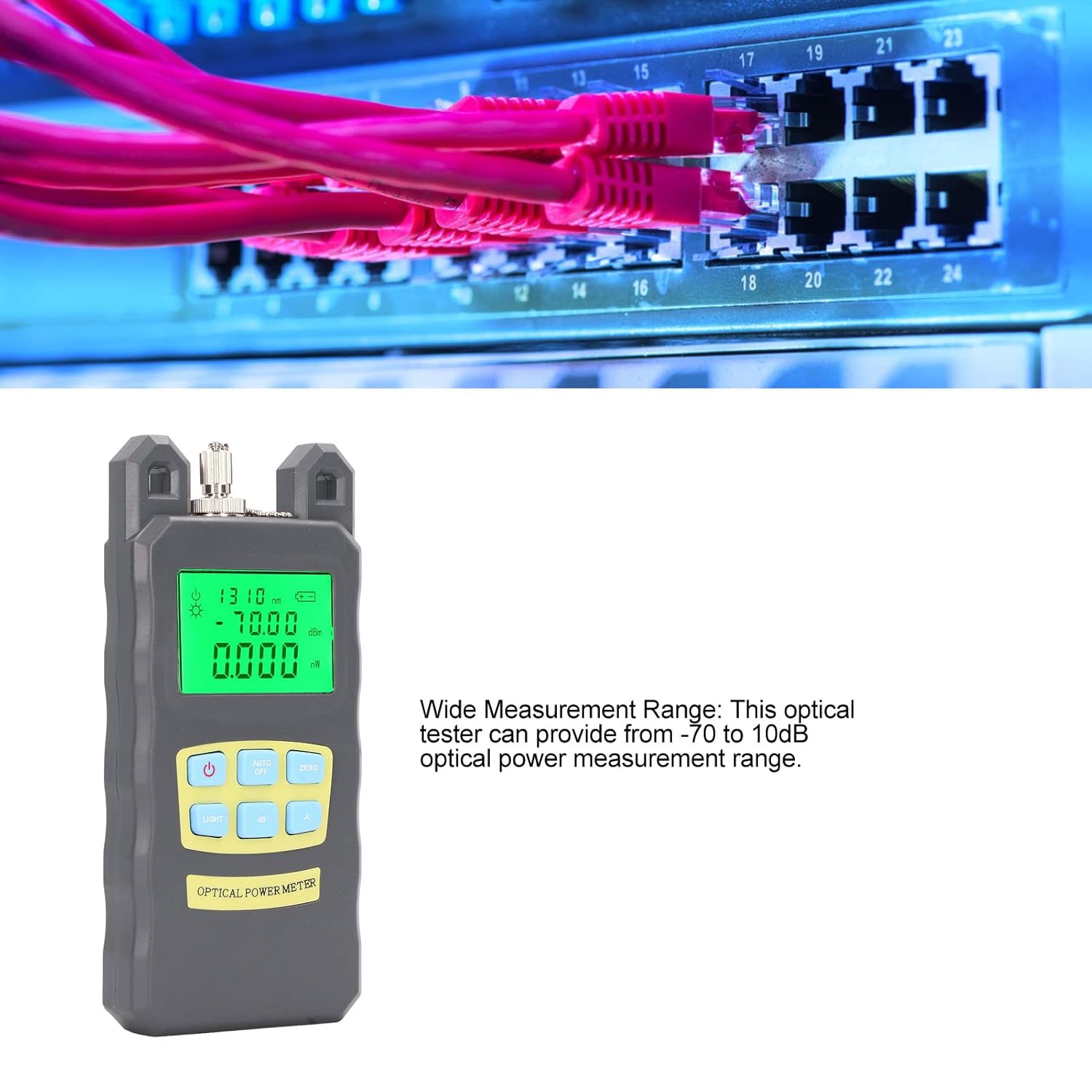
Imatge: The Acogedor DXP-20B Fiber Optic Power Meter positioned in front of network equipment, illustrating its application in measuring optical power within a fiber optic network.
6. Manteniment
6.1 Neteja
- Keep the device clean and free from dust. Use a soft, dry cloth for cleaning the exterior.
- Regularly clean the optical receiver port using specialized fiber optic cleaning tools to ensure accurate measurements. Dust or debris in the port can significantly affect readings.
6.2 Emmagatzematge
- When not in use for extended periods, remove the batteries to prevent leakage and damage to the device.
- Store the power meter in a cool, dry place, away from direct sunlight and extreme temperatures.
7. Solució De Problemes
7.1 Sense poder
- Check if the batteries are correctly installed with the right polarity.
- Replace old or depleted batteries with new AA batteries.
- Ensure the power button is pressed and held sufficiently to turn on the device.
7.2 Lectures inexactes
- Verify that the selected wavelength on the power meter matches the wavelength of the optical signal being tested.
- Clean the fiber optic connector and the power meter's receiver port. Contamination is a common cause of inaccurate readings.
- Ensure the fiber optic cable is properly seated in the receiver port.
- If using the ZERO function, ensure the reference point was set correctly.
7.3 Problemes de visualització
- If the display is dim, activate the backlight using the Botó LLUM.
- If the display is blank or shows erratic characters, try replacing the batteries.
8. Garantia i Suport
Specific warranty information for the Acogedor DXP-20B Fiber Optic Power Meter is not provided in this manual. Please refer to the product packaging, your purchase documentation, or contact Acogedor customer support for details regarding warranty coverage and technical assistance.
For further support, please visit the official Acogedor weblloc web o poseu-vos en contacte amb el vostre distribuïdor local.


