Introducció
Thank you for choosing the BUFFBEE Sound Machine & Alarm Clock. This versatile 2-in-1 device combines a high-quality sound machine with a fully functional alarm clock, designed to help you achieve restful sleep and wake up refreshed. Its intuitive controls and customizable features make it an essential addition to any bedroom.

Image: The Buffbee Sound Machine and Alarm Clock highlighting its dual functionality as both a sound machine and an alarm clock.
Informació de seguretat
- No exposeu el dispositiu a l'aigua ni a una humitat excessiva.
- Mantenir allunyat de fonts de calor i llum solar directa.
- Utilitzeu només l'adaptador d'alimentació subministrat.
- No intenteu desmuntar o reparar el dispositiu vosaltres mateixos. Contacteu amb l'assistència al client per obtenir assistència.
- Assegureu-vos que el dispositiu estigui col·locat en una superfície plana i estable.
Contingut del paquet
- BUFFBEE Sound Machine & Alarm Clock (Model: BK11)
- Adaptador d'alimentació
- Manual d'usuari
Producte acabatview
Familiaritzeu-vos amb els components i els controls del dispositiu:

Image: A detailed diagram illustrating the top panel controls (Alarm, Volume Control, Sound Machine, Night Light) and the rear panel (Display Dimmer, Adapter port).
- Controls del tauler superior: Alarm button, Timer button, Volume Up/Down, Previous/Next Sound, Sound Machine button, Night Light button.
- Pantalla frontal: Visualització del rellotge digital.
- Llum inferior: Integrated colored light.
- Panell posterior: DC 5V Adapter port, 0-100% Display Dimmer knob.
Configuració
- Col·locació: Place the device on a stable surface, such as a nightstand or desk.
- Connexió d'alimentació: Insert the power adapter into the DC 5V port on the rear of the device, then plug it into a standard electrical outlet.
- Encesa inicial: La pantalla del rellotge s'il·luminarà.
- Establir hora: Refer to the 'Operating Instructions' section for setting the current time.
Instruccions de funcionament
Establiment de l'hora
- Manteniu premut el botó Temps button (clock icon) on the top panel until the hour digits flash.
- Utilitza el Anterior (◀︎) or A continuació (▶︎) buttons to adjust the hour.
- Premeu el botó Temps Premeu el botó de nou per confirmar l'hora i passar a la configuració dels minuts.
- Utilitza el Anterior (◀︎) or A continuació (▶︎) buttons to adjust the minutes.
- Premeu el botó Temps button one more time to confirm the minutes and exit time setting.
Configuració de l'Alarma
- Manteniu premut el botó Alarma button (bell icon) on the top panel until the alarm hour digits flash.
- Utilitza el Anterior (◀︎) or A continuació (▶︎) buttons to adjust the alarm hour.
- Premeu el botó Alarma button again to confirm the hour and move to alarm minute setting.
- Utilitza el Anterior (◀︎) or A continuació (▶︎) buttons to adjust the alarm minutes.
- Premeu el botó Alarma button one more time to confirm the minutes. The alarm icon will appear on the display, indicating the alarm is set.
- Per apagar l'alarma, premeu el botó Alarma button once. The alarm icon will disappear.
Using the Sound Machine
The device offers 18 soothing sounds, including 5 white noises, 3 fan sounds, and 10 nature sounds (ocean, lullaby, waves, rain, thunderstorm, brook, croaking, bird chirping, summer night, and campfoc).
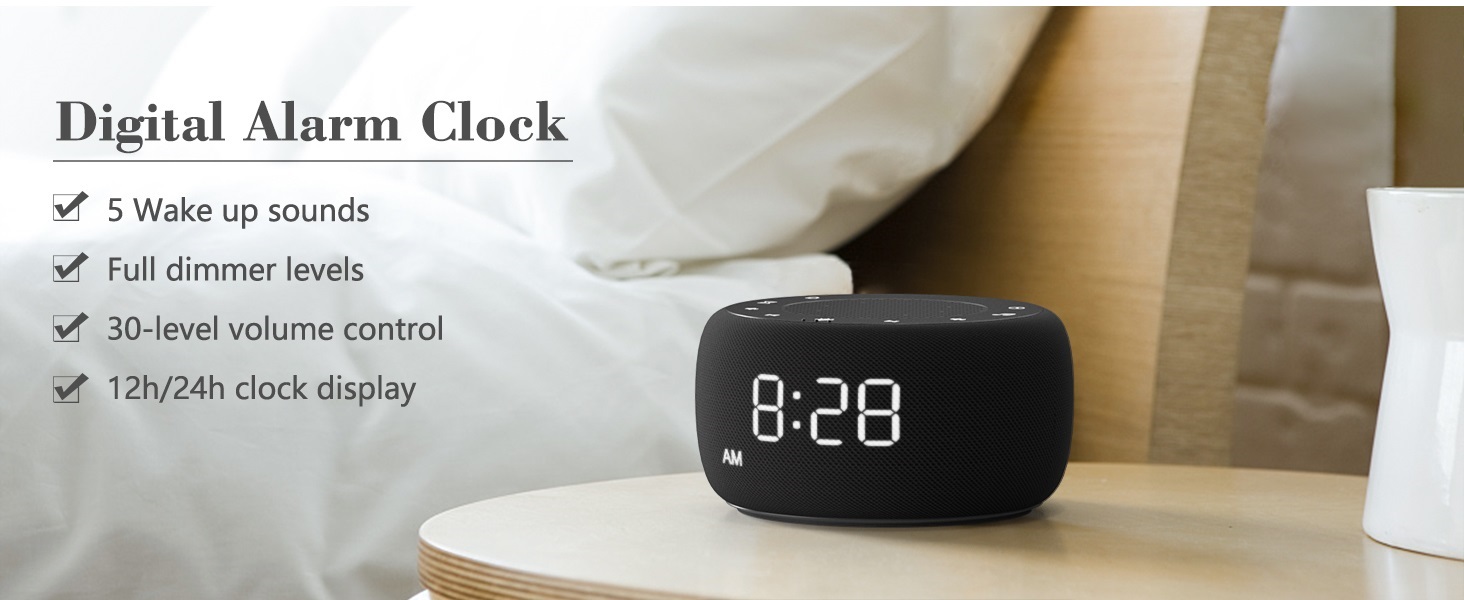
Image: An infographic displaying the 18 soothing sounds categorized into 3 fan sounds, 5 white noises, and 10 nature sounds, including ocean, lullaby, waves, rain, thunderstorm, brook, croaking, bird chirping, summer night, and campfoc.
- Premeu el botó Màquina de so button (music note icon) to cycle through the available sounds.
- Utilitza el Puja el volum (▲) i Baixa el volum (▼) buttons to adjust the volume (30 levels).
- To turn off the sound, press the Màquina de so button until no sound is playing.
Temporitzador de dormir
Set a timer for the sound machine to automatically turn off.

Image: The top panel of the Buffbee Sound Machine, highlighting the Auto-Off Timer button and the Volume Control buttons.
- Premeu el botó Temporitzador button (hourglass icon) to cycle through timer options: 15, 30, 60, 90, 120 minutes, or continuous play.
- The selected timer duration will be displayed on the screen.
Adjusting Clock Face Brightness
The clock display brightness can be adjusted from 0% (completely dark) to 100%.

Image: The Buffbee Sound Machine demonstrating its 0-100% display dimmer feature, showing the clock face at 0%, partial, and 100% brightness.
- Localitza el Dimmer de la pantalla knob on the rear of the device.
- Rotate the knob to increase or decrease the brightness of the clock display to your preference.
Using the Bottom Colored Light
The device features a bottom light with 7 color options to create a relaxing ambiance.

Image: The Buffbee Sound Machine displaying its bottom colored light feature, showing various color options and the ability to turn it on or off.
- Premeu el botó Llum nocturna button (light bulb icon) to cycle through the 7 color options.
- Continue pressing the button to turn the light off.
Manteniment
- Neteja: Netegeu el dispositiu amb un drap suau i sec. No utilitzeu productes de neteja abrasius ni dissolvents.
- Emmagatzematge: Quan no l'utilitzeu durant períodes prolongats, guardeu el dispositiu en un lloc fresc i sec.
Resolució de problemes
| Problema | Causa possible | Solució |
|---|---|---|
| El dispositiu no s'encén. | L'adaptador de corrent no està connectat correctament o hi ha un problema amb la presa de corrent. | Ensure the power adapter is securely plugged into the device and a working electrical outlet. Try a different outlet. |
| La pantalla del rellotge és massa brillant/apagada. | Display dimmer setting needs adjustment. | Adjust the 0-100% Display Dimmer knob on the rear of the device. |
| El so no és prou fort. | El volum està configurat massa baix. | Premeu el botó Puja el volum (▲) button to increase the volume. The device has 30 volume levels. |
| L'alarma no sona. | Alarm is not set or is turned off. | Ensure the alarm is set correctly and the alarm icon is visible on the display. |
Especificacions
| Característica | Detall |
|---|---|
| Número de model | BK11 |
| Dimensions | 5.63 x 4.57 x 3.03 polzades |
| Pes | 11.64 unces |
| Font d'alimentació | Battery Powered (for backup) / AC Adapter |
| Sortida de l'altaveu | 5W |
| Opcions de so | 18 (5 white noises, 3 fan sounds, 10 nature sounds) |
| Nivells de volum | 30 |
| Temporitzador de dormir | 15, 30, 60, 90, 120 minutes, or continuous |
| Brillantor de la pantalla del rellotge | 0-100% ajustable |
| Bottom Light Colors | 7 opcions |
| Material | Plàstic, acrilonitril butadiè estirè (ABS) |
Garantia i Suport
For warranty information and customer support, please refer to the contact details provided on the product packaging or visit the official BUFFBEE weblloc. Conserveu el rebut de compra per a reclamacions de garantia.


