Introducció
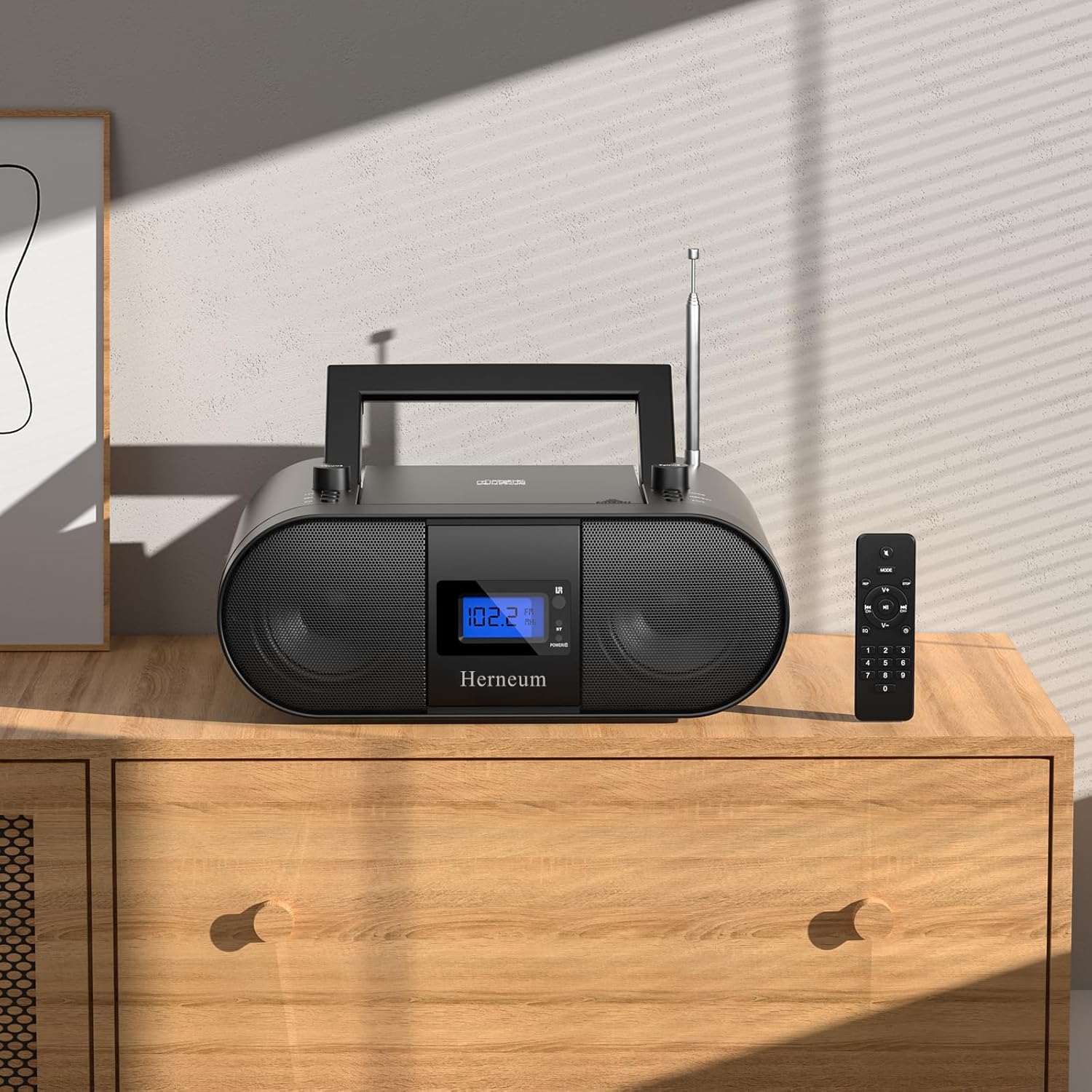
This manual provides essential instructions for the safe and efficient operation of your Herneum FC Portable CD Player Boombox. Please read this manual thoroughly before using the device and retain it for future reference.
Característiques del producte
- Portable CD Player: Top-loading CD player with play/pause, skip, and repeat functions.
- Ràdio FM: Built-in FM radio with telescopic antenna for enhanced reception.
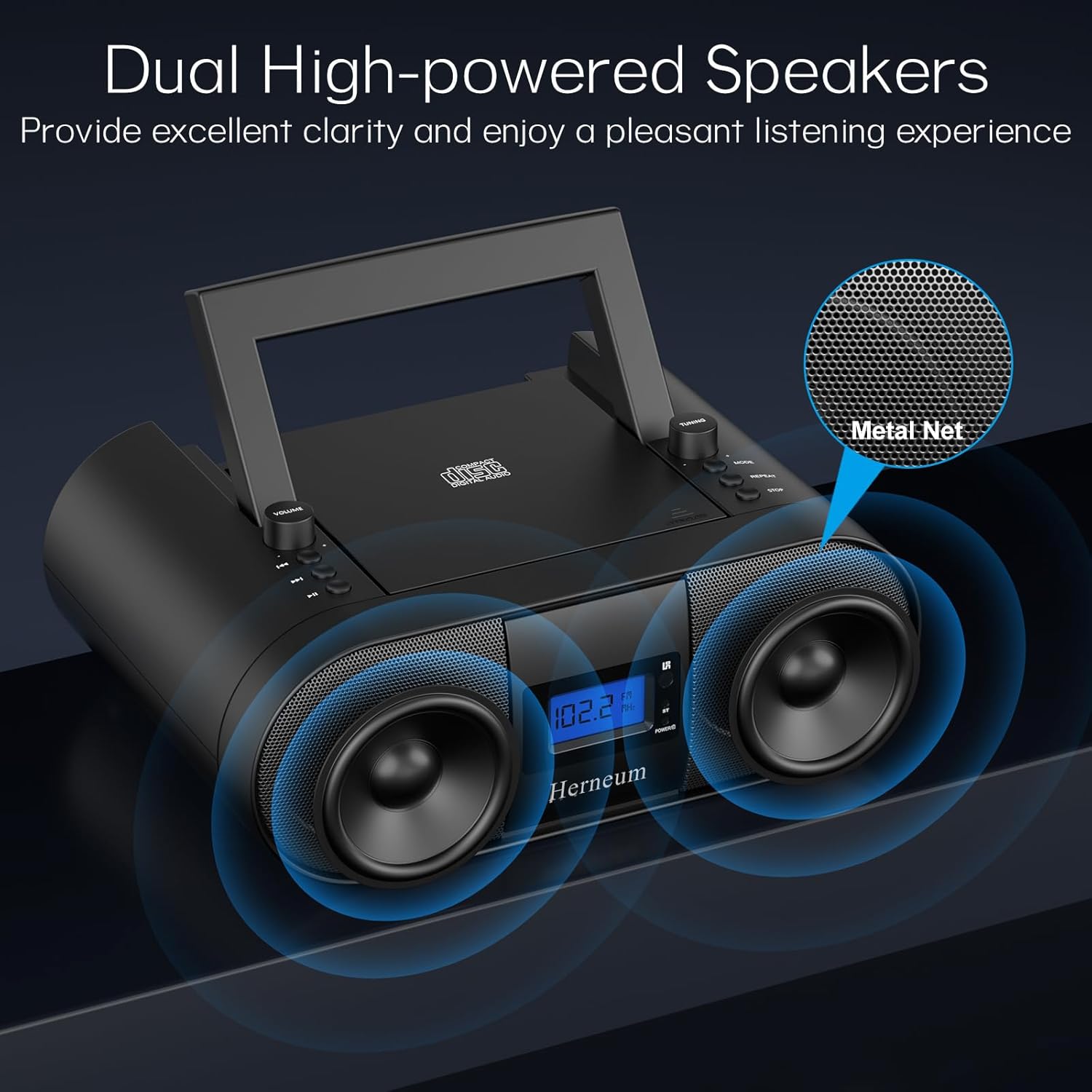
- Dual Stereo Sound System: High-performance speakers for clear audio.
- Bateria recarregable: Integrated 2000mAh battery providing 4-5 hours of playback.
- Connectivitat Bluetooth: Transmissió d'àudio sense fil des de dispositius compatibles.
- Múltiples entrades: Supports USB and AUX-in for versatile audio sources.
- Sortida d'auriculars: Per a una escolta privada.
- Comandament a distància: Convenient operation from a distance, including sleep timer function.
Contingut del paquet
Assegureu-vos que hi hagi tots els articles presents en desempaquetar:
- Herneum FC Portable CD Player Boombox
- Control remot
- Manual d'usuari
- Cable d'alimentació
Informació de seguretat
- No exposeu el dispositiu a la pluja o la humitat.
- Eviteu col·locar el dispositiu a prop de fonts de calor o sota la llum solar directa.
- No obriu el dispositiu casing; demaneu el servei tècnic a personal qualificat.
- Mantenir fora de l'abast dels nens.
- Utilitzeu només l'adaptador d'alimentació subministrat.
Configuració
1. Alimentació del dispositiu
The Herneum FC can be powered by its internal rechargeable battery or by connecting it to an AC power outlet.
- Alimentació CA: Connect the provided power cable to the "Power socket" (19) on the back of the unit and then to a wall outlet.
- Bateria recarregable: The unit has a built-in 2000mAh rechargeable battery. It charges automatically when connected to AC power. A full charge provides approximately 4-5 hours of playback.
2. Ajust de l'antena
For optimal FM radio reception, extend the telescopic antenna fully and adjust its position.

Instruccions de funcionament
1. Controls generals
The device features various controls on its top panel and a remote control for convenient operation.

- Interruptor d'alimentació (18): Situat a la part posterior de la unitat.
- Volume +/- (1): Ajusta el nivell de sortida d'àudio.
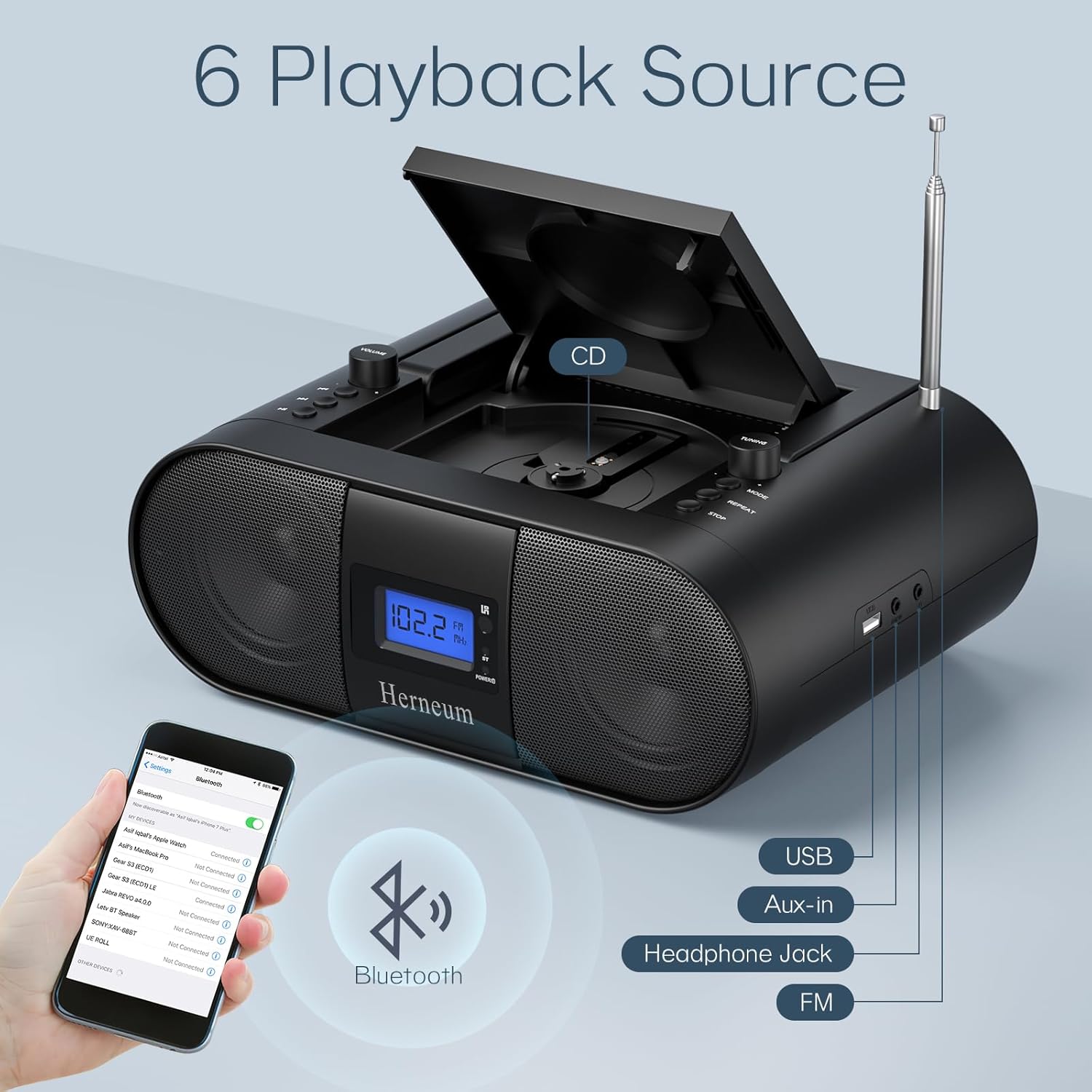
- Mode (7): Switches between CD, FM, Bluetooth, USB, and AUX modes.
- Pantalla (14): Mostra el mode actual, el número de pista i la freqüència FM.
2. Reproducció de CD
- Open the CD compartment (10) by gently lifting the lid.
- Col·loca un CD amb l'etiqueta cap amunt.
- Tanqueu el compartiment del CD.
- Premeu el botó Mode button (7) to select CD mode.
- Premeu Reproduir/Pausa (4) per iniciar la reproducció.
- Ús Pista anterior (2) i Pista següent (3) to navigate tracks.
- Premeu Repetiu (8) for single track or all track repeat.
- Premeu Atureu-vos (9) to end playback.
3. Funcionament de la ràdio FM
- Amplieu l'antena telescòpica.
- Premeu el botó Mode button (7) to select FM radio mode.
- Ús Afinació +/- (6) to manually tune to a station.
- For automatic scanning, press and hold Afinació +/- (6).
4. Connectivitat Bluetooth
- Premeu el botó Mode button (7) to select Bluetooth mode. The display will show "BT" and flash, indicating it's ready for pairing.
- On your mobile device, enable Bluetooth and search for "Herneum FC" (or similar device name).
- Select the device to pair. Once connected, the "BT" indicator will stop flashing.
- You can now stream audio from your device to the boombox.
5. Reproducció USB
- Insert a USB drive containing MP3/WMA files into the USB PORT (11).
- Premeu el botó Mode button (7) to select USB mode.
- Playback will start automatically. Use track navigation buttons to select songs.
6. Connexió d'entrada AUX
- Connect an external audio device (e.g., smartphone, MP3 player) to the AUX-in jack (12) using a 3.5mm audio cable.
- Premeu el botó Mode button (7) to select AUX mode.
- Controla la reproducció i el volum des del teu dispositiu extern.
7. Ús d'auriculars
Plug headphones into the Headphone jack (13) for private listening. The speakers will automatically mute.
8. Control remot
The included remote control allows for convenient operation of all functions from a distance. Insert 2 x AAA batteries (not included) into the remote.
- Silencia/Activa el silenci: Temporarily silences or restores audio.
- Omet la pista: Navigates to the next or previous track.
- Change Radio: Adjusts FM frequency.
- Control de volum: Augmenta o disminueix el volum.
- Stop Playing: Halts current playback.
- Mode EQ: Adjusts sound equalization settings.
- Temporitzador de son: Set preferred running time (15, 30, 45, 60, or 90 minutes).

Manteniment
- Neteja: Feu servir un drap suau i sec per netejar l'exterior de la unitat. No utilitzeu productes de neteja abrasius ni dissolvents.
- Cura de CD: Manipuleu els CD per les vores. Netegeu els CD bruts amb un drap suau i sense borrissol, netejant des del centre cap a fora.
- Emmagatzematge: When not in use for extended periods, store the boombox in a cool, dry place.
Resolució de problemes
| Problema | Causa possible | Solució |
|---|---|---|
| Sense poder | Power cable not connected; battery drained; power switch off. | Check power cable connection; charge battery; ensure power switch (18) is ON. |
| El CD no es reprodueix/salta | CD dirty or scratched; CD inserted incorrectly; CD compartment not closed. | Clean or replace CD; ensure CD is label-side up; close compartment firmly. |
| Mala recepció FM | Antenna not extended/adjusted; weak signal. | Esteneu i ajusteu l'antena; proveu de moure la unitat a una altra ubicació. |
| Bluetooth no emparellat | El dispositiu no està en mode d'emparellament; el Bluetooth està desactivat al dispositiu extern. | Ensure boombox is in Bluetooth mode; enable Bluetooth on your device and search again. |
| El comandament a distància no funciona | Batteries drained or inserted incorrectly; obstruction between remote and unit. | Replace remote batteries; ensure correct polarity; remove obstructions. |
Especificacions
- Model: FC
- Marca: Herneum
- Dimensions del producte: 12.6 x 8.66 x 5.9 polzades
- Pes de l'article: 4.36 lliures
- Tecnologia de connectivitat: Bluetooth, CD, USB, AUX-in, FM Radio
- Color: Negre
- Tipus d'altaveu: Doble altaveu
- Bateria: Bateria recarregable de 2000 mAh integrada
- Playback Time (Battery): 4-5 hores
Garantia i Suport
The Herneum FC Portable CD Player Boombox comes with an 18-month warranty. For warranty claims, technical support, or any inquiries, please contact Herneum customer service.
Visit the official Herneum store for more information: Herneum Store


