1. Guia de configuració
This section provides step-by-step instructions for setting up your SwitchBot Bots and Hub Mini.
1.1 Desembalatge i components
Verifiqueu que tots els components siguin presents al paquet:
- 3 x SwitchBot Bot
- 1 x SwitchBot Hub Mini
- 3 x 3M Adhesive Stickers (pre-attached to Bots)
- Manual d'usuari (aquest document)

Image: Contents of the SwitchBot Smart Switch Button Pusher (3Pack) with Hub Mini package, showing three Bots and one Hub Mini.
1.2 Installing the SwitchBot App
- Download the "SwitchBot" app from your device's app store (iOS App Store or Google Play Store).
- Obriu l'aplicació i creeu un compte nou o inicieu sessió si ja en teniu un.
1.3 Adding SwitchBot Bots
- In the SwitchBot app, tap the "+" icon in the top right corner to add a new device.
- Select "Bot" from the list of available devices.
- Follow the on-screen instructions to pair your Bot via Bluetooth. Ensure your phone's Bluetooth is enabled and the Bot is nearby.
- Once paired, you can name your Bot and assign it to a room.
- Repeat for all three Bots.
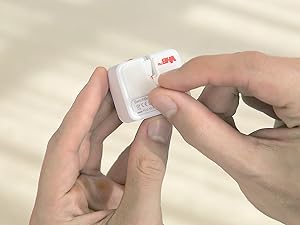
Image: Screenshot of the SwitchBot app showing the process of adding a new device.
1.4 Adding SwitchBot Hub Mini
- Plug in the Hub Mini to a power source using the provided USB cable and adapter.
- In the SwitchBot app, tap the "+" icon and select "Hub Mini".
- Follow the on-screen instructions to connect the Hub Mini to your Wi-Fi network.
- Once connected, the Hub Mini will automatically link with your paired Bots, enabling remote control and voice assistant integration.

Image: The SwitchBot Hub Mini plugged into a power outlet, ready for setup.
1.5 Attaching Bots to Switches/Buttons
The Bots can be attached to various types of switches and buttons. Ensure the surface is clean and dry before attachment.
- For Rocker Switches (ON/OFF): Use the included 3M adhesive to attach the Bot directly below the switch. The Bot's arm will push the switch up or down.
- For Push Buttons: Attach the Bot directly next to the button, ensuring the arm aligns with the button.
- For Toggle Switches (ON/OFF with string): For switches that require pulling, attach the Bot and use the included string accessory.

Image: A SwitchBot Bot attached to a standard rocker light switch, demonstrating its placement for operation.

Image: Close-up of a SwitchBot Bot on a light switch, highlighting its ability to support both on and off functions.

Image: Various applications of the SwitchBot Bot, including light switches, coffee machines, and computer power buttons, showcasing la seva versatilitat.
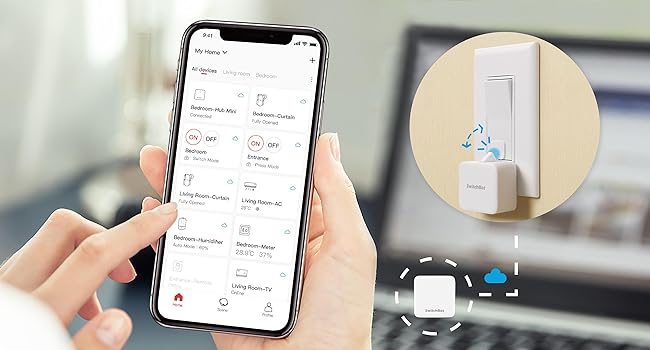
Image: Diagram illustrating compatible and incompatible light switch types for the SwitchBot Bot.
2. Instruccions de funcionament
Learn how to control your SwitchBot devices using the app, voice commands, and automation features.
2.1 Control d'aplicacions
Open the SwitchBot app. On the main screen, you will see a list of your paired Bots and other devices. Tap on a device to control it:
- Press Mode: For simple on/off buttons, the Bot will press and release.
- Mode de canvi: For rocker switches, the Bot can push up (ON) or pull down (OFF) using the included string accessory.
- Mode personalitzat: Configure specific press durations or multiple presses for advanced scenarios.

Image: Screenshot of the SwitchBot app showing different control modes (Press Mode, Switch Mode, Custom Mode) for the Bot.
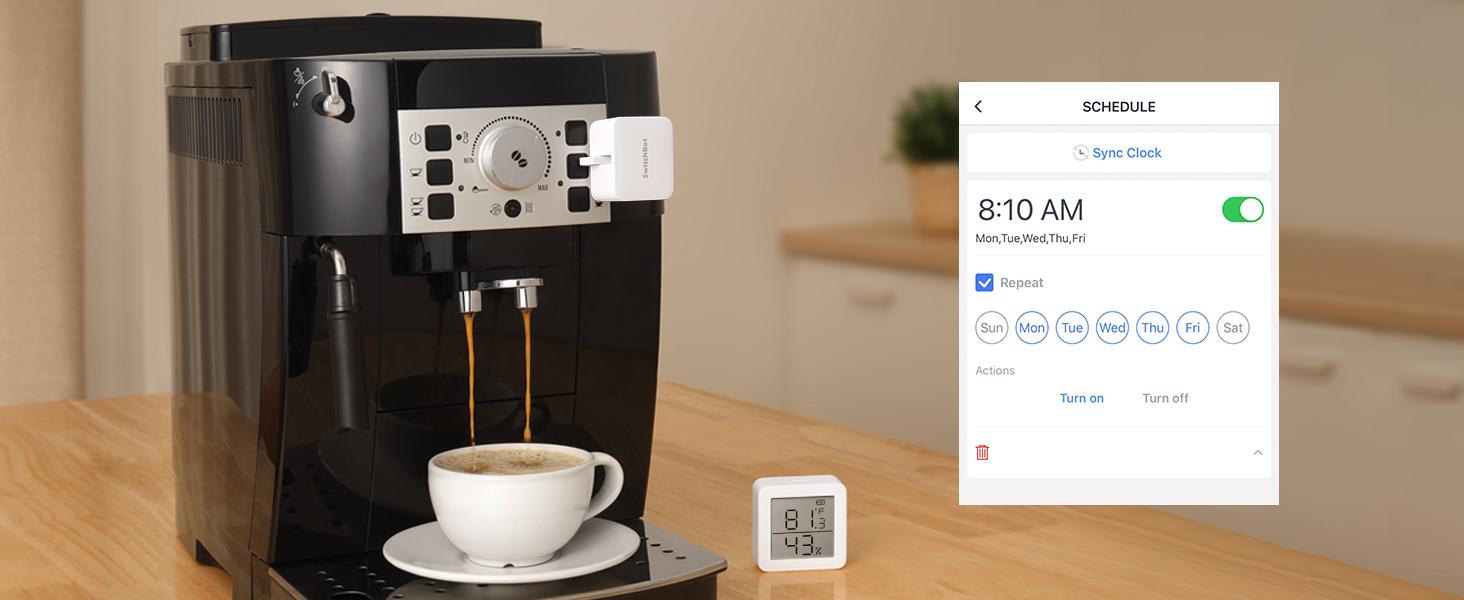
Image: A user remotely controlling SwitchBot devices via the app, enabled by the Hub Mini's cloud connectivity.
2.2 Voice Control (via Hub Mini)
With the Hub Mini, you can integrate your SwitchBot devices with popular voice assistants:
- Amazon Alexa: Link your SwitchBot account in the Alexa app. Use commands like "Alexa, turn on the light."
- Google Home: Link your SwitchBot account in the Google Home app. Use commands like "Hey Google, turn off the fan."
- IFTTT: Create custom applets to automate actions based on various triggers.
Image: A bedside setup showing an Amazon Echo device and a SwitchBot Hub Mini, illustrating voice control capabilities.
Video: Official SwitchBot video demonstrating the smart switch button pusher's functionality, including wireless app and timer control, and its compatibility with voice assistants. This video highlights the ease of use and no-wiring installation.
2.3 Planificació i automatització
Set schedules for your Bots to activate at specific times:
- In the app, navigate to the device settings and select "Schedule".
- Create new schedules for daily, weekly, or one-time events.
- Combine with other SwitchBot products (e.g., Meter, Contact Sensor) for advanced automations (e.g., turn on fan when temperature exceeds 25°C).
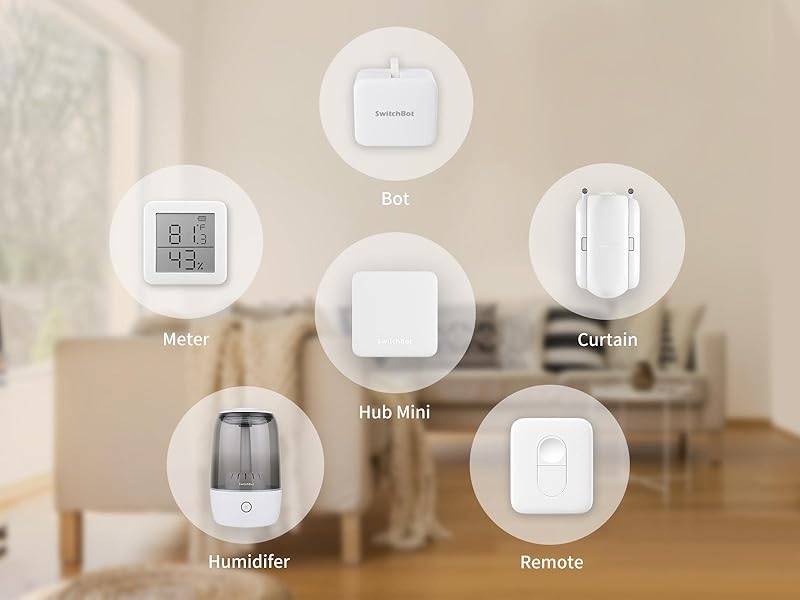
Image: A coffee machine with a SwitchBot Bot attached, demonstrating how to set a daily schedule for automatic operation via the app.
3. Manteniment
Proper maintenance ensures the longevity and optimal performance of your SwitchBot devices.
3.1 Battery Replacement (SwitchBot Bot)
The SwitchBot Bot uses a replaceable CR2 battery. When the battery is low, the app will notify you.
- Gently detach the Bot from its mounted surface.
- Obriu la tapa del compartiment de la bateria.
- Remove the old CR2 battery and insert a new one, ensuring correct polarity.
- Close the cover and reattach the Bot using a fresh 3M adhesive sticker if needed.
3.2 Neteja
Wipe the exterior of the Bots and Hub Mini with a soft, dry cloth. Avoid using abrasive cleaners or liquids that could damage the electronics.
3.3 Adhesive Replacement
If the adhesive loses its stickiness, replace it with a new 3M VHB adhesive strip. Ensure the surface is clean and dry before applying new adhesive.
4. Solució De Problemes
Common issues and their solutions for your SwitchBot devices.
4.1 Bot Not Responding
- Comproveu la bateria: Ensure the Bot has sufficient battery power. Replace if low.
- Rang Bluetooth: Make sure your phone is within Bluetooth range of the Bot (if not using Hub Mini).
- Hub Mini Connection: If using Hub Mini, verify it is powered on and connected to Wi-Fi.
- Reset Bot: Press and hold the reset button on the Bot until the indicator light flashes. Then try re-pairing.
4.2 Hub Mini Offline
- Comprovació de potència: Ensure the Hub Mini is properly plugged into a working power outlet.
- Senyal Wi-Fi: Check your Wi-Fi router and signal strength. Relocate the Hub Mini closer to the router if necessary.
- Configuració del router: Verify that your Wi-Fi network is 2.4GHz. The Hub Mini does not support 5GHz networks.
- Restart Hub Mini: Unplug the Hub Mini, wait 10 seconds, and plug it back in.
4.3 Inaccurate Switch Operation
- Alineació: Ensure the Bot's arm is correctly aligned with the switch or button. Adjust its position if needed.
- Força adhesiva: If the Bot moves during operation, the adhesive may be weak. Replace with a new 3M adhesive strip.
- Tipus d'interruptor: Confirm your switch type is compatible with the Bot (refer to Section 1.5).
5. Especificacions
| Característica | Especificació |
|---|---|
| Marca | SwitchBot |
| Número de model | W0202200-HBWT |
| Components inclosos | 3 x SwitchBot Bot, 1 x SwitchBot Hub Mini |
| Protocol de connectivitat | Bluetooth Low Energy (Bot), Wi-Fi (Hub Mini) |
| Mètode de control | App, Voice (via Hub Mini), Schedule |
| Compatibilitat | Alexa, Google Home, IFTTT, SmartThings |
| Power Source (Bot) | Bateria CR2 |
| Power Source (Hub Mini) | Alimentat per USB |
| Material | Plàstic |
| Classificació de protecció internacional | IP54 |
6. Informació de la garantia
SwitchBot products typically come with a 1-year limited warranty from the date of purchase. This warranty covers defects in materials and workmanship under normal use.
For detailed warranty terms and conditions, please refer to the official SwitchBot weblloc web o la targeta de garantia inclosa amb el producte.
7. Suport i contacte
For further assistance, technical support, or customer service inquiries, please contact SwitchBot support:
- Assistència en línia: Visita el SwitchBot Support Center per a preguntes freqüents, guies de resolució de problemes i opcions de contacte.
- Suport per correu electrònic: support@switch-bot.com
You can also find additional resources and community forums on the official SwitchBot weblloc.


