Introducció
Welcome to the world of Bitzee: the digital pet you can touch and feel! This interactive digital pet responds to your swipes, tilts, shakes, and touch with sounds and reactions. This manual provides comprehensive instructions for setting up, operating, maintaining, and troubleshooting your Bitzee device, ensuring you get the most out of your virtual companion.
Què hi ha a la caixa
- 1 Bitzee Interactive Digital Pet
- 1 Guia d'inici ràpid
- 1 Full d'instruccions
- 3 piles AA (incloses)
Assegureu-vos que tots els components estiguin presents abans de continuar amb la configuració.
Configuració
Follow these steps to prepare your Bitzee for play.
Unboxing Your Bitzee
The Bitzee toy comes in a unique packaging designed to initiate the experience upon opening. It is recommended to open the package from the bottom as indicated by the label.
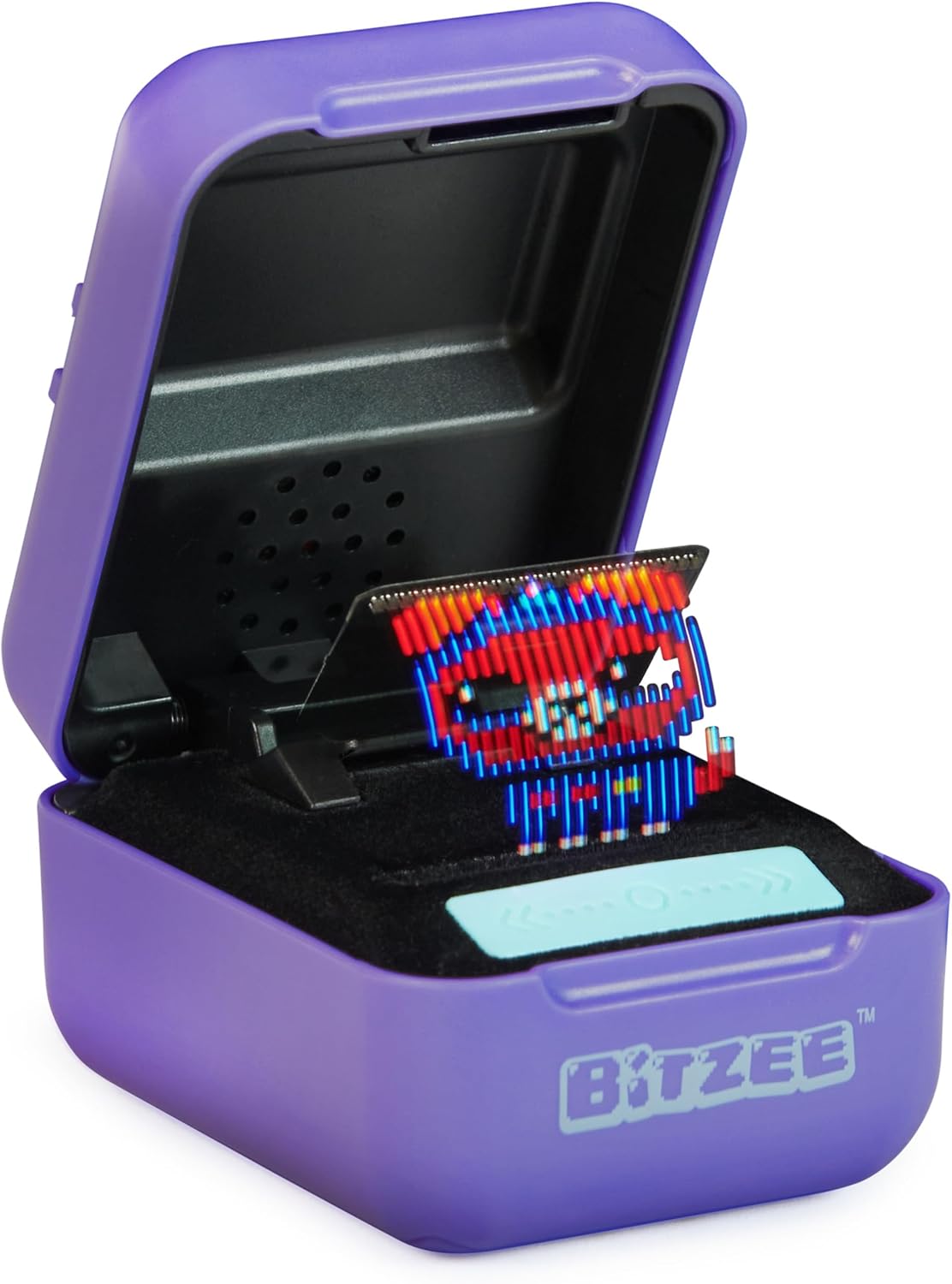
Image: The Bitzee digital pet in its purple case, open to reveal the pixelated pet display. This is the initial state of the toy.
To fully unbox, you may need to cut tape tabs on the bottom and sides of the packaging. Carefully lift the top half of the packaging and pull out the Bitzee pod. The Bitzee toy may begin to light up and make sounds upon removal from the packaging.

Image: Hands demonstrating interaction with the Bitzee digital pet, including swiping the touch bar, tilting the device, and touching the flexible display.
Instal·lació de la bateria
Your Bitzee comes with 3 AA batteries pre-installed. If you need to replace them, locate the battery compartment on the underside of the device. Use a small screwdriver to open the compartment, replace the batteries, and secure the cover.
Important: Ensure the case is closed while changing batteries so you won’t lose your progress.
Operating Your Bitzee
Bitzee interactive pets respond to various gestures and touch. Each Bitzee starts as a baby and evolves with care.
Interaccions bàsiques
- Opening the Pod: Open the purple case to activate your Bitzee. The digital pet will appear on the flexible display.
- Acariciar: Gently place a finger above the display and pet downwards towards the pet's head. This shows affection and helps fill its love meter. Avoid pressing directly on the flexible display.
- Lliscament: Swipe your finger across the touch-sensitive bar located below the display to navigate menus and select actions.
- Inclinació: Tilt the Bitzee device left, right, forward, or backward to interact with your pet or play games.
- Sacsejada: Gently shake the Bitzee pod for certain interactions or to wake your pet.
Evolution and Unlocking Pets
As you interact with your Bitzee, its love meter will fill. Once full, your baby Bitzee will evolve into an adult. Continue nurturing your adult Bitzee to evolve it into a Super Bitzee, unlocking unique outfits and games.

Image: A visual representation of a Bitzee dog evolving from its baby form, to an adult, and finally to a Super Bitzee with a unique costume.
There are 15 different Bitzee pets to collect. Each Super Bitzee provides a new
Documents relacionats - 6067791
 |
Bitzee Interactive Pet: Guia de joguines col·leccionables Guia completa per jugar i col·leccionar mascotes interactives de Bitzee, que cobreix la jugabilitat, l'evolució i els modes de joc especials. |
 |
Guia d'inici ràpid de Bitzee: apreneu a jugar i col·leccioneu les 15 mascotes Descobreix com configurar, jugar i col·leccionar les 15 mascotes interactives Bitzee. Aquesta guia cobreix els controls bàsics, l'alimentació, el creixement i els minijocs per al teu Bitzee. |
 |
Bitzee Interactive Digital Pet - User Manual and Safety Information Comprehensive user manual and safety guidelines for the Bitzee Interactive Digital Pet, including battery installation, warnings, regulatory compliance, and care instructions. |
 |
Pilota interactiva per a hàmster Bitzee: instruccions, característiques i informació de seguretat Guia completa per a la joguina Spin Master Bitzee Interactive Hamster Ball, que cobreix la configuració, la instal·lació de la bateria, la jugabilitat, les característiques, les opcions del menú, l'evolució dels personatges i importants avisos de seguretat. |
 |
Bitzee Hamster Ball - Interactive Electronic Pet Toy User Manual & Instructions Detailed user manual and instructions for the Spin Master Bitzee Hamster Ball interactive electronic pet toy. Learn how to set up, play, customize, and troubleshoot your Bitzee. |