Introducció
This manual provides detailed instructions for the setup, operation, and maintenance of your Trust Taxon 2K QHD Webcam. Designed for high-quality video communication, this webcam features 2K QHD resolution, autofocus, dual microphones, and a privacy filter. Please read this manual thoroughly to ensure optimal performance and longevity of your device.

Imatge: Frontal view of the Trust Taxon 2K QHD Webcàmera, espectacleasing el seu disseny elegant i la seva lent.
Què hi ha a la caixa
Verifiqueu que tots els elements estiguin presents a l'embalatge:
- Trust Taxon 2K QHD Weblleva
- Manual d'usuari
Configuració
Requisits del sistema
- Windows 10 o 11
- macOS 11, 12 o 13
- Chrome OS
- Port USB
Connectant el Weblleva
- Desempaquetar el webcam and remove any protective films.
- Col·locació: El webcam features a versatile stand that allows for easy placement. You can securely attach it to the top of your monitor, place it on a flat desk surface, or mount it on a tripod (not included) using the integrated thread.
- Connexió a l'ordinador: Connecteu el cable USB des del webva entrar a un port USB disponible de l'ordinador. El webcam is plug-and-play, meaning it should be automatically recognized by your operating system without requiring additional driver installation.
- Llum indicadora: A green LED indicator light on the webcam will illuminate when the camera is active and in use.
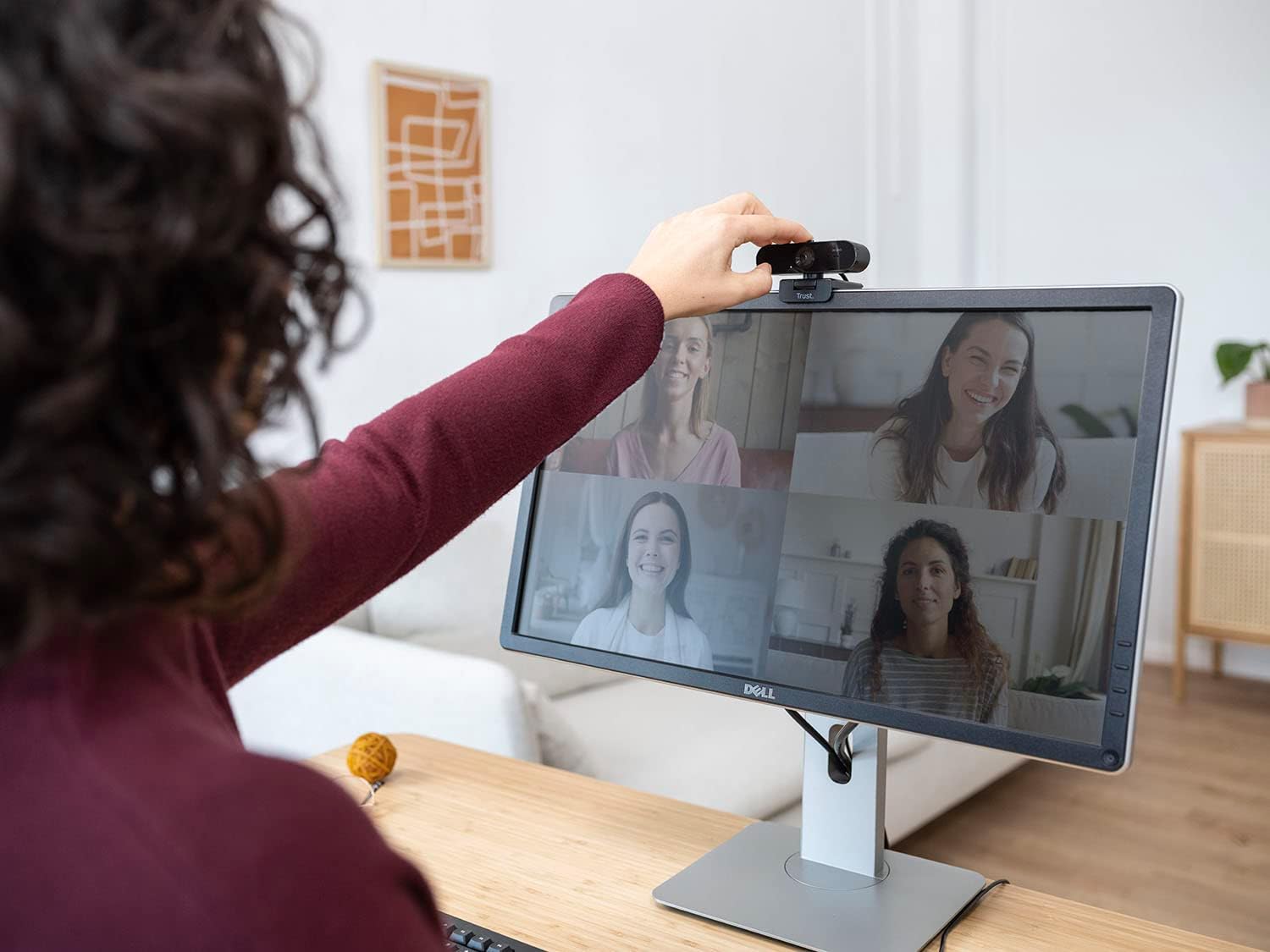
Image: The Trust Taxon 2K QHD Webcam securely positioned on top of a computer monitor, demonstrating its flexible mounting capabilities.
Característiques
- Resolució 2K QHD: Enjoy sharp video quality with 2560 x 1440 pixels at 30 frames per second, ideal for video calls and conferences.
- Enfocament automàtic: The integrated autofocus system ensures you remain clear and sharp during your video sessions, automatically adjusting to maintain focus.
- Micròfons duals: Two built-in microphones capture your voice clearly from a distance of up to 5 meters, minimizing background noise for effective communication.
- Filtre de privadesa: A physical privacy filter is integrated to cover the lens when the webcam is not in use, ensuring your privacy.
- Disseny ecològic: El taxó QHD webcam is constructed from 85% recycled plastic, contributing to sustainable practices.
- Glass Lens, Auto White Balance, and Backlight Compensation: Equipped with a wide-angle glass lens, the webcam automatically adjusts white balance and compensates for backlight to deliver optimal image quality in various lighting conditions.

Imatge: Una representació visual de la webcam's key features, including its 2K QHD resolution, autofocus capability, and the status LED indicator.

Image: The Trust Taxon 2K QHD Webcam with an overlay indicating its dual microphone feature for enhanced voice clarity.

Image: The Trust Taxon 2K QHD Webcam demonstrating its built-in privacy filter, which slides to cover the lens for user privacy.

Image: A graphic depicting the eco-friendly aspect of the webcam, emphasizing its construction from 85% recycled plastic bottles.

Image: The Trust Taxon 2K QHD Webcam with callouts for its glass lens and automatic white balance features, ensuring clear visuals.
Funcionant el Weblleva
Using the Privacy Filter
To activate the privacy filter, slide the physical cover over the lens. Slide it back to uncover the lens when you are ready to use the webcam. This provides a physical barrier for your privacy.
Compatibilitat de programari
The Trust Taxon 2K QHD Webcam is compatible with popular video conferencing applications such as Skype, Zoom, and Microsoft Teams. Simply select the 'Trust Taxon 2K QHD Webcam' as your video and audio input device within your preferred application's settings.

Image: A user adjusting the Trust Taxon 2K QHD Webcam on a monitor, participating in a video conference with multiple participants visible on screen.
Manteniment
To maintain the performance and appearance of your weblleva:
- Neteja de la lent: Use a soft, lint-free cloth specifically designed for optics to gently wipe the lens. Avoid abrasive materials or harsh cleaning chemicals.
- Neteja del cos: Netegeu el webcam's body with a soft, slightly damp tela. No submergiu el webcame a l'aigua o utilitzeu una humitat excessiva.
- Emmagatzematge: Quan no s’utilitzi, emmagatzemeu el fitxer webcam in a clean, dry place, preferably with the privacy filter engaged to protect the lens.
Resolució de problemes
- Webcàmera no detectada:
- Assegureu-vos que el cable USB estigui connectat correctament a tots dos webla càmera i el teu ordinador.
- Intenta connectar el webcàmera a un port USB diferent.
- Reinicieu l'ordinador.
- Consulteu el gestor de dispositius o la informació del sistema del vostre sistema operatiu per veure si el webLa càmera està a la llista.
- Sense sortida de vídeo:
- Verify that the privacy filter is not covering the lens.
- Assegureu-vos el webcam is selected as the primary video device in your video conferencing software settings.
- Check if any other application is currently using the webcàmera, que podria impedir l'accés.
- Mala qualitat d'imatge:
- Assegureu-vos que la lent estigui neta.
- Check lighting conditions; sufficient and even lighting improves image quality.
- Confirm your video conferencing software is set to use the highest available resolution (2K QHD).
- Sense entrada d'àudio:
- Assegureu-vos el webcam's microphone is selected as the primary audio input device in your computer's sound settings and your video conferencing software.
- Revisa la configuració de privadesa del micròfon al teu sistema operatiu.
Especificacions
| Característica | Detall |
|---|---|
| Número de model | 24732 |
| Resolució de vídeo | 2K QHD (2560 x 1440p) @ 30fps |
| Tecnologia del sensor fotogràfic | Altres |
| Enfocament automàtic | Sí |
| Balanç de blanc automàtic | Sí |
| Micròfon incorporat | Dual |
| Filtre de privadesa | Sí |
| Connectivitat | USB |
| Longitud del cable | 180 cm |
| Dimensions del producte | 6.69 x 5.12 x 1.97 polzades (170 x 130 x 50 mm) |
| Pes de l'article | 4.5 unces (127 g) |
| Material | Plàstic 85% reciclat |

Image: The back of the product packaging, detailing key specifications and features of the Trust Taxon 2K QHD Weblleva.
Garantia i Suport
Per obtenir informació sobre la garantia i assistència tècnica, consulteu la pàgina oficial de Trust weblloc web o contacteu directament amb el seu servei d'atenció al client. Conserveu el rebut de compra com a comprovant de compra.
Fabricant: Trust
Date First Available: June 20, 2023


