Introducció
Thank you for choosing the ONIKUMA CW916 RGB USB Gaming Mouse. This high-performance mouse is designed for gaming enthusiasts, featuring adjustable DPI, programmable buttons, and customizable RGB lighting. This manual will guide you through the setup, operation, and maintenance of your new gaming mouse to ensure optimal performance and an enhanced gaming experience.

Image: The ONIKUMA CW916 gaming mouse designed for comfortable and durable use, fitting well in the palm to reduce fatigue during long gaming sessions.

Image: The ONIKUMA CW916 gaming mouse in a pink and white color scheme, connected via USB to a laptop, demonstrating its use in a typical setup.
Contingut del paquet
- ONIKUMA CW916 RGB USB Gaming Mouse
- Manual d'usuari (aquest document)
Configuració
Follow these steps to connect your ONIKUMA CW916 gaming mouse to your computer:
- Desempaqueta el ratolí: Traieu amb cura el ratolí del seu embalatge.
- Connectar al port USB: Connecteu el connector USB del ratolí a un port USB disponible de l'ordinador.
- Instal·lació del controlador: El vostre sistema operatiu hauria de detectar i instal·lar automàticament els controladors necessaris. Aquest procés pot trigar uns instants.
- Confirmació: Once the drivers are installed, the mouse's RGB lighting will illuminate, indicating it is ready for use.

Imatge: Una imatge detallada view of the ONIKUMA CW916 mouse, highlighting its ergonomic shape and button layout, ready for connection.
Instruccions de funcionament
Ajust de DPI
The ONIKUMA CW916 mouse features 6 adjustable DPI settings, allowing you to switch sensitivity on the fly to match your gaming or work needs. The default DPI is 1200 DPI. Each DPI setting is indicated by a corresponding RGB lighting color.
- Premeu el botó Botó DPI (located behind the scroll wheel) to cycle through the DPI settings.
- The mouse lighting will change color to indicate the current DPI level.

Image: Visual representation of the mouse's 6 DPI settings (1200, 1600, 2400, 3200, 4800, 7000 DPI) and their corresponding indicator light colors.
Botons programables
The mouse is equipped with 8 programmable buttons. To customize these buttons, you will need to download the official ONIKUMA software from the manufacturer's website. Refer to the software's instructions for detailed programming steps.
Personalització
Modes d'il·luminació RGB
The ONIKUMA CW916 features 13 different RGB lighting modes. You can switch between these modes with a dedicated button.
- Localitza el lighting mode button (often located on the underside or near the scroll wheel, refer to product diagram if available).
- Press the button to cycle through the 13 available lighting effects.
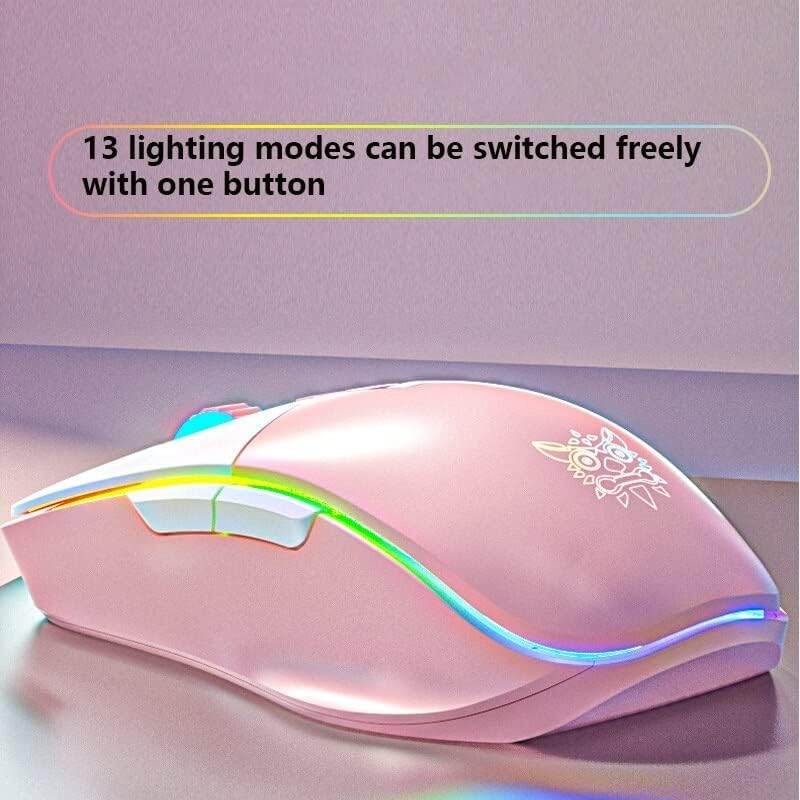
Image: The ONIKUMA CW916 mouse showcasing its dynamic RGB lighting, illustrating the variety of available lighting modes.
Manteniment
Un manteniment adequat garanteix la longevitat i el rendiment òptim del vostre ratolí per a jocs.
- Neteja: Feu servir un drap suau i sec per netejar la superfície del ratolí. Per a la brutícia persistent, netegeu lleugerament.ampNetegeu el drap amb aigua o una solució de neteja suau. Eviteu productes químics agressius o materials abrasius.
- Cura del sensor: Mantingueu el sensor òptic de la part inferior del ratolí net i lliure de pols o restes. Feu servir un bastonet de cotó o aire comprimit si cal.
- Gestió de cables: Eviteu doblegar bruscament o estirar excessivament el cable USB per evitar danys.
- Emmagatzematge: Quan no l'utilitzeu, guardeu el ratolí en un entorn net i sec, allunyat de temperatures extremes.
Resolució de problemes
| Problema | Causa possible | Solució |
|---|---|---|
| El ratolí no respon | USB cable not properly connected; Faulty USB port; Driver issue. |
|
| Seguiment inexacte o retard del cursor | Dirty optical sensor; Unsuitable mouse pad surface; High DPI setting. |
|
| La il·luminació RGB no funciona | Software setting; Hardware issue. |
|
Especificacions
| Marca | ONIKUMA |
| Model | CW916 |
| Connectivitat | USB per cable |
| Configuració de DPI | 1200/1600/2400/3200/4800/7000 DPI |
| Botons | 8 Botons programables |
| Il·luminació | LED RGB (13 modes) |
| Detecció de moviment | Òptic |
| Orientació de la mà | Destra |
| Ús recomanat | Jocs |
| Plataformes compatibles | PC, Laptop (Windows 7/XP and newer) |
| Dimensions (L x A x A) | 15.9 x 9.2 x 4.7 cm |
| Pes | 200 grams |
Garantia i Suport
ONIKUMA products come with a standard manufacturer's warranty. For specific warranty details, please refer to the warranty card included with your product or visit the official ONIKUMA website. For technical support, driver downloads, or further assistance, please visit the ONIKUMA support page or contact their customer service.
Oficial Weblloc: www.onikuma.net


