1. Introducció
Thank you for choosing the Xiaomi Mi Vacuum Cleaner G9 Plus. This manual provides essential information for the safe and efficient use, maintenance, and troubleshooting of your new vacuum cleaner. Please read this manual thoroughly before first use and retain it for future reference.

Figura 1: Xiaomi Mi Vacuum Cleaner G9 Plus main unit with extension rod and floor brush.
2. Instruccions de seguretat
To prevent injury and property damage, always follow basic safety precautions when using electrical appliances, including:
- Llegiu totes les instruccions abans d'utilitzar l'aparell.
- No utilitzeu l'aspiradora a l'exterior o sobre superfícies humides.
- No permeteu que els nens facin servir l'aspiradora. Cal una supervisió acurada quan s'utilitza a prop dels nens.
- No recolliu líquids inflamables o combustibles, com ara la gasolina, ni els utilitzeu en zones on puguin estar presents.
- No agafeu res que estigui cremant o fumant, com ara cigarrets, llumins o cendres calentes.
- No utilitzeu-lo sense el filtre de la polsera i / o els filtres.
- Turn off the appliance before connecting or disconnecting the battery pack, charging, or performing maintenance.
- Utilitzeu només els accessoris recomanats pel fabricant.
- No manipuleu el carregador o l'aparell amb les mans mullades.
- Guardeu l'aspiradora a l'interior en un lloc sec.
3. Contingut del paquet
Verify that all components are present and in good condition upon opening the package. If any item is missing or damaged, contact customer support.
- Unitat principal de buit
- Barra d'extensió
- High Torque Floor Brush
- Eina per esquerdes
- Broquet de raspall
- Adaptador d'alimentació
- Base de càrrega muntada a la paret
- Manual d'usuari
4. Producte acabatview
Familiarize yourself with the various parts of your Xiaomi Mi Vacuum Cleaner G9 Plus.

Figura 2: Acabatview of the vacuum cleaner's main components.
Característiques de la unitat principal:
- High-speed Digital Motor: Provides strong suction power.
- Multi-cyclone Separation System: Efficiently separates dust from air to prevent filter clogging.
- Replaceable Battery Design: Allows for extended cleaning time with an optional spare battery.
- Copa de pols: Transparent for easy monitoring of dust levels.
- Botó d'encesa: To turn the vacuum on/off.
- Interruptor de mode: To adjust suction power (Eco, Standard, Max).
Adjunts:
- High Torque Floor Brush: Designed for various floor types, including carpets, with anti-tangle features.
- Barra d'extensió: For reaching high areas or cleaning floors comfortably.
- Eina per esquerdes: Ideal per a racons i espais estrets.
- Broquet de raspall: Apte per a tapisseria, cortines i superfícies delicades.
5. Configuració
5.1 Muntatge
- Connecteu la vareta d'extensió: Insert the extension rod into the main vacuum unit until it clicks securely.
- Connecteu el raspall de terra: Connect the high torque floor brush to the other end of the extension rod until it clicks.
- Alternative Attachments: For handheld use, attach the crevice tool or brush nozzle directly to the main unit.
5.2 Càrrega de la bateria
Abans del primer ús, carregueu completament la bateria. La bateria es pot carregar connectada a la unitat principal o per separat.
- Connect the power adapter to the charging port on the main unit or the wall-mounted charging dock.
- Connecteu l'adaptador de corrent a una presa de corrent.
- The battery indicator lights will show the charging status. A full charge typically takes approximately 3.5 hours.
Nota: Per a una durada òptima de la bateria, eviteu esgotar-la completament abans de recarregar-la.
6. Instruccions de funcionament
6.1 Engegada/apagada
- Press the power button once to turn on the vacuum cleaner.
- Torneu a prémer el botó d'encesa per apagar l'aspiradora.
6.2 Adjusting Suction Mode
The vacuum cleaner offers multiple suction modes for different cleaning needs:
- Mode Eco: Per a una neteja lleugera i una bateria de més durada (fins a 60 minuts).
- Mode estàndard: Per a tasques de neteja diàries.
- Mode màxim: For stubborn dirt and deep cleaning, providing maximum suction power.
Press the mode switch button on the main unit to cycle through the available modes.
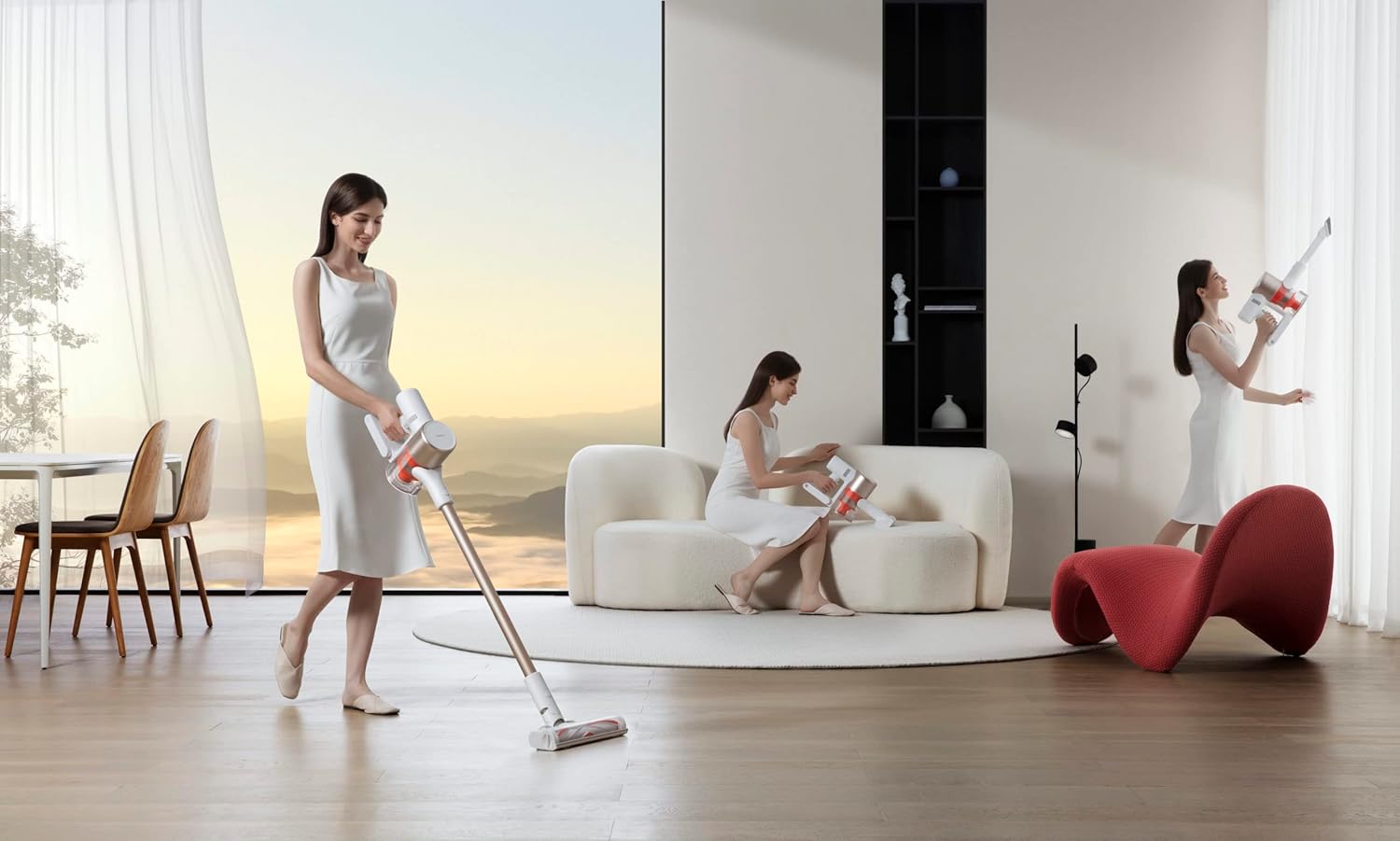
Figura 3: Demonstrating the vacuum cleaner in use for floor cleaning.
6.3 Neteja de diferents superfícies
- Hard Floors and Low-Pile Carpets: Use the high torque floor brush in Standard or Eco mode.
- High-Pile Carpets: Use the high torque floor brush in Max mode for deeper cleaning.
- Upholstery and Delicate Surfaces: Attach the brush nozzle to the main unit or extension rod.
- Cantonades i esquerdes: Use the crevice tool for precise cleaning.

Figura 4: Handheld use of the vacuum cleaner for cleaning upholstery.
7. Manteniment
Un manteniment regular garanteix un rendiment òptim i allarga la vida útil de l'aspiradora.
7.1 Buidar el recipient de pols
Empty the dust cup when the MAX fill line is reached or after each use.
- Assegureu-vos que l'aspiradora estigui apagada.
- Press the dust cup release button to detach it from the main unit.
- Hold the dust cup over a trash bin and press the bottom release latch to open the lid and empty the contents.
- Close the lid and reattach the dust cup to the main unit.

Figura 5: Proper method for emptying the dust cup.
7.2 Neteja de filtres
The filters should be cleaned regularly, typically once a month, or more frequently with heavy use.
- Turn off the vacuum cleaner and detach the dust cup.
- Remove the filter components (HEPA filter, mesh filter) from the dust cup.
- Tap the filters gently to remove loose dust.
- Esbandiu els filtres amb aigua freda corrent fins que l'aigua surti clara. No feu servir detergent.
- Allow the filters to air dry completely for at least 24 hours before reassembling. Do not use a dryer or direct heat.
- Reinstall the dry filters and reattach the dust cup.
7.3 Neteja del raspall de terres
Reviseu periòdicament el raspall de terres per si hi ha cabells enredats o restes.
- Apagueu l'aspiradora i desmunteu el raspall de terra.
- Locate the brush roll release latch or screw on the side of the brush head.
- Traieu el rotllo del pinzell.
- Utilitzeu tisores o una eina de neteja per tallar i eliminar els cabells o les fibres enredades.
- Clean any debris from the brush head housing.
- Torneu a inserir el corró del raspall i fixeu-lo.

Figura 6: Detail of the anti-tangle floor brush, showing its V-shape design.
8. Solució De Problemes
Consulteu aquesta secció per conèixer els problemes comuns i les seves solucions.
| Problema | Causa possible | Solució |
|---|---|---|
| L'aspiradora no s'encén. | La bateria està esgotada. | Carregueu la bateria completament. |
| Baixa potència d'aspiració. | La tassa de pols està plena. Els filtres estan obstruïts. Brush roll or hose is blocked. | Buidar el got de pols. Netegeu o substituïu els filtres. Remove any blockages from the brush roll or hose. |
| Battery runtime is short. | La bateria no està completament carregada. Using Max mode frequently. Degradació de la bateria. | Assegureu-vos que la bateria estigui completament carregada. Use Eco or Standard mode for longer runtime. Penseu en substituir la bateria si és antiga. |
| El corró del raspall no gira. | Cabells o restes enredats entre els matolls. El rotllo de pinzell està encallat. | Netegeu el corró del raspall tal com es descriu a la secció 7.3. Check for any obstructions preventing rotation. |
9. Especificacions
| Característica | Detall |
|---|---|
| Marca | XIAOMI |
| Número de model | G9 Plus |
| Color | Red (Note: Product images show a gold/white variant, but specifications list red. User should refer to their specific product color.) |
| Dimensions del producte | 10.16 x 10.16 x 12.7 cm |
| Pes de l'article | 3.5 quilos |
| Potència/Wattage | 120 watts |
| Voltage | 25.2 Volts |
| Nivell de soroll | 68 dB |
| Temps d'execució | Up to 1 hour (60 minutes) |
| Característiques especials | Wheels, High-speed digital motor, Multi-cyclone separation, Replaceable battery design, Anti-tangle floor brush |
| Tipus de filtre | Cartridge (HEPA-type) |
| Recomanació de superfície | Moqueta, Sòl dur |
| Font d'alimentació | Funciona amb bateria |
| És un producte sense fil | Sí |
10. Garantia i Suport
Per obtenir informació sobre la garantia, assistència tècnica o consultes sobre el servei, consulteu la targeta de garantia inclosa amb el producte o visiteu el lloc web oficial de XIAOMI. weblloc web. Conserveu el rebut de compra com a comprovant de compra.
Oficial de XIAOMI Weblloc: www.mi.com


