1. Introducció
The Irfora PC210 is a portable digital thermal camera designed for industrial applications, offering advanced thermal imaging capabilities. It features a 256x192 infrared resolution, a wide temperature measurement range, and a long-lasting battery. This manual provides essential information for the safe and effective use of your device.
2. Informació de seguretat
Please read all safety warnings and instructions before using the device to prevent injury or damage. Keep this manual for future reference.
- Do not point the camera directly at strong light sources, such as the sun or high-power lasers, as this may damage the infrared sensor.
- Eviteu exposar el dispositiu a temperatures extremes, humitat o ambients corrosius.
- No intenteu desmuntar ni modificar el dispositiu. Les reparacions només les ha de realitzar personal autoritzat.
- Feu servir només el cable USB tipus C proporcionat per carregar.
- Mantingueu el dispositiu allunyat de l'aigua i altres líquids.
3. Contingut del paquet
Verifiqueu que tots els elements siguin presents al paquet:
- Irfora PC210 Thermal Imager
- Cable USB-Type C
- Corda
- Guia d'inici ràpid (anglès)

Figure 3.1: Package Contents. The image displays the Irfora PC210 Thermal Imager, a USB Type-C charging cable, a lanyard for secure handling, and a printed Quick Start Guide.
4. Producte acabatview
The Irfora PC210 features a robust design with an integrated LCD display for real-time thermal imaging. Key components include the infrared lens, visible light camera, trigger button, navigation buttons, and a USB Type-C port.

Figure 4.1: Irfora PC210 Thermal Camera. This image shows the front of the thermal camera with its LCD screen displaying a thermal image, and the back side highlighting the lens and caution label.
Característiques principals:
- SharpIR Composite Image Enhancement: Utilizes advanced deep learning technology for image optimization, including defogging, sharpening, contrast enhancement, and lossless magnification of low-resolution images.
- Múltiples modes d'imatge: Supports IR, Visible Light, MIF, and PIP (Picture-in-Picture) modes.
- Visualització de la temperatura: All palettes can display temperature data, including maximum, minimum, and central spot temperatures in full-screen mode.
- PC Projection: Real-time image transfer to a computer via USB Type-C cable.
- Temperature Tracking & Alarm: Features full-screen maximum/minimum temperature tracking and a full-screen temperature threshold alarm (visual and flash).
- Llarga vida útil de la bateria: Up to 16 hours of operation with a 2000 mAh battery.
- Càrrega ràpida: 2.5 hours for a full charge via USB Type-C.
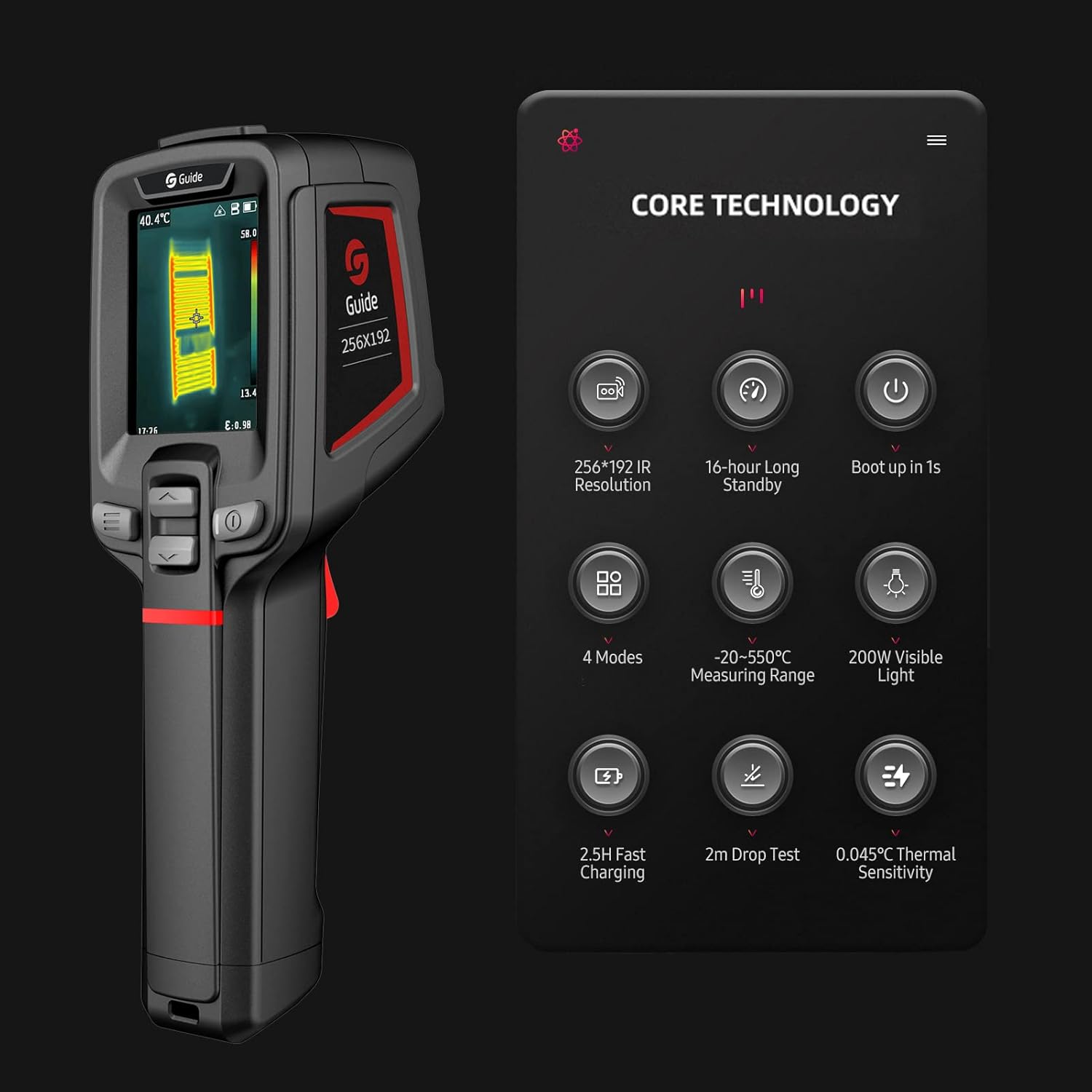
Figure 4.2: Core Technology Features. This image illustrates the key technical specifications and capabilities of the Irfora PC210, such as its 256x192 IR resolution, 16-hour standby, 1-second boot-up, 4 modes, -20 to 550°C measuring range, 200W visible light, 2.5-hour fast charging, 2m drop test, and 0.045°C thermal sensitivity.
5. Configuració
5.1 Càrrega de la bateria
Before initial use, fully charge the device. Connect the provided USB Type-C cable to the camera's charging port and to a compatible USB power adapter (not included). A full charge takes approximately 2.5 hours and provides up to 16 hours of operating time.
5.2 Engegada/apagada
Press and hold the power button to turn the device on or off. The camera is designed for quick startup, booting up in approximately 1 second.

Figure 5.1: Fast Boot-up. This image highlights the camera's ability to boot up in 1 second, attributed to hardware upgrades and program optimization.
6. Instruccions de funcionament
6.1 Operació bàsica i navegació
Use the navigation buttons located below the screen to move through menus and select options. The trigger button is typically used to capture images or activate specific functions depending on the selected mode.
6.2 Image Modes and Temperature Display
The camera supports various image modes (IR, Visible Light, MIF, PIP) to suit different inspection needs. In any mode, the device can display critical temperature data, including the highest, lowest, and central spot temperatures across the full screen.

Figure 6.1: Thermal Imaging Examples. This image displays three different thermal scans: a human hand, electrical wiring, and a circuit breaker panel, demonstrating the camera's ability to visualize temperature differences in various scenarios.
6.3 Temperature Tracking and Alarm
The PC210 can track the maximum and minimum temperatures across the entire screen or within a specific analyzed target area. A full-screen temperature threshold alarm can be set, which provides both visual and flash notifications when the threshold is exceeded.
6.4 PC Projection
A view images on a larger screen, connect the camera to a computer using the USB Type-C cable. The device supports real-time image projection to the connected computer.
6.5 Aplicacions
The Irfora PC210 is suitable for a wide range of industrial applications, including:
- Electrical equipment testing
- Automobile testing
- HVAC system testing
- Air conditioning testing

Figure 6.2: Diverse Applications. This collage of images demonstrates the Irfora PC210 being utilized in different professional environments, such as inspecting electrical panels, automotive engines, and HVAC systems, highlighting its versatility.

Figure 6.3: Clear Imaging Comparison. This image compares the thermal output of the Irfora PC210 ('Ours') with other devices ('Others'), illustrating the PC210's enhanced clarity and detail in thermal imaging.
7. Manteniment
Proper maintenance ensures the longevity and optimal performance of your thermal camera.
- Neteja: Use a soft, dry cloth to clean the camera body. For the lens, use a specialized lens cleaning cloth and solution. Do not use abrasive cleaners or solvents.
- Emmagatzematge: Guardeu el dispositiu en un lloc fresc i sec, allunyat de la llum solar directa i de temperatures extremes.
- Cura de la bateria: Si l'emmagatzemeu durant un període prolongat, carregueu la bateria aproximadament al 50% cada tres mesos per mantenir-la en bon estat.
8. Solució De Problemes
If you encounter issues with your Irfora PC210, refer to the following common problems and solutions:
| Problema | Causa possible | Solució |
|---|---|---|
| El dispositiu no s'encén. | Bateria baixa o esgotada. | Carregueu el dispositiu amb el cable USB tipus C. |
| La imatge és borrosa o poc clara. | Lens is dirty or damaged. | Clean the lens with a soft, lint-free cloth. If damaged, contact support. |
| Lectures de temperatura inexactes. | Incorrect emissivity setting or environmental interference. | Adjust the emissivity setting for the target material. Ensure no obstructions or strong air currents. |
| El dispositiu es bloqueja o no respon. | Error de programari. | Perform a soft reset by holding the power button for 10 seconds. If the issue persists, contact support. |
9. Especificacions
Technical specifications for the Irfora PC210 Thermal Camera:
- Infrared Resolution: 256 x 192 píxels
- Rang de mesura de temperatura: -20 °C a 550 °C
- Sensibilitat tèrmica (NETD): 0.045 °C
- Capacitat de la bateria: 2000 mAh
- Durada de la bateria: Fins a 16 hores
- Temps de càrrega: Aproximadament 2.5 hores mitjançant USB tipus C
- Drop Test Rating: 2 metres
- Modes d'imatge: IR, Visible Light, MIF, PIP
- Visualització: LCD
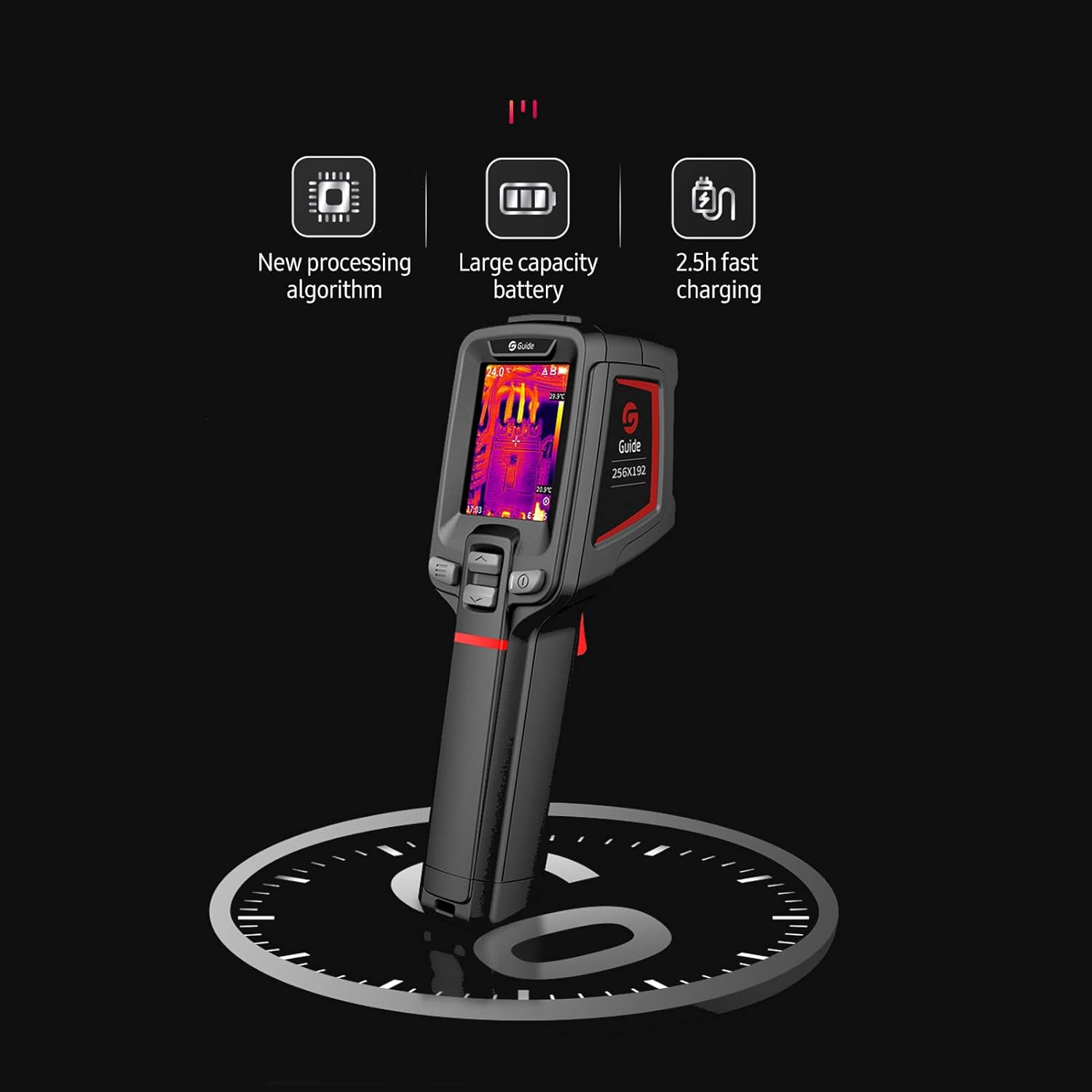
Figure 9.1: Performance Features. This image emphasizes the camera's new processing algorithm, large capacity battery, and 2.5-hour fast charging capability, contributing to its overall performance.
10. Garantia i Suport
For warranty information or technical support, please refer to the contact details provided with your purchase documentation or visit the official Irfora weblloc web. Conserveu el comprovant de compra per a reclamacions de garantia.


