Introducció
Thank you for choosing the boAt Rockerz Trinity Wireless In-Ear Earphones. This manual provides essential information for setting up, operating, and maintaining your device. Please read it carefully to ensure optimal performance and longevity of your earphones.
Contingut del paquet
- Auriculars Rockerz Trinity Wireless Neckband
- Cable de càrrega USB tipus C
- Puntes d'orella addicionals (diverses mides)
- Manual d'usuari
Producte acabatview
The boAt Rockerz Trinity features an ergonomic neckband design with in-ear earbuds, providing a secure and comfortable fit. The inline controls allow for easy management of music playback, calls, and voice assistant activation.
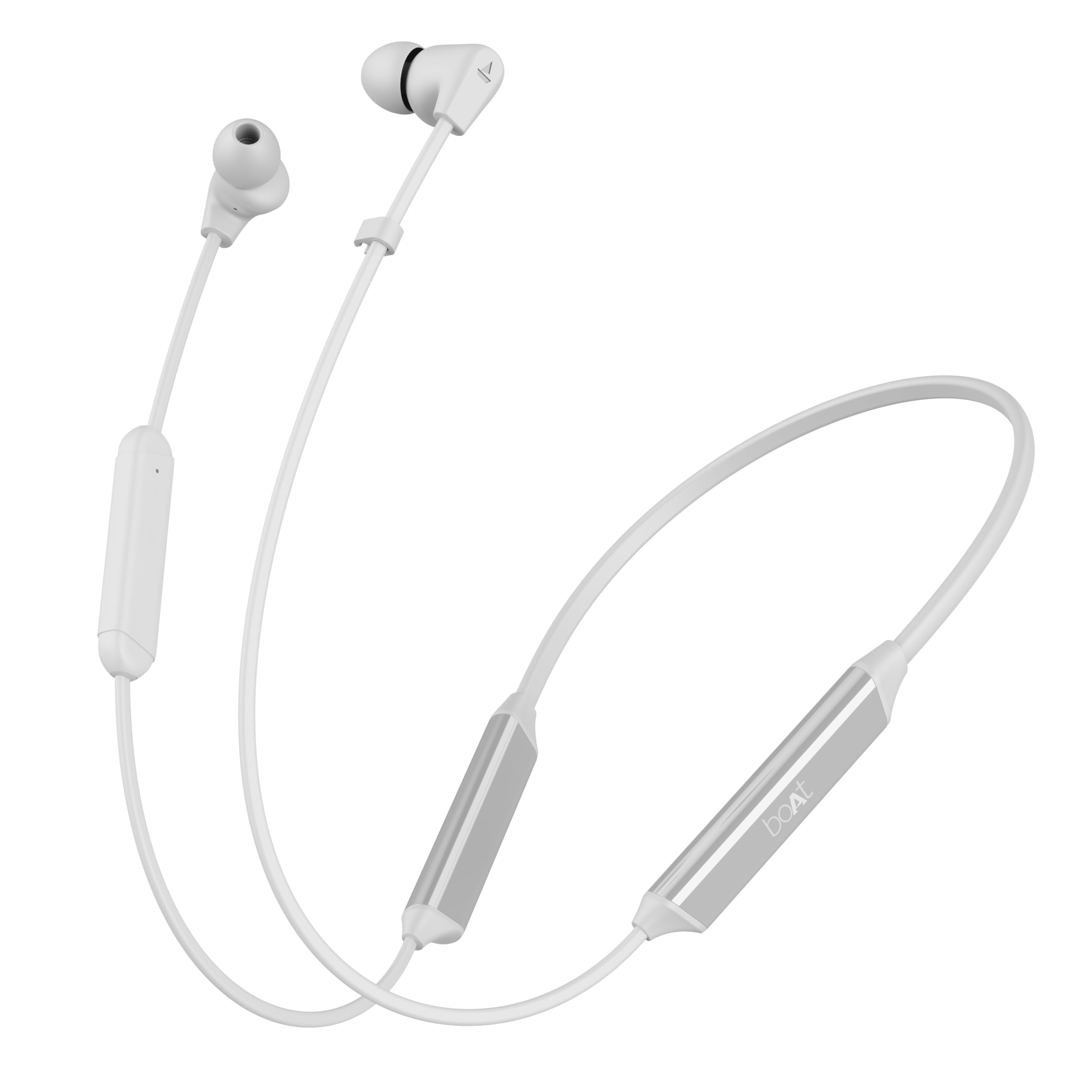
Image: boAt Rockerz Trinity Wireless In-Ear Earphones (White variant).
Càrrega dels auriculars
Before first use, fully charge your earphones. The Rockerz Trinity supports ASAP Charge technology, providing significant playtime with minimal charging time.
- Connect the USB Type-C charging cable to the charging port on the neckband.
- Connecteu l'altre extrem del cable a un adaptador de corrent USB compatible (no inclòs) o al port USB d'un ordinador.
- The LED indicator will show the charging status. It typically takes approximately 45 minutes for a full charge.
- With ASAP Charge, 10 minutes of charging provides up to 24 hours of playback. A full charge offers up to 150 hours of total playtime.

Image: ASAP Charge and 150 hours playtime feature.
Encès/Apagat
- Encès: Press and hold the Multi-function Button (MFB) for a few seconds until the LED indicator flashes blue and a voice prompt confirms 'Power On'.
- Apagar: Press and hold the MFB for a few seconds until the LED indicator flashes red and a voice prompt confirms 'Power Off'.
Emparellament Bluetooth
To connect your Rockerz Trinity earphones to a device:
- Assegureu-vos que els auriculars estiguin apagats.
- Press and hold the MFB until the LED indicator flashes red and blue alternately, indicating pairing mode.
- Enable Bluetooth on your device (smartphone, tablet, etc.) and search for 'Rockerz Trinity'.
- Select 'Rockerz Trinity' from the list of available devices to connect. A voice prompt will confirm successful pairing.
Doble aparellament
The Rockerz Trinity supports dual pairing, allowing connection to two devices simultaneously.
- Pair the earphones with the first device as described above.
- Desactiva el Bluetooth al primer dispositiu. Els auriculars tornaran a entrar en mode d'emparellament.
- Pair the earphones with the second device.
- Re-enable Bluetooth on the first device. The earphones will automatically connect to both devices.

Image: Dual Pairing with Bluetooth v5.2.
Funcionament dels auriculars
Controls de música
- Reproduir/pausa: Premeu una sola vegada el botó MFB.
- Pista següent: Premeu llargament el botó '+'.
- Pista anterior: Premeu llargament el botó '-'.
- Pujar el volum: Premeu breument el botó '+'.
- Baixar el volum: Premeu breument el botó '-'.
Gestió de trucades
- Respondre/Finalitzar la trucada: Premeu una sola vegada el botó MFB.
- Rebutja la trucada: Premeu llargament la tecla MFB.
Assistent de veu
Activate your device's voice assistant (Siri, Google Assistant) by double-pressing the MFB.

Image: Voice Assistant compatibility.
Crystal Bionic Sound
Experience enhanced audio clarity with Crystal Bionic Sound, powered by HiFi DSP. This technology optimizes sound output for a rich and immersive listening experience.

Image: Crystal Bionic Sound technology with HiFi DSP.
ENx™ Technology (Environmental Noise Cancellation)
ENx™ Technology ensures clear voice calls by effectively canceling out environmental noise, allowing your voice to be heard distinctly even in noisy surroundings.

Image: AI-ENx™ Technology for clear voice calls.
Mode BEAST™ (Latència baixa)
Activate BEAST™ Mode for a low-latency audio experience, ideal for gaming and video streaming, ensuring synchronized audio and visuals.

Image: BEAST™ Mode for 65ms low latency.
Resistència a l'aigua (IPX5)
The Rockerz Trinity earphones are rated IPX5, making them resistant to sweat and light splashes of water. This makes them suitable for workouts and outdoor activities. Avoid submerging the earphones in water.

Image: IPX5 Water Resistance.
Manteniment
- Neteja: Feu servir un drap suau i sec per netejar els auriculars. No utilitzeu productes químics agressius ni materials abrasius.
- Emmagatzematge: Guardeu els auriculars en un lloc fresc i sec, allunyat de la llum solar directa i de temperatures extremes.
- Cura de la bateria: Per allargar la durada de la bateria, eviteu descarregar completament els auriculars amb freqüència. Carregueu-los regularment, fins i tot si no els feu servir durant períodes prolongats.
Resolució de problemes
| Problema | Solució |
|---|---|
| Els auriculars no s'encenen | Ensure the earphones are charged. Press and hold the MFB for a few seconds. |
| No es pot emparellar amb el dispositiu | Ensure earphones are in pairing mode (flashing red/blue). Turn off and on Bluetooth on your device. Forget previous connections on your device. |
| Sense so/Volum baix | Check volume levels on both earphones and connected device. Ensure earphones are properly paired. |
| Problemes de qualitat de trucada | Ensure microphone is not obstructed. Move to an area with less environmental noise. |
Especificacions
- Nom del model: Trinitat Rockerz
- Tecnologia de connectivitat: Sense fil (Bluetooth v5.2)
- Tipus de controlador d'àudio: Controlador dinàmic (10 mm)
- Durada de la bateria: Fins a 150 hores
- Càrrec ASAP: 10 Mins = 24 Hours Playtime
- Temps de càrrega: Aproximadament 45 minuts
- Resistència a l'aigua: IPX5
- Característiques especials: Crystal Bionic Sound (HiFi DSP), ENx™ Technology, BEAST™ Mode, Dual Pairing
- Pes de l'article: 35 grams
Vídeos oficials de productes
Video: boAt Rockerz Trinity - Main Product Overview. This video provides a comprehensive look at the features and design of the earphones.
Video: boAt Rockerz Trinity - Quick Feature Highlights. This short video quickly showcases key features like 150 hours playtime, Crystal Bionic Sound, and ENx noise cancellation.
Garantia i Suport
The boAt Rockerz Trinity Wireless In-Ear Earphones come with a 1 any de garantia from the date of purchase. For warranty claims, technical support, or any product-related inquiries, please refer to the official boAt support channels or contact your retailer.
Manufacturer: Imagine Marketing Ltd, info@imaginemarketingindia.com


