1. Introducció
The FOXWELL NT624 Elite is a professional diagnostic scan tool designed for comprehensive vehicle system analysis and maintenance services. This device provides full OBD2 functions, all-system diagnostics, and various special reset functions for a wide range of vehicle makes.
2. Característiques clau
- Tots els diagnòstics del sistema: Reads and clears fault codes, views live data, and retrieves ECU information for all available vehicle systems (Engine, ABS, SRS, Transmission, etc.).
- Funcions OBD2 completes: Supports all 10 OBD2 test modes, including reading/clearing codes, live data, freeze frame, I/M readiness, O2 monitor test, on-board monitor test, component test, vehicle information, and module present.
- 8 Hot Maintenance Services: Includes Oil Light Reset, SAS (Steering Angle Sensor) Calibration, EPB (Electronic Parking Brake) Service, Throttle Body Relearn, ABS Bleeding, Injector Coding, BRT (Battery Replacement) Service, and DPF (Diesel Particulate Filter) Regeneration.
- Àmplia cobertura de vehicles: Compatible with over 90 vehicle makes.
- Escaneig VIN automàtic: Automatically identifies vehicle information for quick diagnostics.
- Visualització de dades en directe: Shows live sensor data in text and graph formats for easy analysis.
- Actualitzacions gratuïtes de per vida: Ensures the tool stays current with the latest vehicle models and diagnostic functions.
3. Contingut del paquet
The FOXWELL NT624 Elite package typically includes the following items:
- FOXWELL NT624 Elite Main Unit
- Diagnostic Cable (OBDII connector)
- USB Cable for updates
- Manual d'usuari
- Funda protectora de transport
- SD Card (pre-installed in the device)
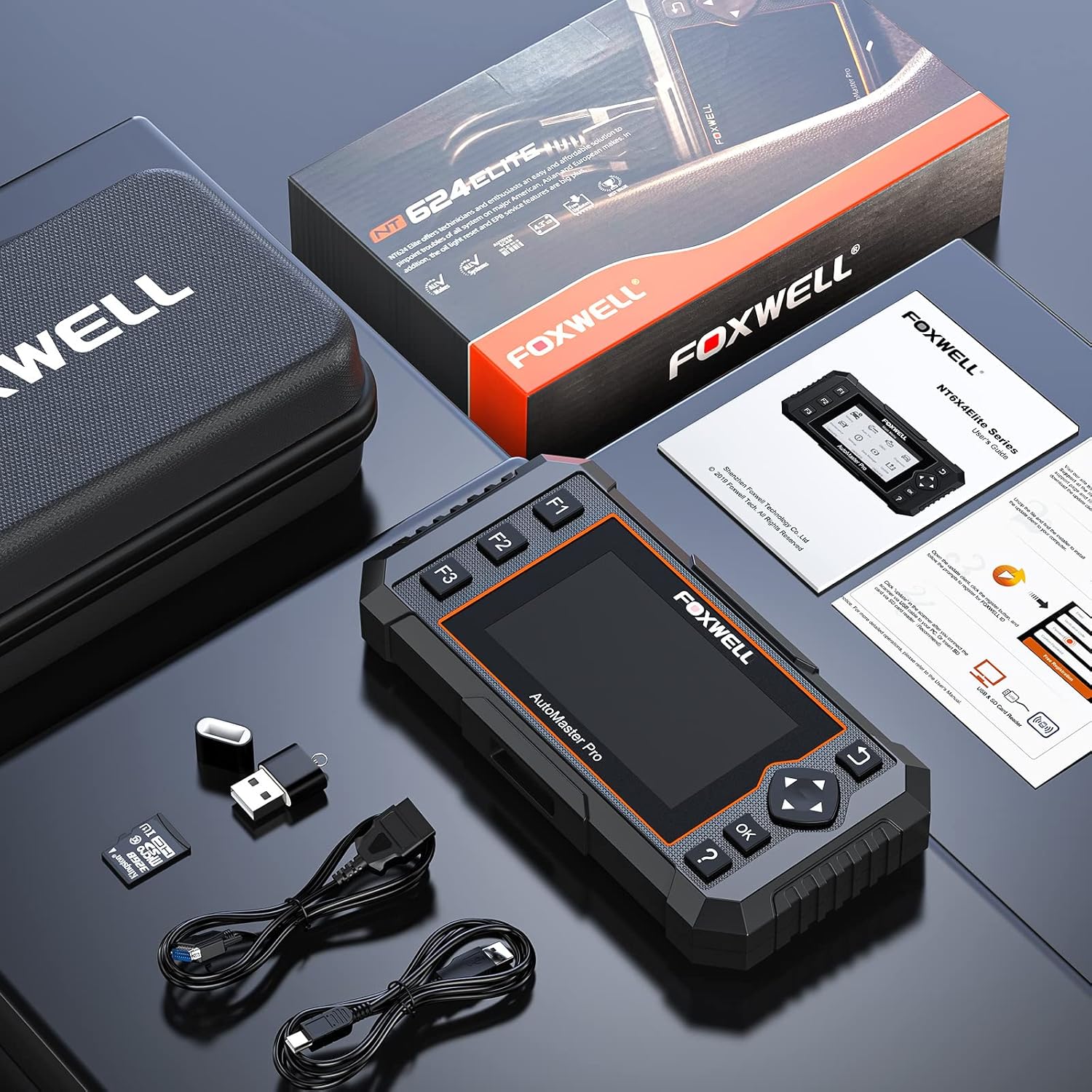
Image: Contents of the FOXWELL NT624 Elite package, showing the diagnostic tool, OBDII cable, USB cable, SD card, and carrying case.
4. Configuració i primer ús
- Encès: Connect the diagnostic cable to the vehicle's OBDII port, usually located under the dashboard on the driver's side. The device will power on automatically.
- Configuració d'idioma i unitat: Upon first use, navigate to "Settings" from the main menu to select your preferred language and measurement units (e.g., Metric or Imperial).
- Actualització de programari: It is recommended to update the software to the latest version before first use. Connect the device to a computer via the USB cable and visit the official FOXWELL website for update instructions and software.

Image: The FOXWELL NT624 Elite diagnostic tool connected to a vehicle's OBDII port, ready for operation.
5. Instruccions de funcionament
5.1. Navegació del menú principal
Use the directional buttons (up, down, left, right) to navigate through the menu options on the 4.3-inch screen. Press the "OK" button to confirm a selection and "Back" to return to the previous screen.

Image: The main menu of the FOXWELL NT624 Elite, showing options like History, Auto VIN, OBDII, Diagnostic, Maintenance, Settings, Data Manager, and Update.
5.2. Tots els diagnòstics del sistema
- From the Main Menu, select "Diagnostic".
- Choose the vehicle make, model, and year. The Auto VIN function can often detect this automatically.
- Select "Auto Scan" to scan all available systems or choose a specific system (e.g., Engine, ABS, SRS).
- The tool will display fault codes (DTCs), live data streams, and other system information.
- To clear codes, select the "Clear Codes" option after addressing the underlying issue.

Image: The FOXWELL NT624 Elite displaying diagnostic results for various automotive systems, including ABS, SRS, Engine, and ESP.
5.3. Funcions OBD2
- From the Main Menu, select "OBDII".
- Choose the desired OBD2 function:
- Llegir codis: Displays current, pending, and permanent diagnostic trouble codes.
- Esborra codis: Clears diagnostic trouble codes from the vehicle's computer.
- Dades en directe: Shows real-time data from vehicle sensors.
- Congelar fotograma: Displays a snapshot of operating conditions when an emission-related fault occurred.
- Preparació I/M: Checks if the various emission-related systems are operating correctly and are ready for inspection and maintenance testing.
- Prova del monitor d'O2: Recupera els resultats de la prova del monitor del sensor d'O2.
- Prova del monitor integrat: Retrieves results for emission-related powertrain components and systems that are continuously monitored.
- Prova de components: Permet iniciar una prova de fuites per al sistema EVAP del vehicle.
- Informació del vehicle: Recupera el VIN, l'ID de Califòrnia, el CVN, etc.
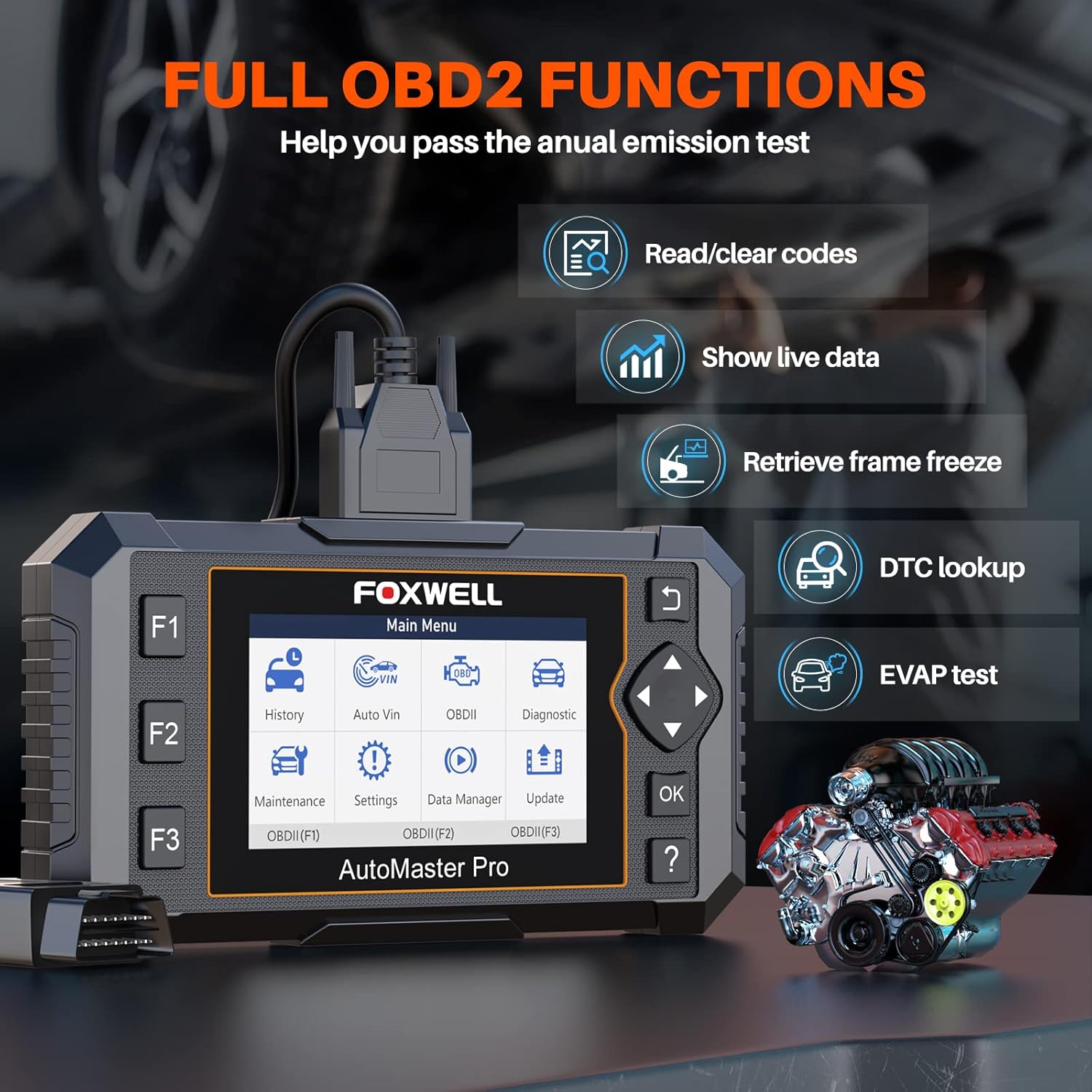
Image: The FOXWELL NT624 Elite screen showing various full OBD2 functions, including Read/Clear codes, Show live data, Retrieve frame freeze, DTC lookup, and EVAP test.
5.4. Serveis de manteniment
From the Main Menu, select "Maintenance" to access special reset functions. Follow the on-screen prompts for each service.
- Restabliment de la llum d'oli: Reinicia la llum de servei d'oli després d'un canvi d'oli.
- Calibració SAS: Calibra el sensor d'angle de direcció.
- Servei EPB: Deactivates and reactivates the Electronic Parking Brake system for brake pad replacement.
- Reaprenentatge del cos de l'accelerador: Relearns the throttle body position after cleaning or replacement.
- Sagnat de l'ABS: Realitza procediments de purgat de frens ABS.
- Codificació de l'injector: Codifica els nous números d'injector a la ECU.
- BRT Service: Performs battery replacement registration.
- Regeneració del DPF: Inicia la regeneració del filtre de partícules dièsel.

Image: The FOXWELL NT624 Elite screen highlighting the 8 hot maintenance services available, including Oil Light Reset, ABS Bleeding, Throttle, Injector, SAS, BRT, EPB, and DPF.
6. Data Management and Analysis
The NT624 Elite allows you to view and analyze live data streams, which can be displayed in both text and graphical formats. This helps in understanding vehicle performance and diagnosing intermittent issues.

Image: The FOXWELL NT624 Elite displaying live data in a graphical format on its screen, illustrating sensor readings over time for detailed analysis.
The device also stores diagnostic history, which can be reviewed later. Connect the tool to a computer to print diagnostic reports or manage saved data.
7. Manteniment i actualitzacions
7.1. Actualitzacions de programari
The FOXWELL NT624 Elite offers lifetime free software updates. To update the device:
- Visit the official FOXWELL weblloc (www.foxwelltech.com).
- Download and install the update client software on your computer.
- Register your device and create an account.
- Connect the NT624 Elite to your computer using the provided USB cable.
- Follow the on-screen instructions in the update client to download and install the latest software versions.
7.2. Cura del dispositiu
- Mantingueu el dispositiu net i lliure de pols i humitat.
- Store the device in its protective carrying case when not in use.
- Eviteu deixar caure el dispositiu o exposar-lo a temperatures extremes.
8. Solució De Problemes
| Problema | Causa possible | Solució |
|---|---|---|
| El dispositiu no s'encén. | Loose OBDII connection; vehicle's ignition is off; vehicle battery low. | Ensure the OBDII cable is securely connected. Turn the vehicle's ignition to the ON position. Check vehicle battery voltage. |
| Error de comunicació amb el vehicle. | Incorrect vehicle protocol selected; faulty OBDII port; software issue. | Verify vehicle compatibility. Check the OBDII port for damage. Update the device software. Try on another compatible vehicle. |
| La pantalla es bloqueja o el dispositiu no respon. | Software glitch; low power. | Restart the device by disconnecting and reconnecting. Ensure stable power supply from the vehicle. Perform a software update. |
| Update fails. | Unstable internet connection; incorrect update client usage; firewall issues. | Ensure a stable internet connection. Follow the update instructions carefully. Temporarily disable firewall/antivirus if necessary. |
9. Especificacions
- Model: NT624 Elite
- Visualització: Pantalla a color de 4.3 polzades
- Sistema operatiu: Windows XP (for update client compatibility, device runs proprietary OS)
- Connectivitat: OBDII, USB
- Dimensions: 8.8 x 3 x 13.1 polzades (aproximadament)
- Pes: 2.07 lliures (aproximadament)
- Potència: 8-18V vehicle power via OBDII
- Temperatura de funcionament: De 0 a 60 °C (de 32 a 140 °F)
- Temperatura d'emmagatzematge: -20 a 70 °C (-4 a 158 °F)
10. Assistència i garantia
For technical support, product inquiries, or warranty information, please contact FOXWELL customer service through their official weblloc web o les dades de contacte que figuren a l'embalatge del producte.
The FOXWELL NT624 Elite comes with a standard manufacturer's warranty. Please refer to the warranty card included in your package for specific terms and conditions.
Vídeo: Un overview of the FOXWELL NT624 Elite diagnostic tool's features and functions. This video demonstrates the user interface and capabilities of the device.


