Introducció
The Vikeri 1520P 20MP Trail Camera is designed for wildlife monitoring, hunting, and property surveillance. It features high-resolution video and photo capabilities, a fast trigger speed, and a durable, waterproof design. This manual provides detailed instructions for setting up, operating, and maintaining your trail camera to ensure optimal performance.

Figure 1: Vikeri 1520P 20MP Trail Camera package contents.
Configuració
1. Desembalatge i components
Abans de començar la configuració, assegureu-vos que hi hagi tots els components:
- Vikeri 1520P 20MP Trail Camera (2 units)
- Corretja de muntatge
- 32GB Micro SD Card (2 units)
- Piles AA (8 unitats)
- Cable USB
- Manual d'usuari (aquest document)
2. Instal·lació de la bateria
- Locate the battery compartment on the back of the camera.
- Open the two latches on the side of the camera to access the interior.
- Insert 4 AA batteries into the designated slots, ensuring correct polarity (+/-).
- Tanqueu el compartiment de la bateria de manera segura.
3. Inserció de la targeta SD
- Locate the micro SD card slot inside the camera, typically near the battery compartment.
- Insert the provided 32GB micro SD card into the slot until it clicks into place. Ensure the card is inserted in the correct orientation.
- It is recommended to format the SD card through the camera's menu before first use.
4. Muntatge de la càmera
The camera can be mounted to a tree or post using the included strap:
- Passeu la corretja de muntatge per les ranures de la part posterior de la càmera.
- Secure the camera to a tree or post at a height of 1-2 meters (approximately 3-6 feet).
- Ensure the camera is aligned parallel to the ground in the desired direction for optimal detection.
- Tighten the strap firmly to prevent movement.

Figure 2: Camera mounted on a tree, demonstrating its IP66 waterproof rating.
Funcionament de la càmera
1. Encès / apagat
- To power on the camera, slide the mode switch to the 'ON' position.
- Per apagar-lo, feu lliscar l'interruptor a la posició "OFF".
2. Navegant pel menú
The camera features a built-in 2.4-inch LCD color screen and control buttons for easy navigation and settings adjustment.
- Utilitzeu els botons direccionals (amunt, avall, esquerra, dreta) per navegar per les opcions del menú.
- Premeu el botó "D'acord" per confirmar les seleccions.
- Press the 'MENU' button to access the main settings menu.
3. Photo and Video Settings
Adjust the camera settings to suit your monitoring needs:
- Resolució: The camera supports up to 1520P video and 20MP photos, providing clear and vibrant images.
- Velocitat d'activació: With a lightning-fast 0.2-second trigger speed, the camera captures movements quickly, minimizing missed events.
- Angle de detecció: The 120° wide-angle PIR (Passive Infrared) detection provides a broad field of view, capturing more activity.
- Visió nocturna: Equipped with 48pcs 940nm no-glow infrared LEDs, the camera provides clear night vision up to 65 feet without disturbing wildlife.
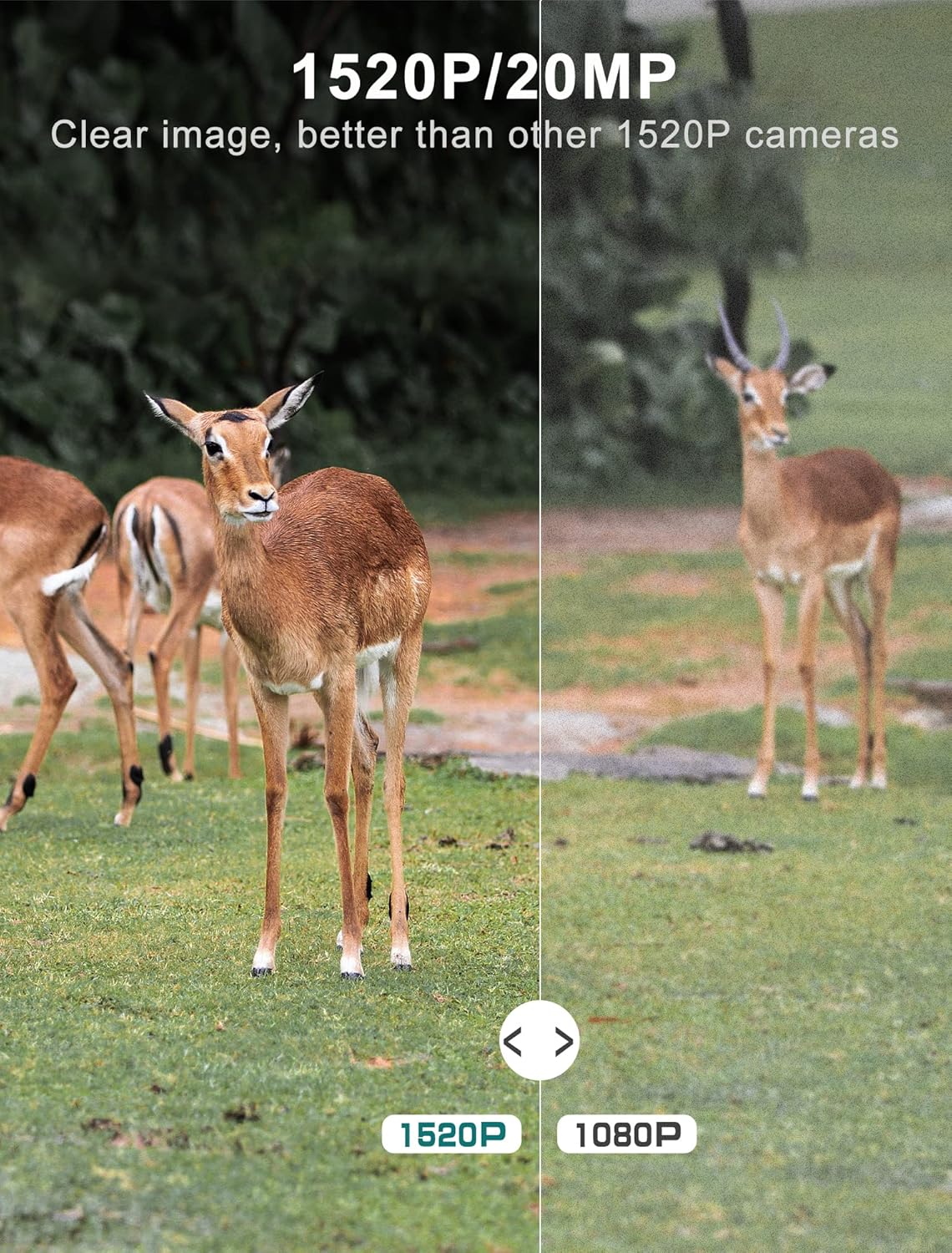
Figure 3: Image quality comparison between 1520P and 1080P resolutions.

Figure 4: Demonstration of the 0.2s trigger speed capturing fast-moving subjects.

Figure 5: The 120° wide-angle detection captures a broader area.

Figure 6: Night vision capability with 940nm no-glow IR LEDs.
4. Viewing Captured Media
Tu pots view photos and videos directly on the camera's LCD screen:
- Switch the camera to 'PLAYBACK' mode using the mode switch.
- Use the directional buttons to browse through captured images and videos.
- Press 'OK' to view un seleccionat file.
- Per transferir files to a computer, remove the micro SD card and insert it into a card reader, or connect the camera directly via the USB cable.
Manteniment
- Neteja: Regularly clean the camera lens and PIR sensors with a soft, dry cloth to ensure clear images and accurate detection. Avoid abrasive materials.
- Comprovació de la bateria: Monitor battery levels through the LCD screen. Replace all batteries when low to prevent interruption of recording.
- Gestió de la targeta SD: Periodically format the SD card to maintain optimal performance and prevent data corruption. Back up important files abans de formatar.
- Segell impermeable: Ensure the latches are securely closed and the rubber seal around the camera housing is free from debris to maintain its IP66 waterproof rating.
- Emmagatzematge: Quan no la feu servir durant períodes prolongats, traieu les piles i guardeu la càmera en un lloc fresc i sec.
Resolució de problemes
| Problema | Causa possible | Solució |
|---|---|---|
| La càmera no s'encén | Low or dead batteries; Incorrect battery insertion | Replace all batteries with new ones; Ensure correct polarity (+/-) |
| Mala qualitat d'imatge/vídeo | Dirty lens; Incorrect resolution settings; Insufficient lighting | Clean the lens; Adjust resolution settings in the menu; Ensure adequate light for non-night vision modes |
| El sensor de moviment no s'activa | PIR sensor obstructed; Sensitivity set too low; Subject out of range | Clear any obstructions from the sensor; Increase PIR sensitivity in settings; Ensure subject is within detection range (up to 65-80ft) |
| SD card error message | SD card not formatted; Corrupted SD card; Incompatible SD card | Format the SD card via the camera menu; Try a different, high-quality micro SD card (up to 32GB) |
| Durada de la bateria curta | Frequent triggers; Extreme temperatures; Low-quality batteries | Reduce trigger frequency if possible; Use high-quality alkaline or lithium batteries; Avoid extreme temperature exposure |
Especificacions tècniques
| Característica | Especificació |
|---|---|
| Resolució de captura de vídeo | 1520P |
| Resolució de fixes efectius | 20 MP |
| Velocitat de desencadenament | 0.2 segons |
| Viewangle ing | 120 graus |
| Gamma de visió nocturna | 65 peus |
| Nombre de LED IR | 48 (940nm No Glow) |
| Classificació de protecció internacional | IP66 (impermeable) |
| Font d'alimentació | Funciona amb piles (necessiten 4 piles AA) |
| Tecnologia de connectivitat | Wireless (USB for data transfer) |
| Mostra | Pantalla LCD a color de 2.4" |
| Material | Acrilonitril butadiè estirè (ABS) |
| Dimensions del producte | 5.39 x 3.42 x 2.36 polzades |
| Pes de l'article | 2.79 lliures (per a 2 càmeres) |
Garantia i Suport
For information regarding product warranty, returns, or technical support, please refer to the official Vikeri brand store or contact Vikeri customer service directly.
Official Vikeri Brand Store: Visit the Vikeri Store on Amazon
Si us plau, conserveu el rebut de compra per a qualsevol reclamació de garantia.


