1. Introducció
This user manual provides detailed instructions for the operation and maintenance of your Roadstar IR-540D+BT/BK Micro Hi-Fi System. This versatile audio system combines Internet Radio, DAB+/FM digital radio, a CD-MP3 player, Bluetooth connectivity, and a USB port for both playback and fast charging. Please read this manual thoroughly before using the device to ensure proper and safe operation.
2. Informació de seguretat
Per reduir el risc de descàrrega elèctrica, incendi o danys a la unitat, observeu les següents precaucions de seguretat:
- Font d'alimentació: Feu servir només l'adaptador de corrent especificat. Assegureu-vos que el volumtage coincideix amb la vostra font d'alimentació local.
- Ventilació: Do not block any ventilation openings. Maintain adequate space around the unit for proper airflow.
- Aigua i humitat: No exposeu la unitat a la pluja, la humitat, les goteges o les esquitxades. No col·loqueu objectes plens de líquids, com ara gerros, sobre l'aparell.
- Fonts de calor: Mantingueu la unitat allunyada de fonts de calor com ara radiadors, registres de calor, estufes o altres aparells (inclosos amplificadors) que produeixen calor.
- Neteja: Desendolleu la unitat de la presa de corrent abans de netejar-la. Feu servir un drap suau i sec. No utilitzeu netejadors líquids ni aerosols.
- Manteniment: No intenteu atendre aquest producte vosaltres mateixos. Consulteu tots els serveis a personal de servei qualificat.
- Col·locació: Place the unit on a stable, flat surface. Avoid placing it in direct sunlight or near strong magnetic fields.
3. Producte acabatview
Familiarize yourself with the main components of your Roadstar Micro Hi-Fi System.
3.1 Tauler frontal

Figura 3.1: Frontal view of the Roadstar IR-540D+BT/BK, showing the central display, control knob, and various buttons for menu, preset, volume, and navigation.
The front panel features a clear LCD display, a central multi-function control knob, and an array of buttons for intuitive operation. These include controls for power, menu navigation, preset stations, volume adjustment, and equalizer settings.
3.2 Panell posterior

Figure 3.2: Rear panel of the unit, displaying the headphone output, AUX-IN port, and DC power input.
The rear panel houses essential connection ports, including the headphone jack, AUX-IN for external audio sources, and the DC power input. An extendable antenna for FM/DAB+ reception is also located here.
3.3 Control remot
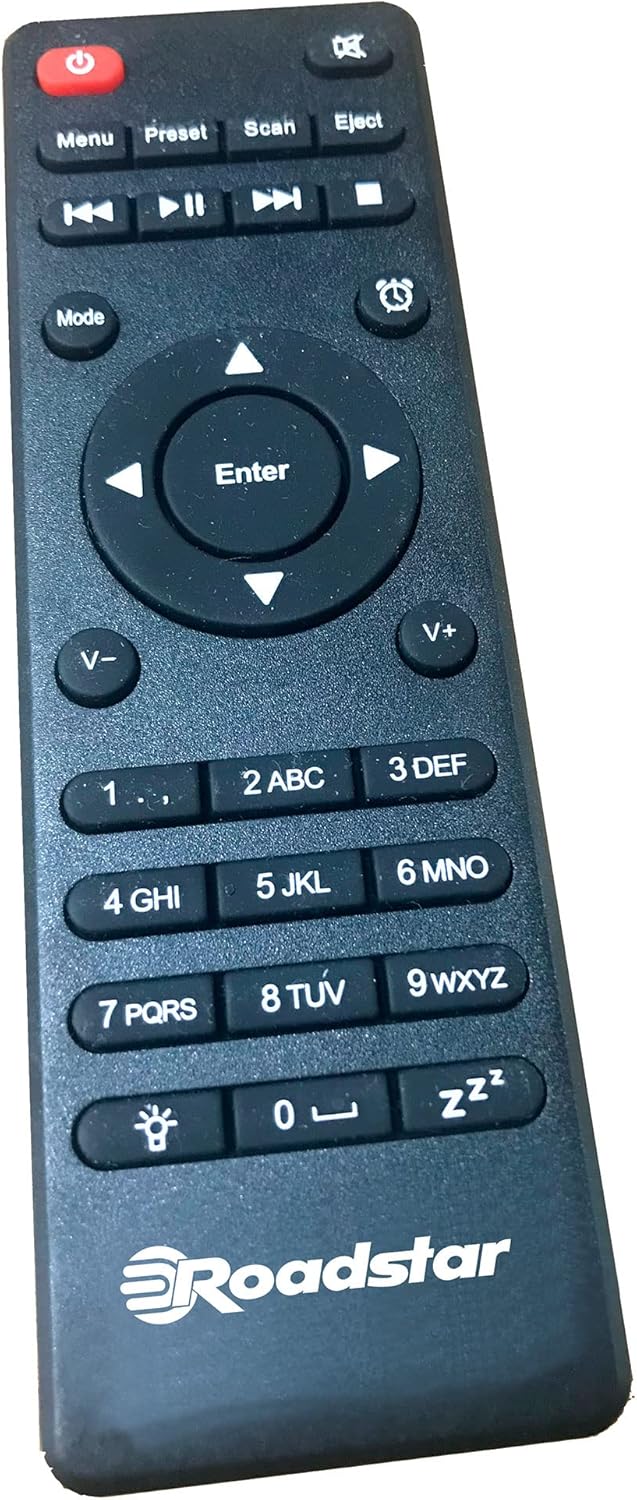
Figure 3.3: The multi-function remote control for the Roadstar IR-540D+BT/BK, featuring buttons for power, mode selection, playback, volume, and numeric input.
The included remote control allows for convenient operation of all functions from a distance, including power, mode selection, volume, track control, and alarm settings.
4. Configuració
4.1 Desembalatge
Carefully remove the unit and all accessories from the packaging. Ensure all components are present:
- Roadstar IR-540D+BT/BK Micro Hi-Fi System
- Control remot
- Adaptador d'alimentació
- Manual d'usuari (aquest document)
4.2 Connexió de potència
Connect the provided power adapter to the DC IN port on the rear of the unit. Plug the other end of the adapter into a suitable wall outlet.
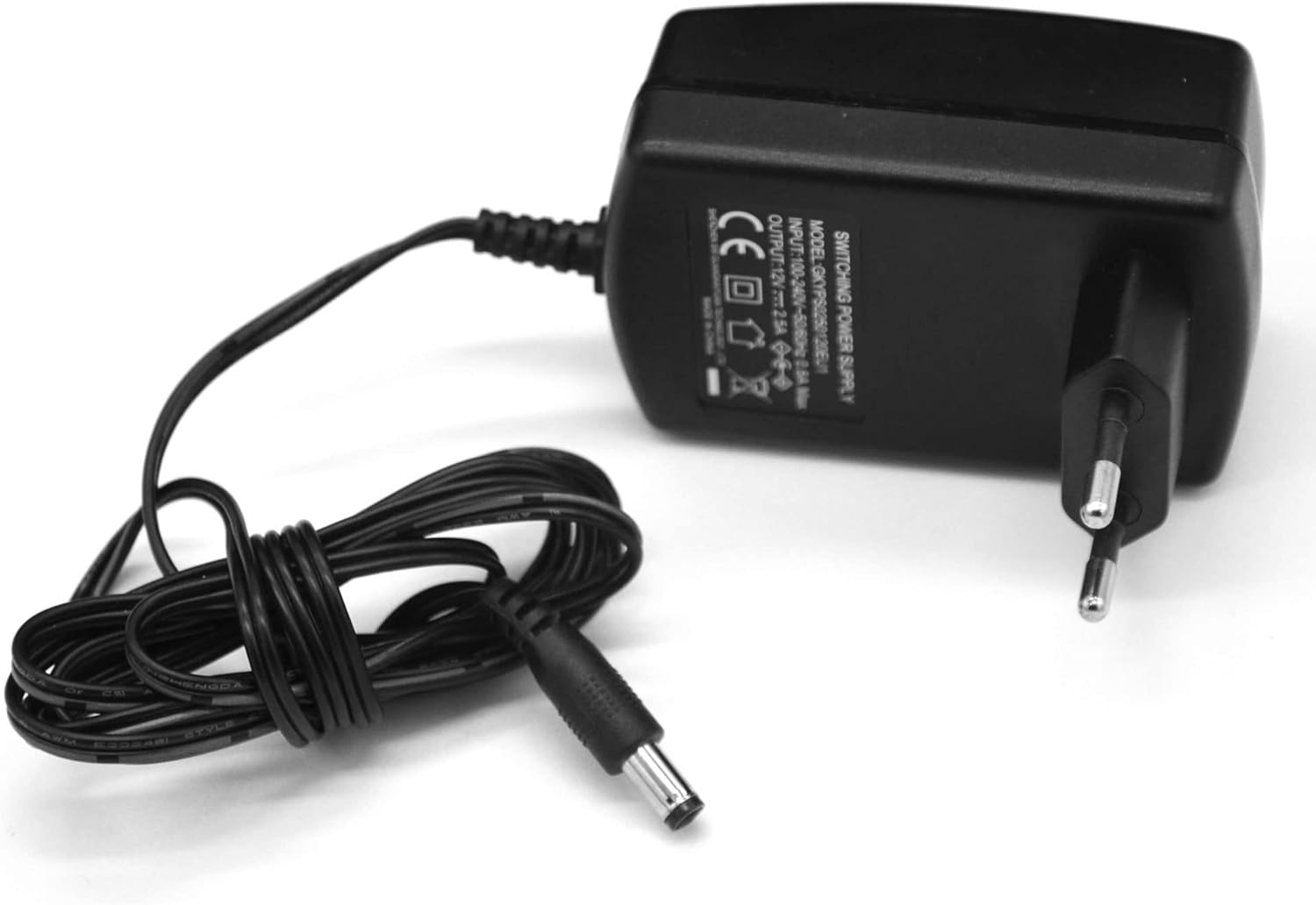
Figure 4.2: The power adapter, which connects to the DC IN port on the unit's rear panel.
4.3 Connexió de l'antena
For optimal DAB+ and FM radio reception, fully extend the telescopic antenna located on the rear of the unit.
4.4 Initial Setup (First-Time Use)
Upon first power-on, the unit may guide you through an initial setup wizard. Follow the on-screen prompts to:
- Seleccioneu el vostre idioma preferit.
- Configure network settings for Internet Radio (Wi-Fi connection).
- Perform an automatic scan for DAB+ and FM stations.
5. Instruccions de funcionament
5.1 Encès/Apagat
Premeu el botó Poder botó del panell frontal o del comandament a distància per encendre o apagar la unitat.
5.2 Selecció del mode
Premeu el botó Mode button on the remote control or the front panel to cycle through available modes: Internet Radio, DAB+, FM, CD, Bluetooth, and AUX-IN.
5.3 Ràdio per Internet
To access Internet Radio, ensure the unit is connected to a Wi-Fi network (refer to Section 4.4 for initial setup).
- Browsing Stations: Use the navigation buttons or control knob to browse stations by genre, location, or search.
- Desant els valors predefinits: Once a station is playing, press and hold the Preestablert button to save it to a preset number. Press Preestablert briefly to recall saved stations.
5.4 DAB+/FM Radio
- Scanning Stations: In DAB+ or FM mode, press the Escaneja button to perform an automatic scan for available stations.
- Sintonització manual: Use the navigation buttons to fine-tune frequencies manually.
- RDS/Radiotext: When available, RDS (Radio Data System) or Radiotext information will be displayed on the screen in FM mode.
5.5 CD/MP3 Player
The unit supports CD, CD-R, CD-RW, and MP3 CD formats.
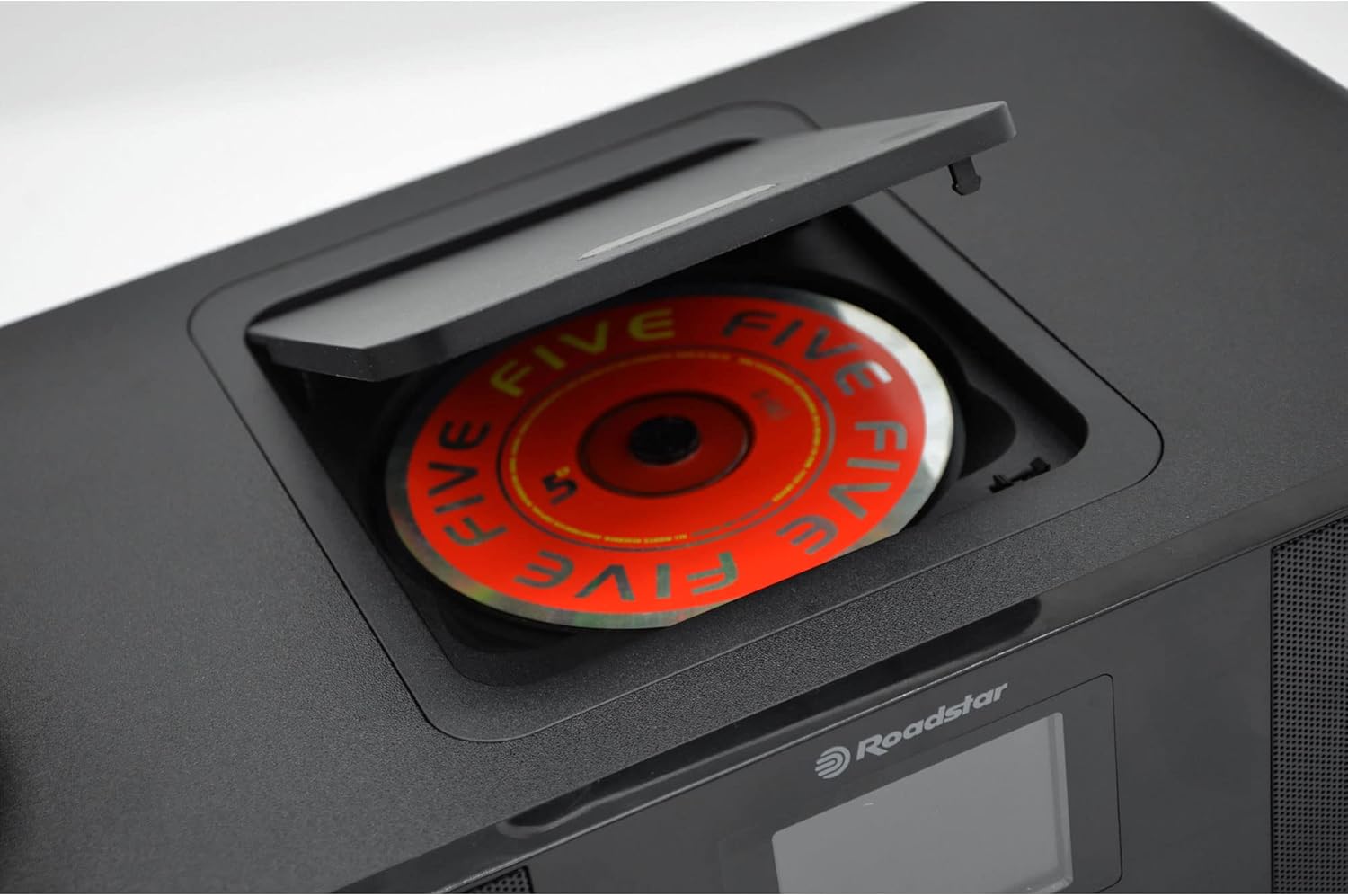
Figure 5.5: Top-loading CD compartment with a disc partially inserted.
- Carregant un CD: Open the CD compartment cover on top of the unit and place a CD with the label side facing up. Close the cover.
- Controls de reproducció: Utilitza el Reproduir/Pausa, Salta endavant/enrere, i Avançar/rebobinar ràpid botons per al control de la reproducció.
- MP3 Track Search: For MP3 CDs, you can search for tracks using the navigation buttons.
5.6 Connectivitat Bluetooth
Pair your smartphone, tablet, or other Bluetooth-enabled device with the Micro Hi-Fi System.
- Maridatge: Select Bluetooth mode on the unit. The unit will enter pairing mode automatically. On your device, search for "Roadstar IR-540D+BT/BK" (or similar) in the Bluetooth settings and connect.
- Reproducció d'àudio: Once paired, audio played on your connected device will stream through the Micro Hi-Fi System's speakers.
5.7 USB Playback and Charging
The USB port supports MP3 playback and fast charging for compatible devices.
- Reproducció USB: Inseriu una unitat flash USB que contingui MP3 files into the USB port. Select USB mode to begin playback.
- Càrrega ràpida: Connect your mobile device to the USB port for rapid charging.
5.8 Connexió AUX-IN
Connect external audio devices (e.g., MP3 players, older smartphones) using a 3.5mm audio cable to the AUX-IN port on the rear panel. Select AUX-IN mode to listen to audio from the connected device.
5.9 Headphone Connection
For private listening, plug 3.5mm headphones into the headphone jack on the rear panel. The main speakers will be muted automatically.
5.10 Funció de despertador
The unit features a dual alarm function.
- Configuració d'alarmes: Access the alarm settings through the menu. You can set two independent alarms, choose the alarm source (buzzer or radio), and set the desired time.
5.11 Configuració de l'equalitzador
Adjust the audio output to suit your preference using the pre-set equalizer modes:
- Normal
- Pis
- Clàssic
- Roca
- Pop
- Jazz
- Bandes sonores
Premeu el botó EQ button to cycle through these modes.
5.12 Control de volum
Rotate the central control knob or use the Vol+ / tornar botons del comandament a distància per ajustar el nivell de volum.
6. Manteniment
Proper care will ensure the longevity of your Micro Hi-Fi System.
- Neteja de la unitat: Netegeu l'exterior de la unitat amb un drap suau, sec i sense borrissol. No utilitzeu productes de neteja abrasius, ceres ni dissolvents.
- Cura del reproductor de CD: Handle CDs by their edges to avoid fingerprints. If a CD is dirty, wipe it gently from the center outwards with a soft, dry cloth.
- Emmagatzematge: Si guardeu la unitat durant un període prolongat, desendolleu-la de la presa de corrent i guardeu-la en un lloc fresc i sec.
7. Solució De Problemes
Si teniu algun problema, consulteu la taula següent per veure els problemes habituals i les seves solucions.
| Problema | Causa possible | Solució |
|---|---|---|
| Sense poder | Power adapter not connected; power outlet not active. | Assegureu-vos que l'adaptador de corrent estigui connectat correctament a la unitat i a una presa de corrent que funcioni. |
| Sense so | Volume too low; Mute function active; incorrect mode selected; headphones connected. | Increase volume; check if mute is active; select the correct input mode; disconnect headphones. |
| Mala recepció de ràdio | Antena no estesa; senyal feble; interferències. | Fully extend the antenna; reposition the unit for better signal; move away from other electronic devices. |
| L'aparellament de Bluetooth falla | Unit not in pairing mode; device too far; Bluetooth off on source device. | Ensure unit is in Bluetooth pairing mode; bring devices closer; enable Bluetooth on your source device. |
| El CD no es reprodueix | CD inserit incorrectament; el CD està brut o ratllat; format de disc no compatible. | Reinsert CD correctly; clean or replace CD; ensure disc is CD, CD-R, CD-RW, or MP3 CD. |
8. Especificacions
The following are the technical specifications for the Roadstar IR-540D+BT/BK Micro Hi-Fi System:
| Característica | Detall |
|---|---|
| Marca | Roadstar |
| Número de model | IR-540D+BTBK |
| Color | Negre |
| Tecnologia de connectivitat | Bluetooth |
| Dispositius compatibles | Mobile devices, tablets, computers |
| Tipus d'altaveu | estèreo |
| Font d'alimentació | Elèctric amb cable |
| Potència de sortida (RMS) | 2 x 10W RMS (Total 20W RMS) |
| Power Output (PMPO) | 160W |
| Configuració del canal de so envoltant | 2.0 |
| Estàndards suportats | DAB, DAB+, FM, Bluetooth, MP3 |
| Reproductor de CD | CD, CD-R, CD-RW, MP3 CD compatible; Top loader; Track search; Fast forward/reverse |
| Sintonitzador de ràdio | Internet Radio, DAB/DAB+/FM; RDS/Radiotext; Auto/Manual tuning; Presets |
| Port USB | Playback, Fast Charging (1A Rating) |
| AUX-IN | Jack de 3.5 mm |
| Presa d'auriculars | Jack de 3.5 mm |
| Mostra | LCD digital |
| Control remot | Multifunció |
| Alarma | Funció d'alarma dual |
| Equalitzador | Pre-set (Normal, Flat, Classic, Rock, Pop, Jazz, Soundtracks) |
| Pes | 3.18 kg |
9. Garantia i Suport
Roadstar products are designed and manufactured to the highest quality standards. For information regarding warranty coverage and technical support, please refer to the warranty card included with your product or visit the official Roadstar weblloc web. Conserveu el rebut de compra com a comprovant de compra per a reclamacions de garantia.
For further assistance, please contact Roadstar customer service.


