Introducció
This manual provides essential instructions for the proper use and maintenance of your Kawai Universal Mini HD Satellite Remote Control. This remote is designed for seamless compatibility with various Kawai satellite receiver models, including Kw 900, Kw 6820, Kn 650, Kw 2000, 6850, 6950, and 8400. Please read this manual thoroughly before operating the device to ensure optimal performance and longevity.
Producte acabatview
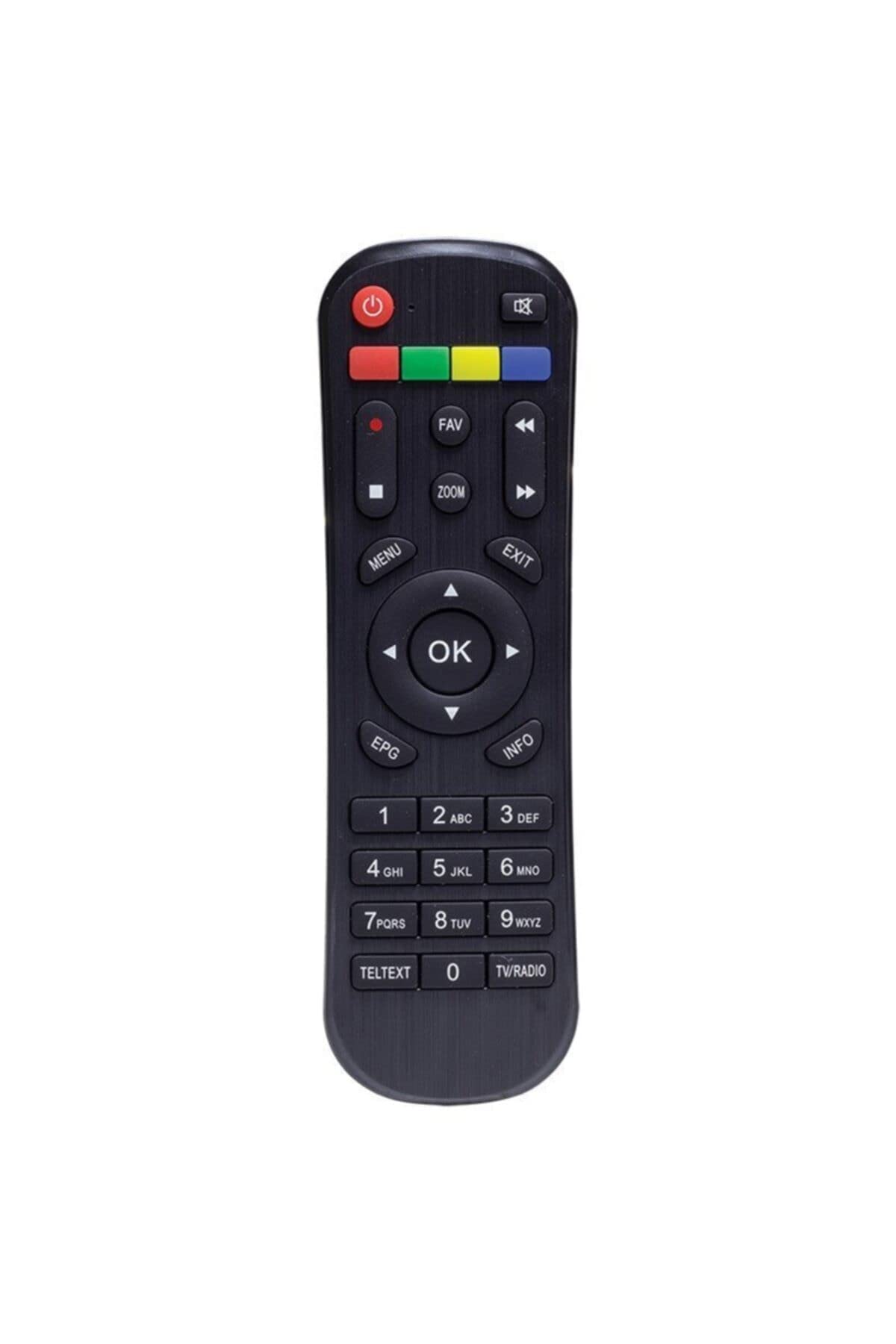
Figura 1: Davant view of the Kawai Universal Mini HD Satellite Remote Control. This image displays the ergonomic design and button layout of the remote, highlighting its compact size and standard control functions.
The Kawai Universal Mini HD Satellite Remote Control is a compact and efficient device designed to provide full control over your compatible Kawai satellite receiver. Its intuitive button layout ensures ease of use for channel navigation, volume control, menu access, and other essential functions.
Configuració
1. Instal·lació de la bateria
- Localitzeu el compartiment de la bateria a la part posterior del comandament a distància.
- Feu lliscar la tapa de la bateria cap avall o en la direcció indicada per la fletxa per obrir-la.
- Introduïu dues piles AAA (no incloses), assegurant-vos que els terminals positiu (+) i negatiu (-) coincideixin amb els diagrames de l'interior del compartiment.
- Torneu a col·locar la tapa de la bateria fent-la lliscar fins que faci clic de manera segura.
2. Ús inicial
This remote control is pre-programmed for compatibility with the listed Kawai satellite receiver models. No additional pairing or setup is typically required. Simply point the remote at your satellite receiver and begin operation.
- Ensure there are no obstructions between the remote control and the satellite receiver.
- Confirm that the satellite receiver is powered on.
Instruccions de funcionament
Familiarize yourself with the primary functions of the remote control buttons:
- Botó d'encendre (●): Turns the satellite receiver on or off.
- Canal amunt/avall (CH +/-): Canvia el canal de televisió.
- Pujar/baixar el volum (VOL+/-): Ajusta el volum d'àudio.
- Silencia (MUT): Silencia la sortida d'àudio.
- Botons numèrics (0-9): Introduïu directament els números de canal.
- Menú (MENÚ): Accesses the satellite receiver's main menu.
- Botons de navegació (▲ ▼ ◀ ▶): Navegueu per les opcions del menú.
- OK/Enter (OK): Confirma les seleccions als menús.
- Exit/Back (Sortida): Exits current menu or returns to the previous screen.
- Informació (INFO): Mostra informació del programa.
Specific button functions may vary slightly depending on your Kawai satellite receiver model. Refer to your receiver's manual for detailed information on advanced features.
Manteniment
Neteja
Per netejar el comandament a distància, utilitzeu un drap suau i sec. Per a la brutícia resistent, netegeu lleugerament.ampen the cloth with water or a mild, non-abrasive cleaner. Avoid using harsh chemicals, solvents, or abrasive materials, as these can damage the remote's surface and internal components.
Canvi de bateria
Replace batteries when the remote control's response becomes sluggish or stops functioning. Always replace both batteries simultaneously with new ones of the same type (AAA). Do not mix old and new batteries, or different types of batteries, as this can lead to leakage or damage.
- Remove old batteries promptly to prevent leakage.
- Eliminar les bateries usades d'acord amb la normativa local.
Resolució de problemes
| Problema | Causa possible | Solució |
|---|---|---|
| El comandament a distància no funciona. |
|
|
| Some buttons do not function. |
|
|
Especificacions
- Marca: Kawai (Listed as Generic by seller)
- Fabricant: Genèric
- ASIN: B0BW4KLTDS
- Primera data disponible: 17 de febrer de 2023
- Compatibilitat: Kawai Kw 900, Kw 6820, Kn 650, Kw 2000, 6850, 6950, 8400 Mini HD Satellite Receivers
- Font d'alimentació: 2 piles AAA (no incloses)
Garantia i Suport
For warranty information and technical support, please refer to the documentation provided with your original Kawai satellite receiver or contact the retailer from whom you purchased this remote control. Keep your purchase receipt as proof of purchase.
For further assistance, you may also visit the official Kawai website or contact their customer service department if available in your region.


