1. Introducció
This manual provides essential instructions for the safe and efficient operation, setup, and maintenance of your ComMarker B4 20W Fiber Laser Engraver Machine. Please read this manual thoroughly before using the device.
The ComMarker B4 20W is a versatile 2-in-1 desktop and handheld fiber laser marking machine, compatible with LightBurn and EzCad2 software. It is designed for high-precision engraving on a variety of materials including metals (stainless steel, aluminum, gold, silver, alloy, copper), jewelry, and certain painted products and non-transparent plastics.

Image: The ComMarker B4 20W Fiber Laser Engraver Machine, showcasing its compact design and included 110x110mm and 200x200mm lenses.
2. Informació de seguretat
WARNING: This product contains a Class 1 Laser. Always wear appropriate 1064nm laser safety goggles during operation.
- Ensure the workspace is well-ventilated to avoid inhaling fumes from engraved materials.
- No mireu mai directament el feix làser ni els reflexos.
- Mantingueu els nens i el personal no autoritzat allunyats de la màquina en funcionament.
- Do not engrave flammable or explosive materials.
- Familiaritzeu-vos amb la ubicació i la funció del botó d'aturada d'emergència.
- Assegureu-vos d'una correcta connexió a terra de la màquina.
- Refer to IEC 60825-1 Report Number. 2401T29446E-SF and FDA Accession No.: 2210871-000 for compliance details.

Image: A pair of 1064nm laser safety goggles, essential protective equipment for operating the laser engraver.
3. Contingut del paquet
Verifiqueu que tots els elements que s'enumeren a continuació siguin presents al vostre paquet:
- 1x B4 Machine
- 1x 110mm x 110mm Lens
- 1x 200mm x 200mm Lens
- 1x adaptador de corrent
- 1x Foot Switch
- 1x Positioner
- 1x USB Drive (containing software and drivers)
- 1x Regla
- 1x cable de dades
- 1x Allen Wrench Set
- 1x 1064nm Goggles
- 2x Paperboard (for testing)
- 2x Steel Plate (for testing)
- 1x Auxiliary Holder
- 1x Material Package (sampels materials)

Imatge: Un cop mésview of the ComMarker B4 laser engraver and all its included accessories, such as lenses, cables, safety goggles, and sampels materials.
4. Instruccions de configuració
- Desembalatge: Traieu amb cura tots els components de l'embalatge. Inspeccioneu-ho per veure si hi ha danys durant l'enviament.
- Muntatge:
- Place the laser head assembly onto the base unit. Secure it using the provided screws and Allen wrench.
- Attach the desired field lens (110x110mm or 200x200mm) to the laser head. Ensure it is securely fastened.
- Connexió d'alimentació: Connect the power adapter to the machine and then to a grounded 110V power outlet.
- Connexió USB: Connect the data cable from the machine to your computer.
- Instal·lació de programari:
- Inseriu la unitat USB proporcionada a l'ordinador.
- Install the EzCad2 software and necessary drivers. For LightBurn compatibility, ensure you have the correct version and drivers installed for your operating system (Windows 7/8/10/11, MAC).
- Ajust inicial de l'enfocament:
- Place a test material on the work platform.
- Use the electric lifting mechanism (up/down buttons on the unit) to adjust the height of the laser head until the red light focusing guides converge into a single, sharp point on the material surface.

Image: Diagram illustrating the electric lifting mechanism for precise height adjustment of the laser head, crucial for focusing.
5. Instruccions de funcionament
5.1. Basic Engraving Process
- Prepara el disseny: Create or import your design in EzCad2 or LightBurn software. Supported formats include BMP, GIF, JPG, JPEG, DXF, DST, AI, etc.
- Col·locació del material: Place the material to be engraved on the work platform. Use the auxiliary holder or positioner if needed for stability.
- Ajust del focus: Adjust the laser head height using the electric lifting buttons until the red light guides achieve optimal focus on the material surface.
- Configuració dels paràmetres: In the software, set appropriate laser parameters (power, speed, frequency, passes) based on the material type and desired engraving depth. Refer to the software manual for detailed parameter guidance.
- Longitud d'ona làser: 1064 nm
- Velocitat de marcatge: 0-15000 mm/s
- Freqüència: 20-60 kHz
- Minimum Line Width: 0.01mm
- Engraving Depth: 0.3-0.5mm (typical)
- Preview Àrea de gravat: Feu servir la preinstal·lació del programariview function to ensure the design is positioned correctly on the material.
- Comença el gravat: Ensure safety goggles are worn. Press the start button in the software or use the foot switch to begin the engraving process.
- Procés de seguiment: Observe the engraving process. In case of any issue, immediately press the emergency stop button.
5.2. Handheld Operation
The B4 machine can be detached from its base for handheld operation, allowing for engraving on larger or irregularly shaped objects. Follow these steps:
- Detach Laser Head: Carefully detach the laser head assembly from the vertical column.
- Connecteu l'alimentació i les dades: Ensure power and data cables are securely connected for handheld use.
- Enfocament manual: For handheld use, manual focusing is critical. Maintain a consistent distance between the laser head and the material surface to ensure proper focus. The red light guides will assist in this.
- Precaucions de seguretat: Exercise extreme caution during handheld operation. Ensure the laser path is clear and stable. Always wear safety goggles.
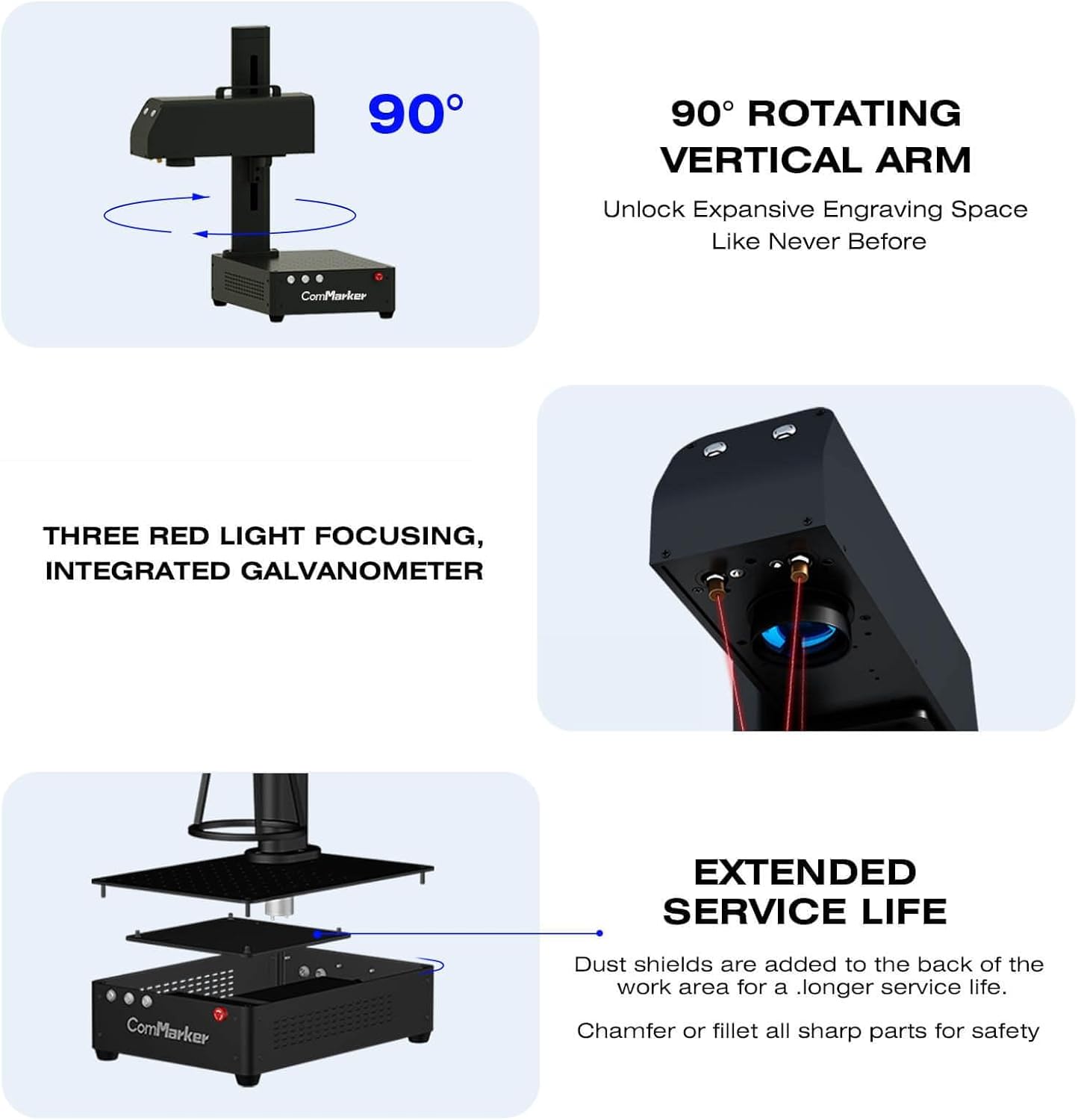
Image: The ComMarker B4 demonstrating its 90-degree rotating vertical arm, enabling flexible engraving positions and handheld use.
5.3. Materials compatibles
The ComMarker B4 fiber laser engraver is suitable for marking and engraving a wide range of materials:
- Metalls: Stainless steel, aluminum, gold, silver, alloy, copper, brass, titanium, etc.
- Joieria: Rings, pendants, bracelets, watches.
- Altres: Pens, tags, tumblers, most painted products, and non-transparent plastics.
Nota: For optimal results on specific materials, test on scrap pieces first to determine the best laser settings.
5.4. Compatibilitat del programari
The ComMarker B4 is compatible with industry-standard laser engraving software, including LightBurn and EzCad2. It supports various graphic formats for design import.

Image: An illustration of the ComMarker B4's wide software compatibility, including Windows and Mac operating systems, and support for LightBurn and EzCad2, alongside various graphic file formats.
6. Manteniment
Un manteniment regular garanteix la longevitat i el rendiment òptim del vostre gravador làser.
- Neteja de lents: Periodically clean the field lens with a soft, lint-free cloth and lens cleaning solution. Avoid abrasive materials.
- Eliminació de pols: Keep the machine free from dust and debris. Use compressed air to clean vents and internal components. The machine includes dust shields at the back of the work area for extended service life.
- Inspecció del cable: Regularly check all cables for wear, damage, or loose connections.
- Actualitzacions de programari: Keep your EzCad2 or LightBurn software updated to the latest version for improved performance and features.
- Condicions ambientals: Operate the machine in a clean, dry environment with stable temperature and humidity.

Imatge: Una explosió view of the ComMarker B4 base unit, highlighting the internal components and the presence of dust shields for enhanced durability.
7. Solució De Problemes
| Problema | Causa possible | Solució |
|---|---|---|
| El làser no dispara | Power cable loose, emergency stop engaged, software error, laser source issue. | Check power connections. Disengage emergency stop. Restart software and machine. Contact support if issue persists. |
| Poor engraving quality / blurry marks | Incorrect focus, wrong laser parameters, dirty lens, material instability. | Re-adjust focus. Verify laser settings for material. Clean the lens. Secure the material. |
| Màquina no reconeguda per l'ordinador | USB cable issue, driver not installed, software conflict. | Try a different USB port/cable. Reinstall drivers from the USB drive. Ensure software is compatible with OS. |
| Unexpected machine movement or error | Software glitch, hardware malfunction. | Press emergency stop. Restart machine and software. Check for loose connections. |
8. Especificacions
- Model: B4-20W
- Font làser: 20W Max Fiber Laser
- Entrada Voltage: 110 V
- Longitud d'ona làser: 1064 nm
- Velocitat de marcatge: 0-15000 mm/s
- Freqüència: 20-60 kHz
- Compatibilitat del sistema: Windows 7/8/10/11, MAC (LightBurn)
- Supported Graphics Formats: BMP, GIF, JPG, JPEG, DXF, DST, AI, etc.
- Minimum Line Width: 0.01 mm
- Profunditat de gravat: 0.3-0.5 mm
- Lents incloses: 110x110mm, 200x200mm
- Dimensions del producte: 3.94 x 3.94 x 3.94 polzades
- Pes de l'article: 37.9 lliures
- Certificacions: IEC 60825-1 Report Number. 2401T29446E-SF, FDA Accession No.: 2210871-000, Class 1 Laser Product (Power output 1.95mW)
9. Garantia i Suport
ComMarker provides customer support for their products. For technical assistance, warranty claims, or service inquiries, please refer to the contact information provided with your purchase or visit the official ComMarker weblloc.
The product is covered by a standard return policy (30 days for refund/replacement) as per purchase terms.
Per a més ajuda, podeu visitar el ComMarker Store on Amazon.
10. Vídeos de productes
ComMarker B4 Laser Engraver Overview
Vídeo: Un overview of the ComMarker B4 Fiber Laser Engraver, demonstrating its features and capabilities. This video provides a general introduction to the machine's design and functionality.
ComMarker B4 Engraving Process Demonstration
Video: A demonstration of the ComMarker B4 in action, showcasing the engraving process on various materials. This video illustrates the precision and speed of the laser marking.
ComMarker B4 Versatility and Applications
Video: This video highlights the versatility of the ComMarker B4, showing different applications and types of items that can be engraved, from jewelry to tumblers.
ComMarker B4 Features and Design
Video: A detailed look at the design and key features of the ComMarker B4, including its 2-in-1 desktop and handheld functionality and integrated components.
ComMarker B4 User Experience
Video: This video provides insights into the user experience with the ComMarker B4, demonstrating ease of use and practical applications in a workshop setting.


