1. Introducció
The LASERLINER VideoPocket HD 082262A is a compact and versatile industrial endoscope designed for visual inspection in hard-to-reach areas. This device allows for real-time viewing, image capture, and video recording, making it an essential tool for professionals in various fields. This manual provides detailed instructions for the safe and effective operation, maintenance, and troubleshooting of your VideoPocket HD.
2. Instruccions de seguretat
- Seguretat general: Read all instructions carefully before use. Keep the device away from water, high temperatures, and direct sunlight.
- Seguretat de la bateria: Use only specified AA alkaline batteries. Do not mix old and new batteries, or different types of batteries. Remove batteries if the device will not be used for an extended period.
- Cable de la càmera: Do not bend, pinch, or pull the camera cable excessively. Avoid inserting the camera into live electrical circuits or hazardous environments without proper safety precautions.
- Neteja: Desconnecteu l'alimentació abans de netejar. Feu servir un drap suau i sec. No utilitzeu productes de neteja abrasius ni dissolvents.
- Reparació: No intenteu obrir ni reparar el dispositiu vosaltres mateixos. Encarregueu totes les tasques de manteniment a personal qualificat.
3. Contingut del paquet
Verifiqueu que tots els elements siguin presents al vostre paquet:
- LASERLINER VideoPocket HD Main Unit
- Camera Cable with 5.2mm Camera Head (1m length)
- Enganxament d'imant
- Adjunt al mirall
- Enganxament de ganxo
- Camera Tip Attachments (for securing magnet, mirror, hook)
- Manual d'usuari
4. Producte acabatview
The VideoPocket HD features a robust design for industrial use, with an integrated display and flexible camera probe.

Figura 1: LASERLINER VideoPocket HD industrial endoscope handheld unit. This image shows the complete device, highlighting its compact form factor and integrated display.

Figura 2: Close-up of the 5.2mm camera head with 6 integrated LEDs for illumination. The small diameter allows access into narrow spaces, and the LEDs provide necessary lighting.
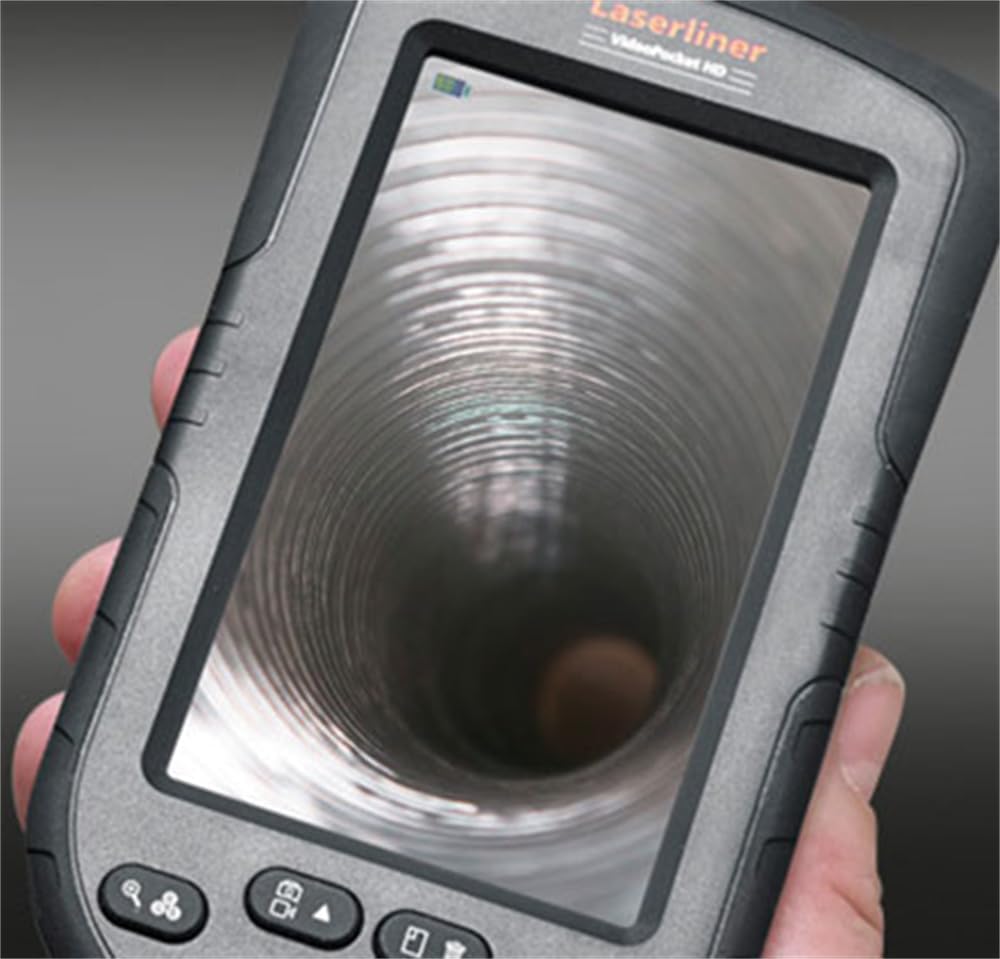
Figura 3: LASERLINER VideoPocket HD display showing a live view from inside a corrugated pipe. This demonstrates the device's capability to provide clear visuals during inspection.

Figura 4: lateral view of the VideoPocket HD unit, highlighting the MicroUSB port and microSD card slot. These ports are used for data transfer and memory expansion.

Figura 5: posterior view of the LASERLINER VideoPocket HD, showing the integrated storage for the camera cable. This design ensures convenient and secure storage of the probe.
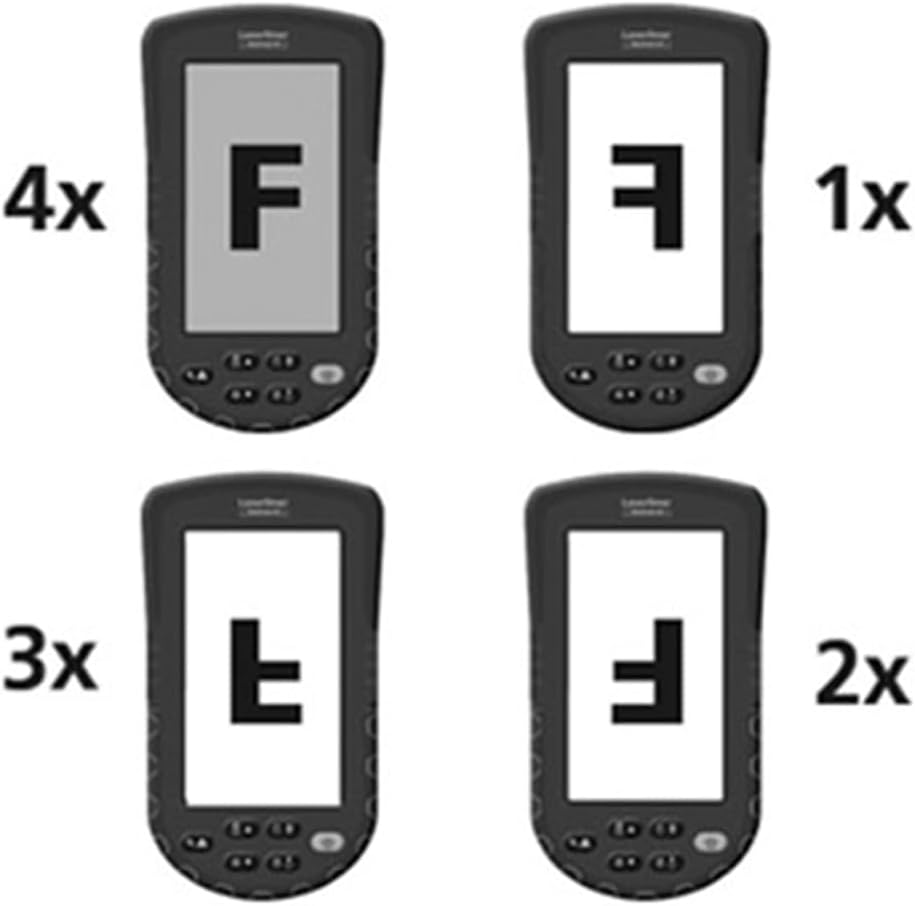
Figura 6: Diagram illustrating the 4x digital zoom function of the VideoPocket HD, showing different magnification levels. This feature allows for closer examination of details.
5. Configuració
5.1 Instal·lació de la bateria
- Localitzeu la tapa del compartiment de la bateria a la part posterior del dispositiu.
- Obriu la coberta fent-la lliscar o desenganxant-la.
- Introduïu quatre (4) piles alcalines AA, assegurant-vos de la polaritat correcta (+/-) tal com s'indica a l'interior del compartiment.
- Tanqueu bé la tapa del compartiment de la bateria.
5.2 Inserció de la targeta MicroSD
- Locate the microSD card slot on the side of the device (refer to Figure 4).
- Insert a microSD card (up to 32GB, not included) into the slot with the contacts facing down, until it clicks into place.
- Per treure-la, premeu suaument la targeta fins que surti.
5.3 Col·locació d'accessoris
The magnet, mirror, and hook attachments can be secured to the camera head using the provided camera tip attachments.
- Select the desired attachment (magnet, mirror, or hook).
- Carefully slide the camera tip attachment over the camera head.
- Ensure the accessory is firmly seated and aligned with the camera lens if necessary (e.g., mirror).
6. Instruccions de funcionament
6.1 Engegada/apagada
- Encès: Press and hold the Power button until the display illuminates.
- Apagar: Premeu i manteniu premut el botó d'engegada fins que la pantalla s'apagui.
6.2 Viu View i Navegació
- Once powered on, the device will display a live feed from the camera probe.
- Use the directional buttons (if present) to navigate through menus or adjust settings.
6.3 Ajust de la brillantor
The camera head features 6 LEDs with 10-stage brightness adjustment.
- Locate the brightness adjustment buttons (often marked with sun icons or up/down arrows).
- Press the appropriate button to increase or decrease the LED illumination intensity.
6.4 Using Digital Zoom
The device supports up to 4x digital zoom (refer to Figure 6).
- Press the Zoom button (often marked with a magnifying glass icon) to cycle through zoom levels (1x, 2x, 3x, 4x).
6.5 Captura d'imatges i vídeos
Ensure a microSD card is inserted before attempting to record.
- Captura d'imatge: En directe view, press the Photo/Capture button (often marked with a camera icon) to take a still image.
- Grava vídeo: Press the Video/Record button (often marked with a video camera icon) to start recording. Press it again to stop recording.
6.6 Viewing Recorded Media
- Enter Playback mode (usually via a dedicated button or menu option).
- Feu servir els botons de direcció per navegar per les imatges i els vídeos capturats.
- Press the OK/Play button to view an image or play a video.
6.7 Connexió a un ordinador
Use the MicroUSB port to transfer files a un ordinador.
- Connect the device to your computer using a MicroUSB cable (not included).
- El dispositiu hauria d'aparèixer com a dispositiu d'emmagatzematge extraïble a l'ordinador.
- You can then access and transfer the images and videos stored on the microSD card.
7. Manteniment
7.1 Neteja
- Unitat principal: Wipe the main unit and display with a soft, dry, lint-free cloth. For stubborn dirt, a slightly damp es pot fer servir un drap, seguit d'un drap sec.
- Cap de càmera: Gently clean the camera lens with a soft lens cleaning cloth or cotton swab. Avoid scratching the lens.
- No submergiu cap part del dispositiu a l'aigua.
7.2 Emmagatzematge
- Guardeu el dispositiu en un lloc fresc i sec, allunyat de la llum solar directa i de temperatures extremes.
- Traieu les piles si no heu d'utilitzar el dispositiu durant un període prolongat per evitar fuites.
- Ensure the camera cable is neatly coiled and stored in its designated compartment (refer to Figure 5).
8. Solució De Problemes
| Problema | Causa possible | Solució |
|---|---|---|
| El dispositiu no s'encén. | Les piles estan gastades o incorrectament inserides. | Substituïu les piles per piles alcalines AA noves, assegurant-vos de la polaritat correcta. |
| No es mostra cap imatge. | Camera cable not properly connected or damaged. | Check the camera cable connection. If problem persists, contact support. |
| Cannot capture images/videos. | No hi ha cap targeta microSD inserida o la targeta està plena/corrompuda. | Insert a valid microSD card. Delete unnecessary fileo formateu la targeta (això esborrarà totes les dades). |
| La imatge és massa fosca/brillant. | LED brightness is not adjusted correctly. | Ajusteu la brillantor del LED amb els botons dedicats. |
| El dispositiu es bloqueja o deixa de respondre. | Error temporal de programari. | Traieu i torneu a inserir les piles per dur a terme un restabliment complet. |
9. Especificacions
| Característica | Especificació |
|---|---|
| Marca | Laserliner |
| Número de model | 082262A |
| Dimensions del producte (W x H x D) | 8.5 x 15.5 x 3.2 cm |
| Pes (amb piles) | 370 g |
| Product Weight (Gross/Shipping) | 810 g |
| Diàmetre del capçal de la càmera | 5.2 mm |
| Longitud del cable de la càmera | 1 m |
| Resolució de la càmera | 1280 x 720 píxels |
| Camp de View | 65° |
| Distància focal | 3 - 8 cm |
| Tipus de visualització | Pantalla TFT a color de 4.3 polzades |
| Resolució de visualització | 480 x 272 píxels |
| Ajust de brillantor LED | 10 stages |
| Zoom digital | 4x |
| Resolució de captura de vídeo | 1080p (for saved files) |
| Mitjans de memòria | Targeta MicroSD (fins a 32 GB) |
| Port | MicroUSB |
| Font d'alimentació | 4 piles alcalines AA |
| Accessoris inclosos | Magnet, Mirror, Hook, Camera Tip Attachments |
10. Garantia i Suport
10.1 Informació de la garantia
This LASERLINER VideoPocket HD 082262A comes with a Garantia del fabricant de 1 anys des de la data de compra. Aquesta garantia cobreix els defectes de materials i fabricació en condicions d'ús normal. No cobreix els danys causats per un mal ús, accidents, modificacions no autoritzades o desgast normal. Conserveu el comprovant de compra per a reclamacions de garantia.
10.2 Atenció al client
For technical assistance, troubleshooting beyond this manual, or warranty inquiries, please contact your retailer or visit the official Laserliner website for support contact information. When contacting support, please have your product model number (082262A) and proof of purchase readily available.


