1. Introducció
This manual provides comprehensive instructions for the installation, operation, and maintenance of your Podofo Android Car Stereo GPS system. Designed specifically for Peugeot 208 and 2008 models manufactured between 2012 and 2018, this unit features a 10-inch touchscreen, Android operating system, GPS navigation, Wi-Fi, Bluetooth, and FM RDS radio capabilities. Please read this manual thoroughly before installation and use to ensure proper functionality and safety.

Image 1.1: Before and After installation of the Podofo Android Car Stereo in a Peugeot 208/2008.
2. Contingut del paquet
Verifiqueu que tots els elements que s'enumeren a continuació s'inclouen al vostre paquet:
- 1 unitat d'estèreo per a cotxe
- 1 descodificador CANBUS
- 1 x cable d'alimentació
- 1 x Antena GPS
- 1 x Cable d'antena de ràdio
- 1 x Cable d'entrada de càmera
- 1 x Audio/Video Cable
- 2 x cables USB
- 1 x Installation Tools Set
- 1 x manual d'instruccions

Imatge 2.1: Detallada view de tots els components inclosos al paquet.
3. Compatibility & Dimensions
This car stereo is compatible with Peugeot 208 and 2008 models from 2012 to 2018. Please ensure your vehicle's central console matches the shape and dimensions shown in the product images before installation.
Dimensions de la unitat:
- Width (top): 270 mm
- Width (bottom): 280 mm
- Alçada: 160 mm
4. Configuració i instal·lació
Installation of this car stereo system requires technical knowledge. It is highly recommended to seek professional assistance for installation to avoid damage to the unit or your vehicle. If you choose to install it yourself, proceed with caution and follow these general guidelines:
- Preparació: Desconnecteu la bateria del vehicle abans de començar qualsevol treball elèctric.
- Treure la unitat original: Carefully remove the existing car stereo and trim panels from your vehicle's dashboard. Refer to your vehicle's service manual for specific instructions.
- Connecteu el cablejat: Connect the provided power cable, CANBUS decoder, GPS antenna, radio antenna cable, camera input cable, audio/video cable, and USB cables to the corresponding ports on the new car stereo and your vehicle's wiring harness. Ensure all connections are secure.
- Funcionalitat de prova: Before fully reassembling the dashboard, temporarily connect the battery and test the basic functions of the stereo (power on/off, radio, display).
- Unitat segura: Mount the new car stereo securely into the dashboard opening using the provided installation tools and brackets.
- Torneu a muntar: Reinstall all trim panels and reconnect the vehicle's battery.
The included CANBUS decoder ensures proper communication between the car stereo and your vehicle's systems, such as steering wheel controls.
5. Instruccions de funcionament
5.1 Funcions bàsiques
- Encès/apagat: Premeu i manteniu premut el botó d'engegada de la unitat o feu servir el contacte del vehicle.
- Pantalla tàctil: The 10-inch capacitive touchscreen allows for intuitive control of all functions. Tap, swipe, and pinch to navigate menus and applications.
- Sistema Android: The unit runs on an Android operating system, providing access to various applications and customization options.
5.2 Connectivitat
- Bluetooth 4.2: Pair your smartphone via Bluetooth for hands-free calling and audio streaming. Access the Bluetooth menu on the stereo to search for devices and connect. The built-in microphone ensures clear call quality.
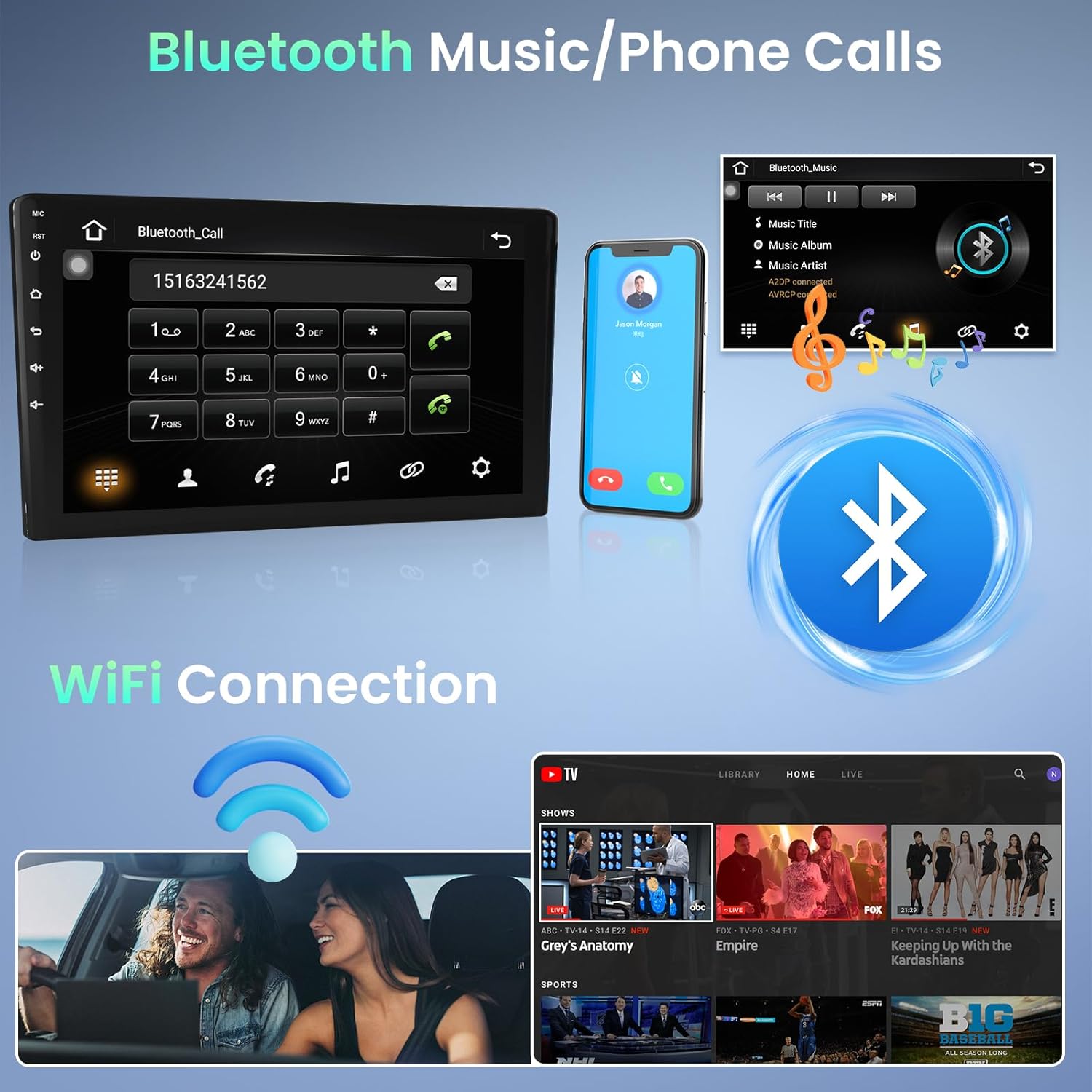
Image 5.1: Bluetooth for music and phone calls, and Wi-Fi connection.
- Wi-Fi: Connect the unit to a Wi-Fi hotspot (e.g., from your smartphone) to access online features, download apps, and use online navigation. Go to Settings > Network & Internet > Wi-Fi to connect.
- Enllaç mirall: This feature allows you to mirror your smartphone's screen onto the car stereo display. Connect your phone via a USB cable. iOS devices (under IOS 16.5) support one-way projection, while Android devices (8.0-13.0) support two-way connection.
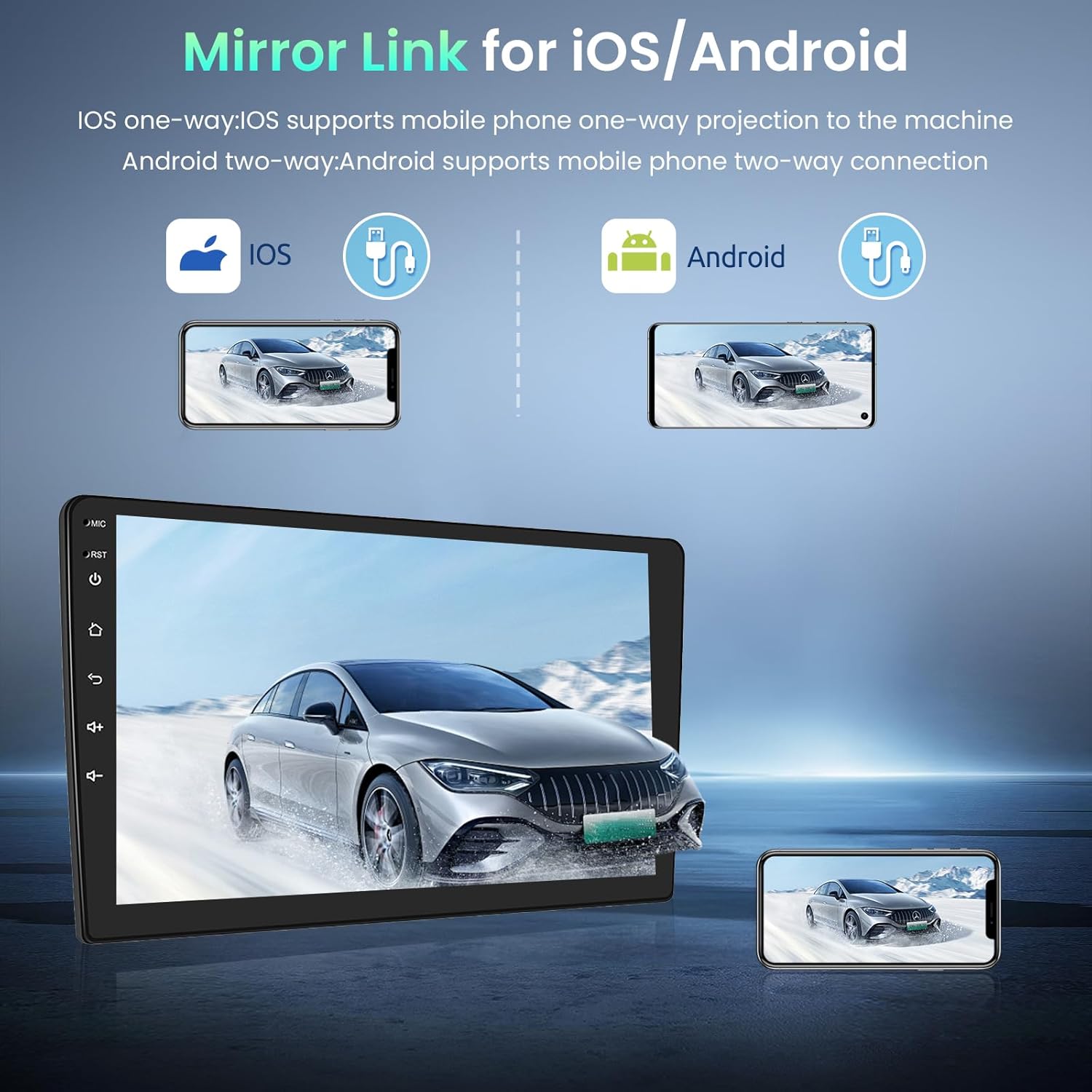
Image 5.2: Mirror Link for iOS and Android devices.
- USB: The unit features dual rear USB ports. Connect USB drives (4-32GB) to play media files.
5.3 Navegació
The integrated GPS module provides accurate navigation. The unit comes pre-installed with the Here WeGo app, allowing you to download offline maps for various countries. You can also use online navigation apps by connecting to Wi-Fi.
5.4 Multimèdia
- Ràdio FM amb RDS: Tune into your favorite radio stations. The RDS function displays station information where available.

Image 5.3: FM Radio and GPS Navigation interfaces.
5.5 Funció de pantalla dividida
The split-screen function allows you to view two applications simultaneously. In the activity view, drag an application to the left or right side of the screen to activate split-screen mode. Note that not all applications support this feature.
5.6 Control del volant
The unit supports your vehicle's original steering wheel controls via the CANBUS connection. This allows you to control volume, track changes, and other functions without taking your hands off the wheel. Configuration may be required in the system settings.

Image 5.4: HD Rear Camera input and Steering Wheel Control settings.
5.7 Entrada de càmera posterior
The car stereo supports an external rear camera (not included). Connect a compatible camera to the dedicated input for automatic display when reversing. The system supports wide-angle, night vision, and waterproof cameras.
5.8 External Device Support
The unit can be expanded with external USB dongles (not included) for additional functionalities such as DAB+ digital radio, DVR (Digital Video Recorder), OBDII diagnostics, and Carplay/Android Auto.

Image 5.5: Support for external OBD2 and DAB input devices.
6. Especificacions
| Sistema | Android |
| Memòria | 1 GB de RAM + 32 GB de ROM |
| Font d'alimentació | DC 12V |
| Potència de sortida | 4*45 W (max) |
| Poder AmpXip lificador | AC7388 |
| Interval de freqüència FM | 87.5 ~ 108 MHz |
| Resolució de pantalla | 1024*600 |
| Tipus de pantalla tàctil | Capacitiva |
| Paraula clau de configuració de fàbrica | 8888 |
| Audio/Video Ports | 2 Video In, 1 Video Out, 2 Aux In, 2 Aux Out, 1 Subwoofer Out, 1 Mic In, 1 Camera In |
| Idiomes admesos | English, French, Italian, Spanish, German, etc. (up to 40 national languages) |
| Connectivitat | Wi-Fi, Bluetooth, USB, FM RDS |
| Supported Navigation | GPS |
| Pes | 1.66 quilos |
7. Manteniment
To ensure the longevity and optimal performance of your Podofo car stereo, follow these maintenance guidelines:
- Neteja: Use a soft, dry cloth to clean the touchscreen and unit exterior. For stubborn smudges, slightly dampNetegeu el drap amb aigua o un netejador de pantalles. Eviteu materials abrasius o productes químics agressius.
- Actualitzacions de programari: Periodically check for software updates through the system settings or the manufacturer's website. Keeping the software updated can improve performance and add new features.
- Eviteu temperatures extremes: No exposeu la unitat a temperatures extremes de calor o fred durant períodes prolongats, ja que això pot afectar els seus components electrònics.
- Connexions de cable: Assegureu-vos que tots els cables estiguin connectats correctament. Les connexions soltes poden provocar problemes intermitents.
8. Solució De Problemes
Si teniu problemes amb l'estèreo del vostre cotxe, consulteu els passos habituals següents per resoldre problemes:
- Sense energia: Check the power cable connection and the vehicle's fuse box. Ensure the unit is properly installed and receiving power.
- Sense so: Verify speaker connections. Check volume settings on the unit and ensure mute is not activated. Test different audio sources.
- Pantalla tàctil que no respon: Try restarting the unit. If the issue persists, a factory reset might be necessary (note: this will erase personal data).
- Pèrdua de senyal GPS: Assegureu-vos que l'antena GPS estigui instal·lada correctament i que tingui una vista clara view del cel. Comproveu la configuració del GPS al sistema.
- Problemes de connexió Bluetooth: Ensure Bluetooth is enabled on both the stereo and your phone. Delete previous pairings and try reconnecting.
- Problemes de connexió Wi-Fi: Verify your Wi-Fi hotspot is active and providing internet access. Re-enter the Wi-Fi password if necessary.
- Rendiment lent: Close unnecessary background applications. Clear cache data if available in system settings. Consider a factory reset if performance remains poor.
Per a problemes que no es resolguin amb aquests passos, poseu-vos en contacte amb l'atenció al client.
9. Garantia i Suport
Your Podofo car stereo comes with a 24 mesos de garantia. For any inquiries or technical assistance, online support is available with responses typically within 24 hours.
Contacte amb l'assistència:
If you purchased your product through Amazon, you can contact the seller directly:
- Ves a la pàgina del producte a Amazon.
- Click on the seller's name, typically listed as "Sold by Podofo".
- On the seller's page, look for a "Contact Seller" or "Ask a Question" option.

Image 9.1: Steps to contact the seller for support.
Alternatively, you may find direct support contact information on the official Podofo website or through the provided documentation.