Introducció
This manual provides essential information for the setup, operation, and maintenance of your Apple Watch SE 2nd Generation (GPS, 40mm). The Apple Watch SE is designed to assist with fitness monitoring, connectivity, health tracking, and personal safety. It features a faster processor and includes advanced functionalities such as Crash Detection and enhanced workout metrics.
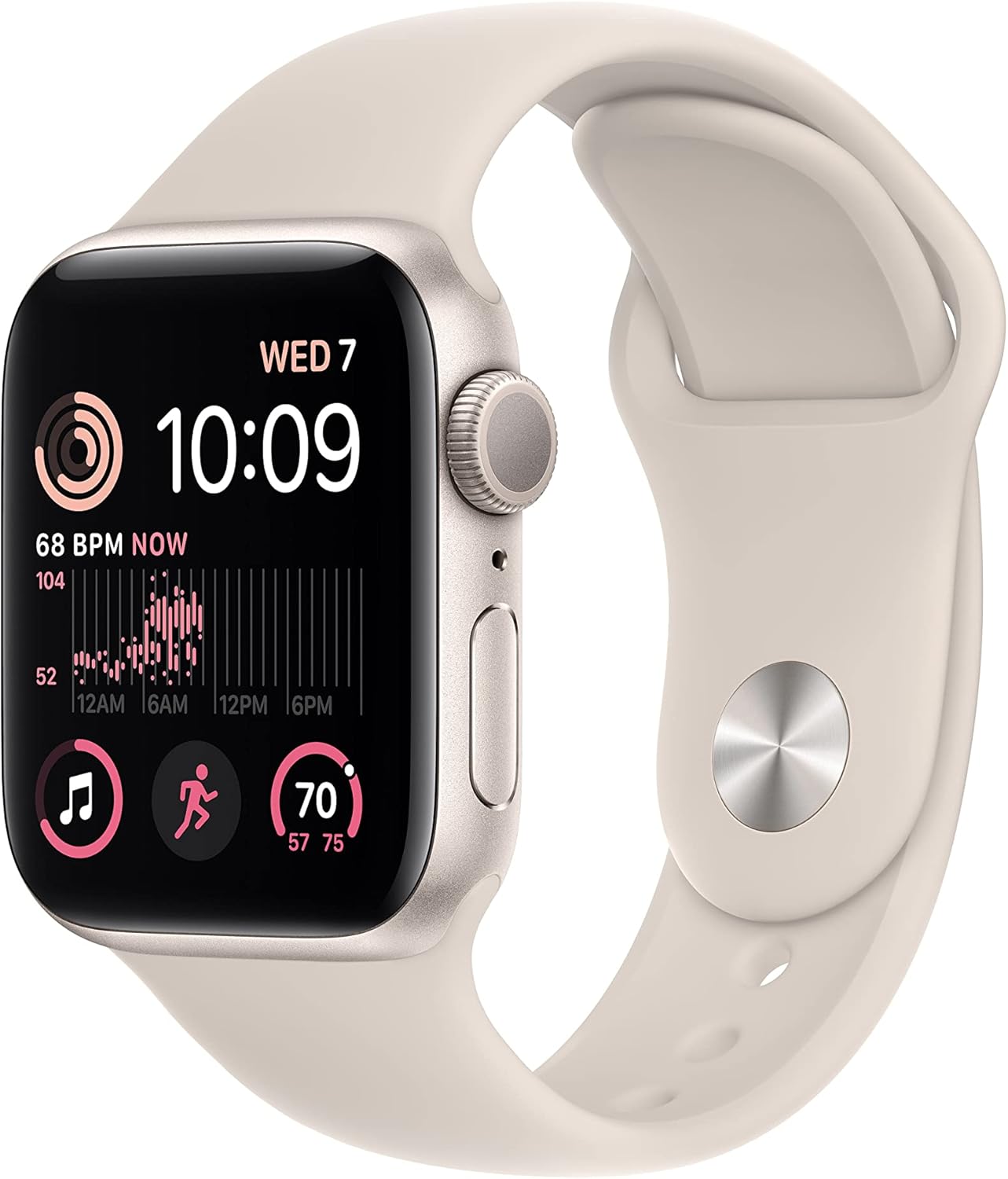
Image: The Apple Watch SE 2nd Generation in Starlight, featuring the watch face displaying time, heart rate, and activity rings, with the matching Starlight Sport Band.
Què hi ha a la caixa
Upon unboxing your Apple Watch SE 2nd Gen, verify that all components are present:
- Apple Watch SE2 (40mm Starlight Aluminum Case)
- Starlight Sport Band (S/M size)
- Cable de càrrega magnètic d'1 m

Image: A visual representation of the items included in the Apple Watch SE 2nd Gen packaging: the watch unit, the sport band, and the USB-C magnetic charging cable.
Configuració
To begin using your Apple Watch SE, it must be paired with a compatible iPhone. The Apple Watch SE requires an iPhone 8 or later running the latest iOS version.
- Carregueu el rellotge: Before initial setup, ensure your Apple Watch has sufficient charge. Connect the magnetic charging cable to the back of the watch and plug the USB-C end into a power adapter (sold separately) or a compatible USB-C port.
- Encès: Premeu i manteniu premut el botó lateral fins que aparegui el logotip d'Apple.
- Emparella amb iPhone: Bring your iPhone close to the Apple Watch. A pairing prompt will appear on your iPhone. Follow the on-screen instructions to pair the devices. You may be prompted to use your iPhone's camera to scan an animation on the watch face.
- Configura com a nou o restaura: Choose to set up the watch as a new device or restore from a previous Apple Watch backup.
- Inici de sessió: Inicia la sessió amb el teu ID d'Apple.
- Personalitza la configuració: Configure settings such as passcode, activity tracking, and app preferences.
Instruccions de funcionament
The Apple Watch SE is operated primarily through its touch screen, Digital Crown, and Side Button.
Navegació bàsica:
- Corona digital: Rotate to scroll, zoom, or adjust values. Press once to go to the watch face or app list. Double-press to switch between the last two apps. Press and hold to activate Siri.
- Botó lateral: Press once to open the Dock (recent apps). Double-press to use Apple Pay. Press and hold to access Emergency SOS, Medical ID, and Power Off options.
- Pantalla tàctil: Tap to select, swipe to navigate, force touch (press firmly) for additional options within apps.

Imatge: Una imatge detallada view of the Apple Watch SE 2nd Generation's display, showing the time, activity rings, and heart rate monitor interface.

Imatge: Un professional lateralfile of the Apple Watch SE 2nd Generation, highlighting the Digital Crown and the Side Button, which are key for device interaction.
Característiques principals:
- Seguiment de la forma física: Monitor daily activity, workouts, and progress towards fitness goals. Includes enhanced workout metrics.
- Vigilància de la salut: Track heart rate, receive notifications for irregular rhythms, unusually high or low heart rates, and monitor sleep stages.
- Comunicació: Make and receive calls, send and receive messages, and manage notifications directly from your wrist when connected to your iPhone.
- Apple Pay: Securely make payments using your watch.
Característiques de salut i seguretat
The Apple Watch SE incorporates several features designed to enhance user safety and health awareness:
- Detecció de xocs: Automatically detects severe car crashes and can connect you with emergency services, providing your location to dispatchers.
- Detecció de caigudes: Si detecta una caiguda forta i no respons, el rellotge pot trucar automàticament als serveis d'emergència.
- SOS d'emergència: Press and hold the side button to quickly call emergency services or notify your emergency contacts.
- Monitorització de la freqüència cardíaca: Continuously monitors your heart rate and can alert you to irregular rhythms, high, or low heart rates.
- Seguiment del son: Proporciona informació sobre el teu sontages to help you understand and improve your sleep patterns.

Image: A graphic illustrating key features of the Apple Watch SE 2nd Generation, including sleep stage tracking, Crash Detection, Fall Detection, Emergency SOS, and its improved performance.
Personalització
Personalize your Apple Watch SE to match your style and needs:
- Cares de visualització: Choose from a wide variety of watch faces and customize them with complications that display information from your favorite apps.
- Bandes: The Apple Watch SE is compatible with a wide range of bands, allowing you to easily change the look and feel of your watch.
Resistència a l'aigua
L'Apple Watch SE és resistent a l'aigua fins a 50 metres. Això vol dir que es pot utilitzar per a activitats en aigües poc profundes com ara nedar en una piscina o a l'oceà. No s'ha d'utilitzar per a busseig, esquí aquàtic ni altres activitats que impliquin aigua a alta velocitat o submersió a poca profunditat.

Image: The Apple Watch SE 2nd Generation displaying swim workout data, surrounded by water droplets, indicating its water resistance capabilities.
Manteniment
Proper care ensures the longevity and optimal performance of your Apple Watch SE:
- Neteja: Netegeu regularment el vostre Apple Watch i la corretja. Netegeu el rellotge amb un drap suau i sense borrissol. Si cal, fregueu-lo lleugerament.ampRenta el drap amb aigua neta. No utilitzis sabons ni materials abrasius.
- Càrrega: Charge your watch daily using the provided magnetic charging cable. Battery life can vary based on usage, typically requiring charging every night for consistent daily use.
- Eviteu temperatures extremes: Do not expose the watch to extreme hot or cold temperatures.
- Emmagatzematge: Guardeu el rellotge en un lloc fresc i sec quan no l'utilitzeu.
Resolució de problemes
If you encounter issues with your Apple Watch SE, try the following steps:
- El rellotge no es carrega:
- Ensure the magnetic charging cable is properly connected to the watch and the power source.
- Verify the power adapter and outlet are functioning correctly.
- Try a different power adapter or USB-C port.
- Clean the back of the watch and the charging cable for any debris.
- Mira que no respon:
- Force restart the watch by holding both the Digital Crown and the side button for at least 10 seconds until you see the Apple logo.
- Problemes d'aparellament:
- Assegura't que el Bluetooth i el Wi-Fi estiguin activats al teu iPhone.
- Make sure your iPhone is running the latest iOS version.
- Restart both your iPhone and Apple Watch.
- Inaccurate Readings (Heart Rate, Activity):
- Assegureu-vos de portar el rellotge ben ajustat al canell, ni massa fluix ni massa ajustat.
- Clean the back of the watch where the sensors are located.
If issues persist, consider unpairing and re-pairing the watch with your iPhone, or contacting Apple Support.
Especificacions
| Característica | Detall |
|---|---|
| Dimensions del producte | 1.57 x 1.34 x 0.42 polzades |
| Pes de l'article | 7 unces |
| Número de model | A2722 |
| Bateries | Necessita 1 bateria de ions de liti |
| Capacitat de la bateria | 285 milionsamp Hores |
| Sistema operatiu | WatchOS |
| Capacitat d'emmagatzematge de memòria | 32 GB |
| Mida de la pantalla | 40 mil·límetres |
| Tecnologia de connectivitat | USB, Wi-Fi |
| GPS | GPS integrat |
| Resistència a l'aigua | 50 metres |
Garantia i Suport
This Apple Watch SE 2nd Gen (Renewed) typically comes with a return/replacement policy. For this specific product, a 90-day return/replacement period is generally offered by the seller. Please refer to your purchase documentation for exact terms and conditions.
For technical support, software updates, or warranty claims related to manufacturing defects, please contact Apple Support directly. You can find support resources and contact information on the official Apple weblloc: support.apple.com.
Ensure you have your device's serial number ready when contacting support, which can be found in the Watch app on your iPhone (My Watch > General > About) or on the watch itself (Settings > General > About).


