1. Producte acabatview
The Jebao ECP Smart Cross-Flow Pump Wave Maker is an advanced circulation device designed for aquatic environments. It features a unique cross-flow design to create natural wave patterns and efficient water movement within your tank. With its DC-powered operation, it offers quiet performance and can be controlled via a manual LCD display controller or wirelessly through the Jebao App on your smartphone (iOS and Android compatible).
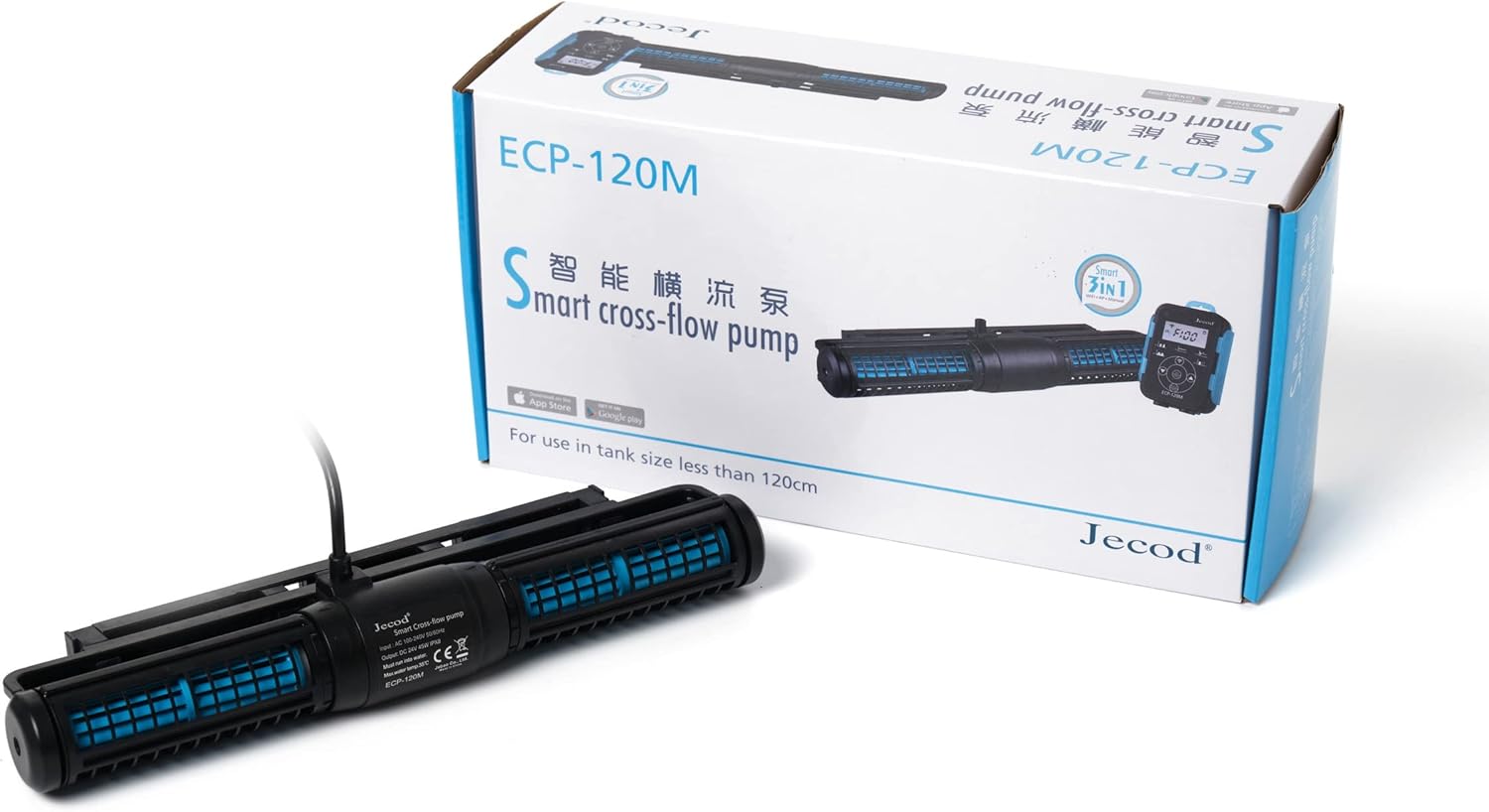
Figure 1.1: The Jebao ECP-120M Smart Cross-Flow Pump Wave Maker shown in its retail packaging, alongside its controller.

Figura 1.2: Un front directe view of the Jebao ECP-120M pump unit, highlighting its compact design.
2. Informació de seguretat
Si us plau, llegiu i comprengui totes les instruccions de seguretat abans de fer servir aquest dispositiu. Si no segueix aquestes instruccions, es poden produir descàrregues elèctriques, incendis o lesions greus.
- Desconnecteu sempre l'alimentació abans de realitzar qualsevol manteniment o neteja.
- This product is designed for indoor use only and must be used with water. Do not operate dry.
- Ensure the power outlet is properly grounded and protected by a Ground Fault Circuit Interrupter (GFCI).
- No feu funcionar la bomba si el cable d'alimentació o l'endoll estan danyats.
- Keep the controller and power adapter away from water.
- The maximum water temperature for operation is 35°C (95°F).
- Sense elements de coure exposats, adequat tant per a entorns marins com d'aigua dolça.
- Aquest aparell no està pensat per ser utilitzat per persones (inclosos nens) amb capacitats físiques, sensorials o mentals reduïdes, o amb manca d'experiència i coneixements, tret que hagin rebut la supervisió o instruccions sobre l'ús de l'aparell per una persona responsable de la seva seguretat.
3. Contingut del paquet
Carefully unpack all components and check for any damage. If any items are missing or damaged, please contact your retailer.
- Jebao ECP Smart Cross-Flow Pump Unit
- LCD Display Controller
- Power Adapter (AC 100-240V, DC 24V)
- Mounting Bracket/Magnet Holder
- Manual d'usuari (aquest document)
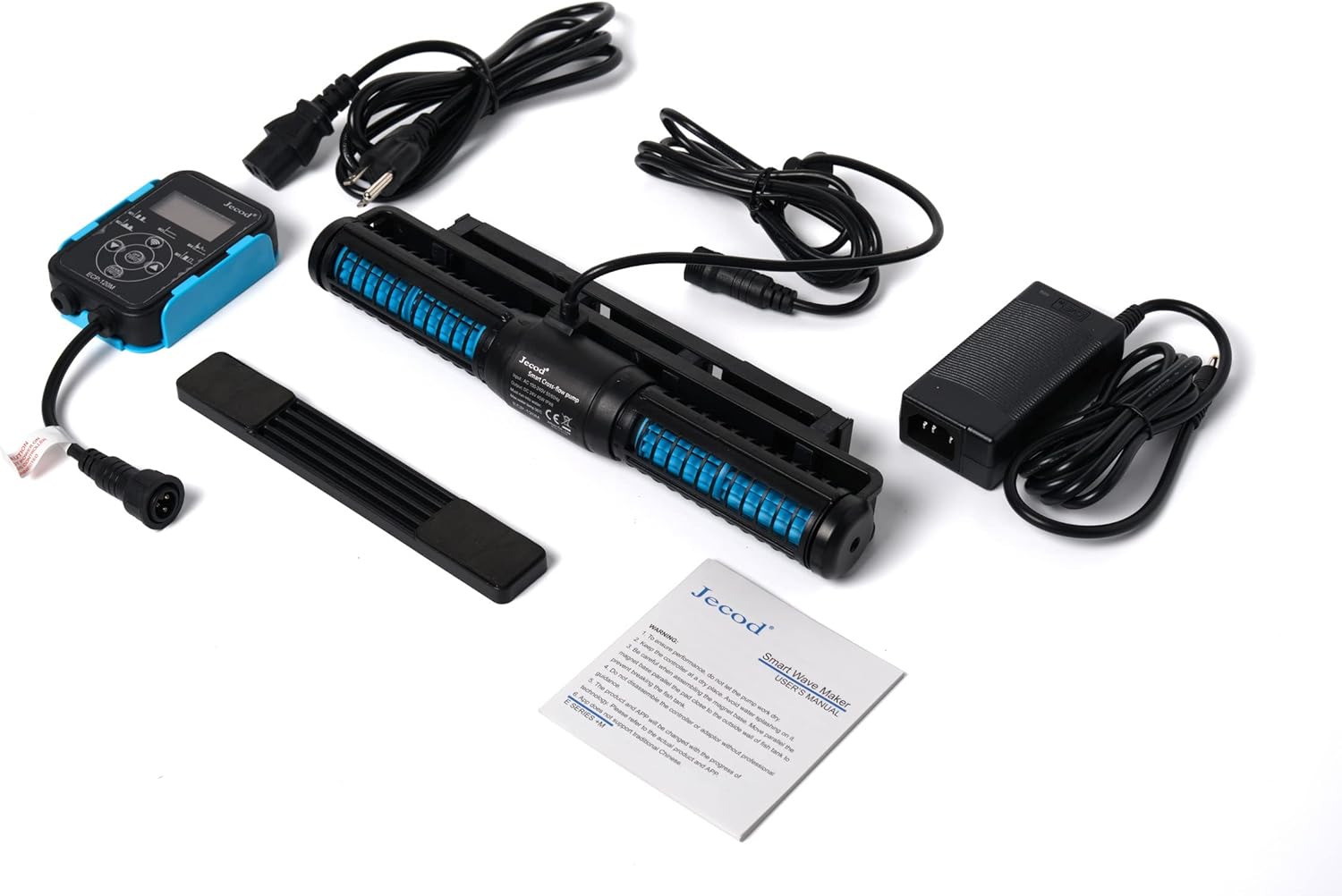
Figure 3.1: All included components: the pump unit, controller, power adapter, and mounting accessories.
4. Característiques
- Control WIFI: Compatible with both iOS and Android devices via the Jebao App, alongside a manual LCD display controller.
- SINE Wave Technology: Ensures ultra-quiet operation and high stable performance.
- Cross Wave Single Impeller Structure: Designed to create efficient water flow with no dead spots in the tank.
- Resistent a la corrosió: No exposed copper elements, making it suitable for both marine (saltwater) and fresh water aquariums.
- Disseny compacte: Space-saving dimensions for easy integration into various tank setups.
- Caudal alt: Capable of moving a significant volume of water for optimal circulation.
5. Guia de configuració
5.1 Col·locació
Position the cross-flow pump horizontally in your aquarium, typically on the back or side wall, to maximize water movement across the entire tank length. Ensure it is fully submerged before operation.
5.2 Muntatge
- Clean the area on the inside and outside of the aquarium glass where the pump will be mounted.
- Attach the pump unit to the inner magnet part of the mounting bracket.
- Place the pump unit with the inner magnet inside the tank at the desired location.
- Align the outer magnet part of the mounting bracket on the outside of the tank glass, directly opposite the inner magnet, to secure the pump firmly in place.
- Ensure the pump is securely attached and cannot easily be dislodged.
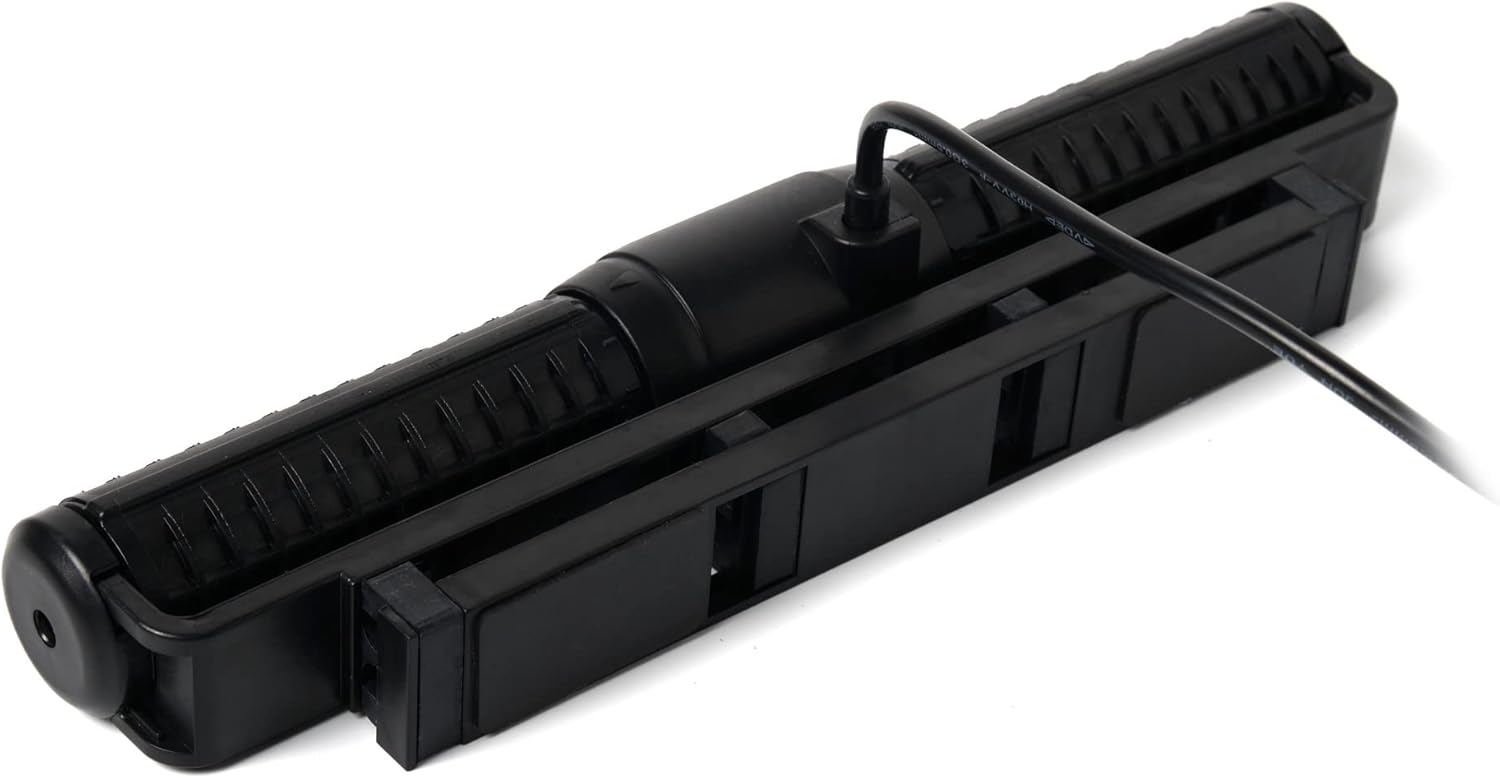
Figure 5.1: The top view of the pump unit, illustrating the integrated mounting bracket for secure attachment to aquarium glass.
5.3 Connexió elèctrica
- Connect the cable from the pump unit to the designated port on the LCD display controller.
- Connecteu l'adaptador d'alimentació al controlador.
- Plug the power adapter into a suitable, grounded electrical outlet with GFCI protection.
- Ensure a drip loop is formed with all cords to prevent water from traveling along the cord and reaching the electrical outlet.

Figura 5.2: Un angle view of the pump unit, highlighting the secure connection point for the power cable.
6. Instruccions de funcionament
6.1 Manual Control (LCD Display Controller)
The included LCD display controller allows for direct control of the pump's functions and modes. Refer to the controller's specific button layout and menu options for detailed operation. Typically, you can adjust flow intensity, select wave patterns, and set feeding modes.
6.2 Wi-Fi Control (Jebao App)
For advanced control and scheduling, download the "Jebao" app from the Apple App Store (iOS) or Google Play Store (Android).
- Download and install the "Jebao" app on your smartphone.
- Assegureu-vos que el vostre telèfon intel·ligent estigui connectat a una xarxa Wi-Fi de 2.4 GHz.
- Open the app and follow the on-screen instructions to add your ECP pump. This usually involves putting the controller into pairing mode (refer to controller manual for specific steps) and connecting it to your home Wi-Fi network.
- Once connected, you can control the pump's modes, flow rates, and set custom schedules directly from your smartphone.
7. Manteniment
Regular maintenance ensures optimal performance and longevity of your Jebao ECP pump.
- Neteja mensual: Disconnect the pump from power. Remove the pump unit from the tank. Disassemble the impeller and housing components. Clean all parts with a soft brush and warm water to remove algae, detritus, and mineral buildup. Do not use harsh chemicals or abrasive materials.
- Inspecció de l'impel·lent: Periodically inspect the impeller for wear or damage. Replace if necessary.
- Inspecció del cable: Regularly check the power cord and connections for any signs of damage or fraying.
- Remuntatge: Ensure all components are properly reassembled before placing the pump back into the tank and reconnecting power.

Figura 7.1: Detall view of the pump unit, showing the impeller housing and internal components, which should be regularly cleaned.
8. Solució De Problemes
| Problema | Causa possible | Solució |
|---|---|---|
| La bomba no funciona | No power; Impeller jammed; Controller issue. | Check power connection and GFCI. Disconnect power, clean impeller. Check controller connections. |
| Caudal reduït | Impeller or housing clogged with debris/algae. | Disconnect power, remove pump, and thoroughly clean all internal components. |
| Soroll excessiu | Air in pump; Impeller worn or damaged; Debris in pump. | Ensure pump is fully submerged. Clean impeller. Inspect impeller for damage and replace if necessary. |
| Problemes de connexió Wi-Fi | Incorrect Wi-Fi band (not 2.4GHz); App error; Controller not in pairing mode. | Ensure phone is on 2.4GHz Wi-Fi. Restart app/phone. Follow controller's pairing instructions precisely. |
9. Especificacions
| Atribut | Detall |
|---|---|
| Model | ECP-120M |
| Marca | Jebao |
| Material | Acer inoxidable (components interns) |
| Dimensions del producte (L x A x A) | 11.75" x 2.75" x 1.4" (Pump Unit) |
| Font d'alimentació | AC (via adapter) |
| Voltage | DC 24V |
| Consum d'energia | 45W |
| Caudal màxim | 3434 GPH (galons per hora) |
| Temperatura màxima de l'aigua | 35 °C (95 °F) |
| País d'origen | Xina |
| Components inclosos | Pump, controller, power adapter |
10. Garantia i Suport
For warranty information and technical support, please contact Jebao customer service or your authorized retailer. Keep your purchase receipt as proof of purchase.
Fabricant: Jebao
For the latest information, FAQs, and support resources, please visit the official Jebao weblloc web o contacteu amb els seus canals d'atenció al client.